Hi,
I've got an important question about the right way to distribute permissions for customers at JIRA. I try to describe our problem as well as i can do:
We work with our customers directly in JIRA, they have Permissions to create and assign issues or even schedule isues. For this we created a standard permission scheme with different project roles and different permission for our customers, like:
- Project Role "Customer employee"
- Project Role "Customer Project Manager" and so on..
Then we add our customers under "People" and the project role at the affected Projects, so they can work with us.
Another important point is that our customers can use the @-mention feature. So they can easily mark our consultants at issues or something else. To be able to do that we have to give them the global permission "Browse users and groups", otherwise they cant mark / see our users.
Everything is fine, they can use the @-mention Feature for example at the comment section and they can only see our employees and no other customers. The same applies for the assignee, they can only see our employees and colleagues from the project.
So far so good, but here is our big problem. If they use the button "view all issues" under "Search" Panel at the left, they can filter about the right assignee at the search page.
But here they can see every user and every group in the whole Jira System?! Just with typing an "e" or any other letter?
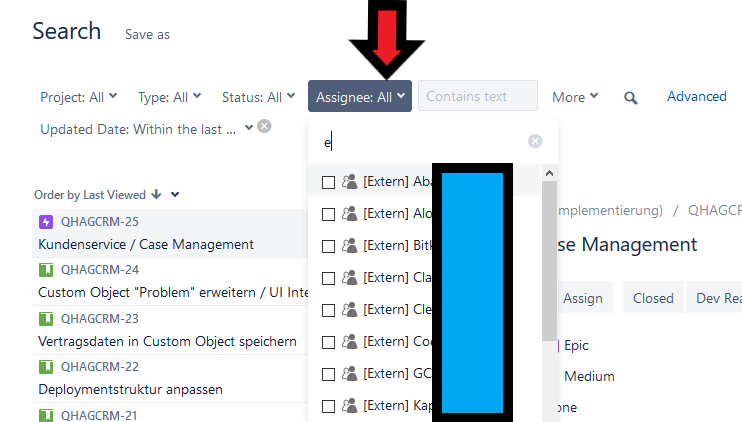
so did I do something wrong? Or is this by design? Or a Bug?
Regards,
Jonny

