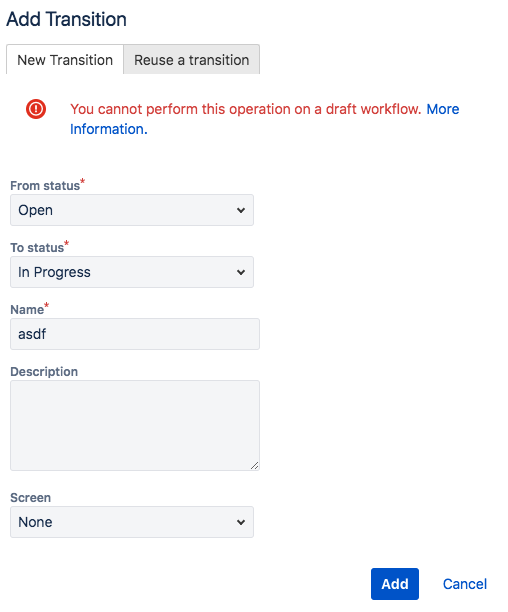
Steps to reproduce:
* Open project settings, workflows, click edit for one of the existing (custom) workflows.
* In the diagram add a transition by drawing an arrow from one status to another.
* Add a name in the popup form (it is required). Click "Add".
Error:
"You cannot perform this operation on a draft workflow. More Information."
Question:
Well, how can I edit a workflow without it getting converted into a draft? Very frustrating.