Hi team,
On our Business-type Space "NSO/REFIT/Closures | Planner" (project key: NP, cloudId: aecc13a3-34e6-4405-963a-82458ee25d31), the Board view renders differently for me than for my colleagues, even though we're looking at the same Space with the same grouping setting (Group: Category).
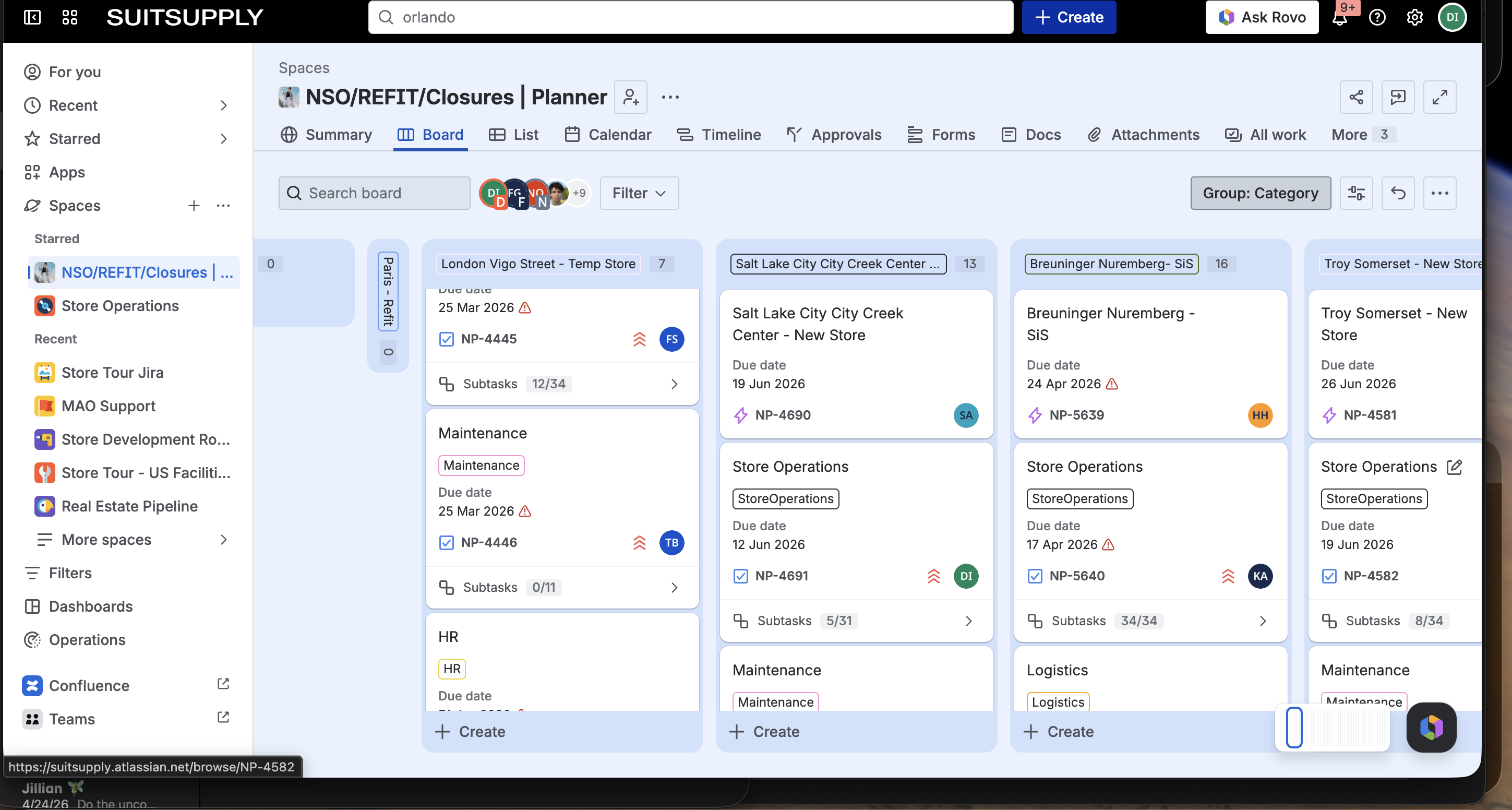
My colleague's view (correct): Columns are categories (London Vigo Street, Salt Lake City, Breuninger Nuremberg, etc.), with cards stacked inside each column. No status columns. This is how the board has always worked for our team.
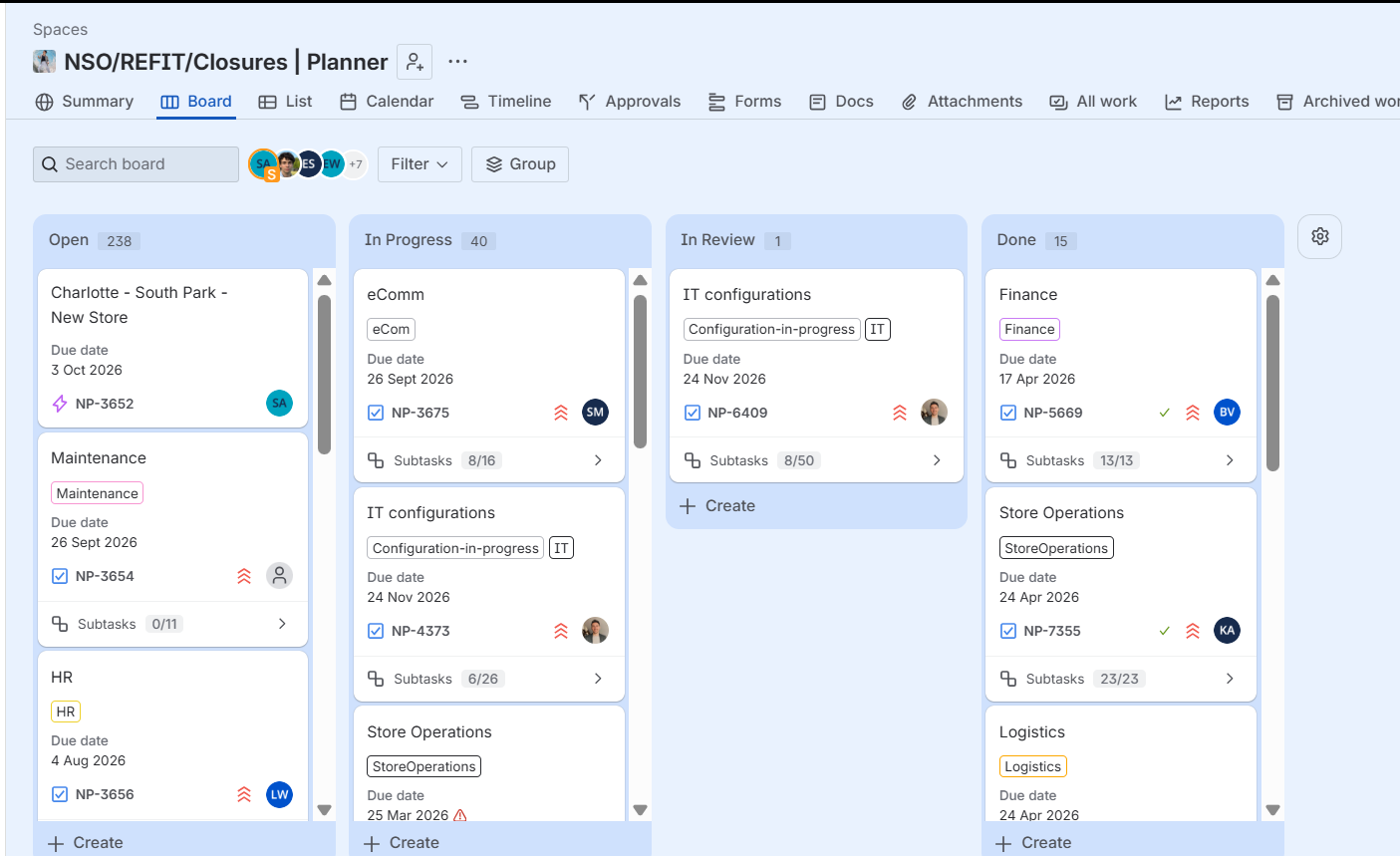
My view (broken): Same Space, same "Group: Category" setting, but the columns are forced into Open / In Progress / Cancelled / In Review / Rejected (statuses, not categories). The "Configure columns" dialog shows an "Advanced" mode warning saying I can't add, edit, or reorder columns directly from the board.
What I've already tried (none worked):
- Hard refresh (Cmd+Shift+R)
- Different browser / incognito mode
- Logged out and back in
- Switched grouping to Assignee and back to Category
- Cleared all filters
- Clicked the reset view icon
My question: Why does the same Space render two different board layouts for two different users with the same permissions and same group setting? Is this a per-user view state that's stuck, a permission/role difference, or a partial rollout of a UI change that's hit my account but not my colleague's? And most importantly — how do I get my view back to match theirs?
Happy to share screenshots of both views if helpful.
Thanks, Shady