We have Defender alerts emailed directly into a JSM project. The Description ends up coming through like this:
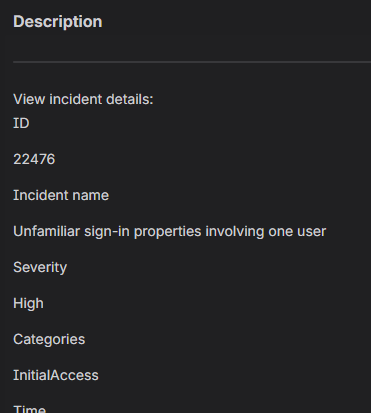
I am parsing the various bits of information (ID, Severity, Categories, etc.) out of the Description and storing them in variables for use later by using regex like {{issue.description.match("Severity[]*+([^]+)")}}. This works, and the audit log reflects the intended data is captured. I am assuming that expression is capturing more than just the text characters though.
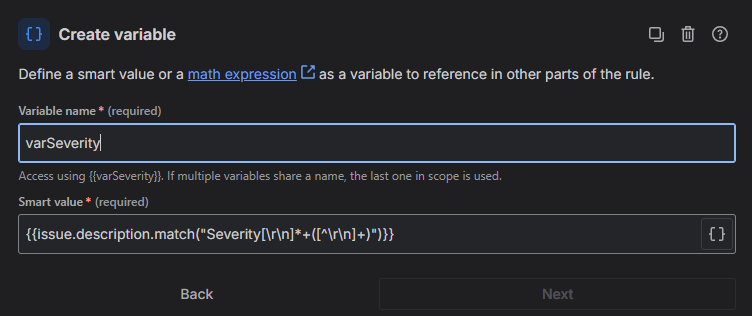
When I try to branch and use advanced compare to take different actions depending on if the Severity level is Medium, High, or Critical, I cannot get it to work.
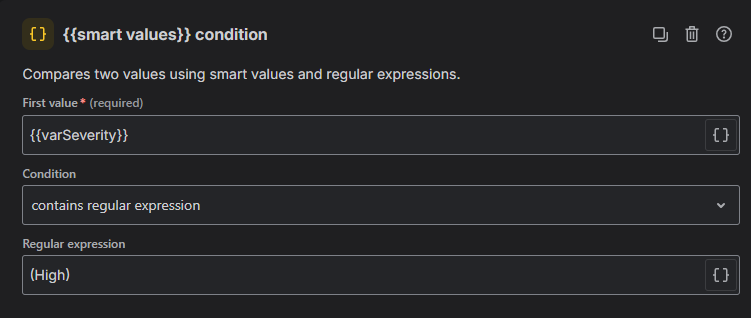
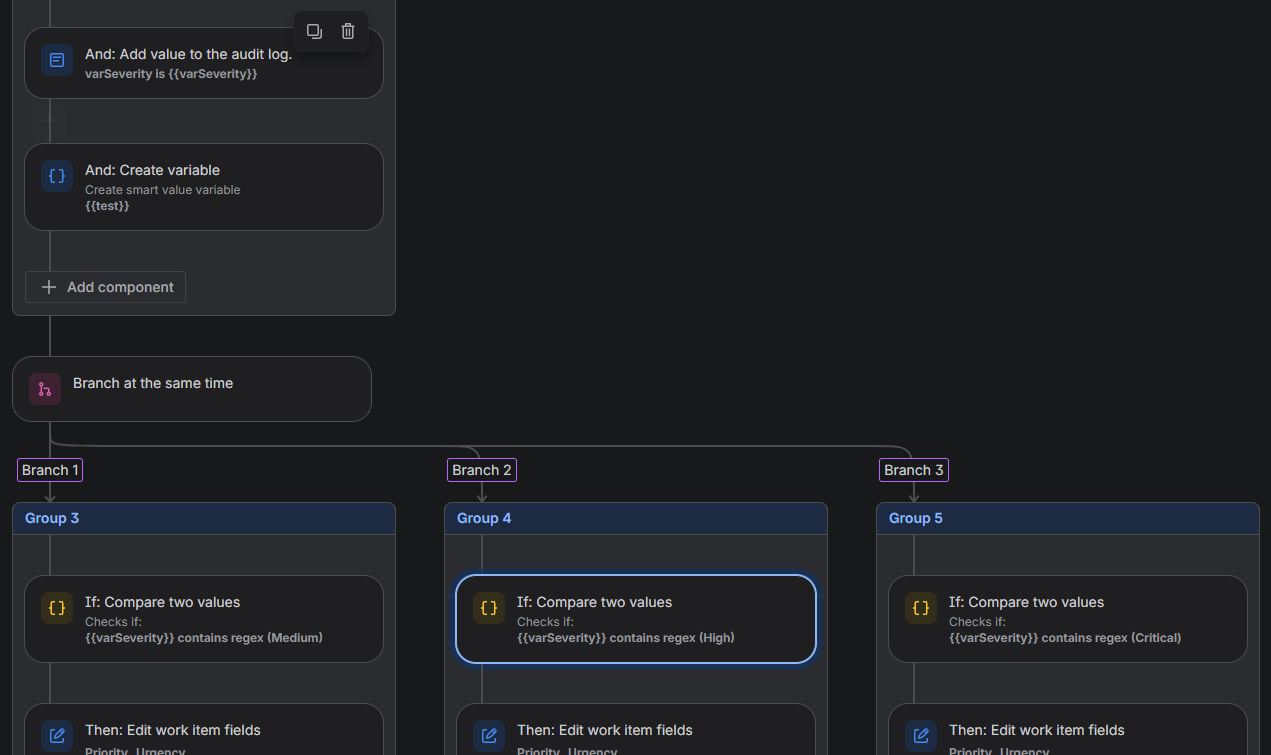
I assume this is either due to the way Jira is storing the text for the variable or because there are a bunch of other hidden characters that are getting captured when the regex grabs the line (email comes to Outlook with html formatting).
I have tried adding .trim() to the capture as well as overwriting the Description with {{issue.description.text}} before the variable is created. I have tried numerous iterations of the first value in the advanced compare...
{{varSeverity.startsWith("High")}} equals true
{{varSeverity}} contains regular expression (High)
{{varSeverity}} starts with High
{{varSeverity}} equals High
{{varSeverity.substringBefore(" ")}} equals/contains/starts with/etc.
...and a bunch of varSeverity remove/replaceAll attempts to remove white spaces, non alpha characters using [^a-zA-Z] and about every other possible combination I could think of to no avail.
If I simply add a second Create Variable step to the top branch and use {{varSeverity.substringBefore(" ")}} for its value, the same advanced compare - variable contains regex (High) - works. Likewise if I post {{varSeverity}} as a comment on the ticket, then capture it with a second variable using {{issue.comments.last.body}}, the same compare will work against that variable.
I realize I have a working solution with the second variable option, but it just feels like I am missing something that would allow me to do it without that second variable. I am not particularly skilled with regex - generally I have to find examples online to modify for my own purposes, so I am somewhat of a novice.
I appreciate any insight!


