We’re excited to announce that surveys are now generally available in Jira Service Management Cloud. Over the next few weeks, you’ll see surveys appear in your service spaces on paid plans. Surveys provide a native, streamlined way to capture feedback directly where you manage work — no more switching between separate survey tools, links or spreadsheets.
If you don’t see Surveys in the navigation on the left in your service space, a space admin needs to activate it. Navigate to Space settings, select Features and turn on the toggle next to Surveys.
Centralize feedback across services, engagement and lifecycle moments
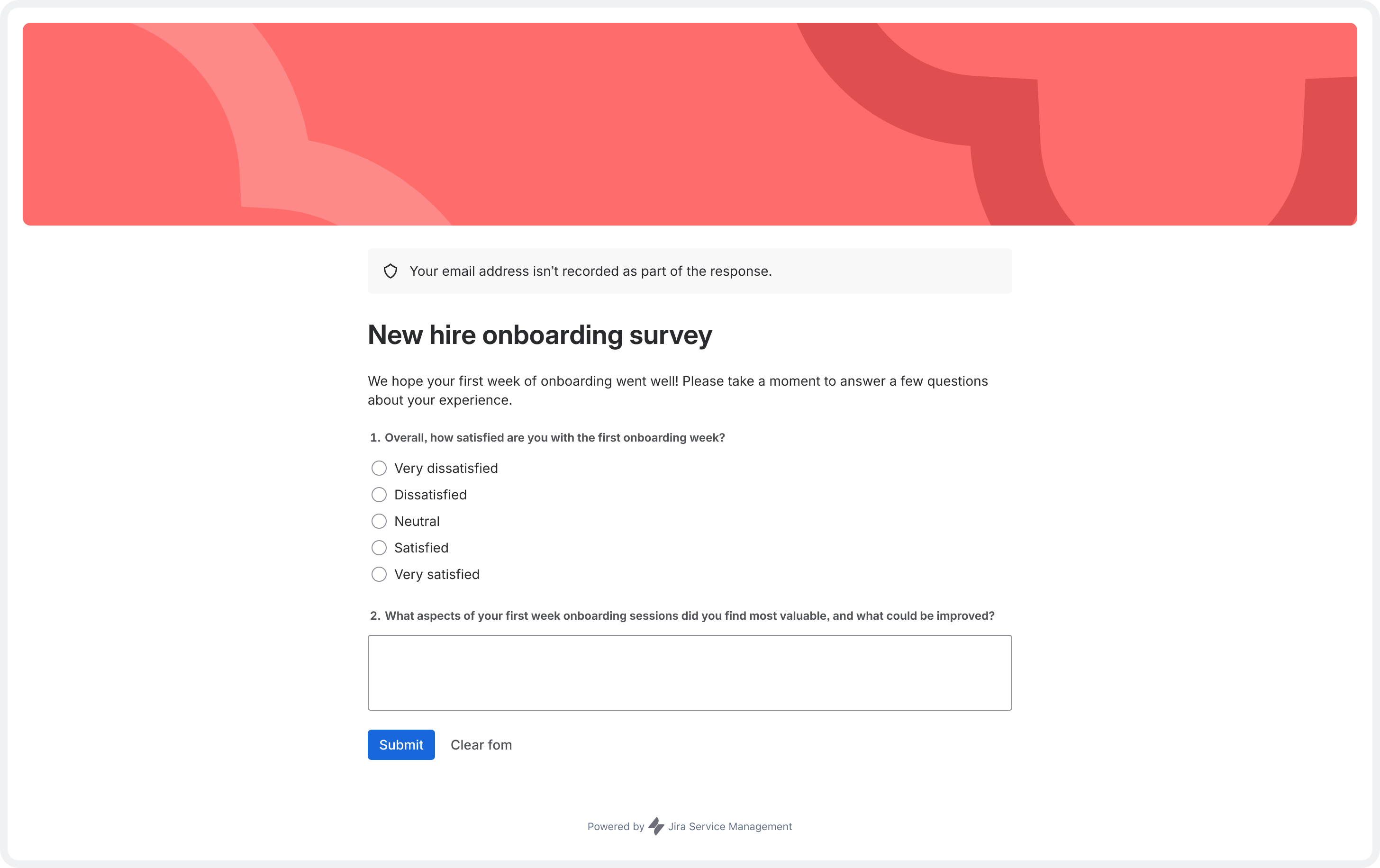
Many service teams rely on forms, spreadsheets or external survey tools to gather feedback — whether for service quality, employee engagement or lifecycle events like onboarding and offboarding. Surveys in Jira Service Management go beyond customer satisfaction (CSAT) by centralizing feedback collection across services, key lifecycle moments and employee engagement.
Design surveys fast with flexible question types
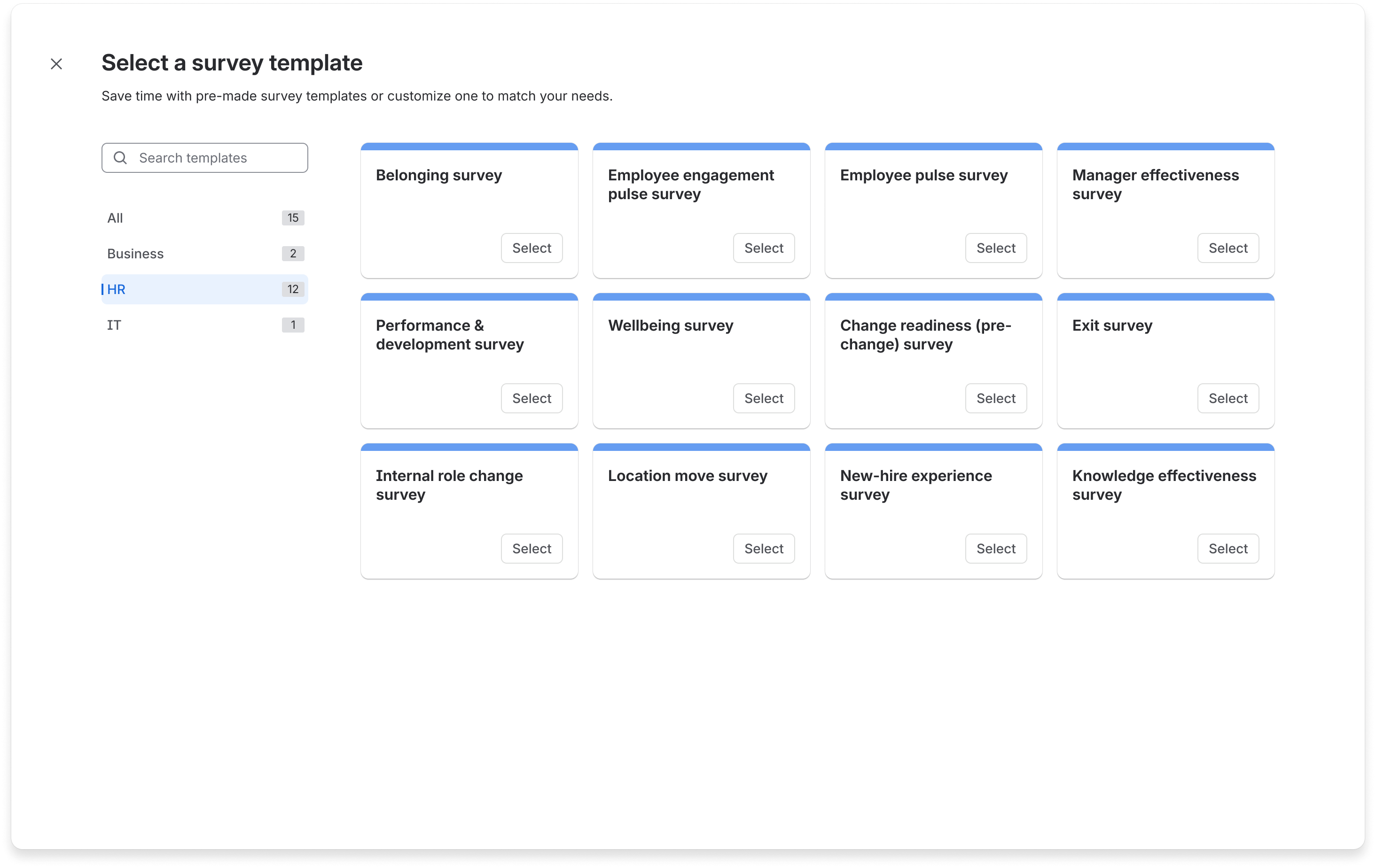
Build surveys with our no-code builder, or get started in minutes using templates for HR, business, and IT teams. Choose from multiple question types, including ratings, multiple choice and free text to customize your feedback collection.
Control access and protect privacy
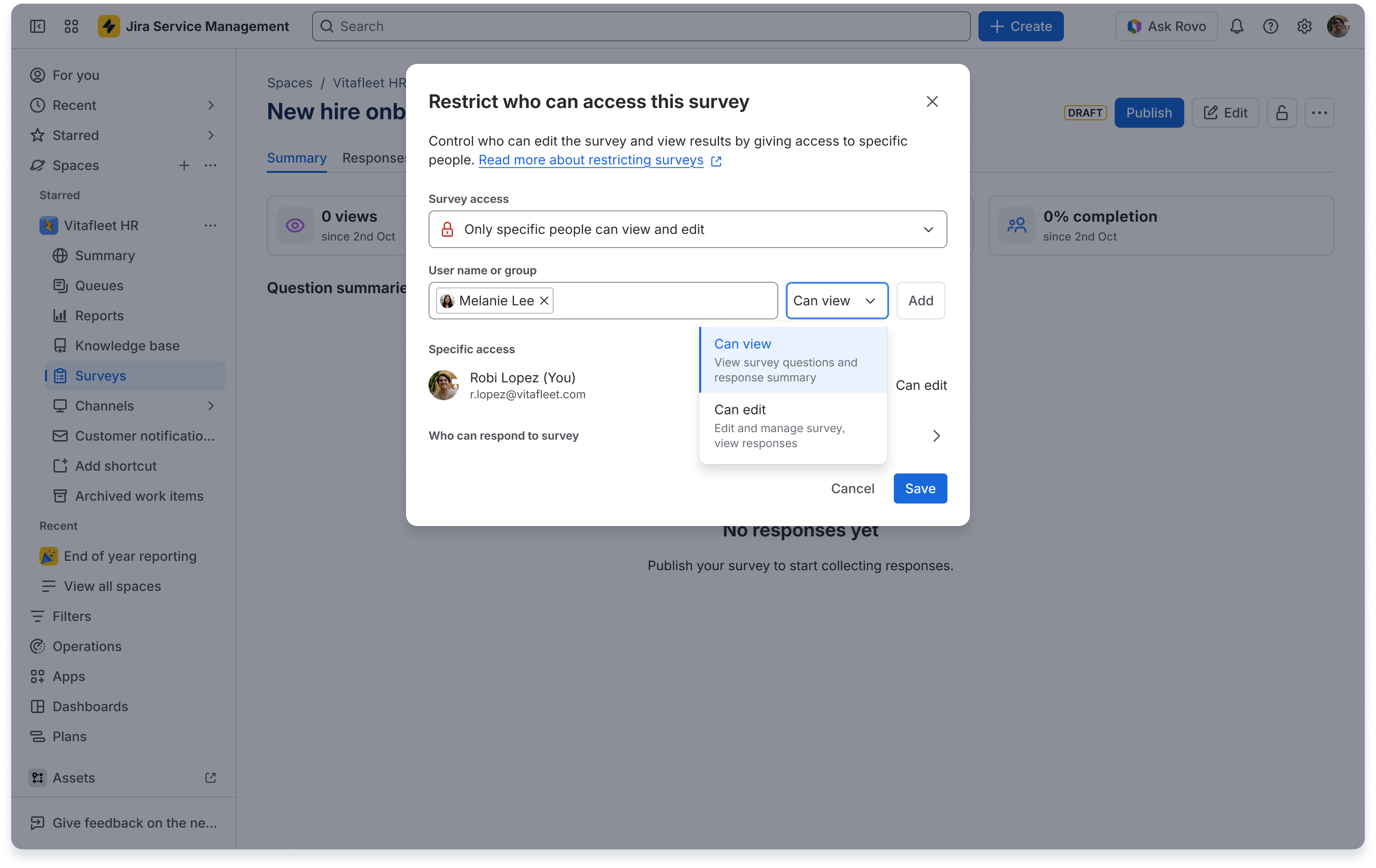
Use privacy settings to collect anonymous or identified feedback and control who can create surveys, send them or view results. Preview, publish and share surveys where your teams work – add surveys to automation rules (for example, a post-onboarding “How did it go?” check-in), or share them via email, chat or internal tools.
Turn centralized feedback into actionable insights
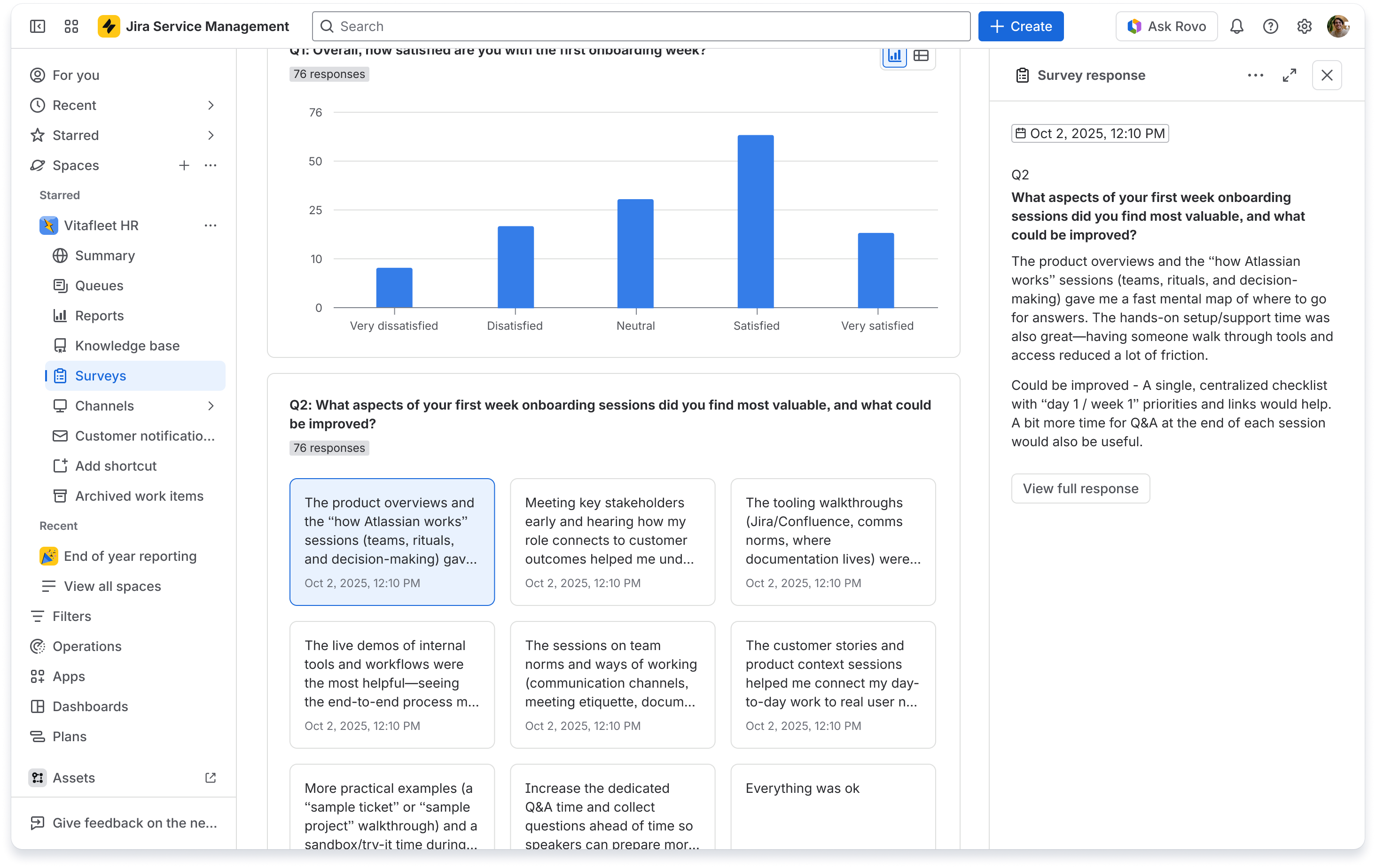
View survey data in a single, trusted overview across services and experiences. Filter data to focus on key areas, click to view free-text responses and export results for sharing.
Turn everyday employee moments into powerful feedback loops
Here are a few ways teams are using surveys to listen at the moments that matter — and turn feedback into better experiences:
-
End-of-request satisfaction surveys, beyond basic CSAT
Ask employees how satisfied they were after a request (for example, benefits query or equipment request) to identify service improvements.
-
Lifecycle journey check-ins
Add surveys at key points in journeys like onboarding, internal transfers, or offboarding. For example "How supported did you feel in your first week?”
- Knowledge base and help center feedback
Collect feedback on knowledge base articles or help center content to improve documentation quality.
What’s next: turning feedback into action
We’ve built a strong foundation for capturing feedback natively and centrally. Next, we’ll explore how Rovo can surface clearer insights, how deeper connections to workflows and automations can drive faster follow-through — all in the same system where work happens.
Share your feedback
We’d love to hear how you’re using surveys in Jira Service Management. Share your examples and questions below. Your feedback will help shape how we evolve surveys.
Kind regards,
Gemma Aldrich
Product Manager, Jira Service Management


