|
Categories
|
Example Templates
|
Best For
|
|---|
|
Work Management
|
Team Weekly Planner, Cross-Project Dashboard, User Workload View
|
PMs, team leads, managers
|
|
Service Development
|
SLA Countdown Panel, Incident Escalation Monitor, SLA Risk Monitor
|
Support leads, service desk teams
|
|
Software Development
|
Code Review Checklist, Sprint Progress Gadget, Issue Health Overview
|
Developers, scrum masters
|
Work Management Templates
Team Weekly Planner
This gadget shows issues assigned to the current user with due dates in the next 7 days. Also displays issue key, summary, status, and due date, and sorts them by nearest deadline.
This tool is the best for:
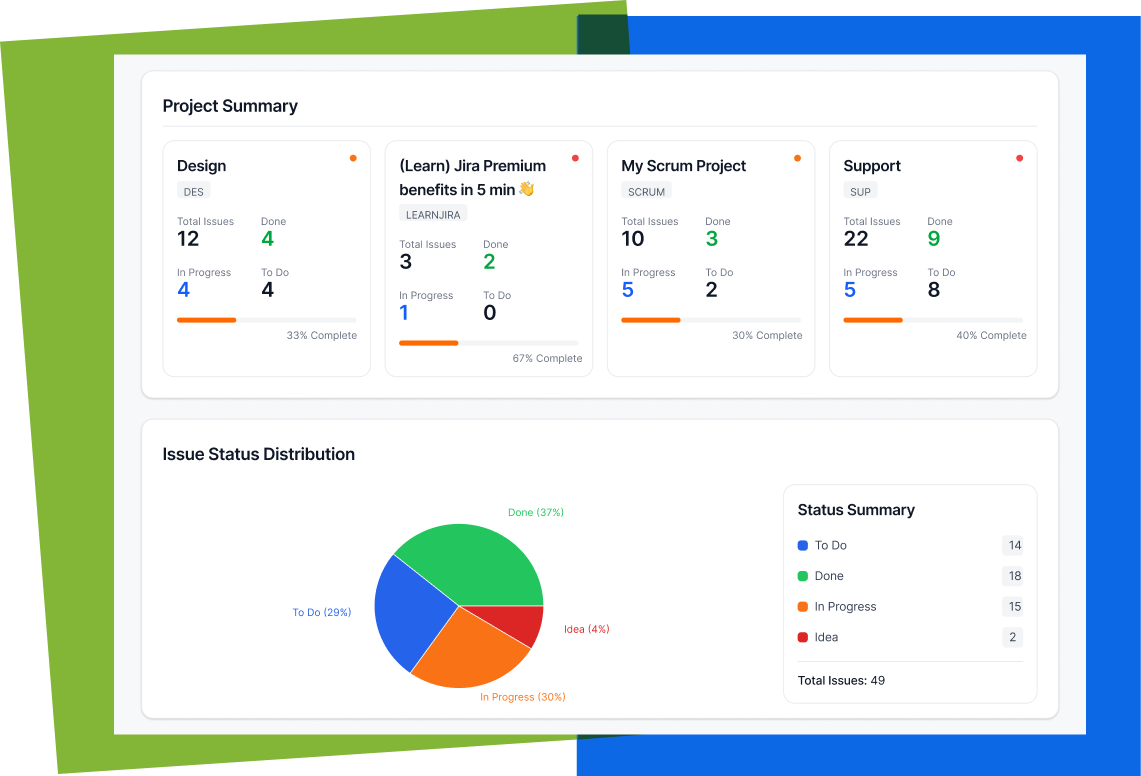
Cross-Project Status Dashboard
This dashboard shows:
This tool might be helpful for:
User Workload Dashboard
This gadget counts open issues grouped by assignee and displays them as a list or chart.
This Jira tool helps teams:
Jira Service Development Templates
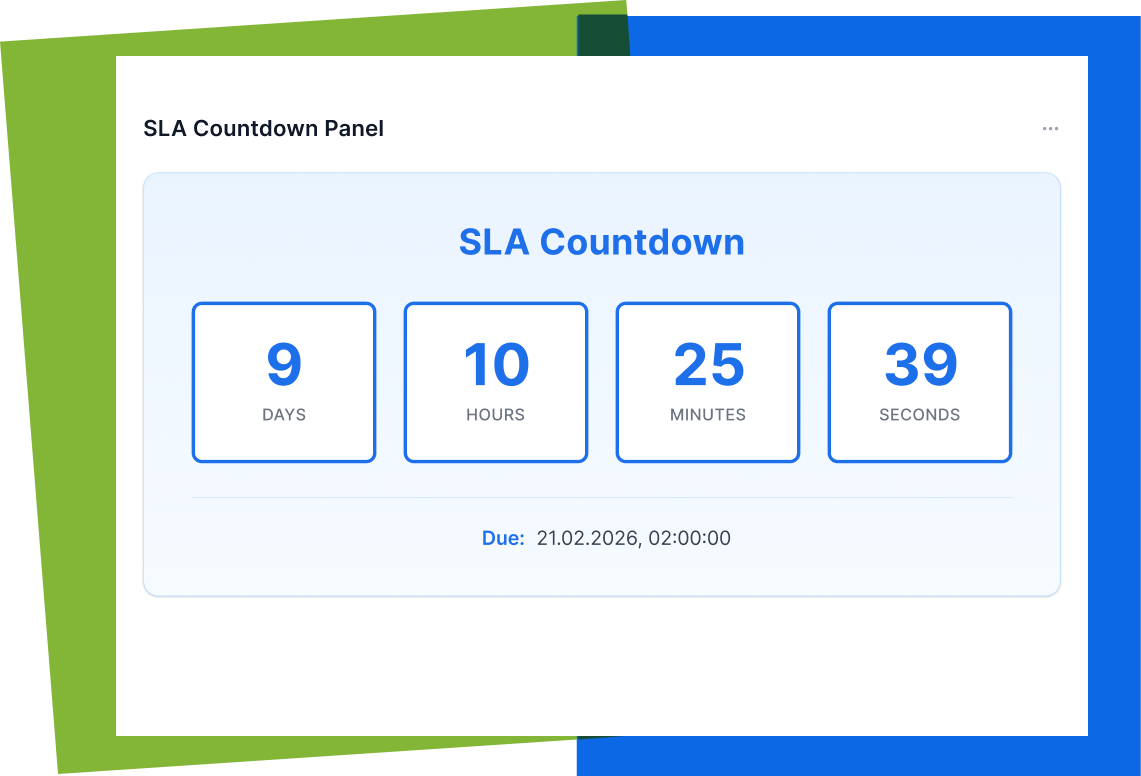
SLA Countdown Panel
It is an issue Panel that displays:
Incident Escalation Monitor
The gadget helps to identify:
-
High / Highest priority issues
-
Tickets not updated in the last 24 hours
-
Time since last update
-
Visual warning indicators.
The Jira gadget is built for support leads who want proactive control before escalation happens.
SLA Risk Monitor
The gadget categorizes tickets as:
And also displays:
-
Issue key
-
Summary
-
Priority
-
Remaining SLA time.
This helps to turn SLA management into something teams can act on immediately.
Software Development Templates
Code Review Checklist
The issue panel provides a predefined checklist (tests, style, documentation, and more).
This tool is needed for keeping:
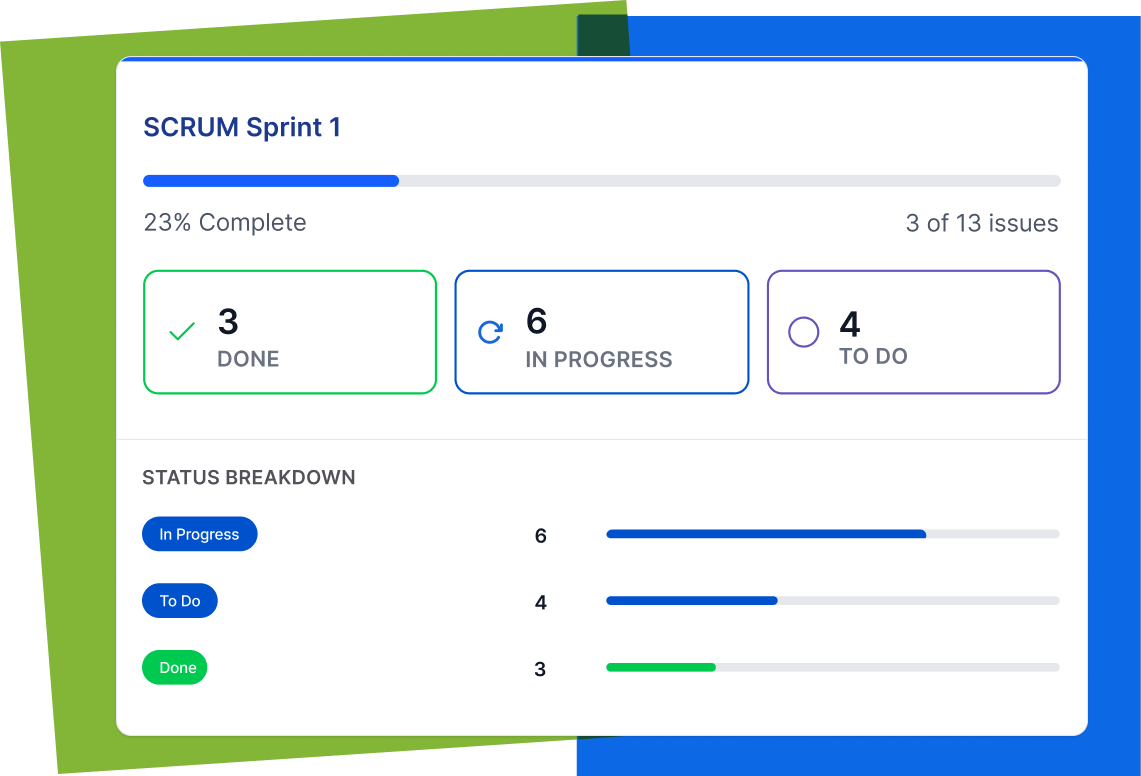
Sprint Progress Gadget
The dashboard gadget shows:
Based on the active sprint. Clear visibility for standups and sprint reviews.
Issue Health Overview
This Jira gadget displays three charts:
-
Issues by status
-
Issues by priority
-
Issues by issue type.
Instant reporting without complex dashboard configuration.
Why These Changes Matter
Before the users' flow in AI Apps Builder looked like this:
-
Create Idea
-
Write a prompt for AI
-
AI generates Forge app
-
Deploy into Jira
-
Use.
Now users' follow can also look like this:
-
Select template
-
AI Generates
-
Deploy into Jira
-
Use.
This evolution improves:
-
Speed to value – Get working apps faster
-
Adoption – Teams see benefits instantly
-
Admin confidence – Native Forge apps ensure enterprise-level security.
This Is Just the Beginning
The Template Catalog in AI Apps Builder is just getting started, with three categories and nine apps so far. Our goal is to expand it with your feedback. We see this catalog as something that grows with the community. The most valuable solutions come from real Jira teams solving real problems.
Our goals:
-
Expand with high-impact use cases
-
Refine templates based on feedback
-
Turn recurring Jira challenges into ready-to-use Forge apps.
AI Apps Builder for Jira is becoming a shared library of practical Jira solutions, built together with users.
Build Your App Or Start with One
Discover how effortless it is to create a Jira app. Try AI Apps Builder today. Install it from the Atlassian Marketplace and start building or generating your first ready-to-use solution in minutes.

