Automation in Jira is no longer just about "nice to have" tricks. For many teams, it is now a necessity to keep things predictable, save manual effort, and avoid errors, especially at scale.
As teams grow, they learn that triggers and conditions are only half the battle. The real power is in what automation can do once a condition is triggered. Structure, management, and cleanliness are what automation is doing in the background.
The list below is a set of automation actions in Automation Actions Bundle for Jira that help teams save time, simplify routine tasks, and make working in Jira more predictable.
Create Component
What it does:
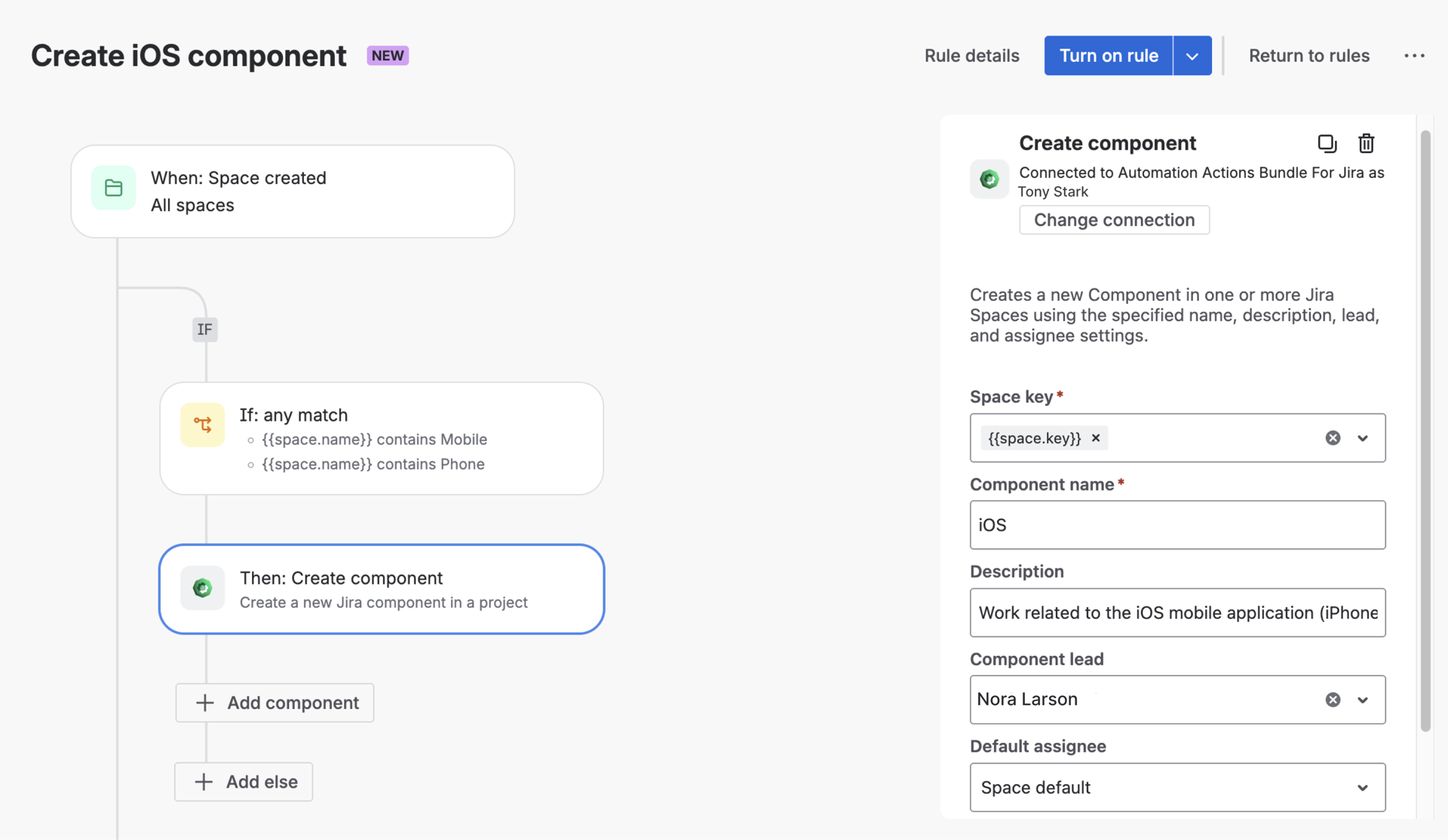
Automatically creates a Jira component when specific conditions are met.
Use case:
When a new product area or service is introduced, teams often forget to create a component until reports start breaking. With automation, a component can be created automatically when a new Space is initialized.
This helps keep Space structure clean from day one and ensures reports remain consistent.
Create Group
What it does:
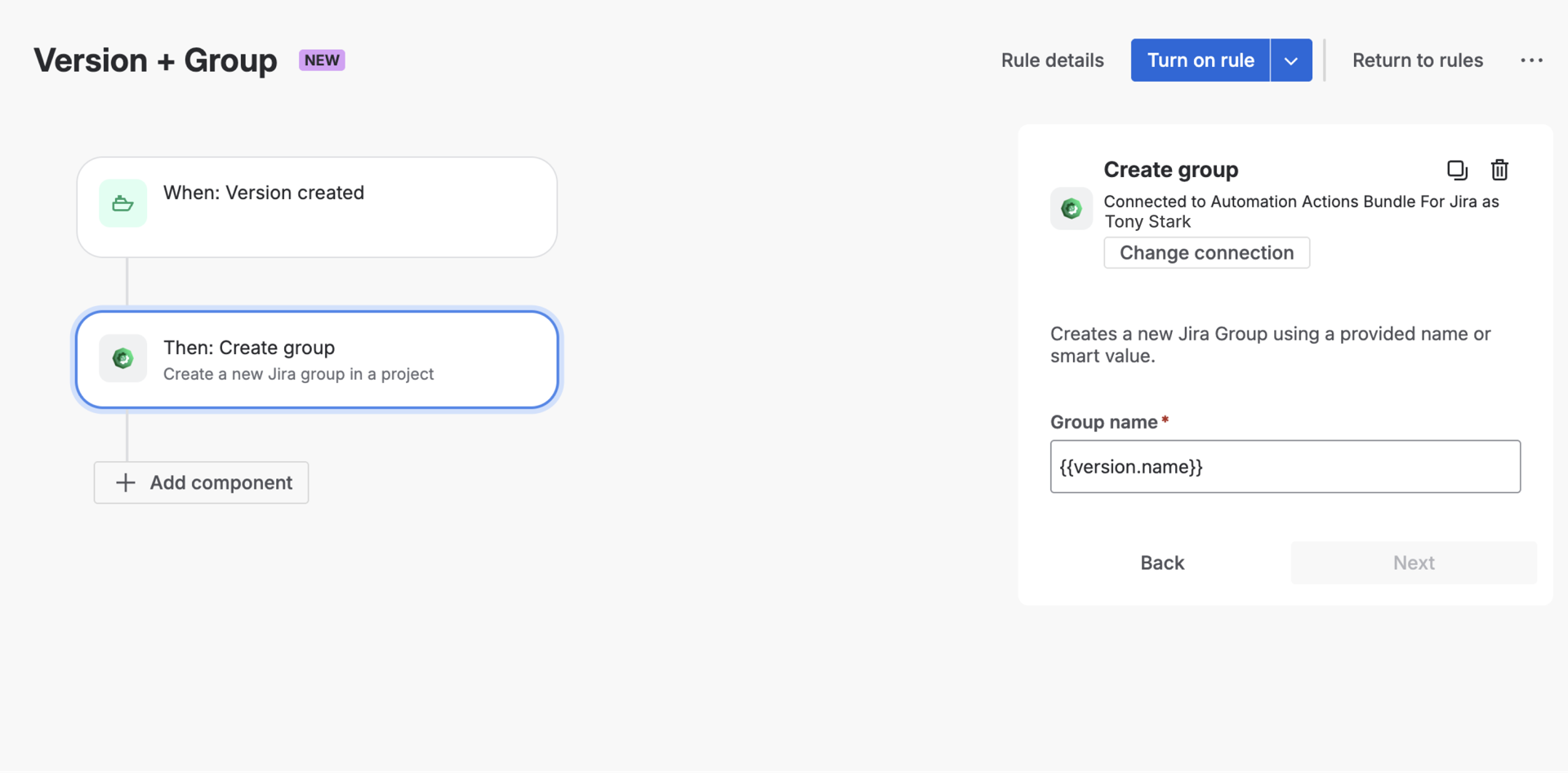
Creates a Jira group automatically.
Use case:
Perfect for onboarding workflows.
For example, when a new department or external partner is approved, automation can:
Instead of admins manually managing groups, the structure grows together with the organization.
Start Sprint
What it does:
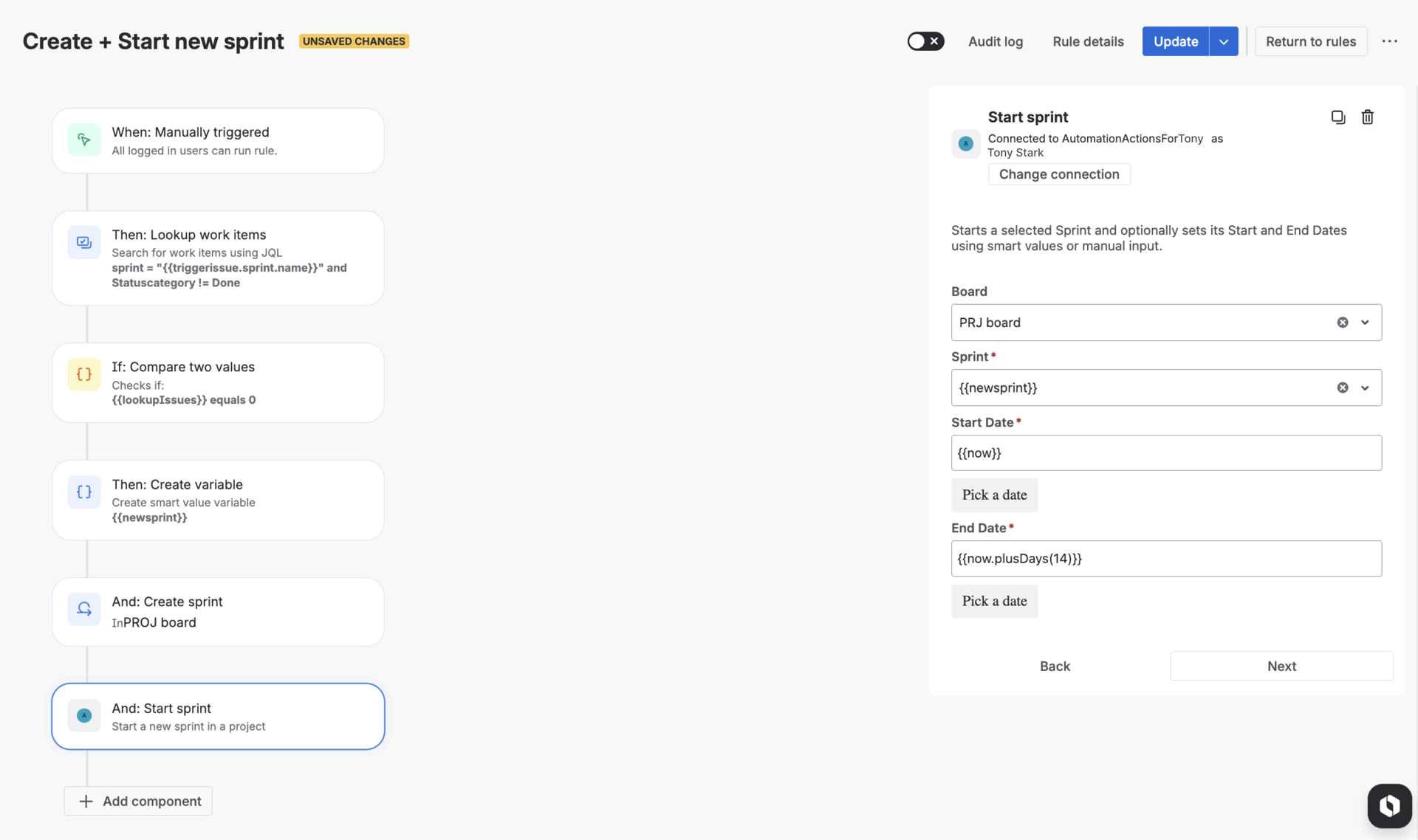
Starts a sprint automatically.
Use case:
For teams running very structured Scrum cycles, this action helps when:
Automation ensures the sprint starts on time, even if the Scrum Master is in meetings or on vacation.
This is often combined with automated reporting to immediately track sprint metrics from the first minute.
Remove Users from Groups
What it does:
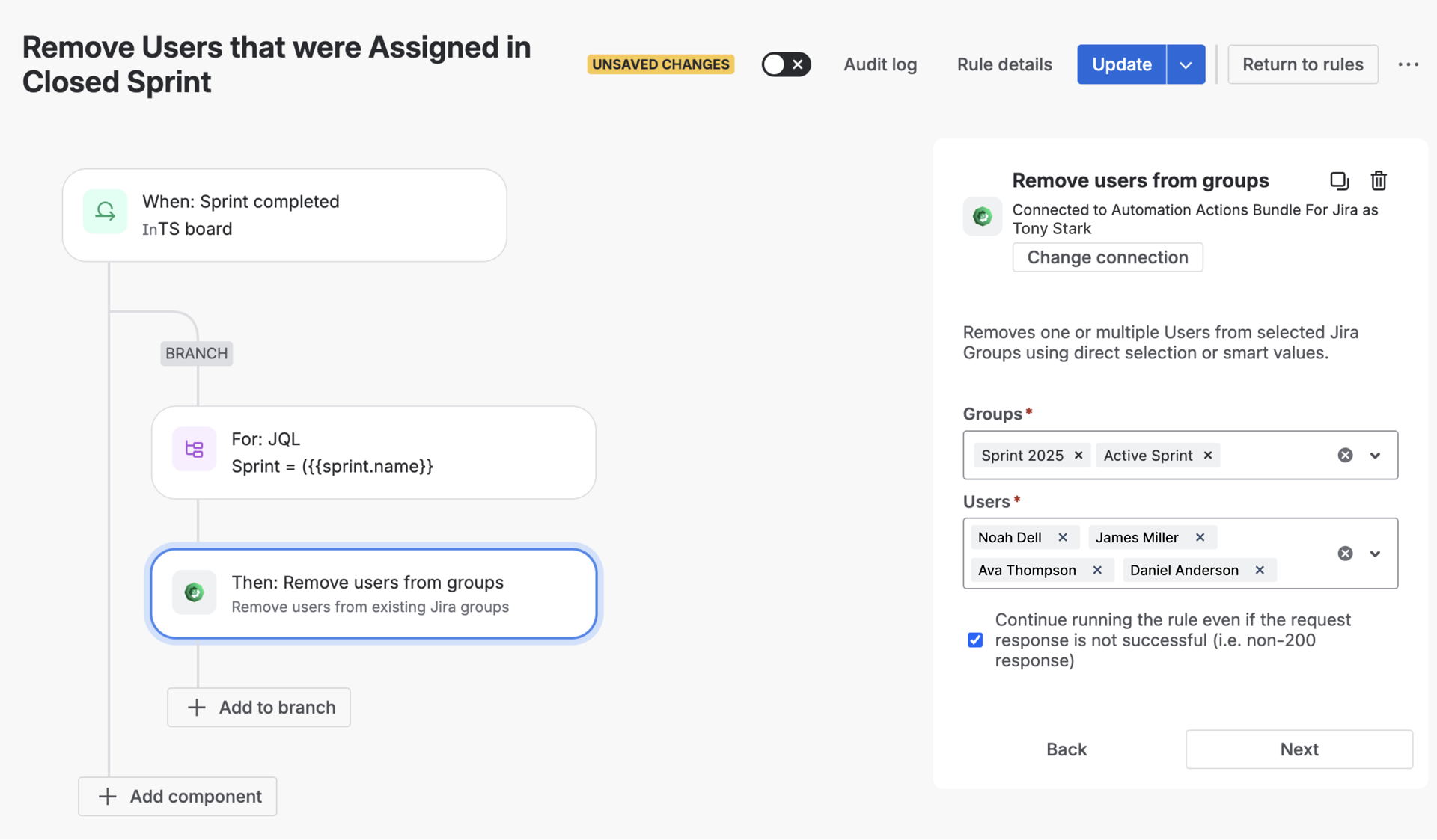
Removes users from specified groups.
Use case:
A common offboarding scenario:
Instead of relying on manual cleanup, automation ensures access is removed immediately and consistently reducing security risks.
Add Users to Groups
What it does:
Adds users to groups automatically.
Use case:
Ideal for onboarding:
The user gets the right permissions instantly, no admin ping-pong required.
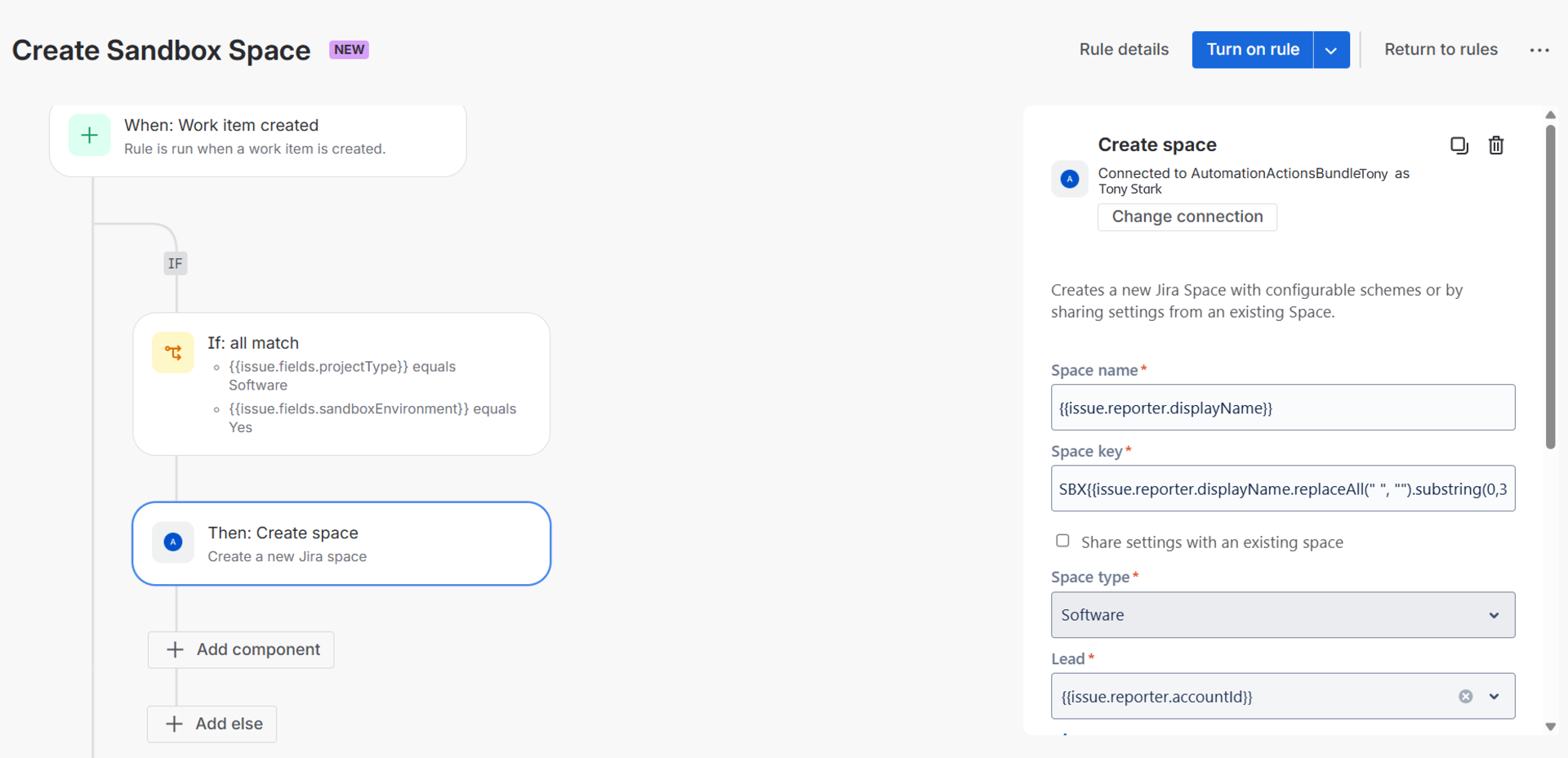
 Create Space
What it does:
Creates a Jira space automatically when defined conditions are met.
Use case:
When a new initiative, product area, or internal workflow is launched in Jira, teams often need a dedicated space immediately but space creation is easy to forget or postpone.
With automation, this action allows teams to:
-
create a Jira space as part of a standardized setup flow
-
apply consistent naming conventions
-
ensure the space exists before work and reporting begin
This helps teams start working in a structured environment from day one, without manual setup steps.
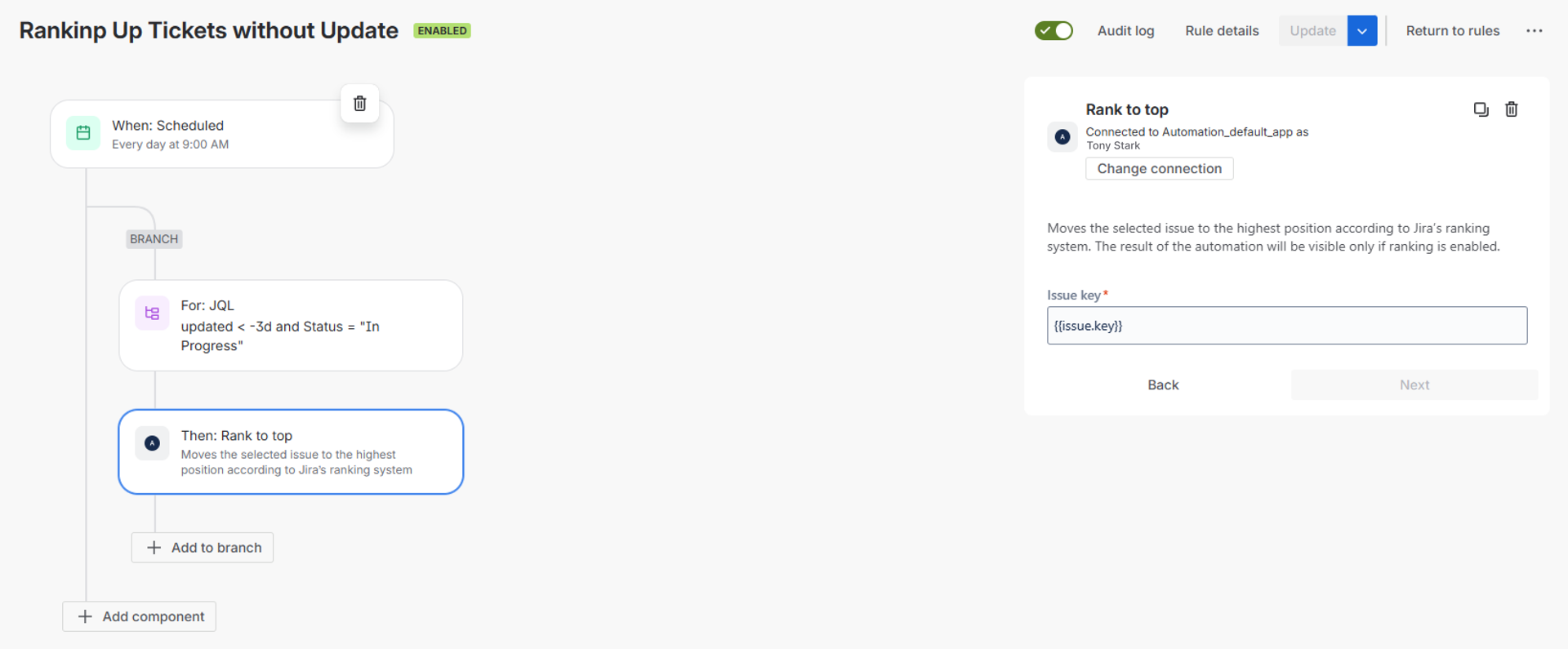
Rank to Top
What it does:
Moves an issue to the top of the backlog or board.
Use case:
Great for urgent situations:
Instead of manually re-ranking, automation makes sure critical work is visible immediately.
Why This Matters
Each of these actions may look small on its own. But together, they:
-
reduce manual admin work
-
enforce consistency
That’s exactly the idea behind Automation Action Bundle for Jira: supporting real operational workflows, not just checkbox automation.
If you’re already using Jira automation, these actions can extend what’s possible without adding complexity.
