Hi everyone,
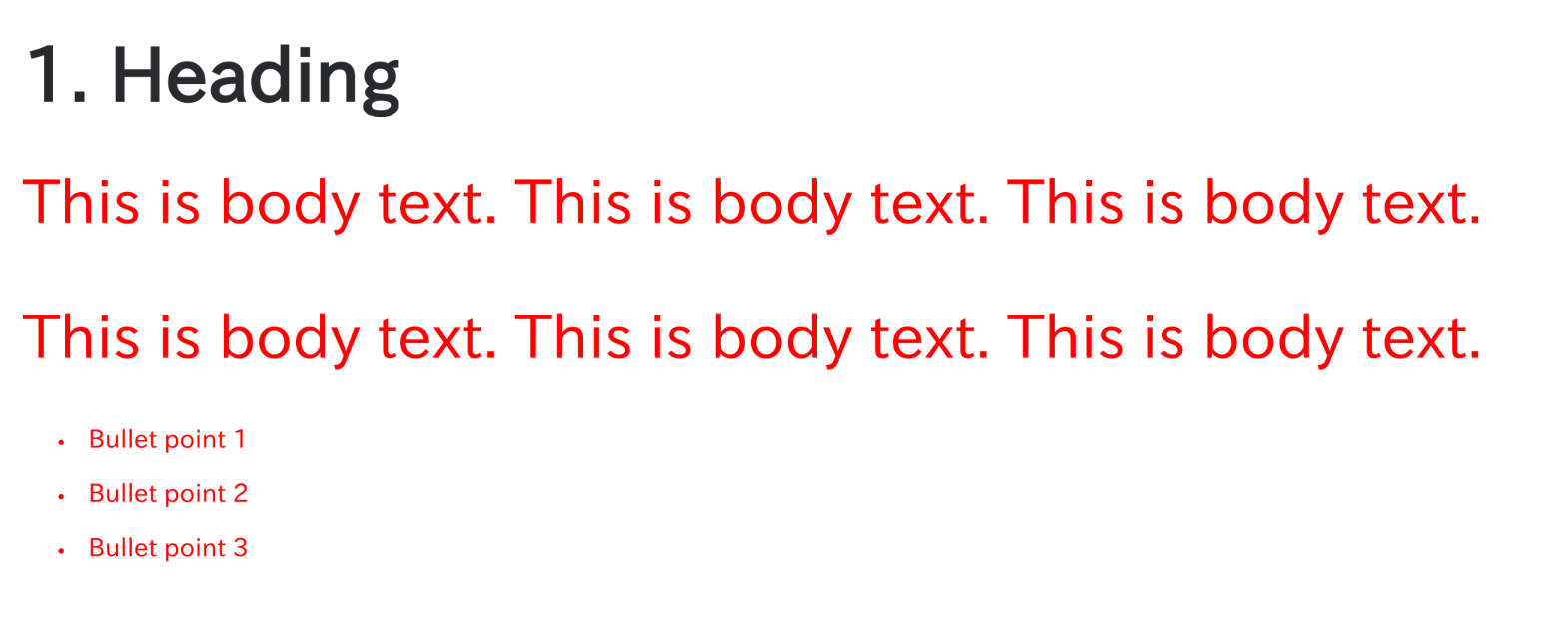
I am trying to customize the font size for PDF exports, but the changes are not being applied to the body text, even though they work for bullet points (list items). How can I ensure the font size is applied to the body text?
I have added the following CSS under Settings > Look and Feel > PDF Stylesheet:
body, p, li, td, table, tr, .bodytext, .stepfield {
    font-size: 5pt;
    line-height: 1.3;
    color: red;
    font-weight: normal;
}I have attached a screenshot of the exported PDF. As you can see, both the body text and the bullet points are red, which suggests the selectors are correct. However, the font size (5pt) is only reflected in the bullet points, while the body text remains at its default size.
Does anyone know why the font size is being ignored for paragraphs/body text, and how I can fix this?