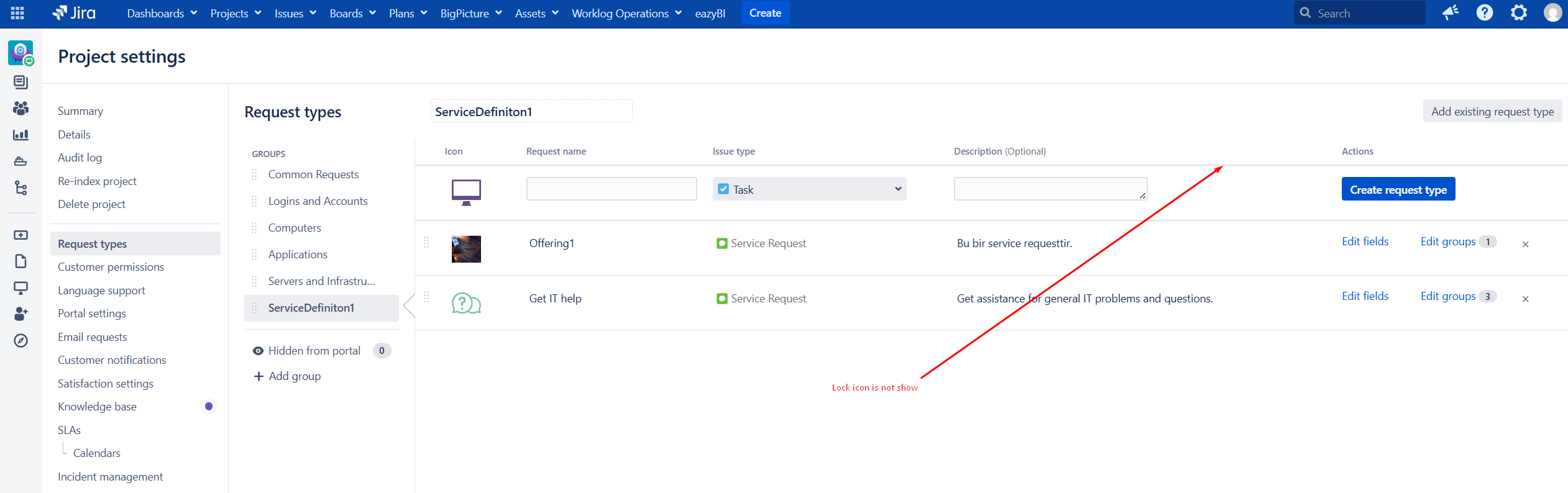
According to the Jira Service Management documentation, to add restrictions to a request type, the lock (🔒) icon or the More actions → Restrictions option should be visible (see: https://confluence.atlassian.com/servicemanagementserver/restricted-request-types-1453424836.html).
However, even though I have Project Admin permissions, the lock icon or the Restrictions option is not visible on the Project settings → Request types screen.
Based on the documentation, I should be able to configure this setting, but the related options do not appear in the UI.
How can I enable or access request type restrictions in this case?