As IT teams strive for greater ITSM maturity, integrating Lansweeper with Jira Service Management (JSM) is becoming increasingly essential. By combining Lansweeper's automated asset inventory with Jira's flexibility, you can create a powerful, data-driven ecosystem that enhances your IT processes, especially in Incident, Request, Problem, and Change Management.
In this post, I’ll dive into why you should integrate these tools, how it works, the available methods, and the tangible benefits.
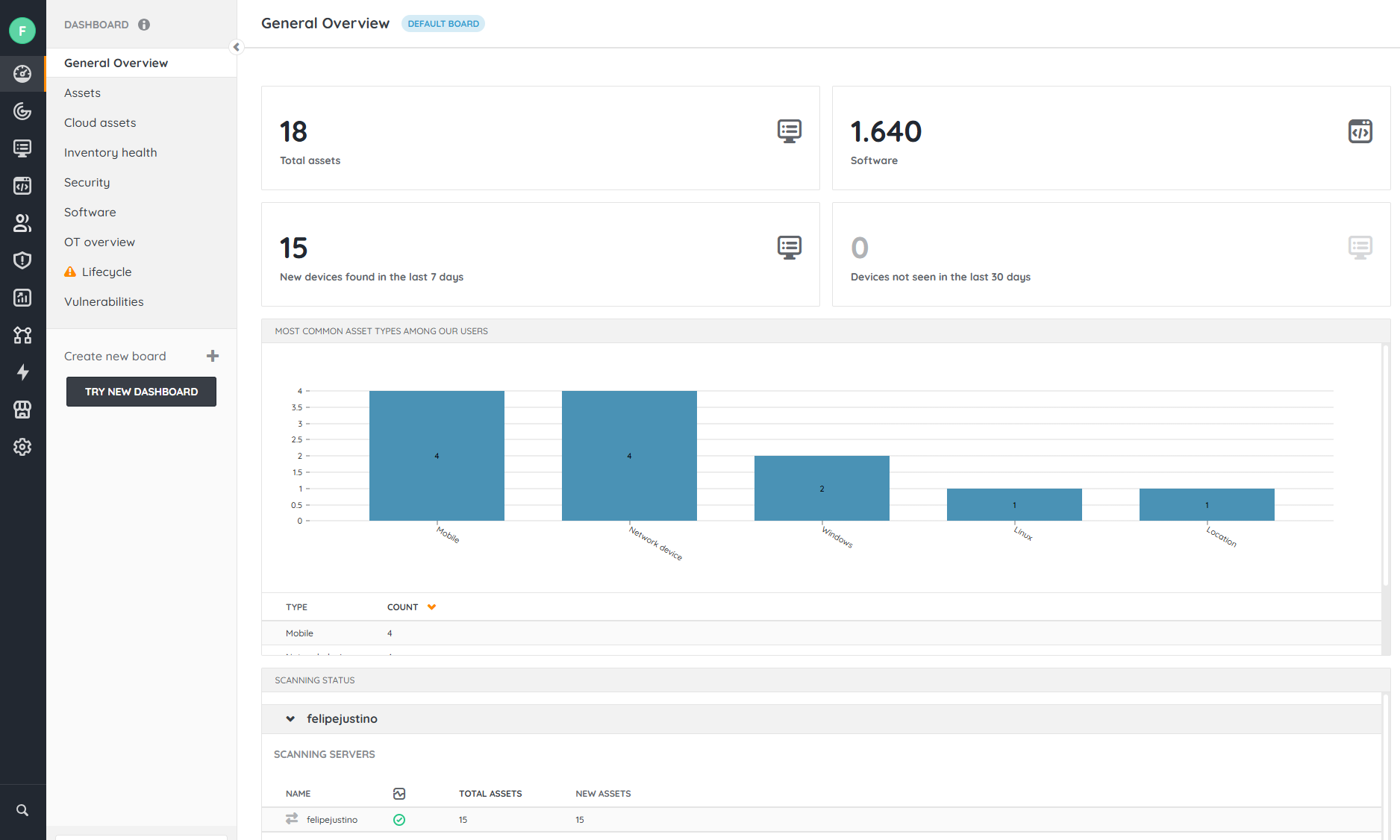
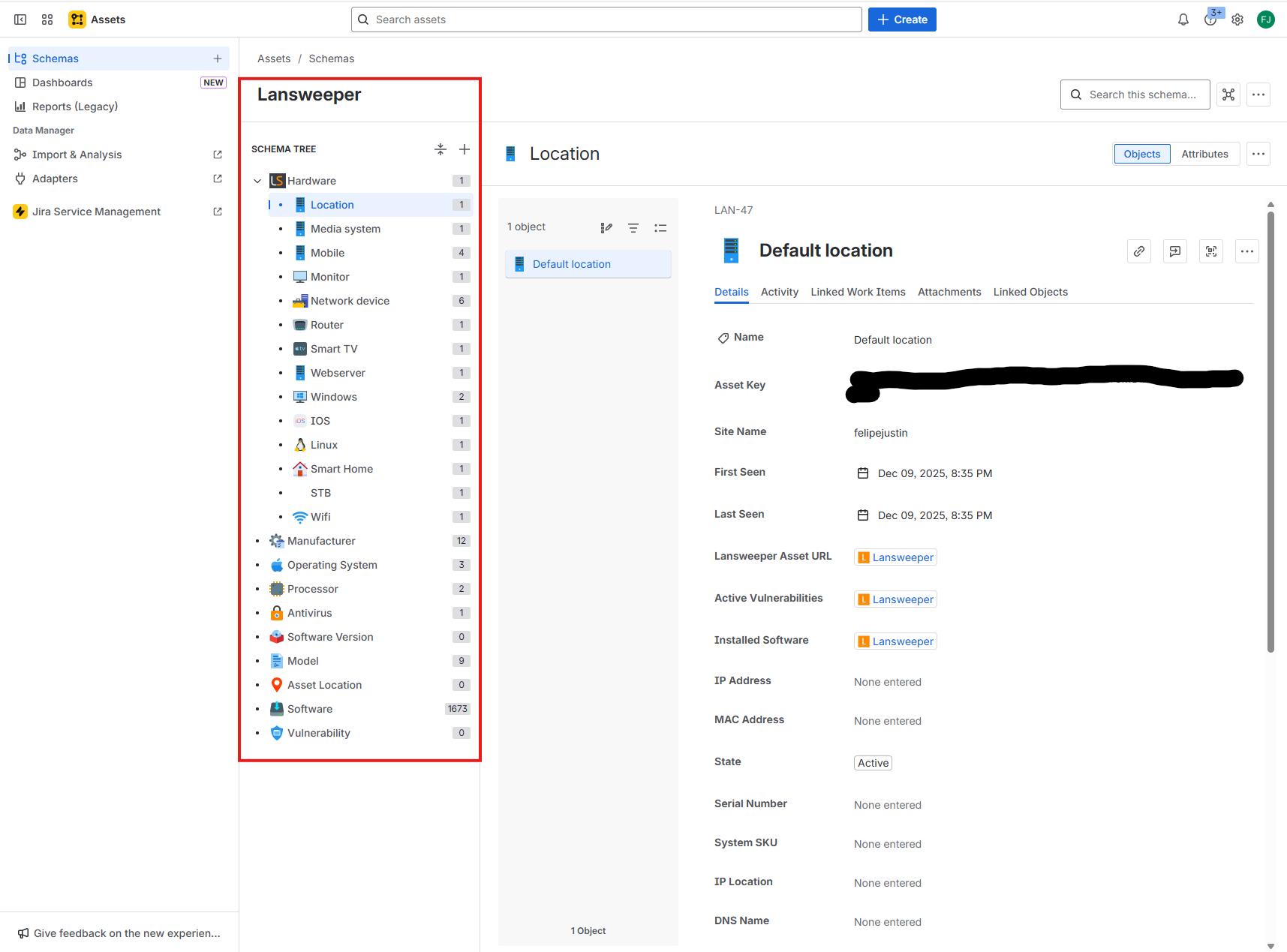
Why Integrate Lansweeper with Jira Service Management?
1. Always-Up-to-Date, Automated Inventory
Lansweeper performs comprehensive scans on:
By syncing this data with Jira Service Management (Assets/CMDB), you eliminate outdated records and manual inventory updates.
2. Asset Data Inside Tickets
Integration means analysts can:
-
View asset information linked to the ticket in Jira
-
Quickly identify hardware/software
-
Access incident history of the same device
This speeds up troubleshooting and improves SLAs.
3. Strong Foundation for Change Management
Up-to-date asset data in the CMDB improves impact analysis and approval processes in Change Management.
4. Automate Requests and Incidents
With synchronized Lansweeper data, you can:
Available Integration Methods
There are three main ways to integrate Lansweeper with Jira Service Management:
✔ 1. Lansweeper Cloud + JSM Assets (most modern approach)
Lansweeper Cloud offers a native connector for Jira Assets (formerly Insight).
What this integration does automatically:
-
Syncs Lansweeper devices with Jira Assets
-
Keeps the CMDB updated after every scan
-
Maps properties to object attributes
-
Links devices, users, software, and dependencies
Requirements:
Advantage: Native, automated solution with official support
Limitation: Does not create tickets automatically (can be done via Jira Automation or API)
✔ 2. API-based Integration (Lansweeper API → Jira API)
For companies with custom workflows, you can build fully tailored integrations.
Typical Flow:
-
Lansweeper → exposes data via API
-
Script or middleware → transforms attributes
-
Jira Service Management → creates/updates Assets objects
-
JSM → automations consume synchronized data
Common Use Cases:
Advantage: Full flexibility
Limitation: Requires development
Practical Use Cases
-
Automatically Link Asset to Tickets
When a user opens an incident, Jira searches for the device in the CMDB (synced from Lansweeper) and automatically links the asset.
-
Automate Priority Based on Criticality
If a critical server is involved, Jira can increase priority, trigger specific teams, and notify the Change Advisory Board.
-
Enrich Tickets with Technical Data
Analysts instantly access detailed information (CPU, RAM, OS, IP/MAC, software) without needing to log into Lansweeper.
-
Automatically Update the CMDB
Whenever an asset changes (e.g., software updates, IP changes), Jira Assets automatically reflects the update.
Step-by-Step Guide (Official Integration)
-
Set Up Lansweeper Cloud Environment
-
Go to “Integrations” in Lansweeper Cloud
-
Authenticate with Atlassian Organization.
-
Map ObjectsExample:
-
Configure Synchronization Plan
-
Validate in Jira Assets
Confirm that objects are being created and updated correctly.
Strategic Benefits for IT Teams
-
🚀 Reduced Rework: Manual inventory management is eliminated.
-
🎯 Improved SLA Performance: Analysts resolve issues faster with complete asset data.
-
🔒 Stronger Security: Integration helps detect unauthorized software and vulnerabilities.
-
📊 Reliable Data for Audits: Up-to-date CMDB makes audits much smoother.
-
⚙ A Strong Foundation for Automation: With accurate asset data, automations and recommendations become much more efficient.
Conclusion
Integrating Lansweeper with Jira Service Management is a critical step for organizations looking to improve asset management, incident management, and change management.
By automating your inventory, synchronizing your CMDB, and enriching your tickets, teams gain enhanced productivity, reliability, and visibility into their IT environment.
Whether through native integration, APIs, or ETL processes, the result is the same:
More control, greater efficiency, and a far more strategic IT operation.
