I’m having an issue with importing a CSV file and preserving the original issue order.
- When I import the CSV and map Issue Type = Work Type, I also have an automation rule that updates the Request Type based on the Issue Type, and the system also updates the status during the import. After the import finishes, the issue order is changed and does not follow the order in the CSV file (image 1)
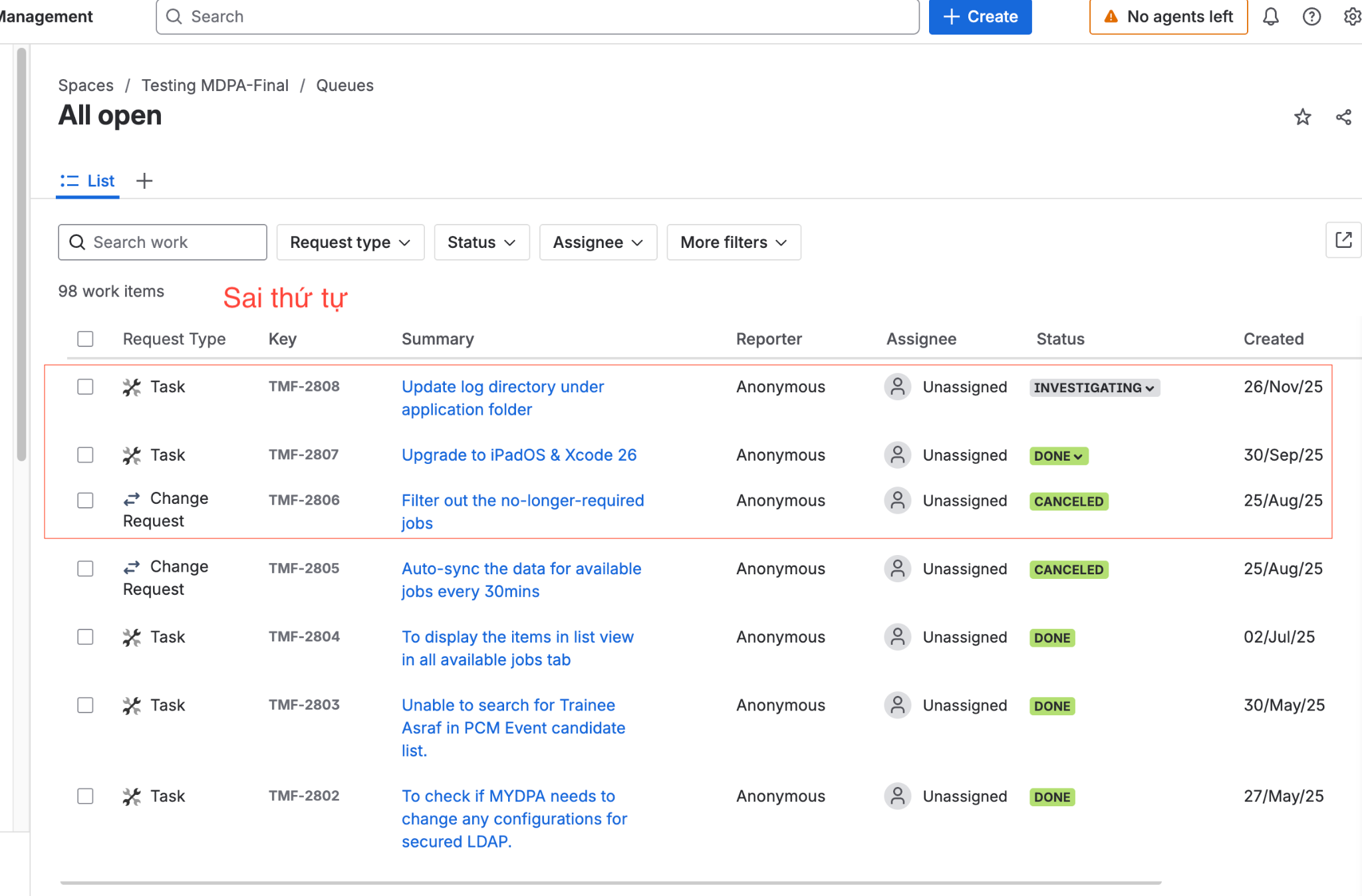
2. However, if I choose not to map Issue Type (“Don’t match..”), the issue order is imported correctly, but in this case I cannot edit or display the Request Type afterward.
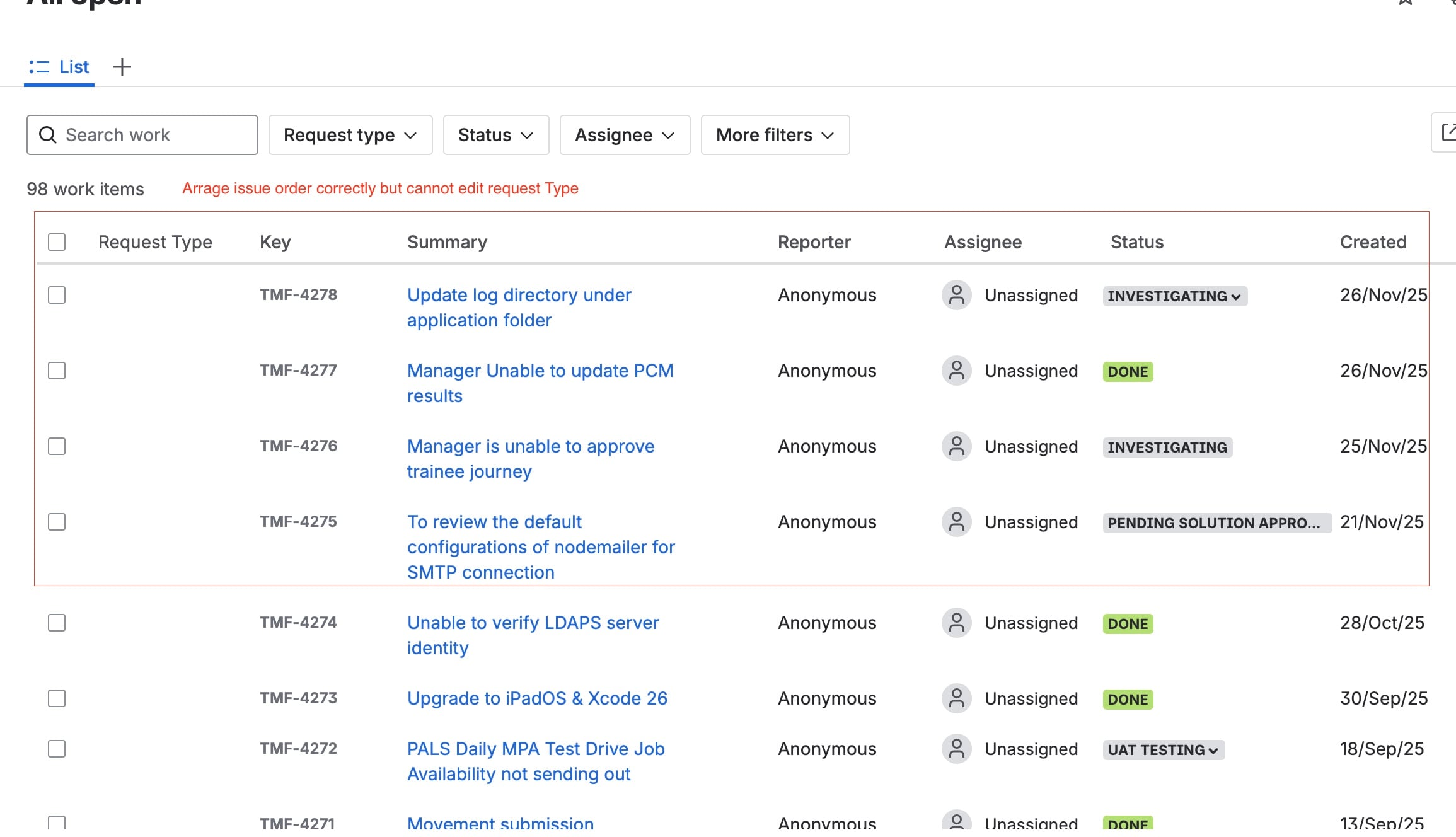
Expected Result
I would like to:
keep the same issue order as in the CSV file,
and still be able to automatically map or modify the Request Type.
Could you please advise how to import the CSV while keeping the original order and still allowing Request Type mapping?


