Hello
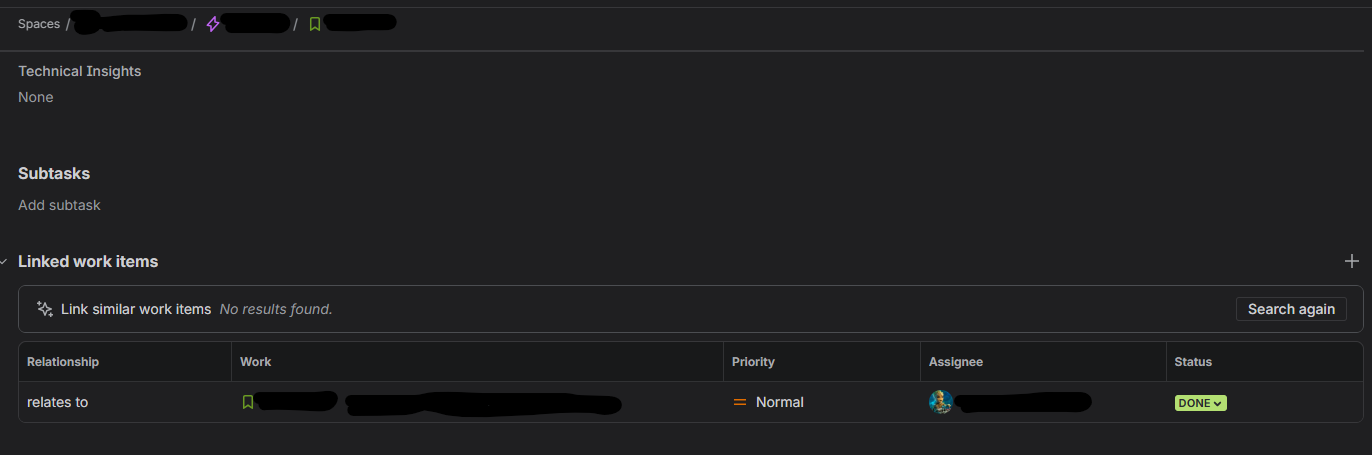
It seems a recent update to JIRA Cloud changed the behavior of the "Linked work items" list that is available on Jira tickets.
It was possible previously to unlink/remove a work items from a ticket, by clicking on a small X at the end of the line.
It appears that this option disappeared and that the only way now is to either use:
- Ctrl+K
- On a board, click on the icon representing linked work items
Obviously, people will tend to link items together and change these links when they are incorrect and expecting to be able to do this only when the item is in a board is not possible.
How would you prepare your backlog if you cannot go to a specific ticket and update it?
I am referring to this section
Is this driven by permissions now?
Is it a bug?
Thank you


