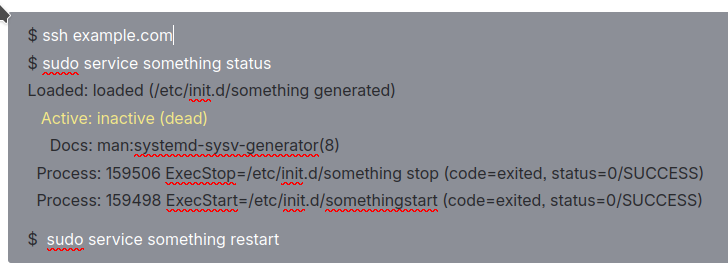
I want to document actions in a ssh terminal. I want to show what commands to type, what the response is, and maybe highlight some important information.
In the legacy editor, this was possible with using code blocks. Unfortunately, the new editor does not allow any styling of code blocks and the background color isn't very terminal-ish.
So to be precise:
- I want a dark black background, that screams terminal to the user.
- I want selectable text, so no screenshot
- I want to color specific parts in contrasting colors, e.g. light gray for normal output. Bright white for what I type, Bright green and red for good or bad output.
I got halfway by using a Custom Panel, coloring it gray and removing the icon, but it feels very sad compared to what I could do with the legacy editor.