In this article i try to show a practical example that shows how to compute a dynamic value directly in a Jira Service Management ticket by combining Assets, an automation rule, custom fields, a request type and the service portal.
We will build a “Total Cost” field that updates automatically whenever the workitem inputs t change.
This deliberately simple pattern focuses only on Issue + Assets and is easy to extend later, depending on requirements and needs.

Why this is useful
- Demonstrates a clean pattern to combine different values from different sources in Jira (Issue + Assets).
- Keeps agents in one place: no spreadsheets, no manual calculators.
- Easy to extend later (for example, add tax or shipping as more issue fields). Data sources and fields
What we need
Customfields:
- Quantity (Number) — how many items are requested.

- Discount % (Number) — optional, allows commercial adjustments. Set default value to Zero.

- Desired Phone (Assets field, single-select) — links the ticket to the correct Assets object type (Phones).

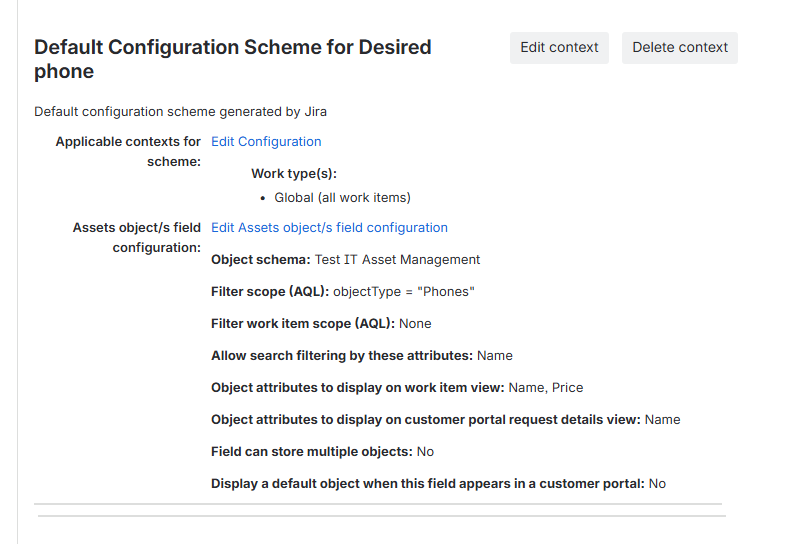
- Total Cost (Number) — target field that holds the computed value.

Assets ( here i used the ITSM-Template)
Phones object type — add a Number attribute “Price” to store the unit price of each phone.

JSM
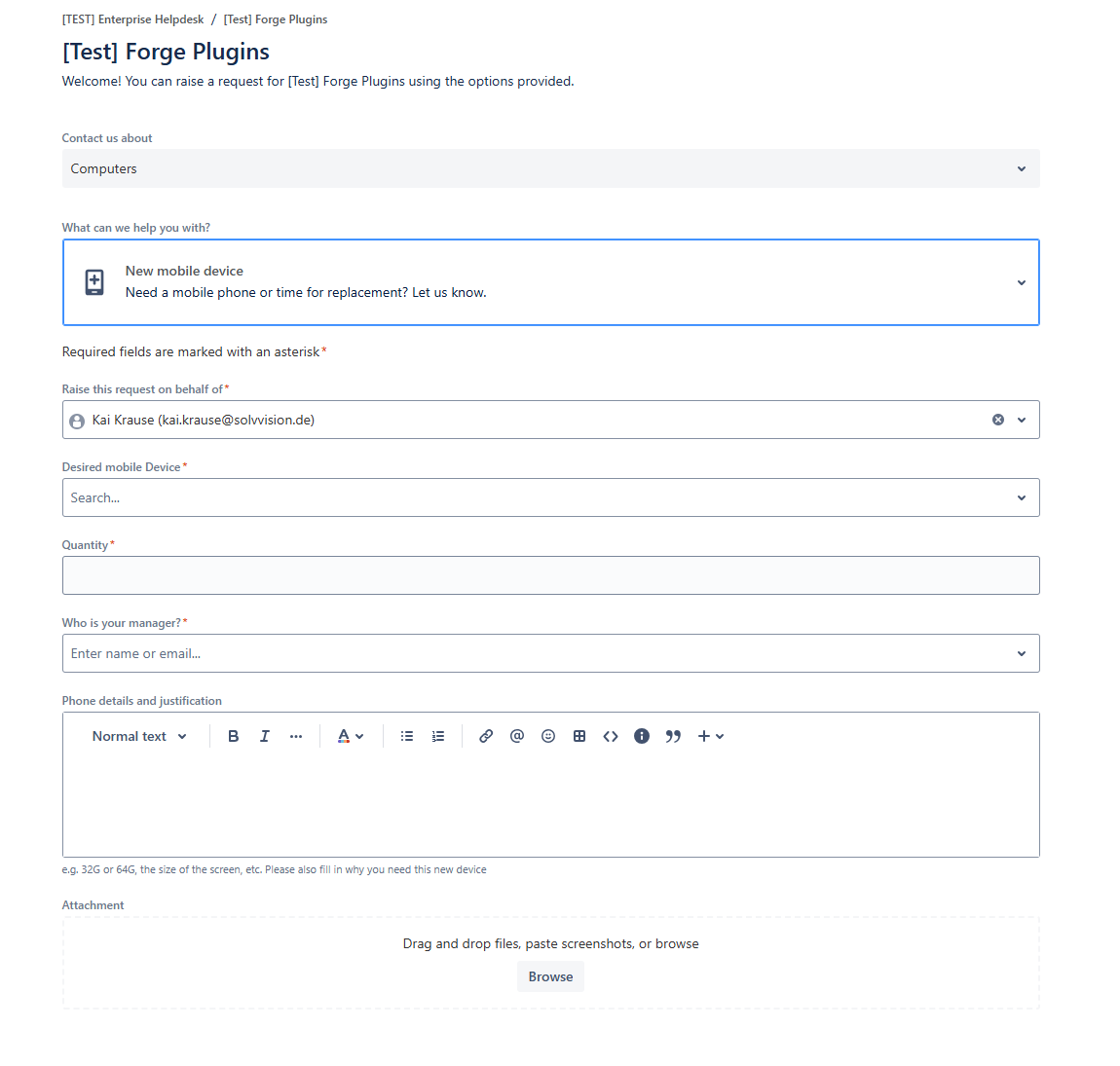
A Request Type to get the customers wish for a new mobile device , that includes some from our new created fields. Something like this . In this example it is "New mobile device". We will use the name in the next step.
Dont miss required field like the disred device and the quantity.
An automation rule
i called it Calculate total Cost.
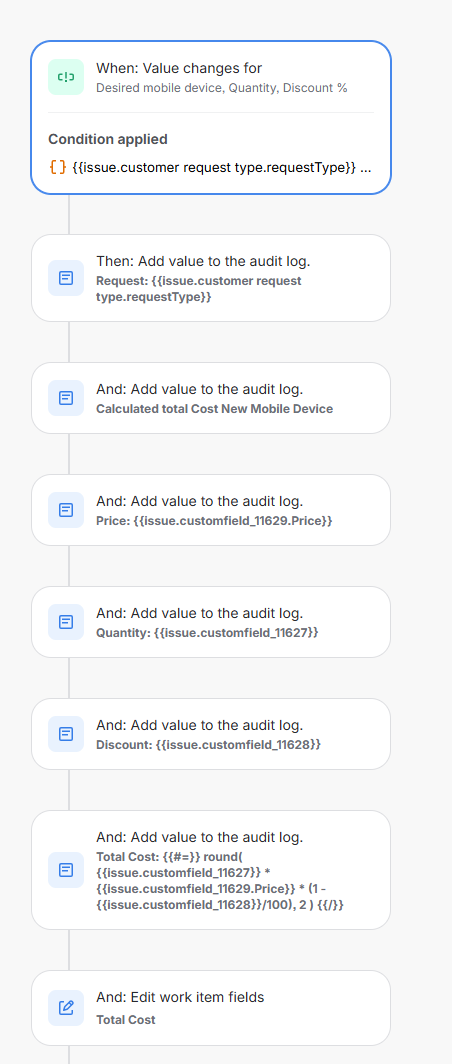
the formular to edit the total cost: {{#=}} round( {{issue.customfield_11627}} * {{issue.customfield_11629.Price}} * (1 - {{issue.customfield_11628}}/100), 2 ) {{/}}
Please use your customfield ID´s instead of mine :-)
Run through
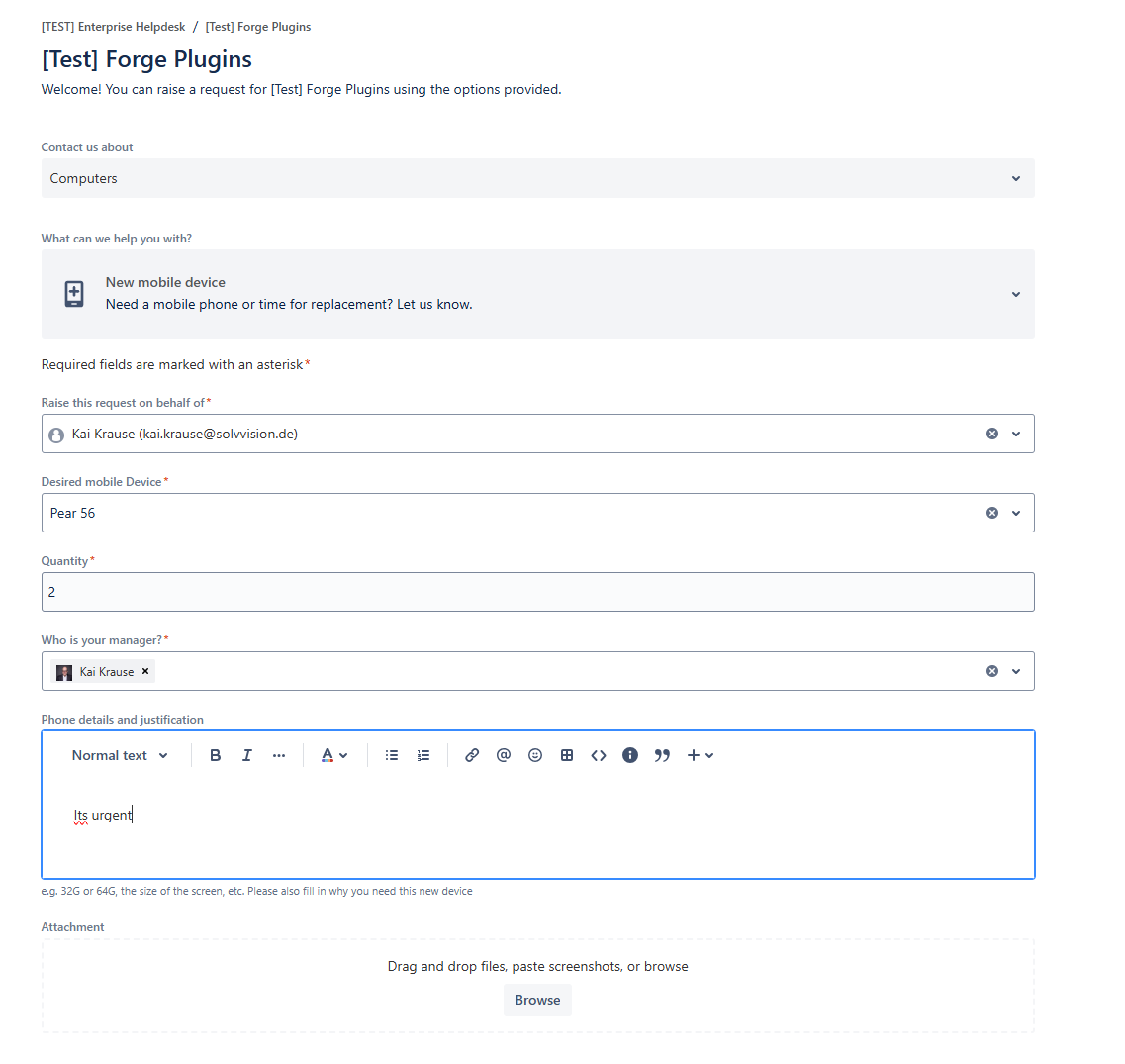
I order my new phone in the customer portal (the manager for an optional approval step, which I will not cover here)
The ticket in the agent view
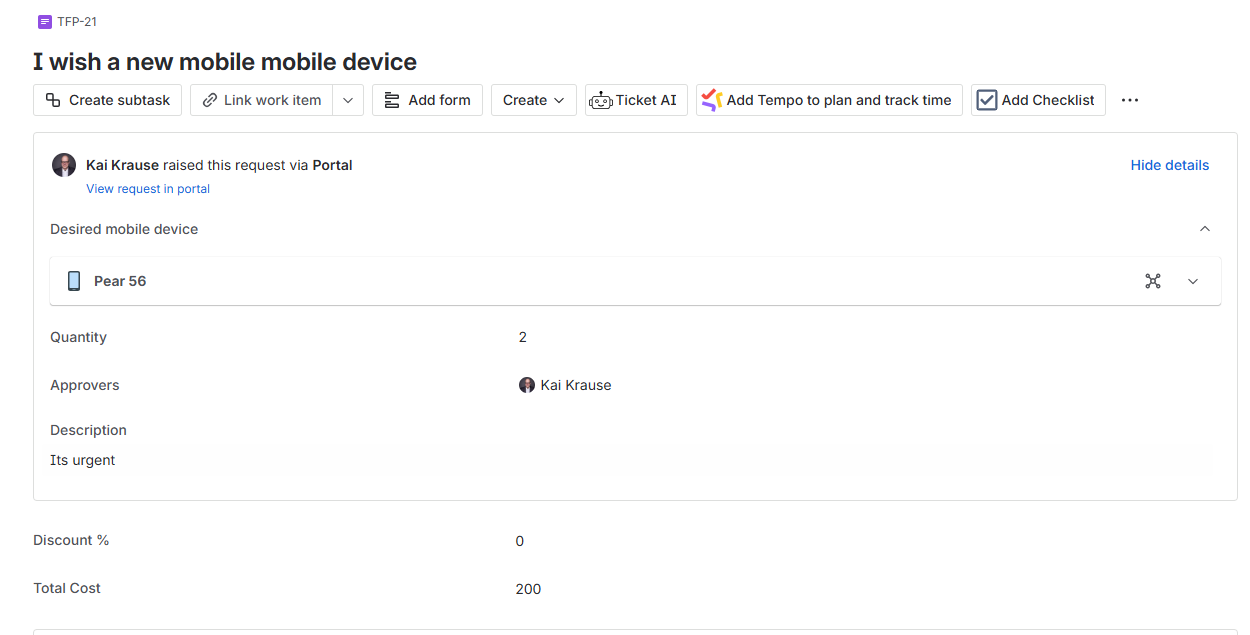
And the automation rule is run
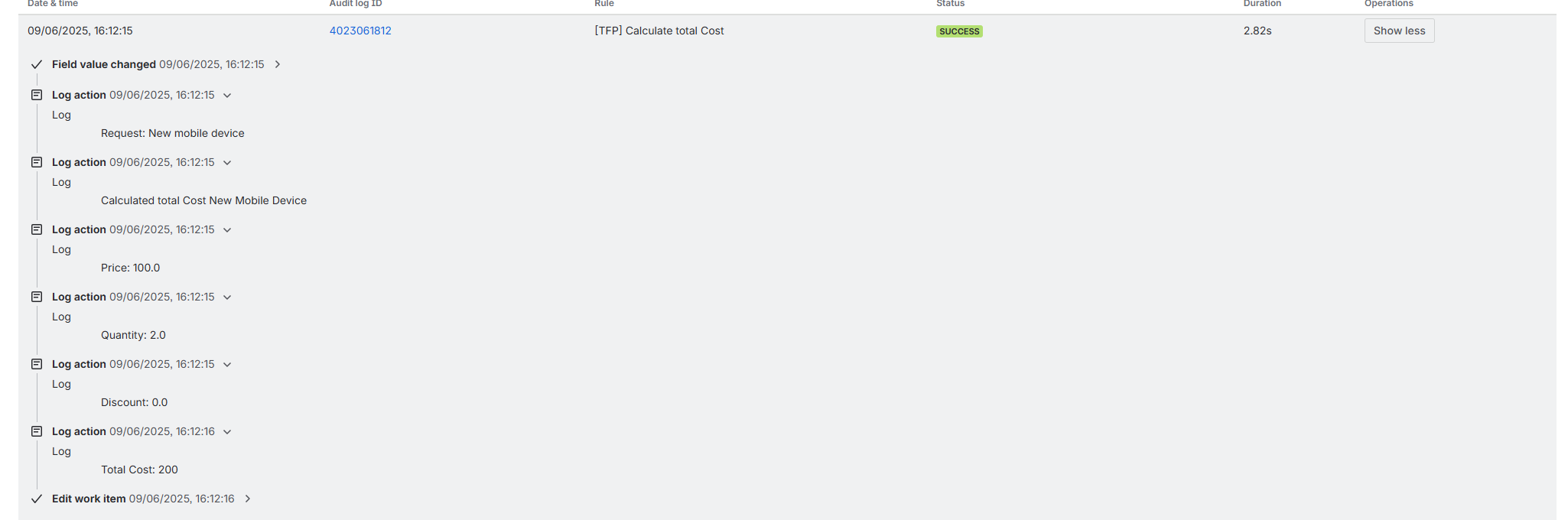
Change the discount via manager or agent
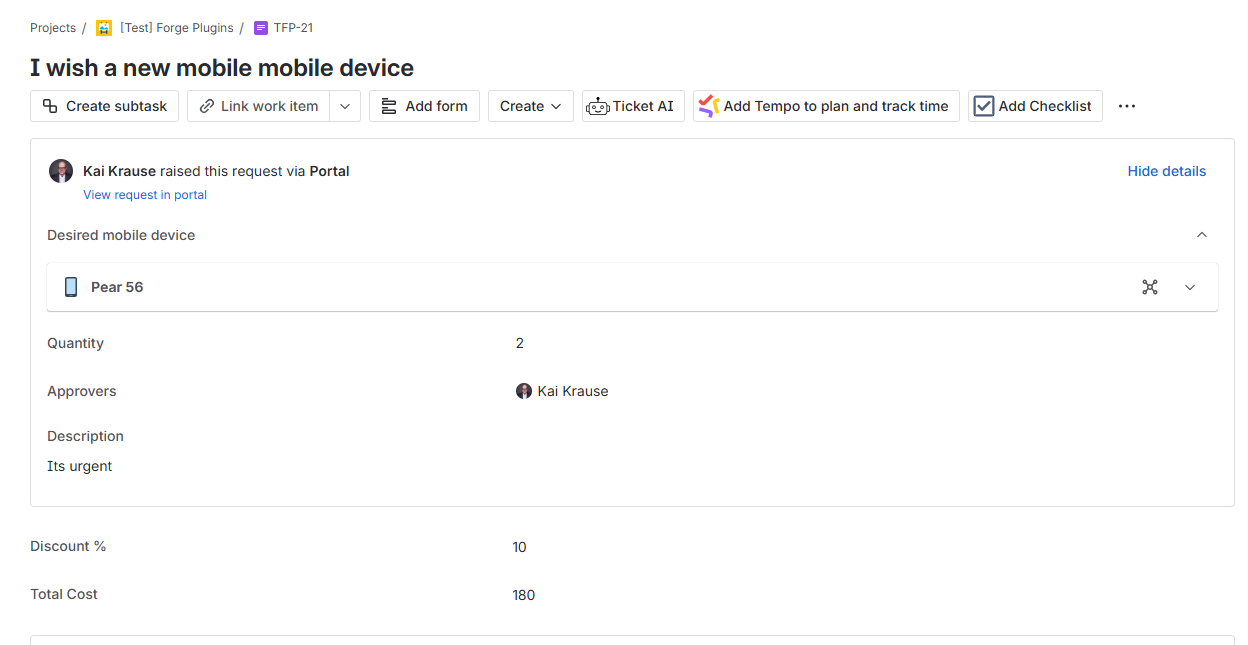
And the automation
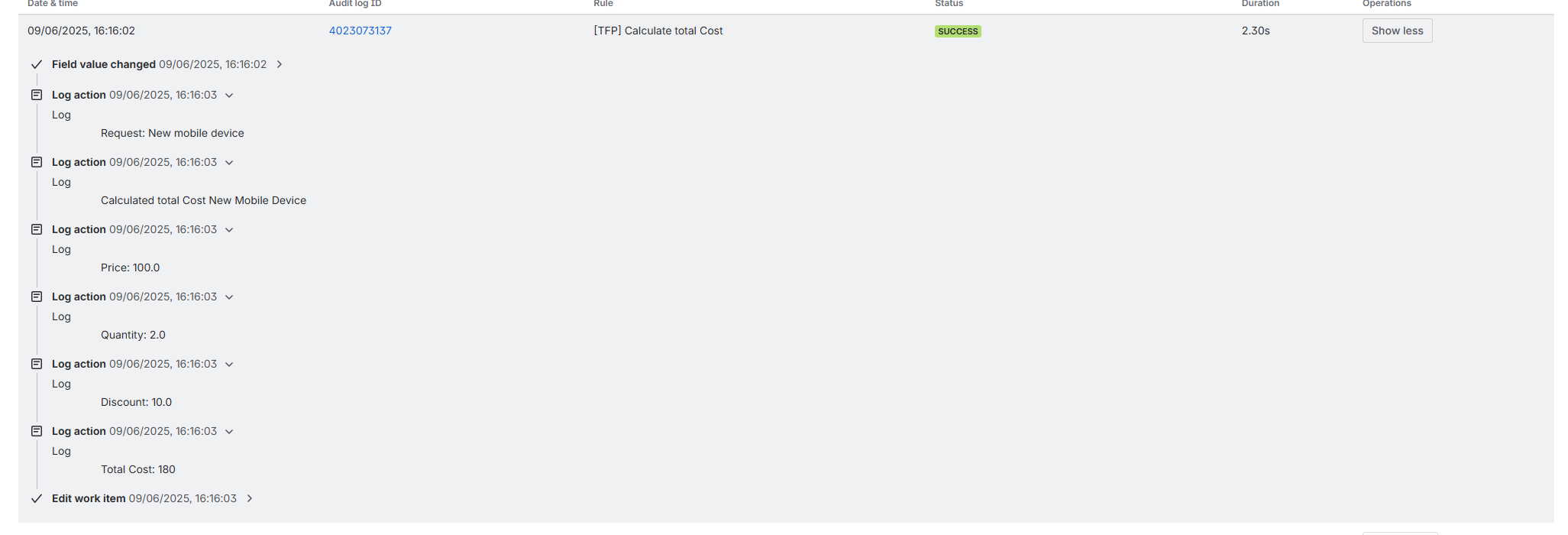
In the real world, you would calculate on other ways, with taxes an so on, but for demonstartion ist is ok.
Some uselful links to Atlassian documentation and to other articles
Key takeaway
This is a simple, reusable example of combining different values from different sources in Jira — a Jira issue field and an Assets attribute — to produce a single dynamic number that agents can use immediately (for costs, risk components, key figures, or KPIs).
Start simple, keep the math transparent, and extend as needed.

