Hi Community,
I'm experiencing an issue with the Assets Reports dashboard in Jira Service Management (Cloud) and hoping someone can help.
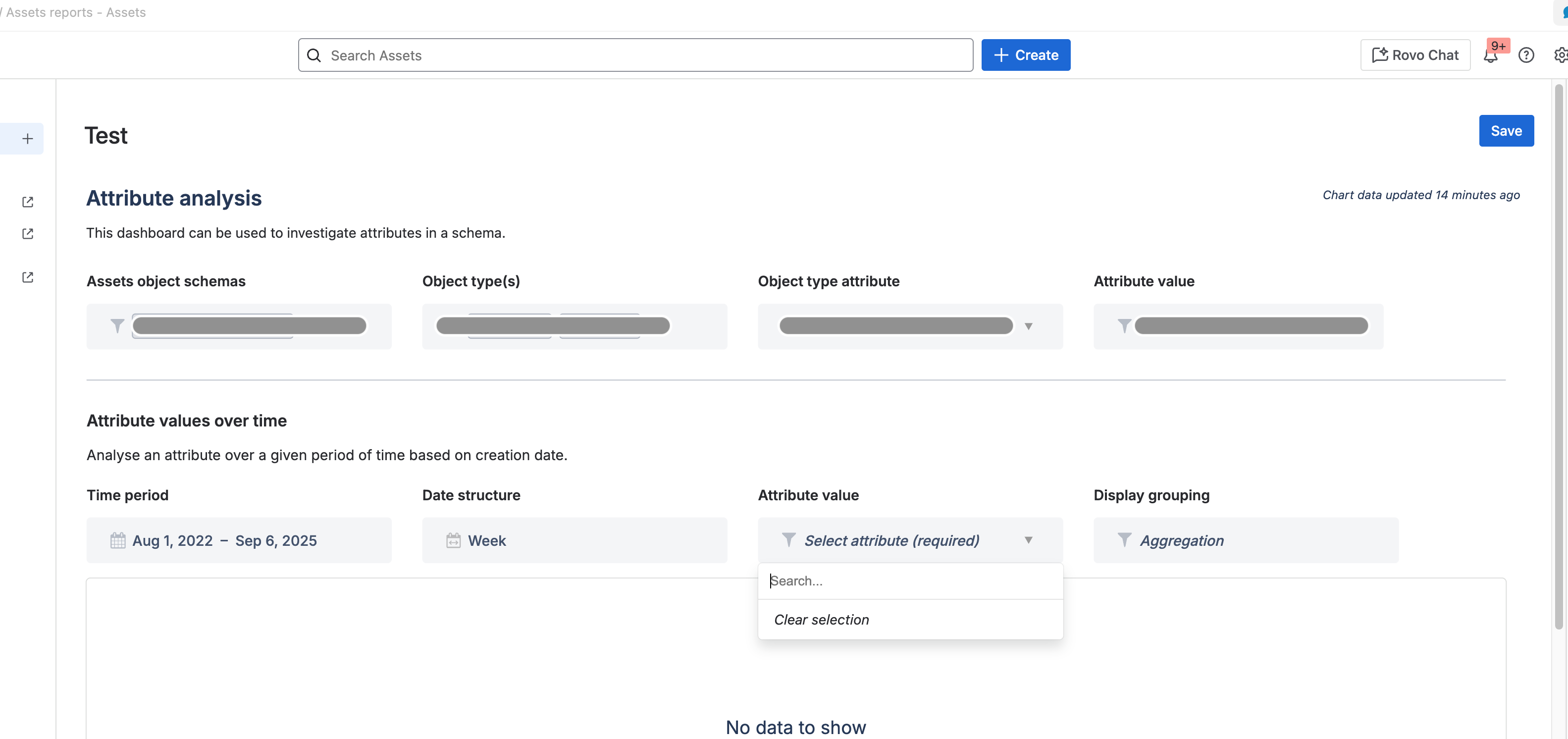
Problem: In the "Attribute analysis" report, I cannot select any attribute value for the "Attribute values over time" chart. The dropdown for "Select attribute (required)" remains empty/unselectable, showing "No data to show" in the chart area, no matter which object types and attributes I choose in the main filter.
What I've tried:
- Created and tested multiple Select attributes with predefined options
- Tested various Text attributes
- Tested a combination of object types
Expected behavior: According to the documentation, Select and Text attributes should be available in the "Attribute values over time" dropdown. Integer, Date, and DateTime attributes are not supported, which I understand.
Questions:
- Does this chart require historical change data to work? If attributes haven't changed over time, would that prevent selection?
- Are there any specific requirements for the attribute or object configuration I might be missing?
- Has anyone else encountered this issue recently?
Unfortunately the documentation is spartanic: https://support.atlassian.com/assets/docs/how-to-use-the-assets-dashboard/
Any insights or workarounds would be greatly appreciated!
Thanks in advance!
Stephan

