Hello Atlassian Community,
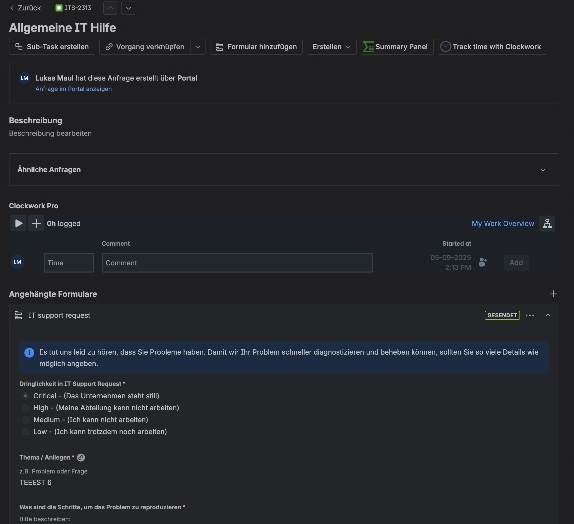
We are unable to access data submitted via a Jira Service Management Form within a Jira Automation rule. The relevant Smart Values (both {{form.state...}} and {{issue.forms...}}) are returning an empty value, even though the data is correctly displayed in the attached form on the issue.
This is blocking a critical business logic for automating ticket priorities.
Environment: Jira Service Management Cloud
Steps to Reproduce:
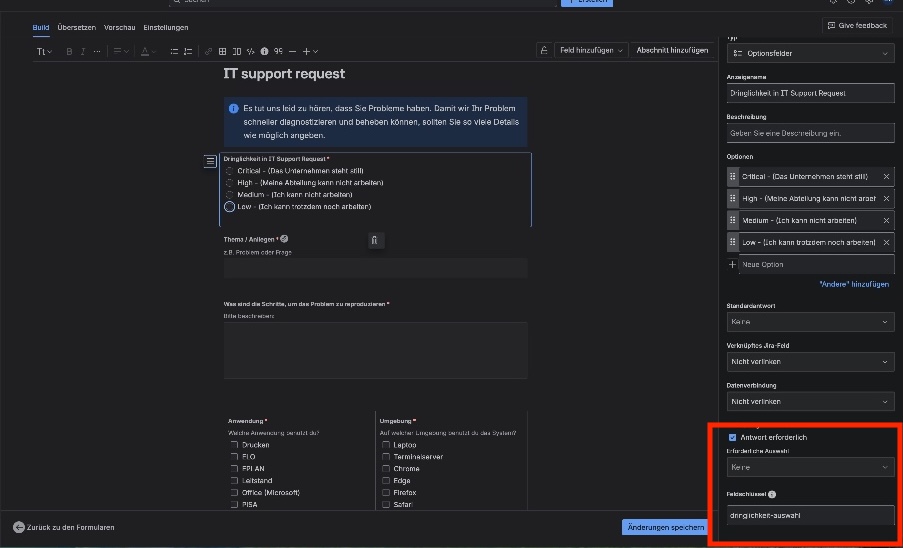
Create a form in a JSM project containing an options field (Optionsfelder). The options field has been assigned a unique Field Key (e.g., dringlichkeit-auswahl).
Create a request type and assign this form to it.
Create an automation rule with the following configuration:
Trigger: Form submitted (scoped to the specific form).
Action: Log action to debug the form's content.
Message in Log Action: Entire Form State: {{form.state.asJson}}
Create a ticket via the customer portal, selecting an option in the form.
Observed Result:
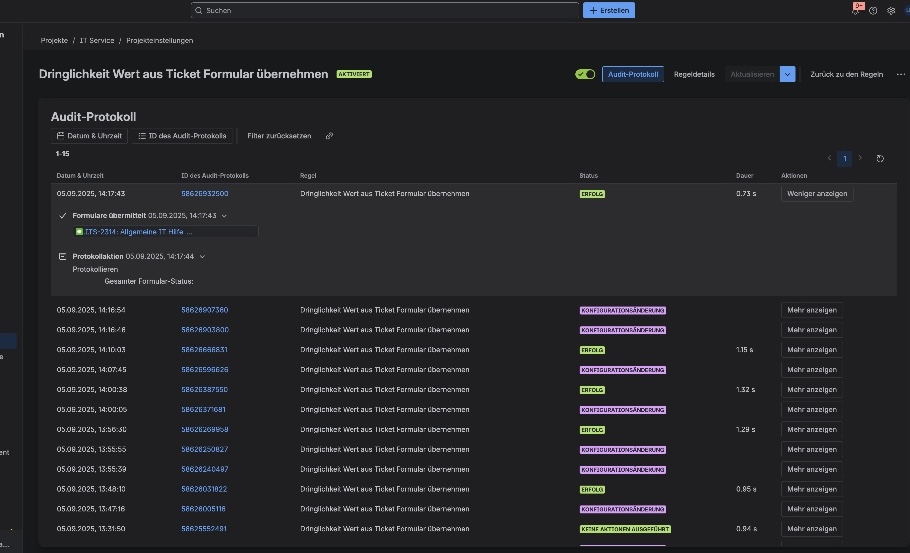
The rule's audit log shows a successful run, but the log action reveals that the {{form.state.asJson}} Smart Value returns a completely empty value. The output is Entire Form State: with no subsequent content. (See attached screenshot).
Expected Result:
The audit log should show a JSON object containing the submitted form data, e.g., Entire Form State: {"dringlichkeit-auswahl":"Selected Value"}.
Troubleshooting Performed (without success):
We have already performed extensive troubleshooting to rule out a configuration error:
Used the Issue created trigger with the {{issue.forms.last.state.asJson}} Smart Value -> Result was empty.
Used the Form submitted trigger with the {{form.state.asJson}} Smart Value -> Result was empty.
Used a Manual trigger on an existing issue with the {{issue.forms.last.state.asJson}} Smart Value -> Result was empty.
Ensured the form field has a unique and correctly spelled Field Key.
The "Delay" action is not available in our list of actions, so this workaround could not be tested.
Since the data from the {{form}} object is fundamentally not being passed to the automation engine, we suspect a bug or a platform-side issue.
Please investigate why form data is not accessible to the automation engine in our instance.
Thank you!


