For many teams, Jira is where project planning and tracking happens, while Azure DevOps is where development work gets done. Both tools are leaders in their space, but when they aren’t connected, collaboration can quickly become painful.
You may have seen it first-hand:
-
Stories created in Jira get manually copied into Azure DevOps.
-
Developers close a bug in Azure DevOps, but Jira still shows it as “In Progress.”
-
PMs end up chasing updates, while developers feel they’re reporting work twice.
The gap slows delivery, reduces visibility, and frustrates both sides. Integration is the way to bridge it.
Why connect Jira and Azure DevOps?
Each tool brings unique strengths:
-
Jira: sprint planning, reporting, and visibility for stakeholders.
-
Azure DevOps: source code repos, pipelines, and developer task boards.
On their own, they’re excellent. Together, when synchronized, they give teams the best of both worlds. Project managers can track progress in Jira, while developers continue working naturally in Azure DevOps. Everyone sees the same truth, without leaving their tool of need and choice.
Common approaches to integration
There isn’t one “right” way to connect the two platforms. Depending on your needs and resources, you can pick from three main approaches:
1. Custom APIs and scripts
Some organizations build their own integrations using Jira’s and Azure DevOps’s APIs.
Benefits:
Challenges:
-
High development and maintenance effort.
-
APIs change over time, which can break your solution.
-
Harder to scale across many projects.
This is a fit if you have strong internal dev resources.
2. Manual exports and embeds
Others rely on manual methods like exporting CSV files, embedding Azure DevOps boards inside Jira (or vice versa), or copy-pasting links between issues.
Benefits:
Challenges:
-
Time-consuming and error-prone.
-
Doesn’t scale for ongoing collaboration.
-
High risk of data falling out of sync.
3. Integration platforms
Finally, many teams use integration platforms, third-party apps.
Benefits:
-
Prebuilt connectors for Jira and Azure DevOps.
-
Bi-directional sync for issues, statuses, comments, and attachments.
-
Easier to configure and adjust as processes evolve.
-
Dashboards to monitor sync activity.
Challenges:
This option balances flexibility with ease of use - ideal for teams that need scale without the overhead of manual work or custom code.
How it works using third-party tool
I work for the company that built the Getint App available on Atlassian Marketplace. Below, I will use Getint as an example to show what a platform-based configuration usually looks like.

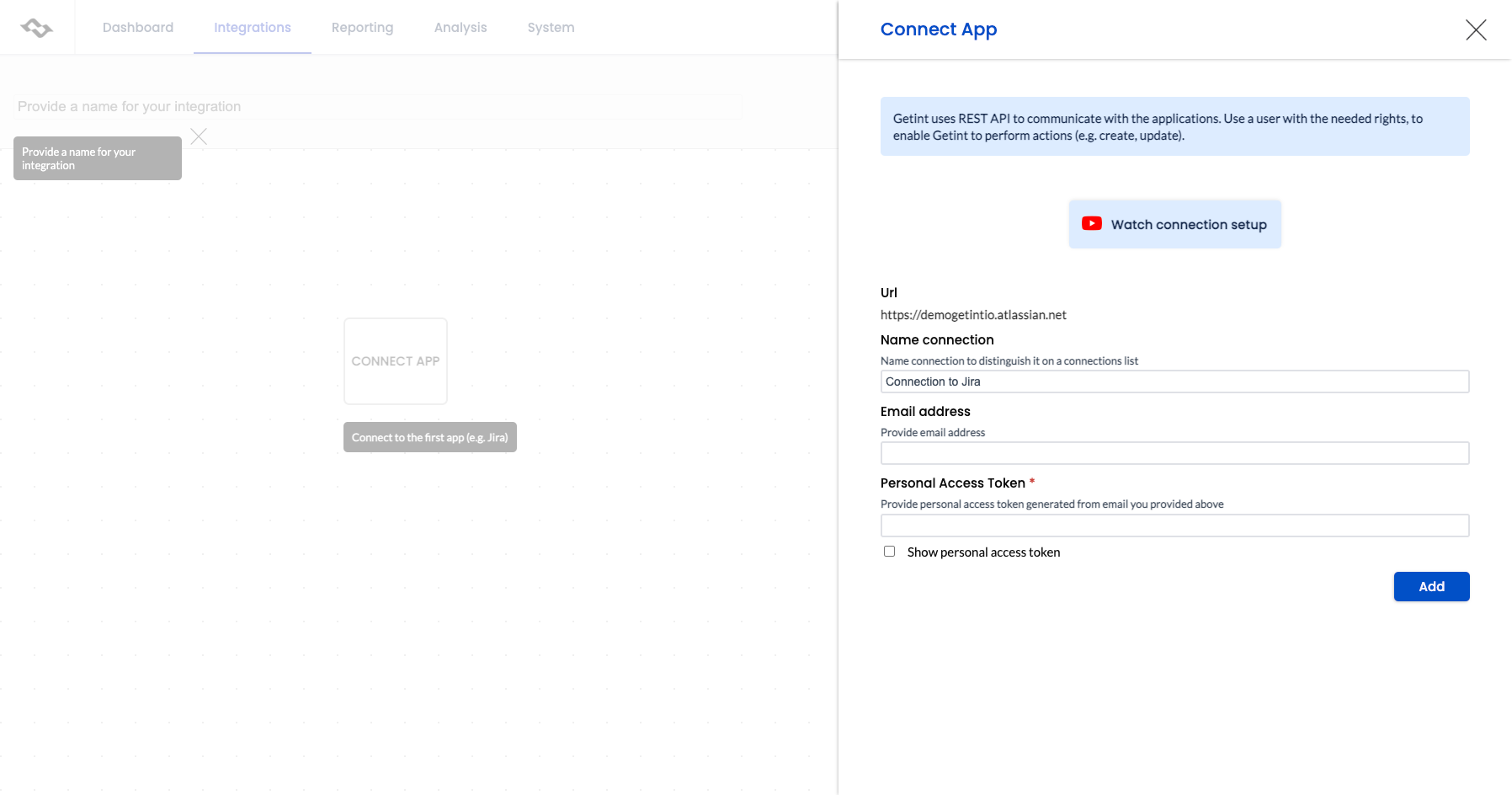
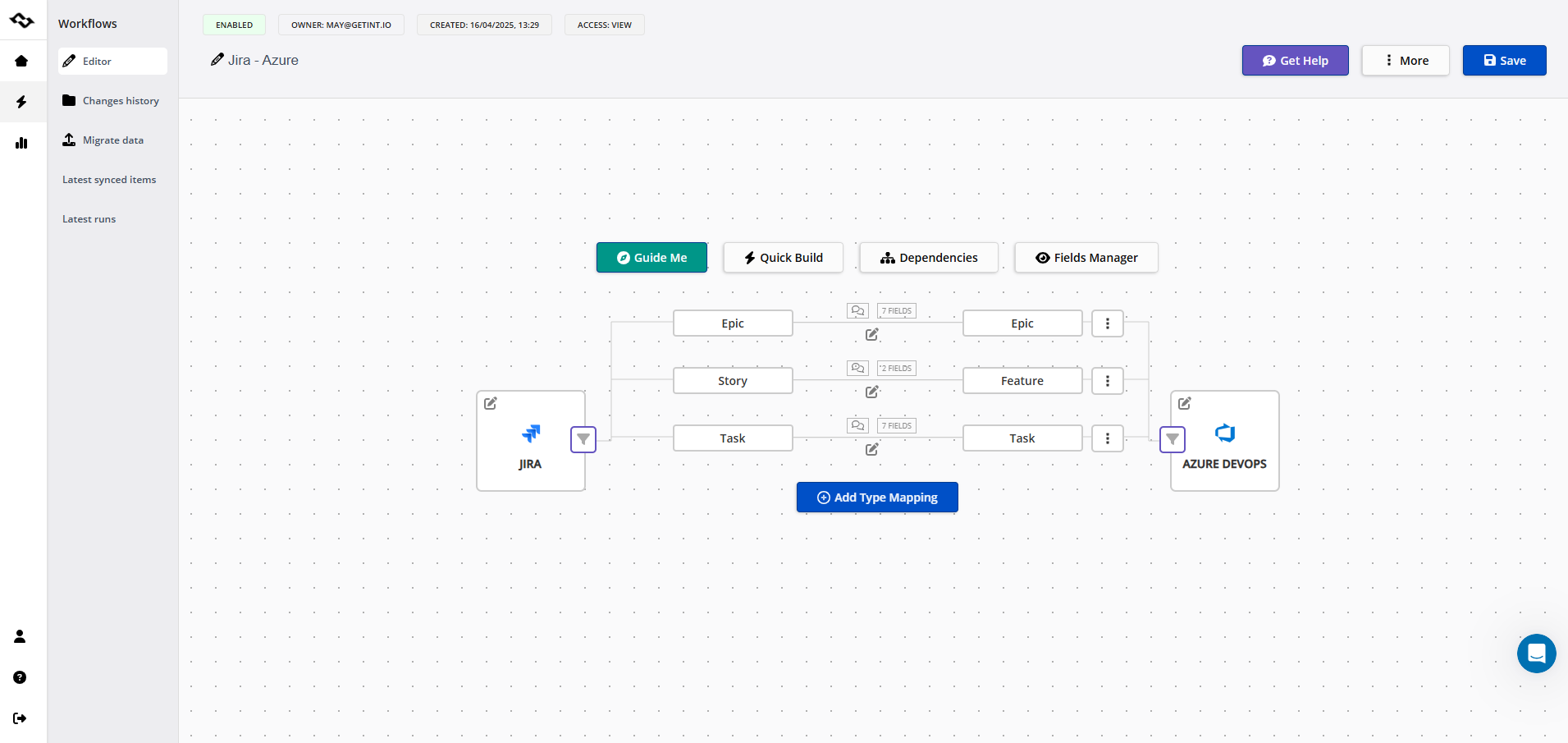
-
Map fields so key data stays consistent. Priorities, descriptions, and assignees can sync bi-directionally, or flow one-way if preferred.
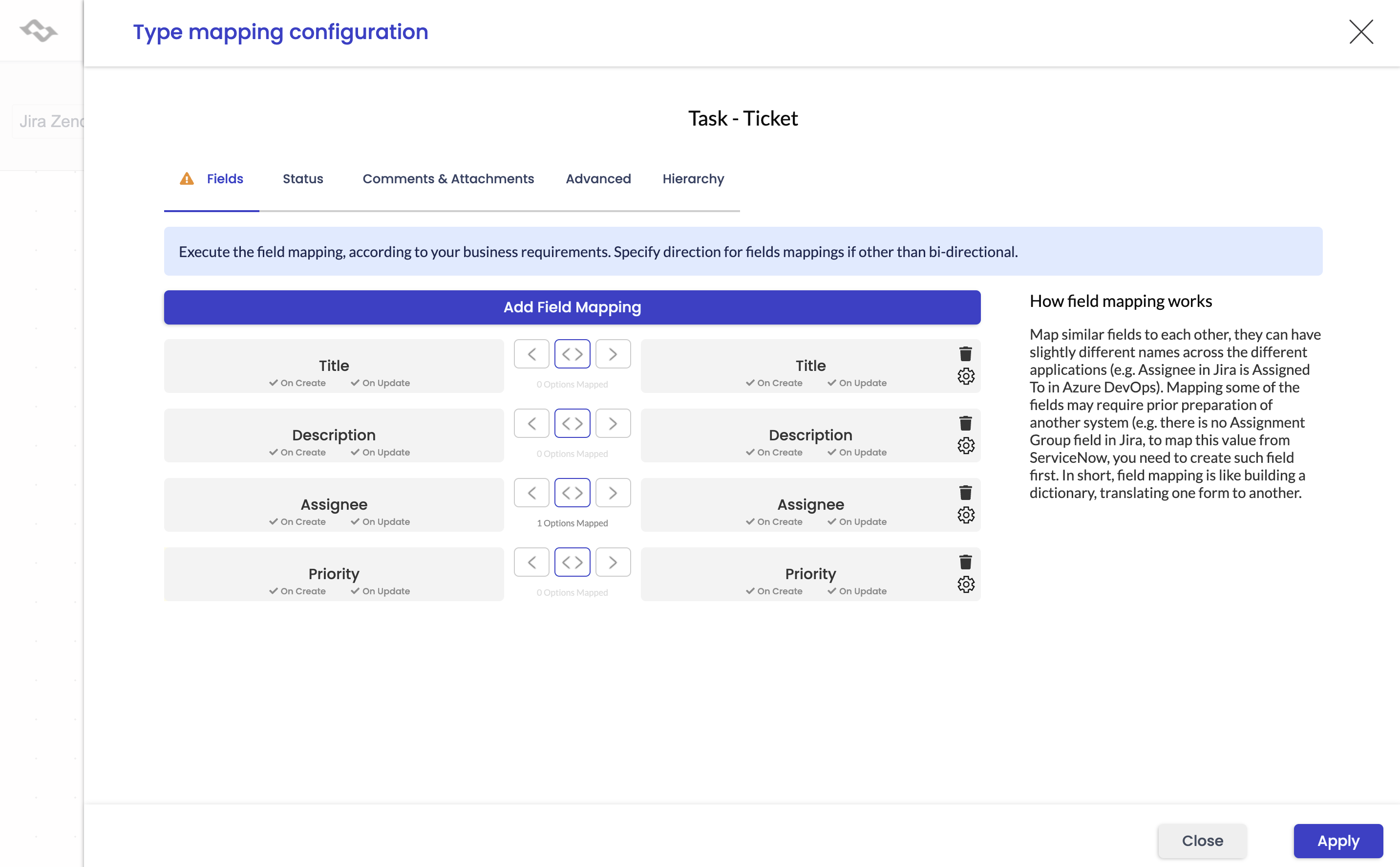
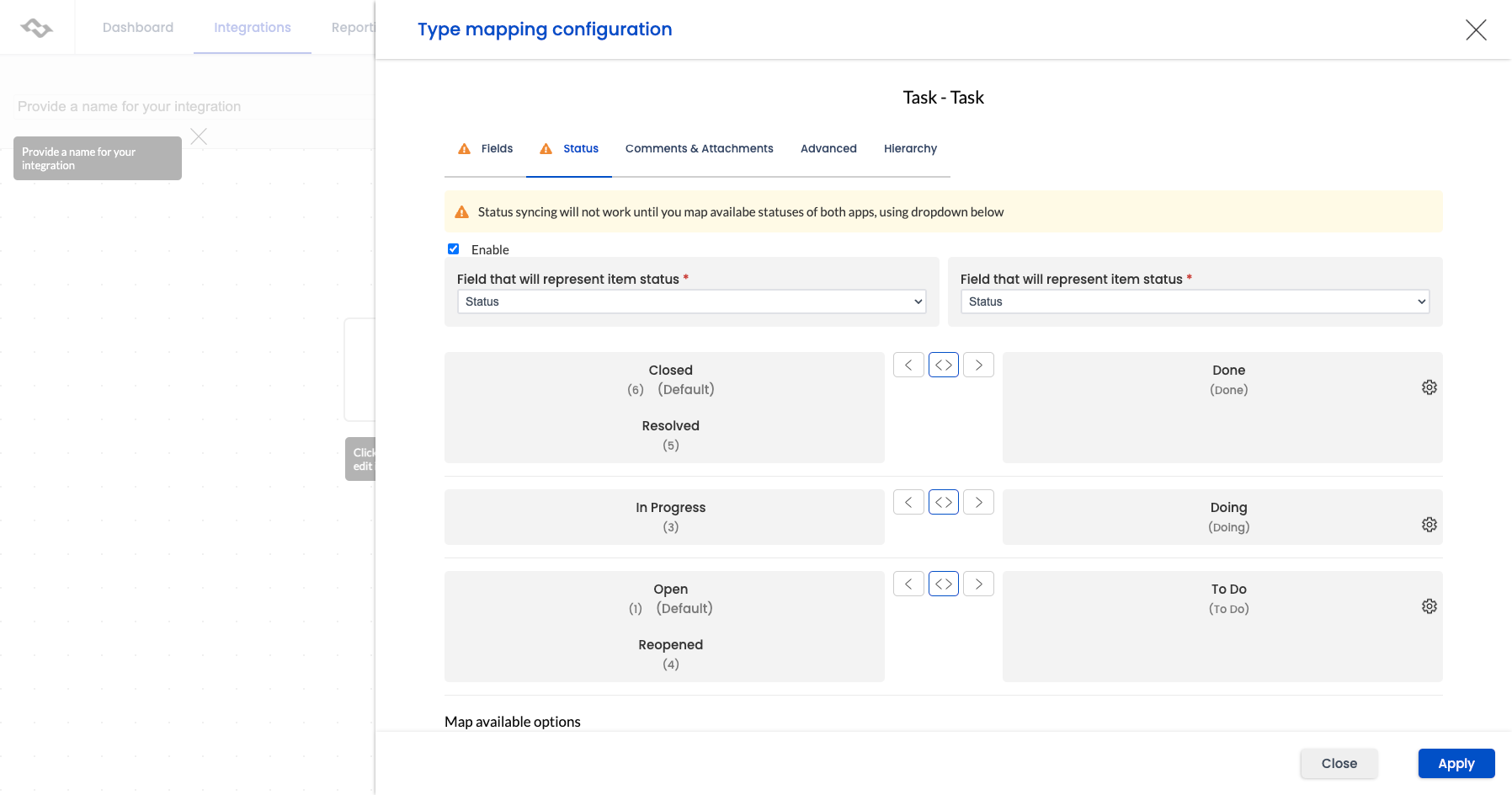
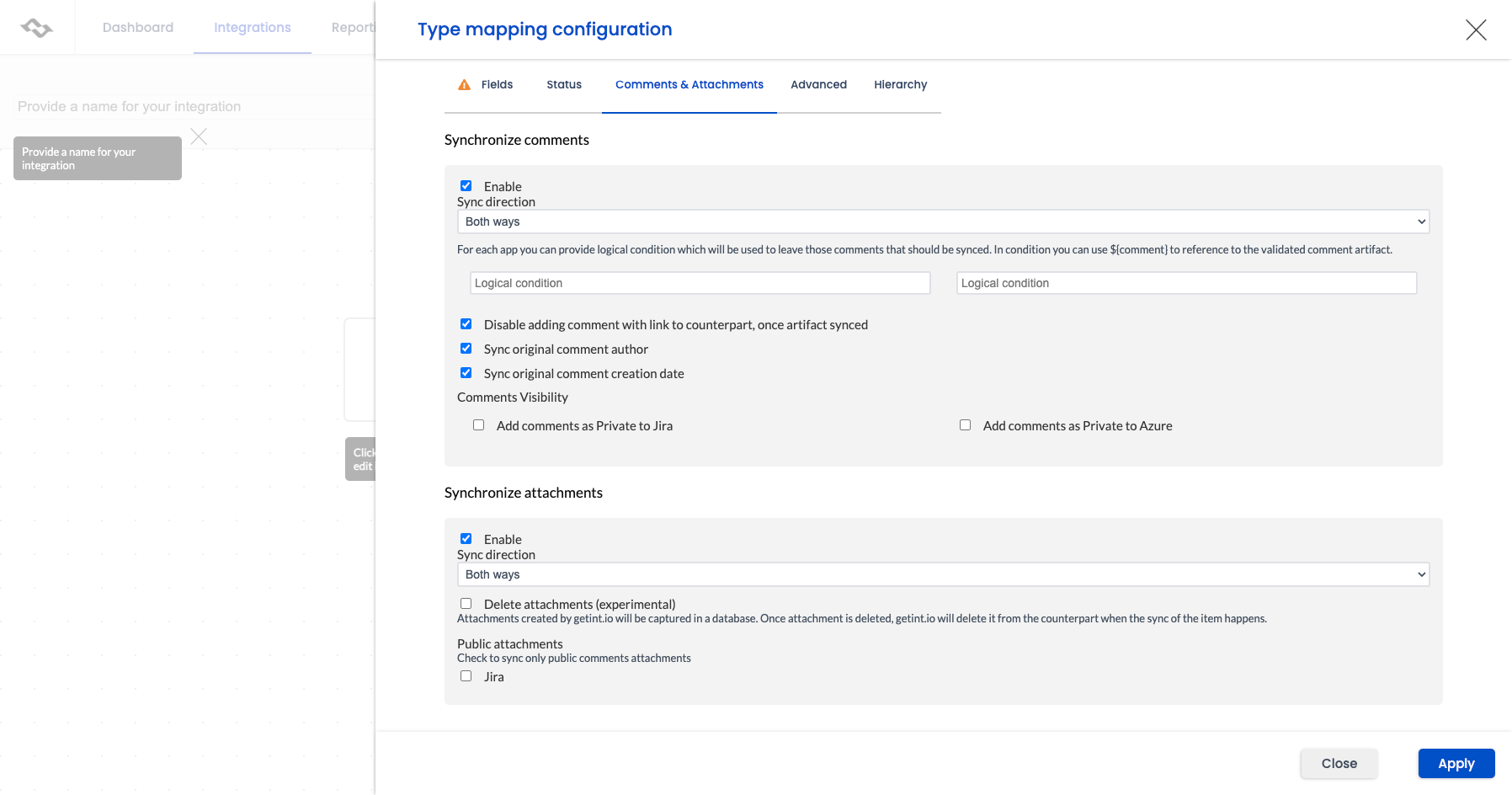
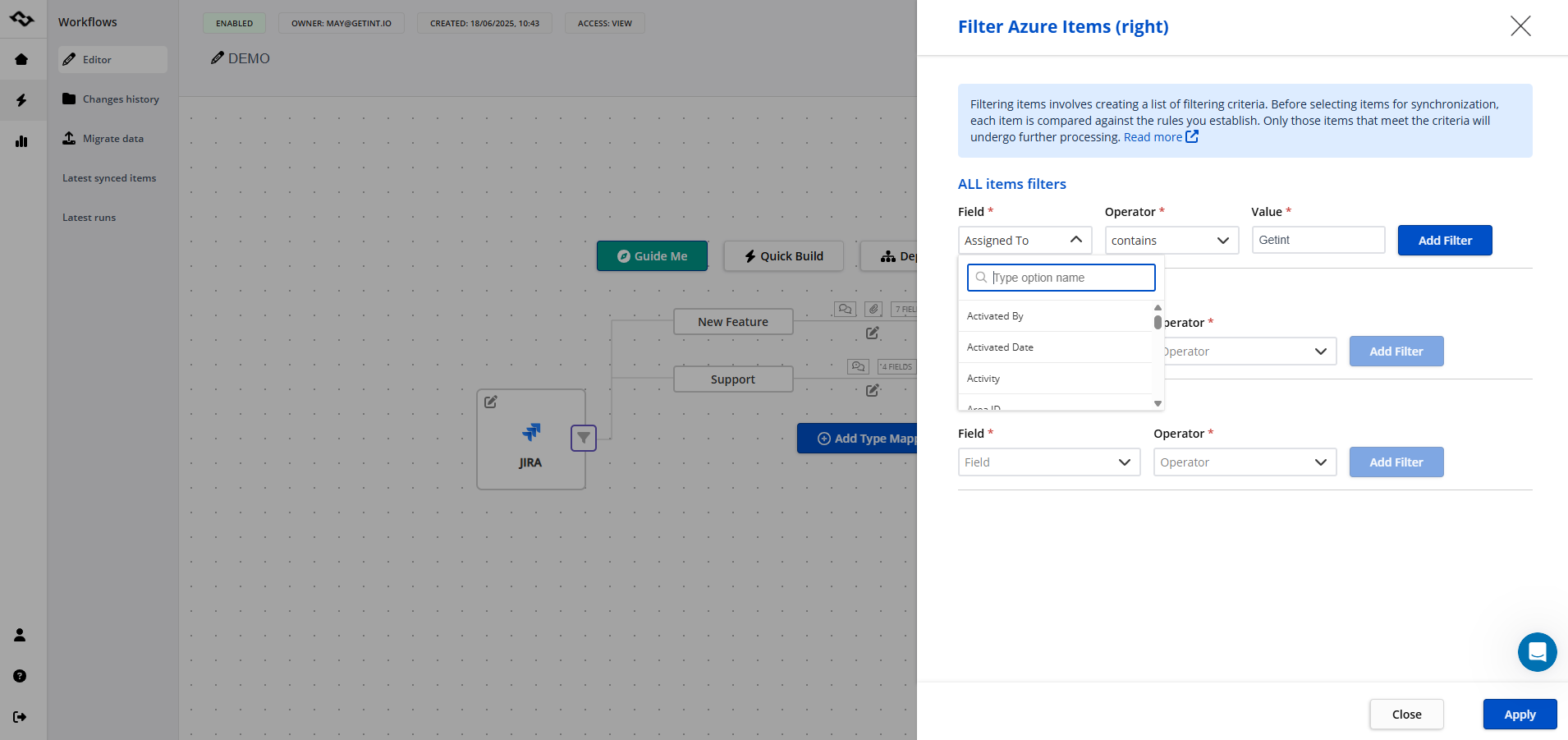
Once configured, the integration quietly keeps both tools in sync, letting teams focus on their work. Don't forget to save your integration setup.
The benefits
After connecting Jira and Azure DevOps, most teams notice improvements quickly:
-
Less chasing: PMs see progress directly in Jira, without pinging developers.
-
Less duplication: developers update work once - in Azure DevOps - and Jira reflects it.
-
More accuracy: statuses, fields, and comments stay aligned.
-
Faster delivery: fewer manual updates mean more time for real work.
Integration helps everyone do what they do best: plan, code, and deliver value - without tool silos getting in the way.
Wrapping it up
Jira and Azure DevOps each shine in their own domains, but the real power comes when they work together. Whether you connect them with custom scripts, rely on manual exports for occasional syncs, or adopt a Marketplace app like Getint, the goal is the same: keep both tools aligned so your teams can move faster with fewer silos.
When done right, integration removes duplicate effort, gives project managers and developers real-time visibility, and lets everyone focus on delivering value instead of reconciling systems.
