Hi Community! 👋
We’re excited to announce key enhancements for Playbooks in Jira Service Management! Earlier this year, we introduced Playbooks for Jira Service Management Cloud Premium and Enterprise customers, enabling admins to define standard operating procedures (SOPs) for agents and responders to resolve issues more efficiently. Read on to learn more about some of the latest enhancements!
What's new in Playbooks
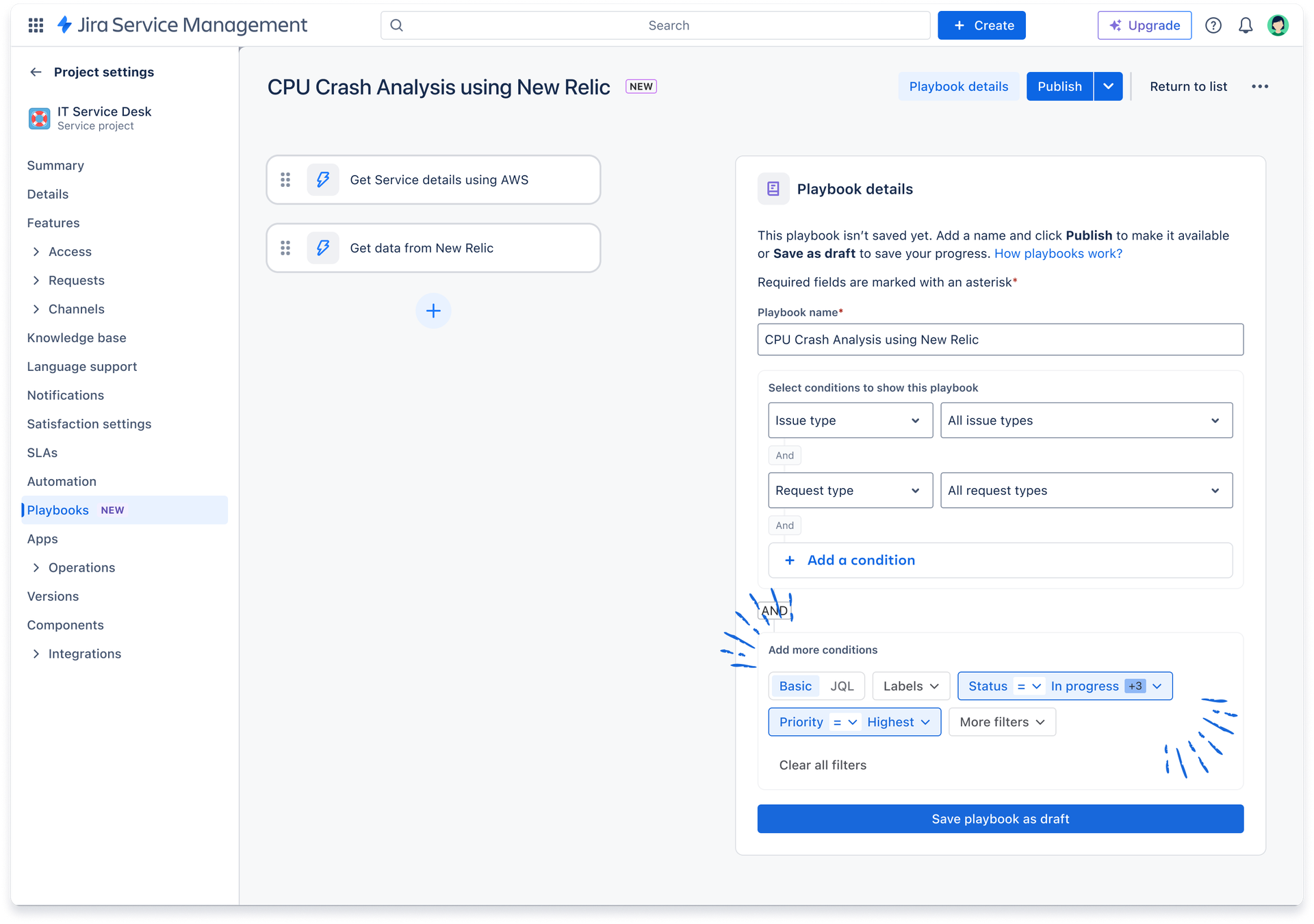
🌟JQL-powered visibility filters
To address one of our most highly-requested features, Playbooks now supports JQL in visibility filtering! JQL brings additional flexibility in visibility based on any combination of issue fields, statuses, custom fields, and more. Admins now have additional controls for which playbooks are visible on each issue, ensuring that only the most relevant playbooks are shown to your teams.
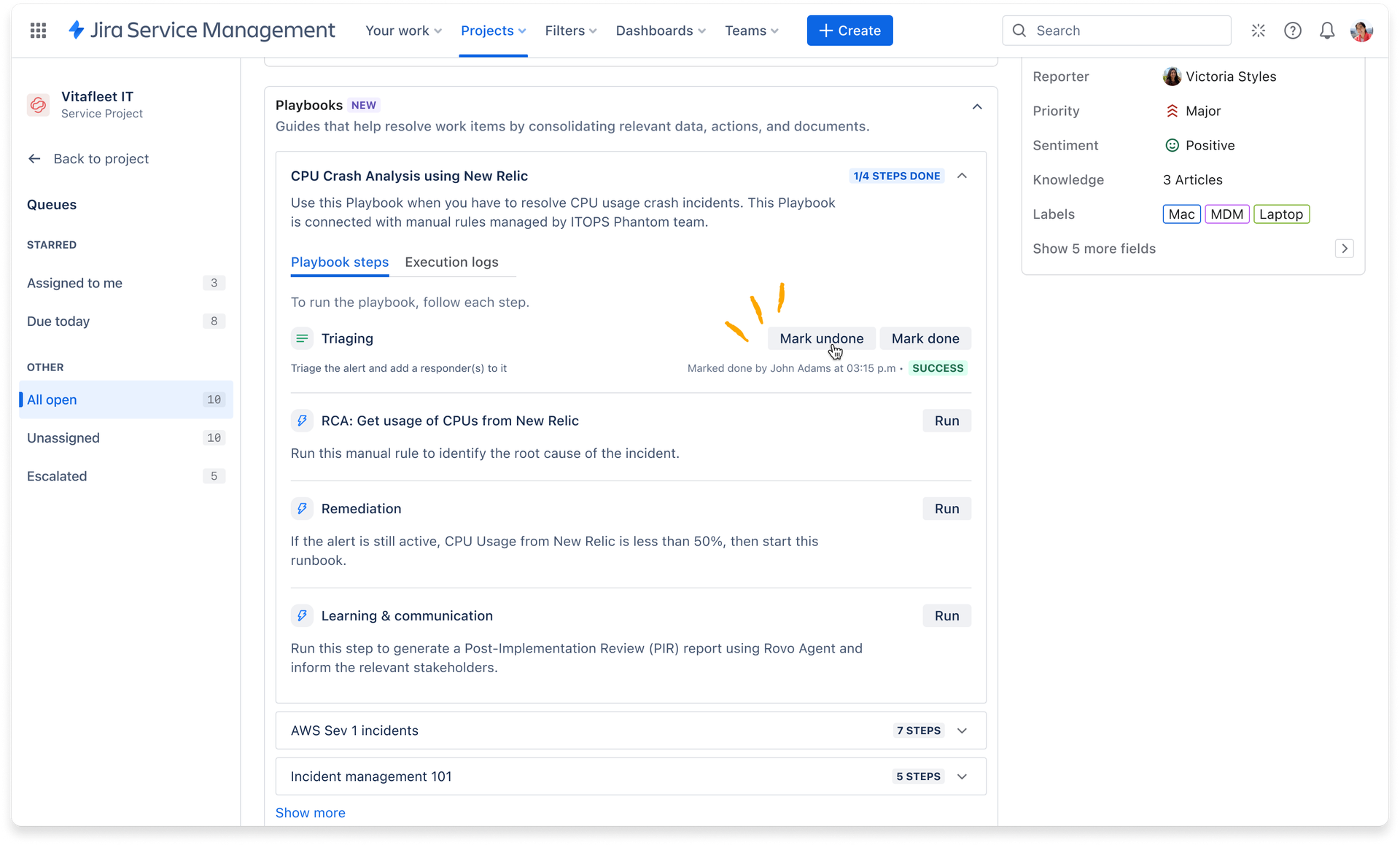
Mark instructional step as undone
You can now easily undo or redo the "Mark as Done" action on instructional steps in Playbooks, helping agents quickly correct mistakes and maintain accurate task tracking. This enhancement ensures greater flexibility and reliability when managing your team's standard operating procedures.
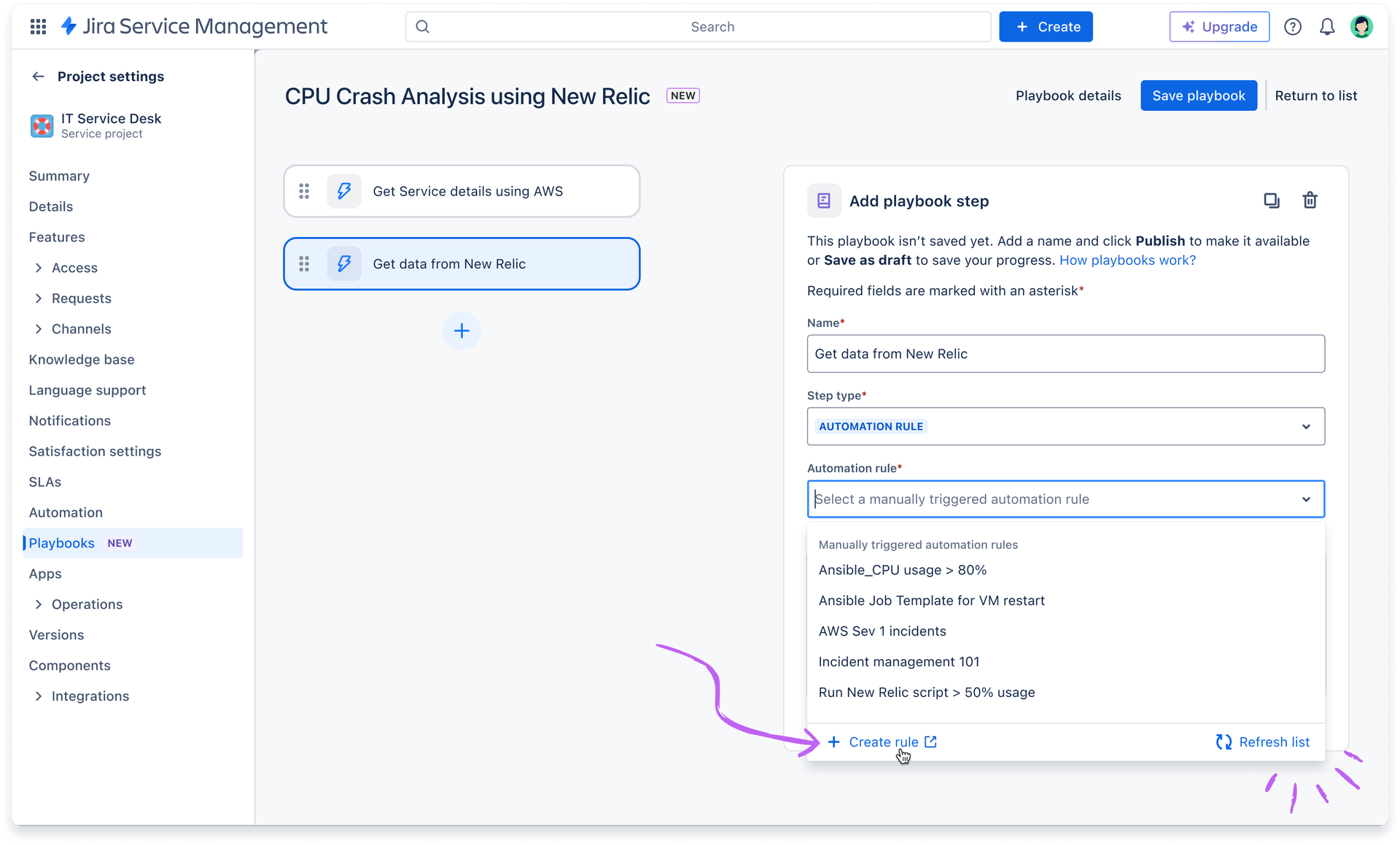
Create automation rules directly from Playbooks
With this new enhancement, you can now quickly create new automation rules directly from the Playbook editor, streamlining your workflow without interruption. Plus, Project Admins can instantly refresh the list of automation rules to see newly created rules immediately—no need to save or reload the page.
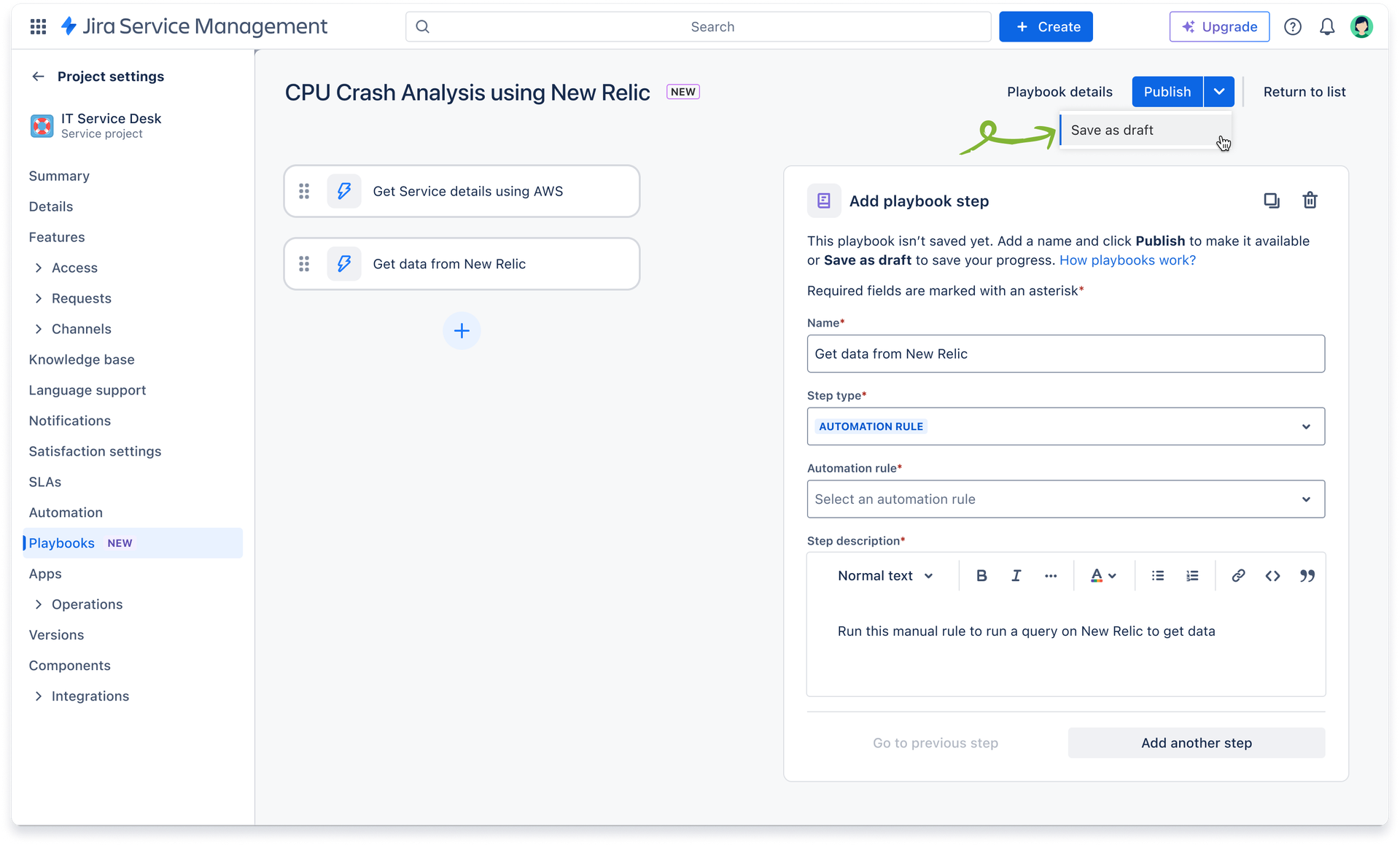
Save Playbooks as draft
When creating or editing a Playbook, you can now save your progress at any time—ensuring your work is never lost and you can pick up right where you left off. This gives admins greater flexibility and peace of mind, especially when working with complex process or collaborating with other stakeholders.
Creating your first playbooks: resources for you & your team
If you’re ready to start building playbooks for your team, we encourage you to check out the support documentation below:
→ Getting started with playbooks
→ Create and manage playbooks
→ Run a playbook and view outputs
Share your feedback with us
If you have any feedback on certain features or enhancements you'd like to see, feel free to submit a JAC ticket and vote for existing requests.
For further support or questions, please book some time based on your availability using this link: https://calendar.app.google/FahhogE8rC2FAogD9


