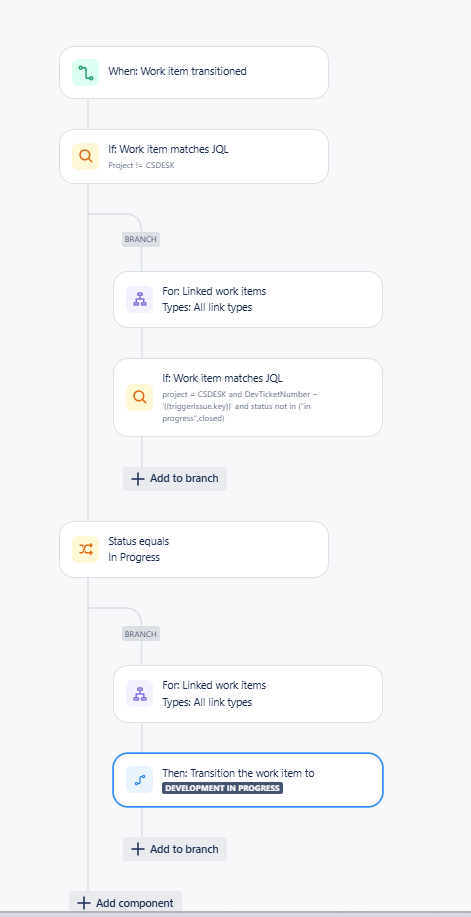
Goal: I am trying to set up our automation rule to NOT move our project tickets to "In Progress" when the linked Dev ticket moves to In Progress, but rather move it to "Development in Progress." Read on, it's complicated....
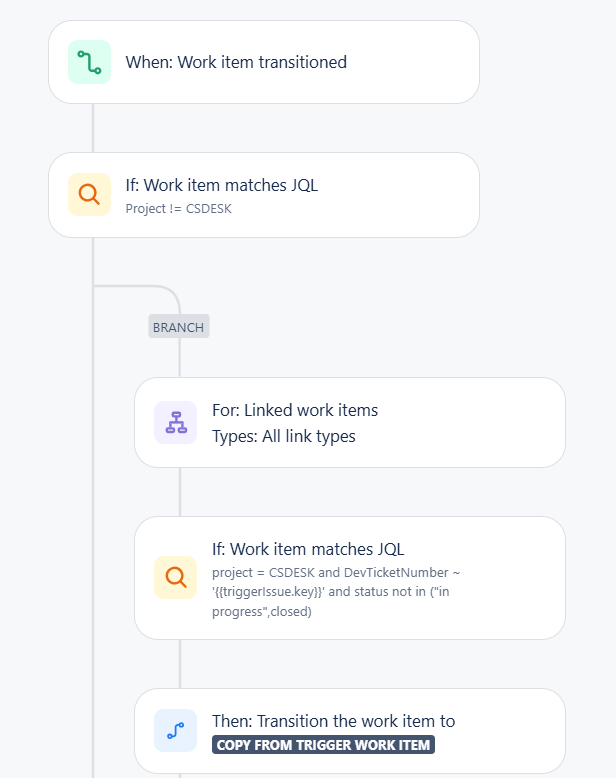
When we create a linked ticket to our project ticket, an automation rule updates a custom field with the linked dev ticket number. Then the automation rule updates the status of our project ticket to match the dev project ticket status whenever it changes, so we know where it is in the process. We have some statuses that are exceptions, and we exclude those from the automation using workflow conditions (i.e., if our project ticket is in "Waiting on Customer," the automation doesn't update our project ticket with the linked dev ticket status - this is working as intended).
One of those statuses is "In Progress." The issue is that Dev uses In Progress when they are working on the issue, and we use In Progress when we are making updates to the ticket, and then manually move it back to match the linked Dev ticket status. When the Dev ticket status is in progress, and we are done working on our ticket, we move the ticket to "Development in Progress," rather than "In Progress." Then, when the linked dev ticket moves out of "In Progress," our tickets follow the status of the dev ticket again...
The automation rule is set up so it shouldn't change the status of our project tickets when the linked Dev ticket status moves to In Progress, but it isn't working. It is moving the status of our project tickets to In Progress. Then, because of the workflow conditions (in progress being a status on our project tickets that can't be moved via automation), our tickets get "stuck" in In Progress.
I've tried the rule this way:
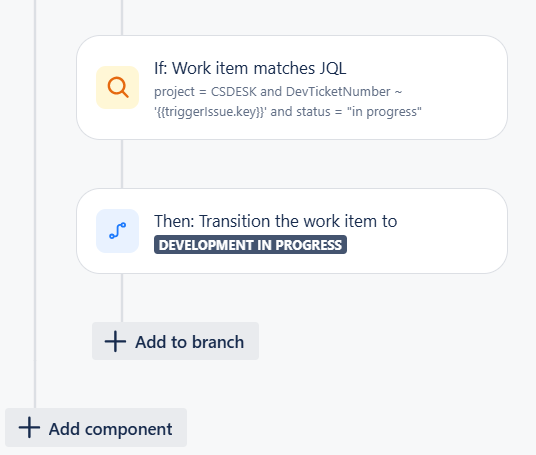
And I've tried the rule this way: