Update July 8, 2025
We’re thrilled to add another integration to the list!
New actions: Google Cloud Platform
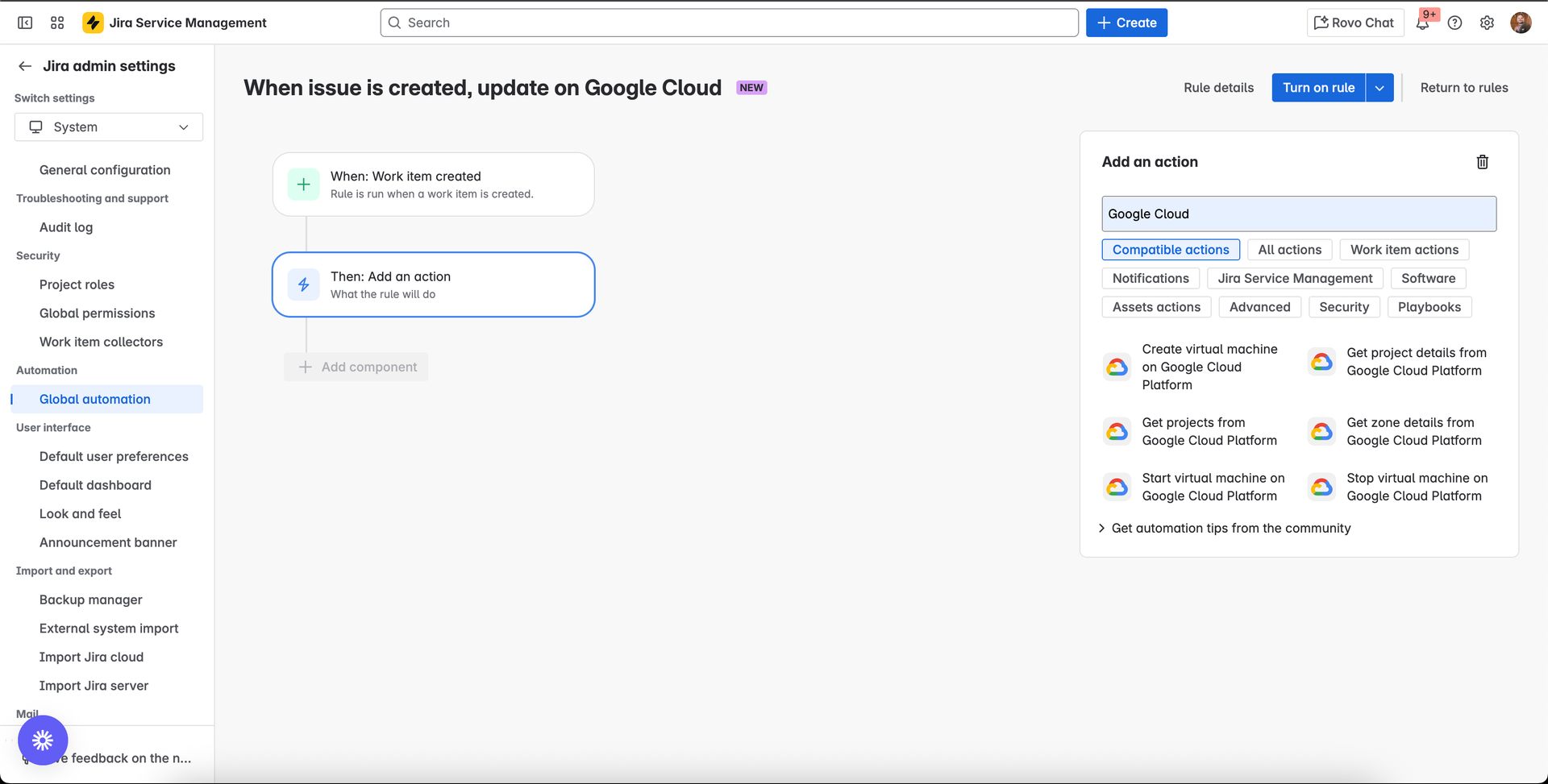
Using the new Google Cloud (GCP) connector, you can quickly integrate GCP data directly into your Jira Service Management workflows.
New actions:
- Create virtual machine on Google Cloud Platform
- Get projects from Google Cloud Platform
- Get project details from Google Cloud Platform
- Get zone details from Google Cloud Platform
- Start virtual machine on Google Cloud Platform
- Stop virtual machine on Google Cloud Platform
Hi Atlassian Community! 👋
We’re thrilled to announce 15 new automation actions that integrate with several commonly used HR, Sales, and IT systems! We know that teams are often require to work on complex processes - like onboarding - across multiple tools. This often results in a lot of manual work and context switching. That’s why we’re on a mission to streamline your processes by supercharging JSM with new integrations. Our goal is to make it easier for teams to get work done by automating processes across multiple tools, making data readily available wherever it’s needed.
What’s new
New actions for automating IT Operations
These new actions can be used for automating your user lifecycle management processes, including onboarding and access management.
New actions: Update user configurations on Microsoft Entra ID
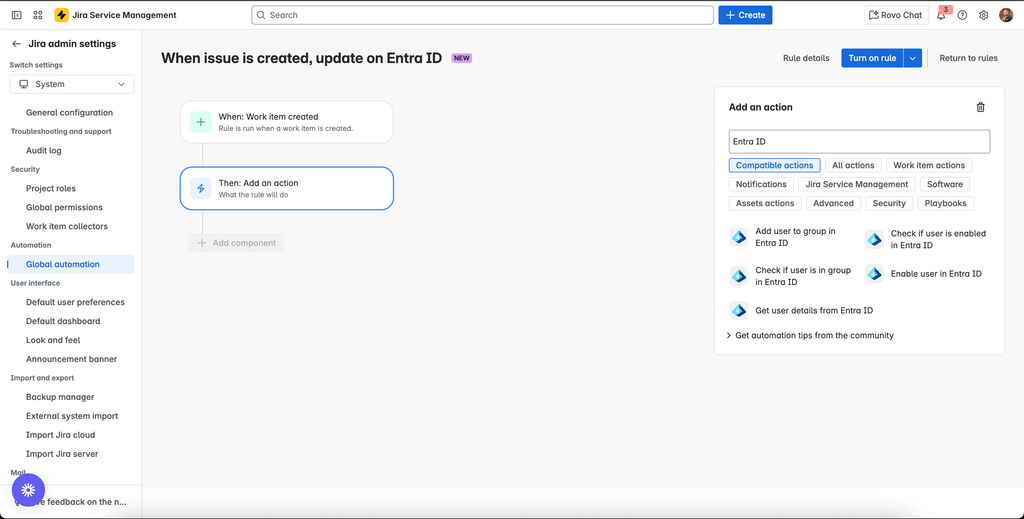
The new Microsoft Entra ID connector enables IT admins to enhance Enterprise Service Management by seamlessly integrating user data from Entra ID.
New actions:
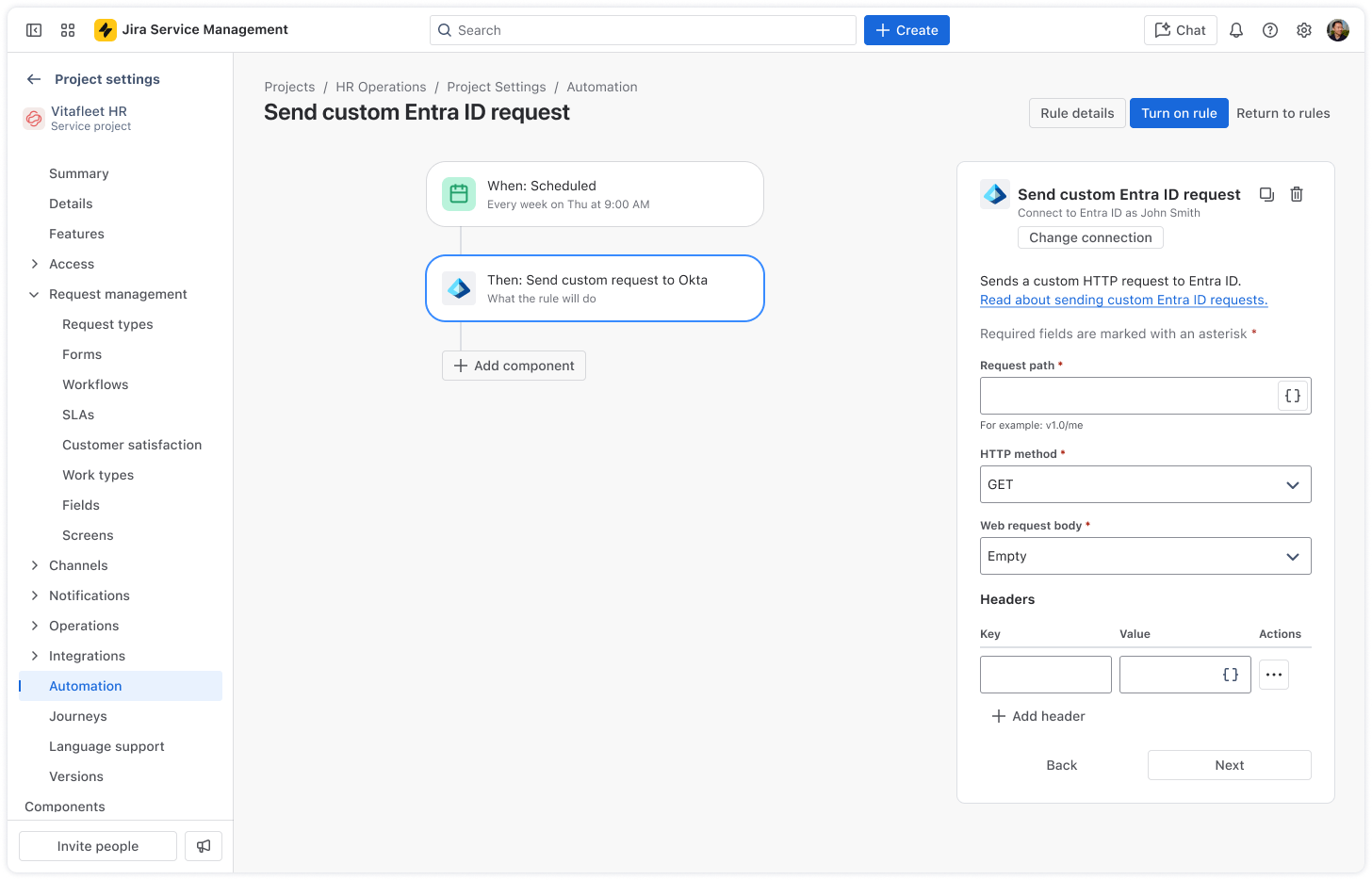
You can also customise your request with Send custom Entra ID request action. This action allows you to send a custom request to Entra ID using HTTP Get, Post, Put and Delete methods. This action can be used with any valid Entra ID endpoints for scenarios where predefined actions cannot meet your specific requirements.
 Expert tip: Before creating a connection between your project and Entra ID using custom request action, you need to register an app in the Azure portal. Read more about how to register an app in Microsoft
Smart values:
{{entra.response.body}} – Returns the response body.
{{entra.response.status}} – Returns the response status.
New action: Send Custom Okta Request
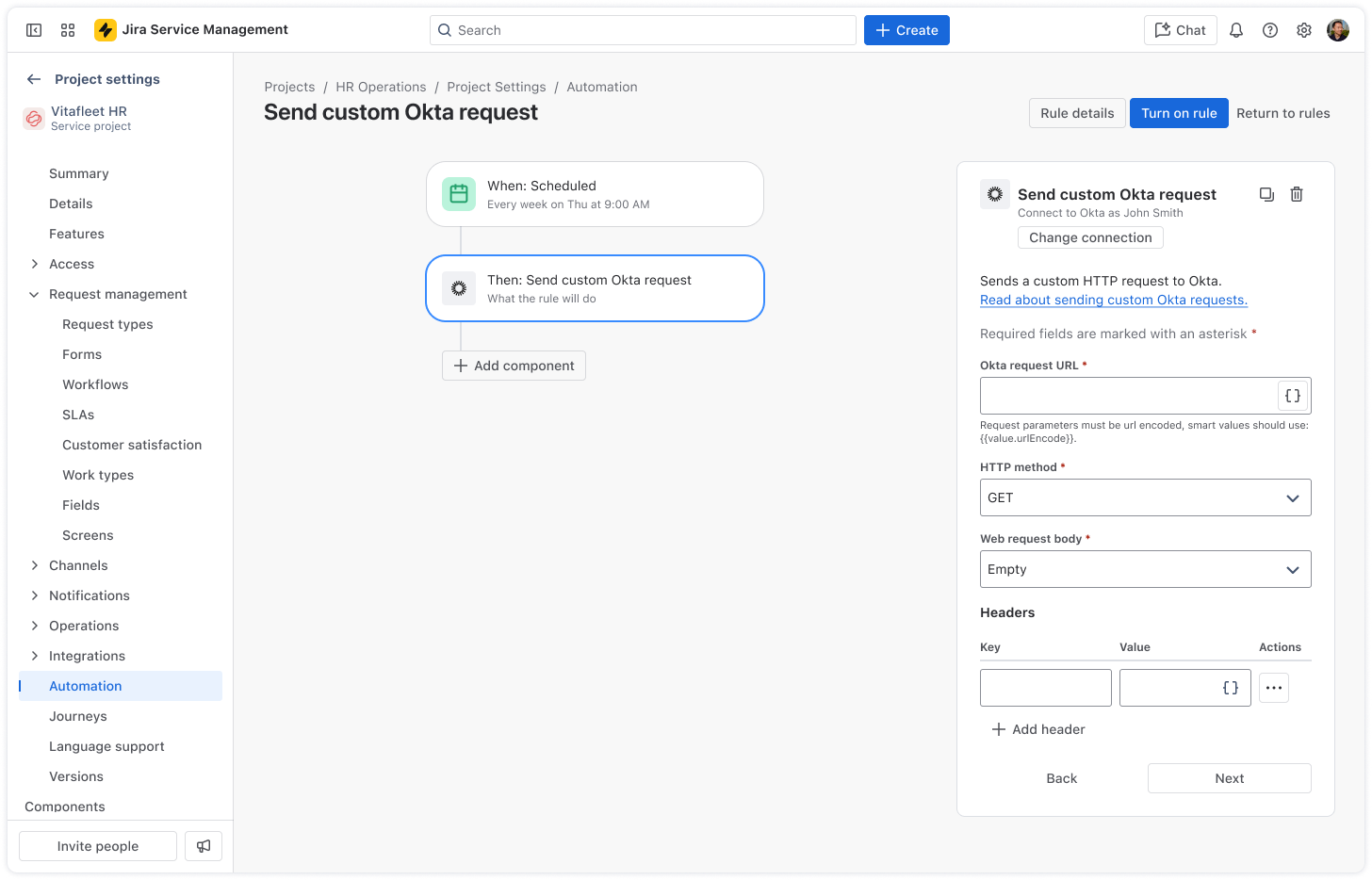
This action allows you to send a custom request to Okta using HTTP Get, Post, Put and Delete methods. This can be useful for automating tasks that can’t be achieved by the predefined Okta actions. Read more about Okta APIs
Expert tip: You can use this action complimentary with 4 existing Okta actions Create user & Retrieve user, Add user to a group & Suspend user
Smart values:
{{okta.response.body}} – Returns the response body.
{{okta.response.status}} – Returns the response status.
New actions for automating HR Operations
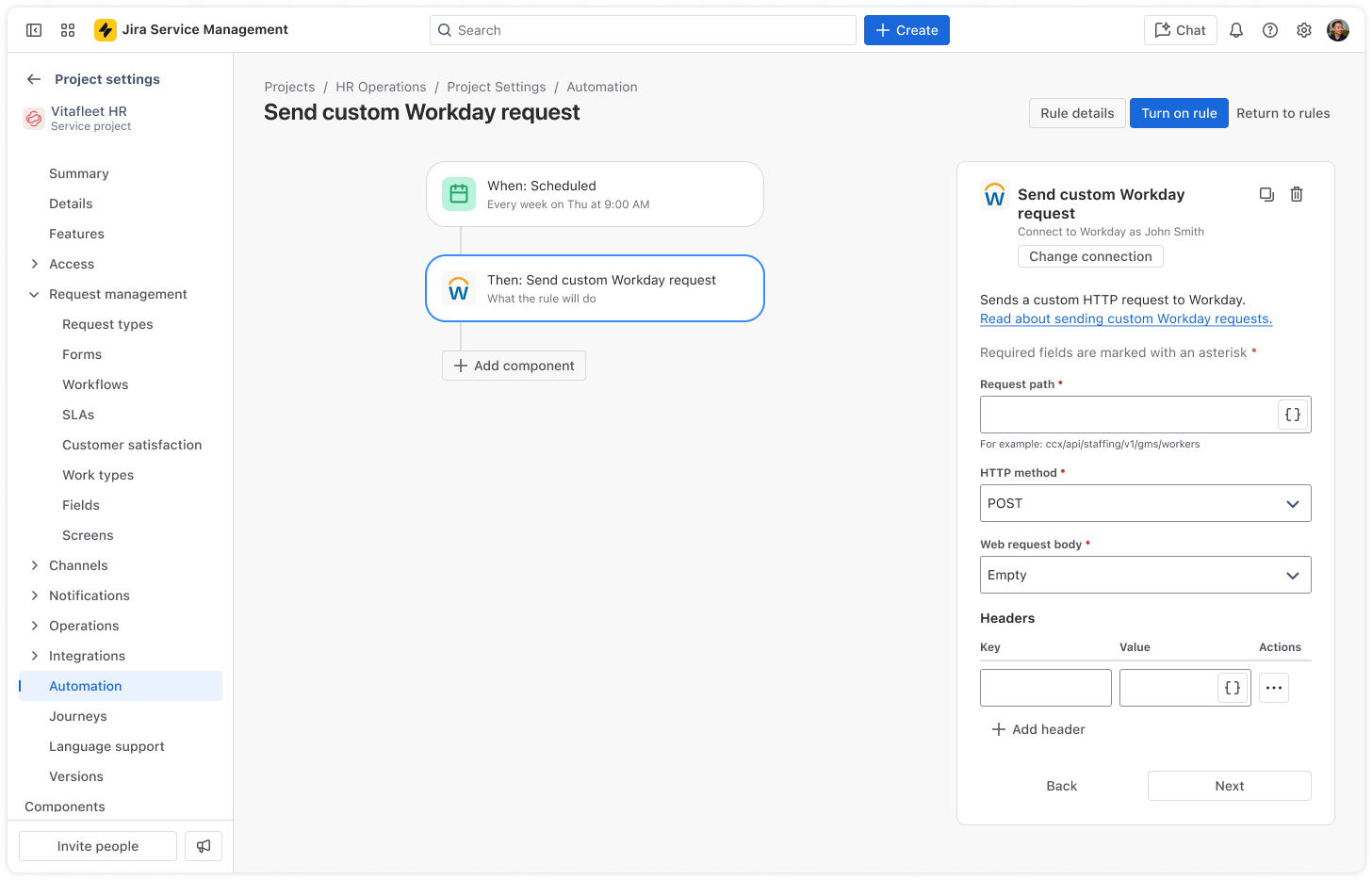
New action: Send Custom Workday Request
This action allows you to send a custom request to Workday using HTTP Get, Post, Put and Delete methods. Whether you want to access specific data with Workday REST API or retrieve a custom report (RAAS), this action can do it all.
Expert tip: Note that requests must be less than 30 seconds before they timeout. This is important to remember when fetching a RAAS report to ensure its size will be processed within the timeout window. You can also use these complimentary with Workday New Hire trigger and Retrieve worker action.
Smart values
{{workday.response.body}} – Returns the response body.
{{workday.response.status}} – Returns the response status.
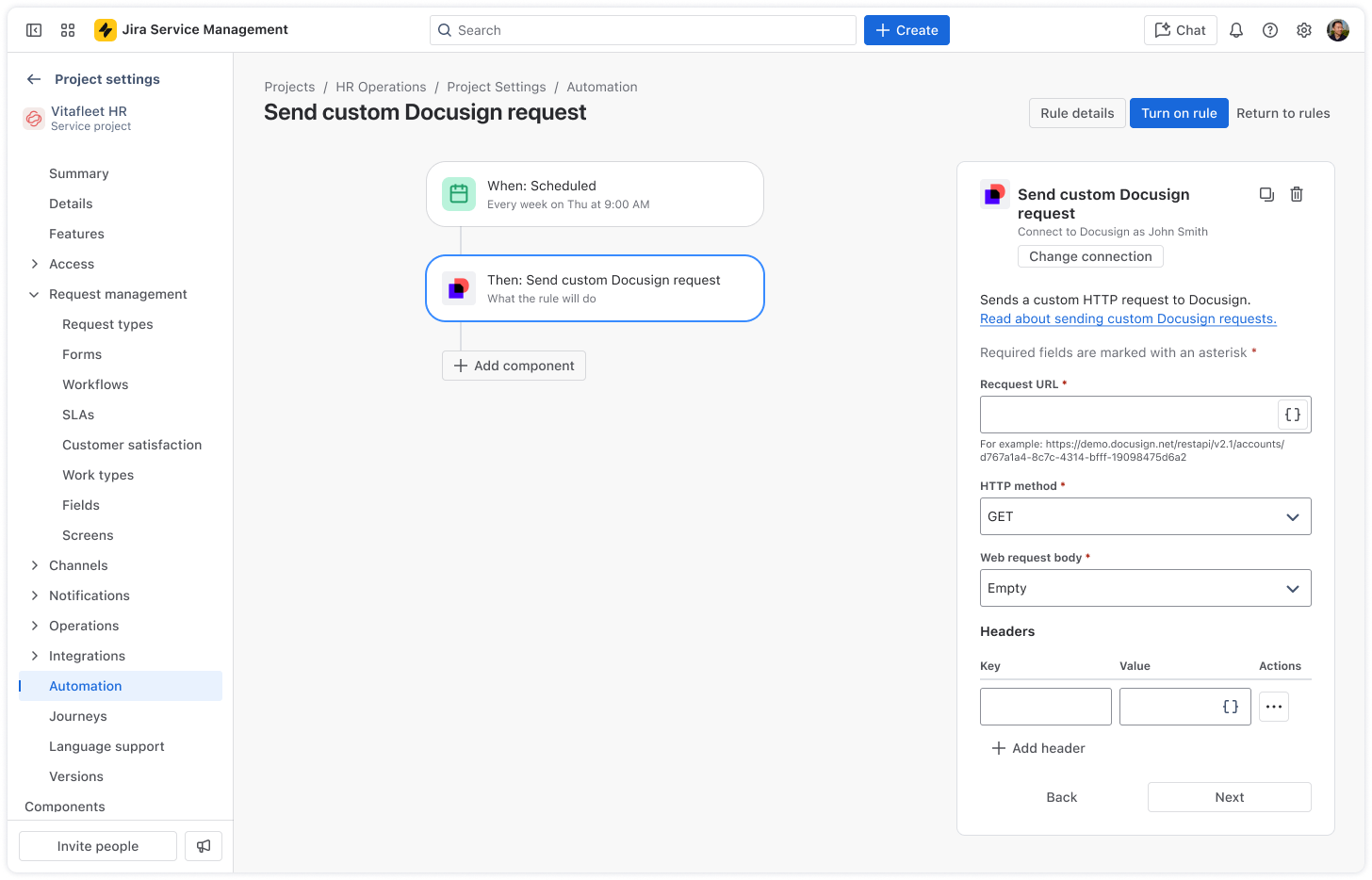
New action: Send Custom Docusign Request
This action allows you to send a custom request to Docusign using HTTP Get, Post, Put and Delete methods. This can be useful for automating the sending, signing, and tracking of electronic documents, and other e-signature workflows.
Expert tip: This integration currently only supports the Docusign eSignature (REST) API. This uses the following API endpoint base paths:
-
https://{server}.docusign.net/restapi (production environment)
-
<a href="https://demo.docusign.net/restapi" rel="noopener nofollow noreferrer" target="_blank">https://demo.docusign.net/restapi</a> (developer environment)
Read more about Docusign API endpoint base paths.
Smart values
{{docusign.response.body}} – Returns the response body.
{{docusign.response.status}} – Returns the response status.
New actions for automating Sales Operations
New actions: CRM sales data
 With this new connector, you can easily automate and integrate sales case and opportunity data into your existing workflows.
New actions:
Try out the new actions today and let us know what you think in the comments!
Kind regards,
Michael Fedulov
Product Manager, Jira Service Management


