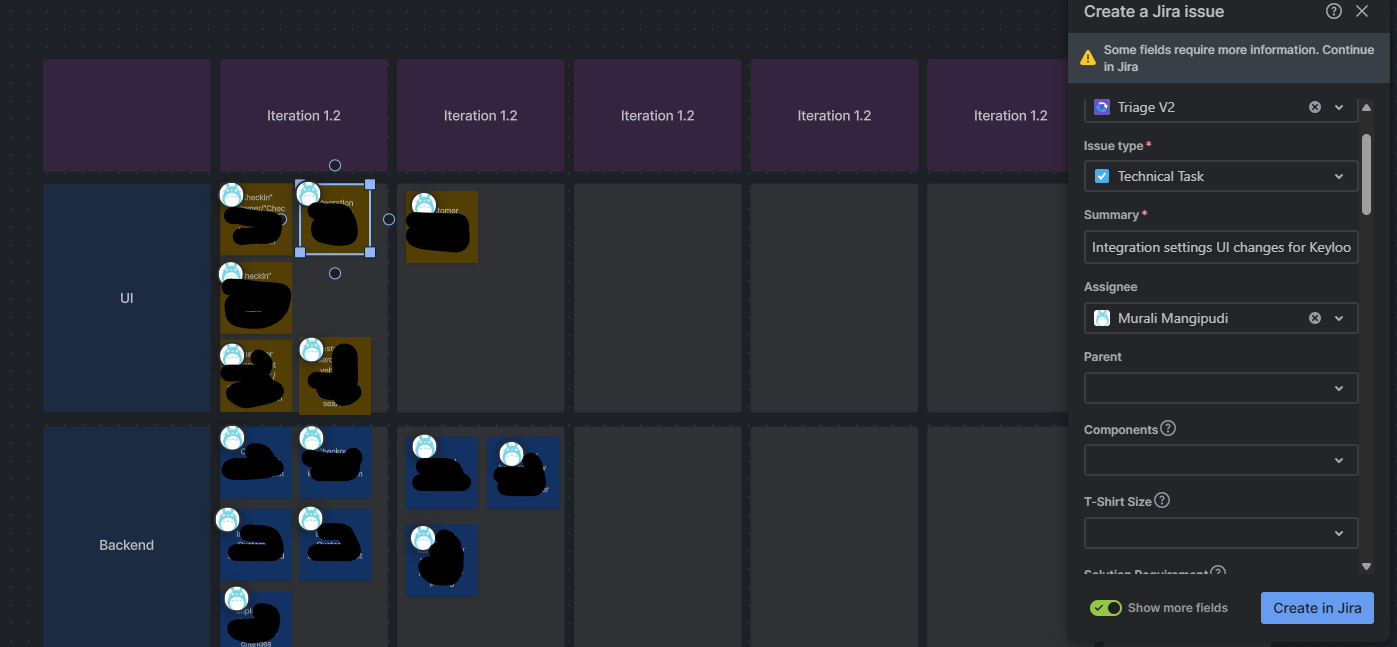
I want to use Atlassian whiteboard for technical task planning, purely because of the feature "Create a Jira issue" from my sticky notes. However, I am not able to successfully use it. When I click to "Create a Jira issue", it pops-up a window showing some of the required fields but also shows this message "Some fields require more information. Continue in Jira". Upon "Create in Jira" it shows the backlog page of my project.
I was expecting it to create the tickets under my Project>{Parent} ticket.
I think this is because, it doesn't show all the required fields, such as "Account" in this case. How can I bring all the required fields in "Create a Jira issue" pop-up?