Update! ICYMI, here's a recording of Matt and Avi's community-led workshop!
Follow along with the video + the guide below:
This guide helps anyone fully automate customer feedback loops across Jira, Loom, Slack, Confluence, Rovo, and AI. The outcome: zero manual work, full presence in customer calls, and increased organizational alignment with real customer needs. " data-testid="image-emoji- " data-emoji-type="image">
 " data-emoji-id="3ed80b9d-d1fe-4e73-839d-e4df3011f035" data-emoji-text="" data-vc="emoji" />
Imagine a world where every customer interaction is automatically captured, understood, and acted on — without requiring anyone to lift a finger beyond showing up. This system is more than a hack; it’s a prototype of what the future of customer-centric product development looks like:
-
💬 Continuous feedback flows directly into teams.
-
📣 Organizations become conversational and reactive to customers at scale.
-
🧠 Intelligence is built into the process, not just layered on afterward.
-
🔄 Everyone operates as a highly-efficient feedback loop — tuned for trust, connection, and execution.
This empowers not just better decisions, but stronger relationships — transforming customer feedback from a task to a true advantage.
The Core Problems Solved
- ⏱️ Time Drain: Manual emailing, scheduling, note-taking, and follow-up eats hours each week.
-
🔁 Repetitive Work: PMs repeat the same tasks for every customer interaction.
-
🔇 Lack of Visibility: Most teams are disconnected from the actual voice of the customer.
-
🚫 Unscalable Processes: High-touch customer feedback loops don’t scale.
How This System Solves It
-
🤖 Automates scheduling, recording, summarizing, and sharing.
-
📝 Eliminates the need for note-taking.
-
👀 Centralizes visibility via Slack and Confluence.
-
🧩 Provides a reusable process for any PM to implement.
All with just two automation rules, and one configuration in Loom 
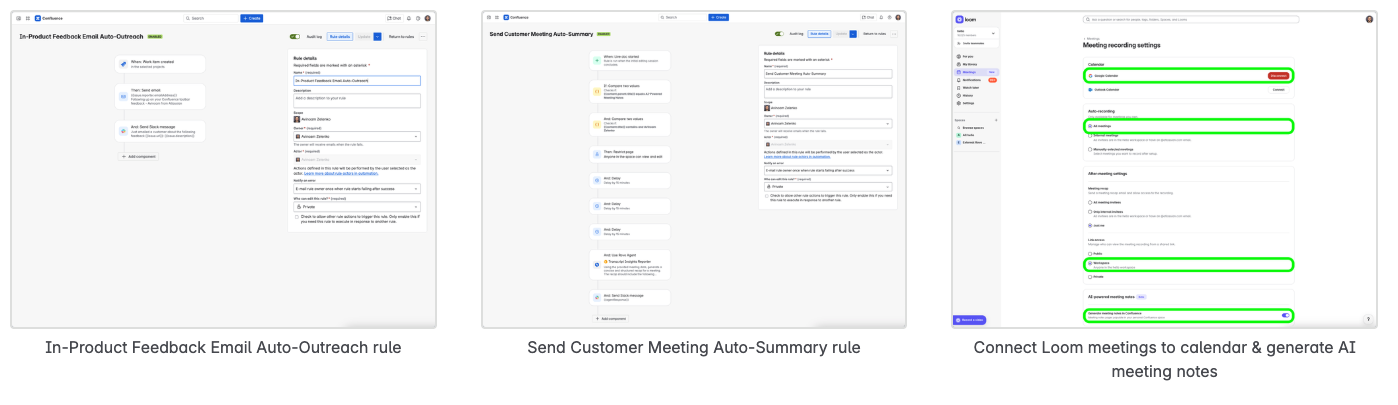
🛠️ Step-by-Step Setup
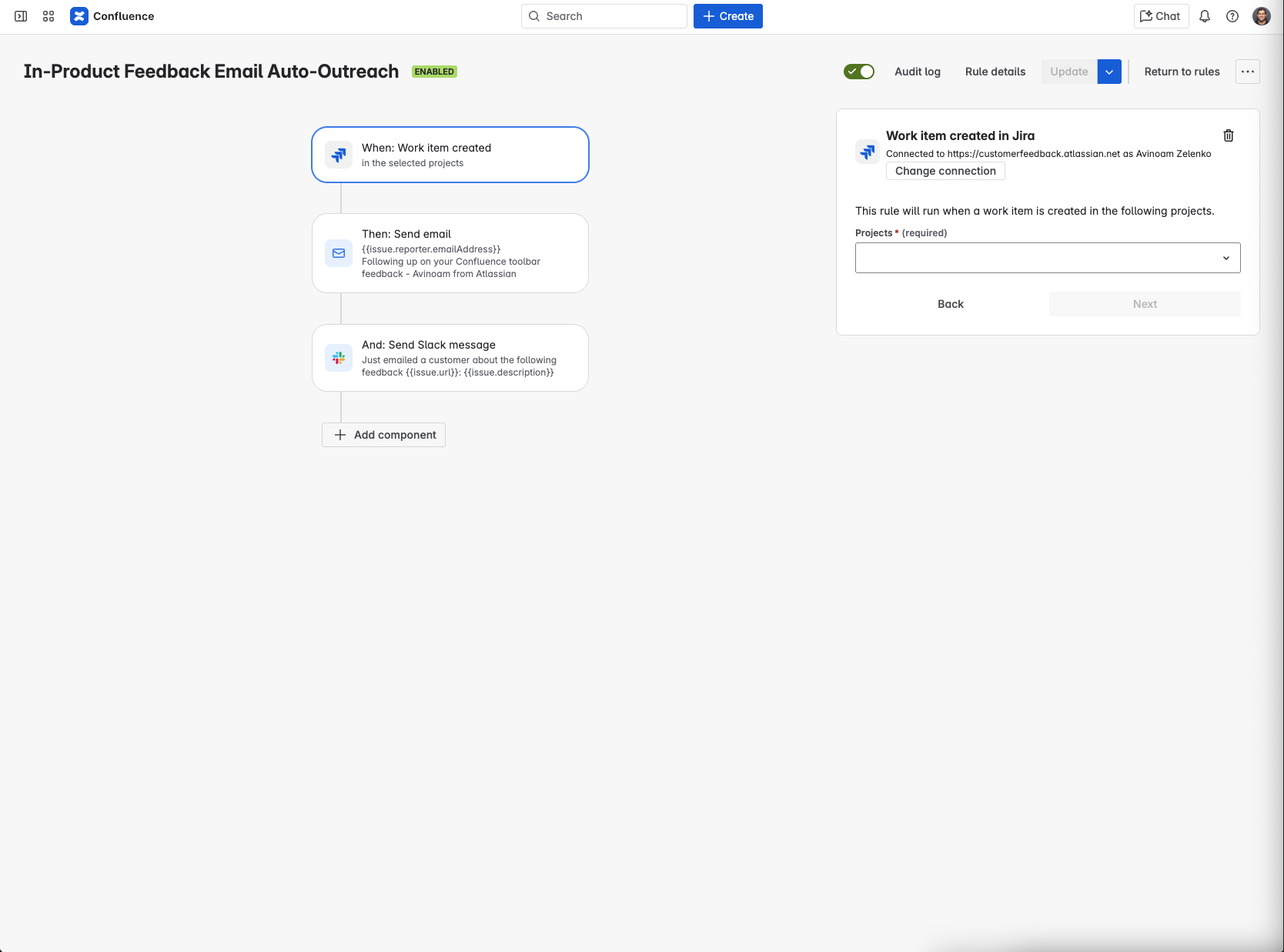
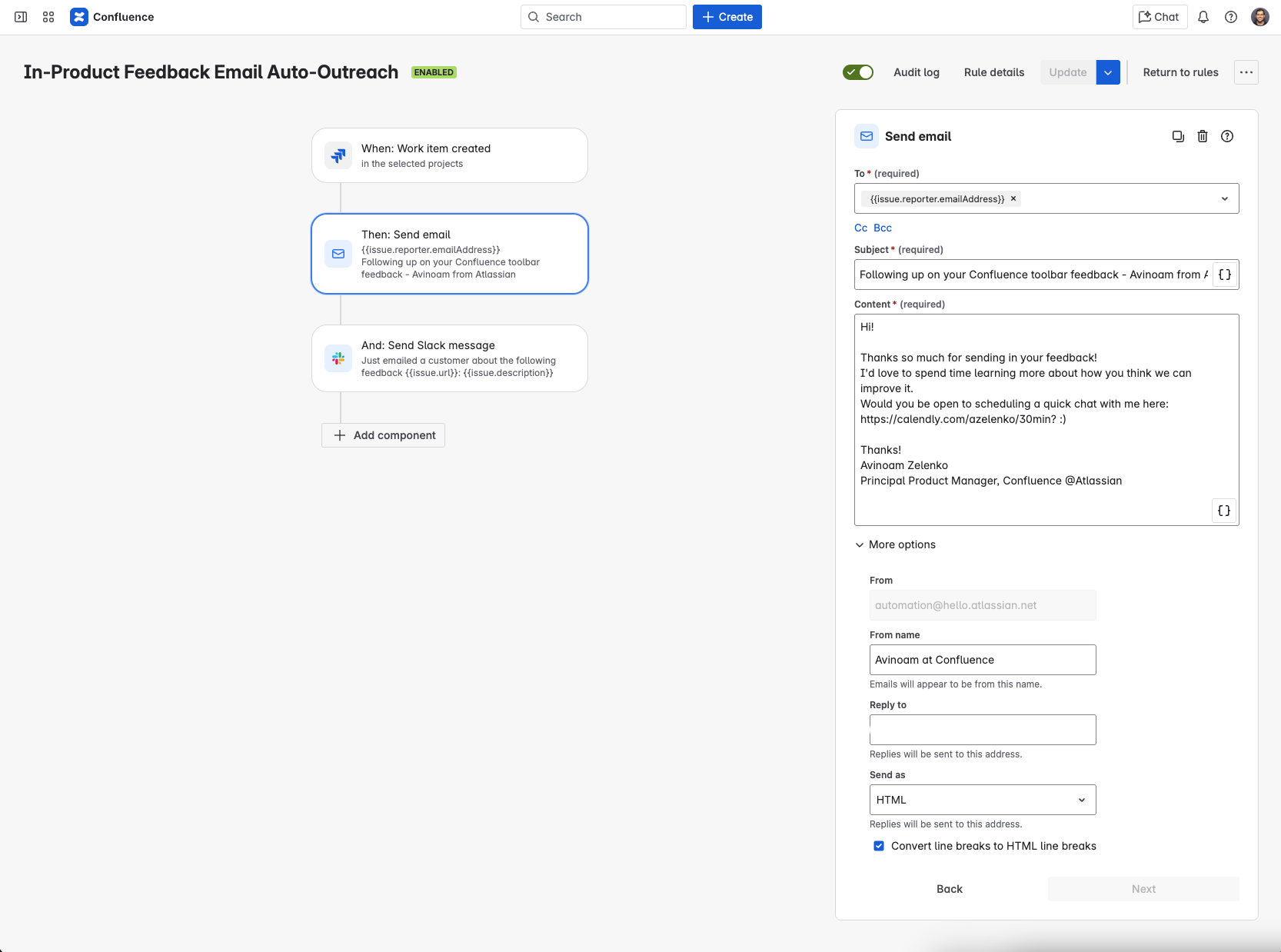
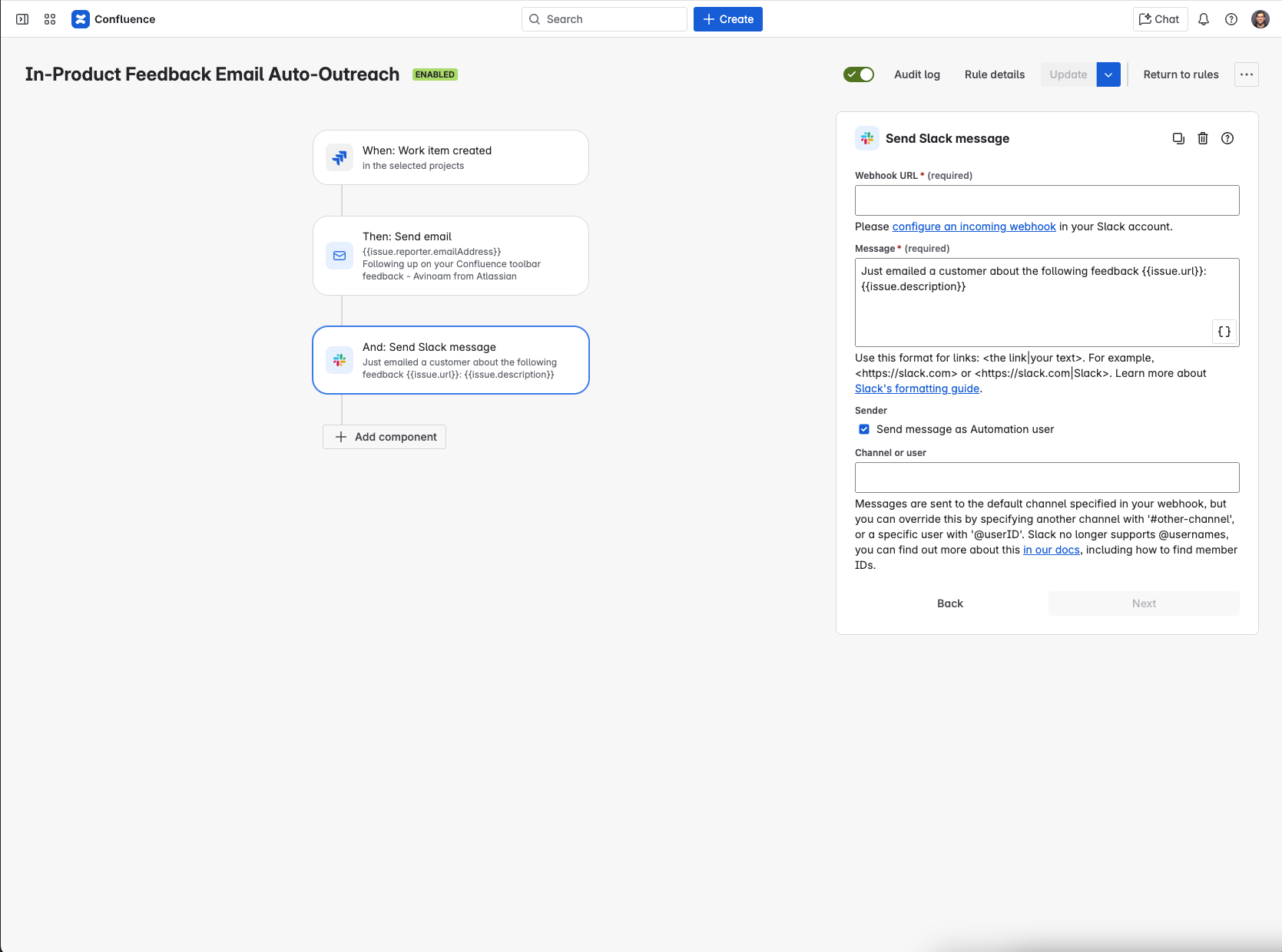
1. ⚡ Trigger: New Feedback is Posted
-
Detects when feedback is added to your Jira Feedback Project.
-
Sends an automated email inviting the user to book time (via Calendly for example)
-
Sends a Slack message to the PM with the issue context 🧾 (optional)
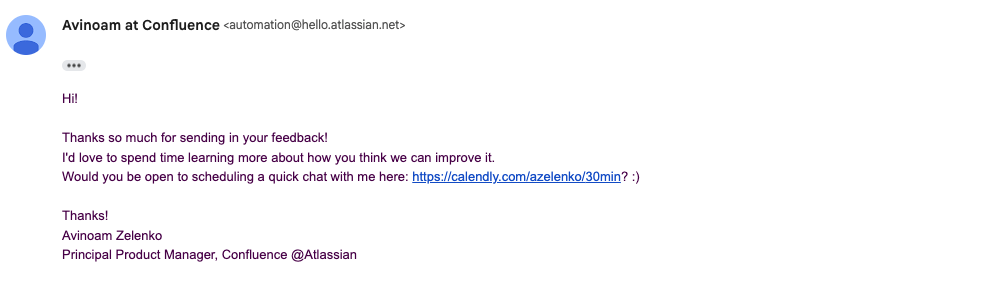

2. 🤝 Customer Schedules the Meeting
3. 🎥 Meeting is Auto-Recorded
4. 🗂️ Loom Creates Meeting Notes (Beta!)
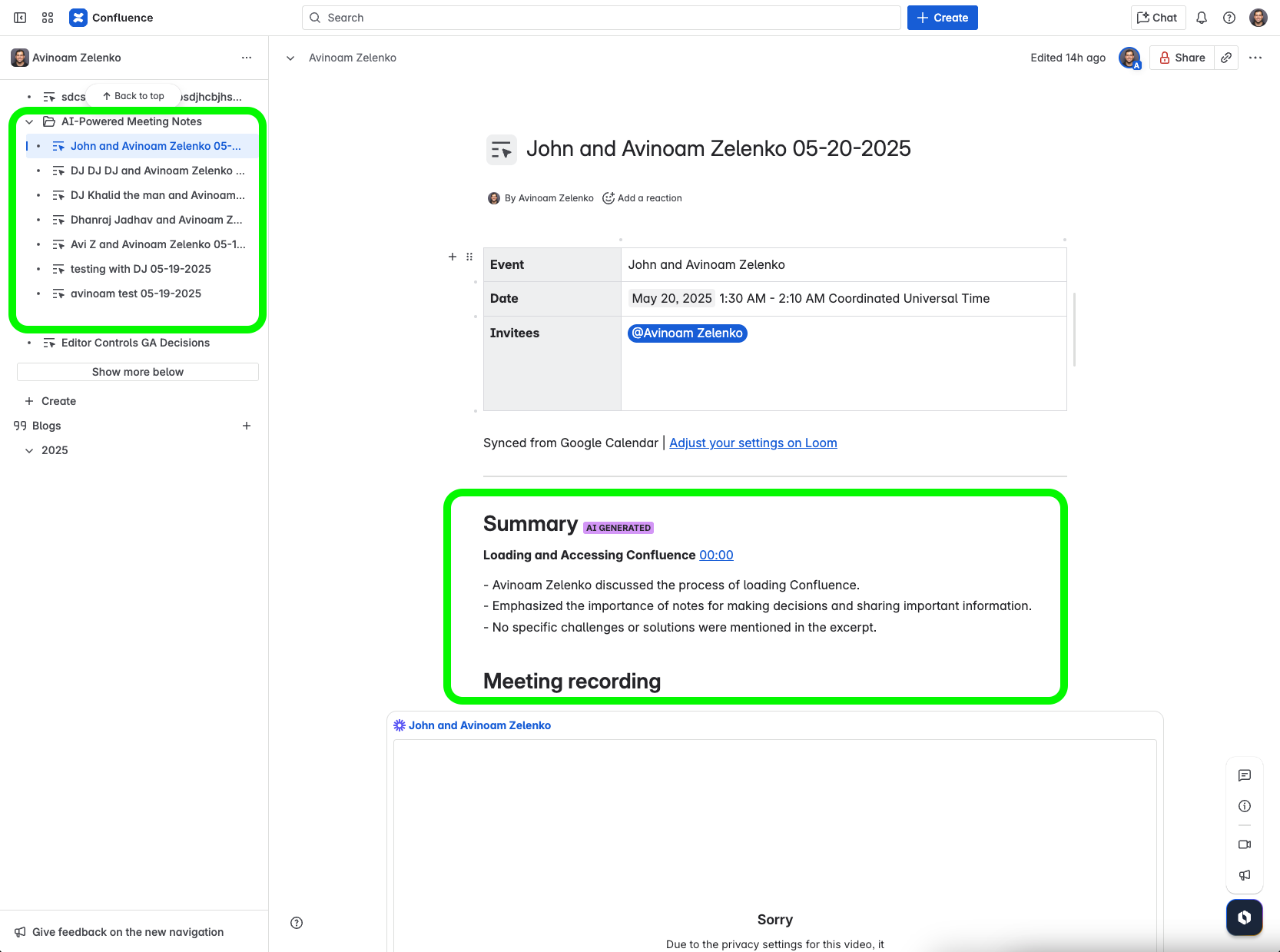
5. ⏳ Wait Period
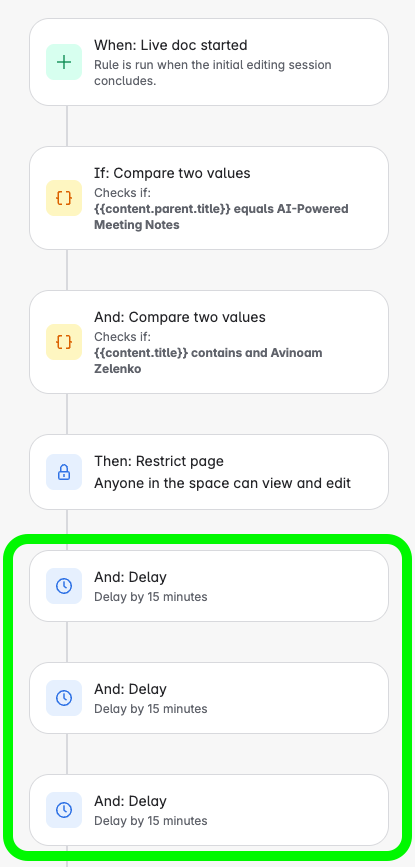
6. 🧠 Rovo Agent Kicks In
-
Detects the completed Confluence Live Doc 📄.
-
Formats, summarizes, and polished notes ✨.
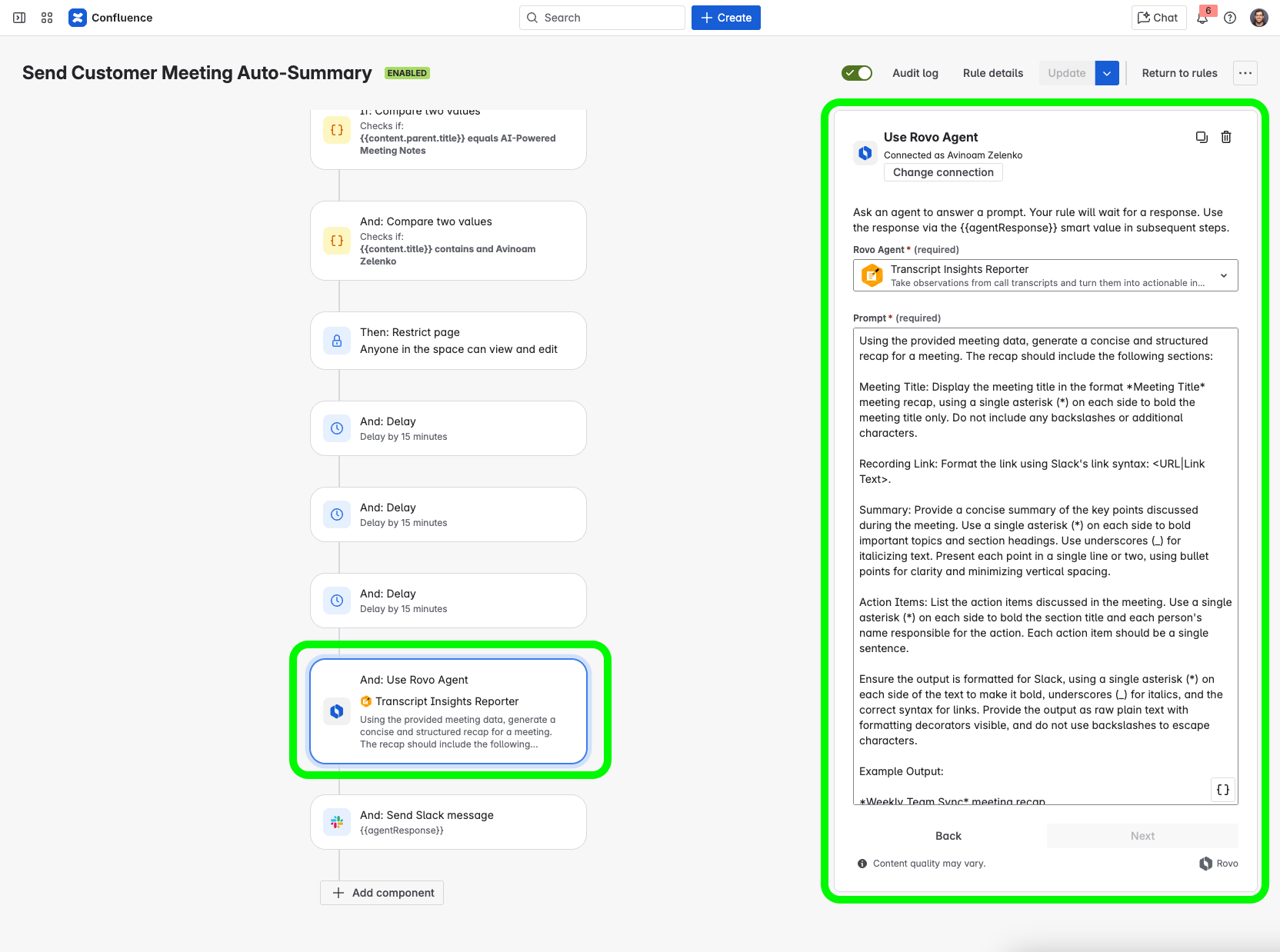
This is the prompt you should use for the Rovo agent in your rule:
"Using the provided meeting data, generate a concise and structured recap for a meeting. The recap should include the following sections:
Meeting Title: Display the meeting title in the format *Meeting Title* meeting recap, using a single asterisk (*) on each side to bold the meeting title only. Do not include any backslashes or additional characters.
Recording Link: Format the link using Slack's link syntax: <URL|Link Text>.
Summary: Provide a concise summary of the key points discussed during the meeting. Use a single asterisk (*) on each side to bold important topics and section headings. Use underscores (_) for italicizing text. Present each point in a single line or two, using bullet points for clarity and minimizing vertical spacing.
Action Items: List the action items discussed in the meeting. Use a single asterisk (*) on each side to bold the section title and each person's name responsible for the action. Each action item should be a single sentence.
Ensure the output is formatted for Slack, using a single asterisk (*) on each side of the text to make it bold, underscores (_) for italics, and the correct syntax for links. Provide the output as raw plain text with formatting decorators visible, and do not use backslashes to escape characters.
Example Output:
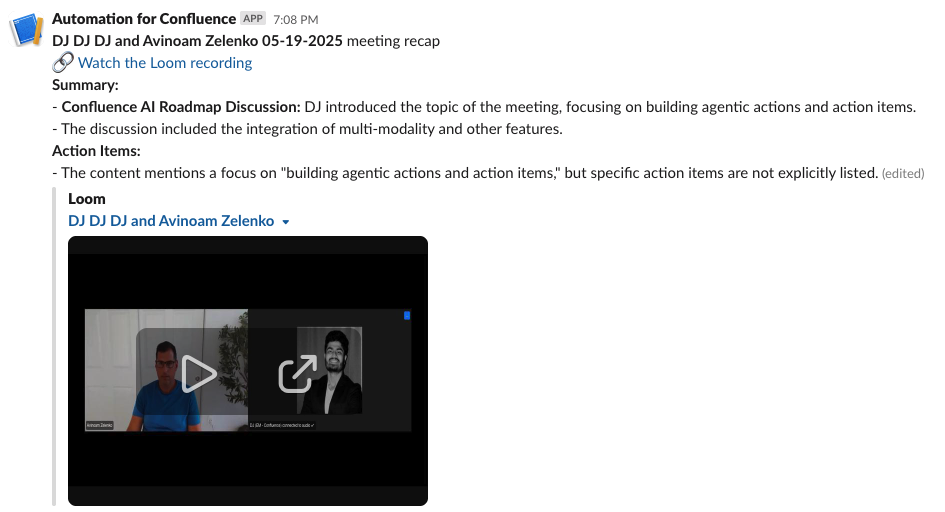
*Weekly Team Sync* meeting recap
🔗 <https://example.com/meeting-recording|Watch the Loom recording>
*Summary:*
- *Project Alpha Update:* _John Doe_ reported that the project is on track for completion by the end of the month. Key milestones have been achieved.
- *Marketing Strategy:* _Jane Smith_ outlined the new marketing strategy, focusing on digital channels to increase engagement.
- *Budget Review:* _Emily Johnson_ presented the quarterly budget review, highlighting areas for cost savings.
*Action Items:*
- *John Doe:* Finalize the project timeline and share it with the team by Friday.
- *Jane Smith:* Prepare a presentation on the marketing strategy for next week's meeting.
- *Emily Johnson:* Submit the revised budget proposal to the finance department by Wednesday.
Meeting data:
- Title: {{meeting.title}}
- Recording link: {{meeting.videoUrl}}
- Recap: [{{#meeting.recapSections}}{"heading": "{{heading}}", "content": "{{content}}"},{{/}}]
- Action Items: {{meeting.actionItems.join(",")}}"
7. 📢 Slack Broadcast
🌟 Outcome
-
You only need to show up, talk, and listen 🗣️.
-
Everything else is handled automatically 🤖.
-
Feedback is shared org-wide with zero friction 🌐.
💡 Why It Matters
-
💓 Scales empathy and understanding.
-
⚡ Converts feedback to action instantly.
-
💼 Saves time for PMs.
-
🤝 Strengthens customer trust at scale.
🧵 Final Note
This process lets you focus on what matters most: connecting with customers, not coordinating logistics. 🤝
Would love to hear your thoughts, feedback, or how you're using this! Feel free to comment in this post or schedule time directly for a chat here