I am attempting to utilize the SLA Met vs Breached report on a Service Project in Jira Cloud. However, tickets are showing on the report that should not be. Below is the SLA met vs breached report showing 100 met and 5 breached in the last 7 days:
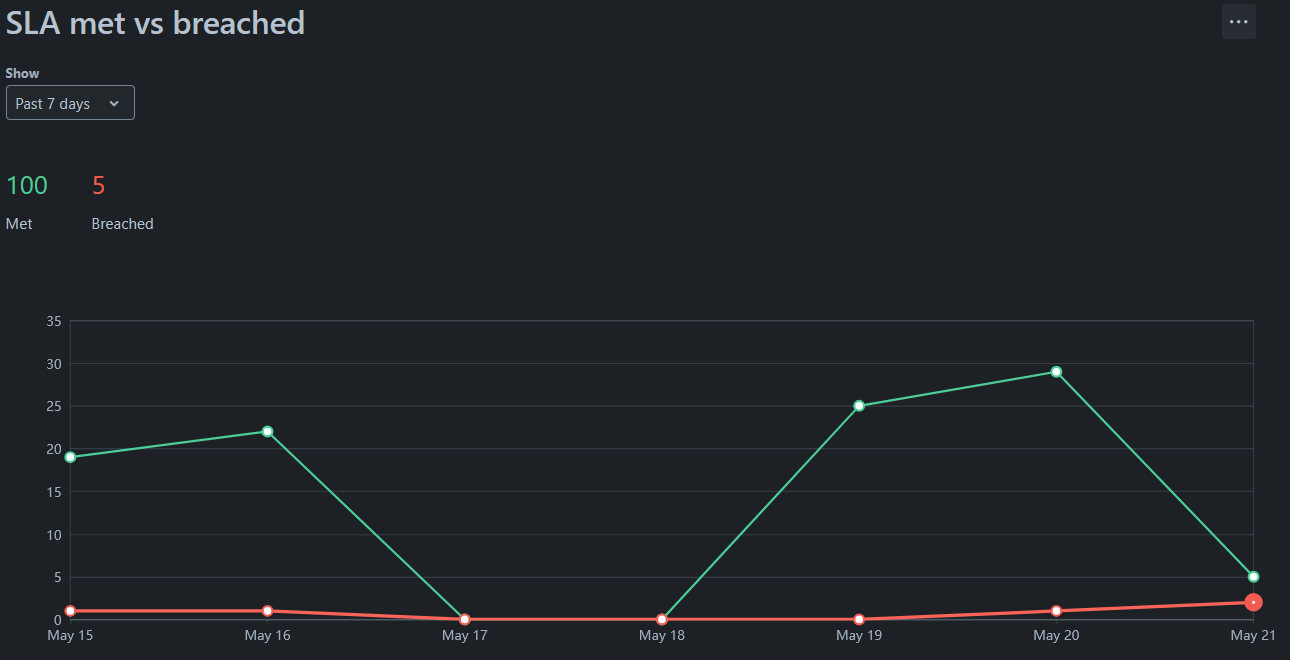
While that report shows 5 breached, there are only four unique issues and only two of those should actually be shown on the report. Ticket 980 shows up on May 16th as well as May 21st (the day the report was generated). As you can see from the "Breached Time" column, neither item shown is actually breached.
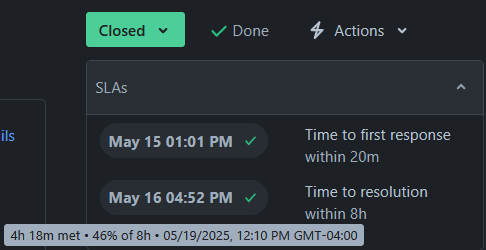
 When I open the issue, it clearly shows the SLA as being met in 4h 18m:
Below is one of the tickets that did breach and correctly shows on the report:

I have attempted to use JQL to modify the results shown by the report. Including "Time to resolution" = breached() does not change the results at all. The same thing is true if I utilize everBreached() instead. If I use "Time to resolution" > elapsed (8h), the report does change but the two issues that are actually breached are removed, leaving the two that are incorrectly displayed (and the duplicate is still duplicated).
The time to resolution SLA is set up as follows:
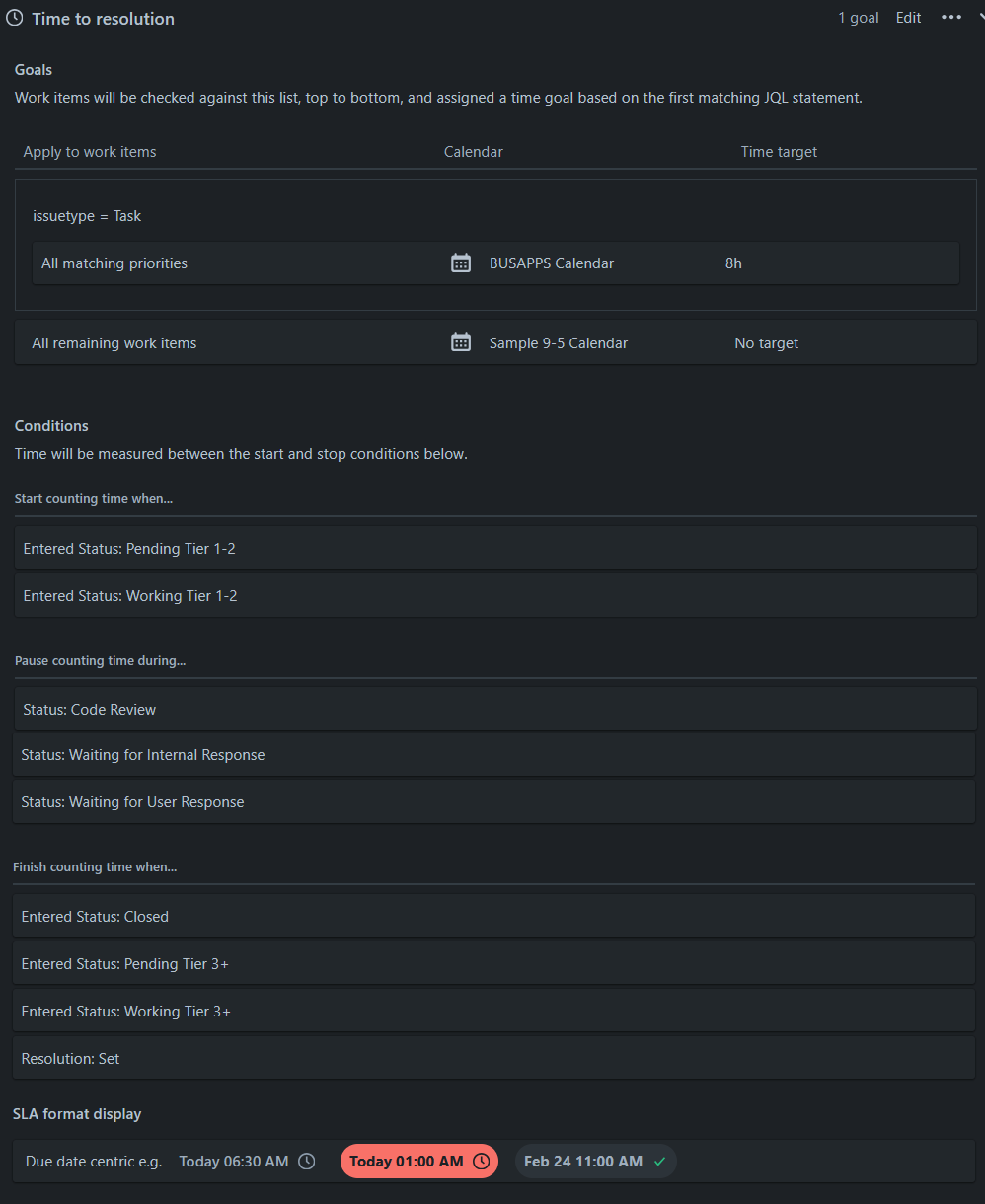
What could be causing these tickets to incorrectly appear on the SLA report?


