I am using a script to create and modify issues in Jira. With this script I can set and modify the following fields:
- Priority
- Summary
- Description
- Components
- Labels
- Assignee
- Status
- Parent
- Time Tracking
For the time tracking field I am only working with the original estimate, so when an issue is crated, I set the remaining estimate to the same value as the original estimate and if the issue is modified, I only set the original estimate.
The script seems to be working fine since in one of my projects I am able to crate and modify tasks, including the time tracking field.
However, there is another project in which this isn't working. When I try to modify the time tracking field I get the following error: {"errorMessages":[],"errors":{"timetracking":"Field 'timetracking' cannot be set. It is not on the appropriate screen, or unknown."}}
I thought that this might be because the time tracking field was not configured in the screen layout for this project, but this is not the case. The time tracking field does appear in the screen layouts.
The only difference I can see between the project in which this works and the project in which it doesn't is that:
- In the first project (in which it works) the screens use only one screen configuration
 - In the second project (in which it doesn't work) the screens use two screen configurations, on each for issues of type bug and the other of the rest of the types. Both screen configuration have the time tracking field showing in the layout.
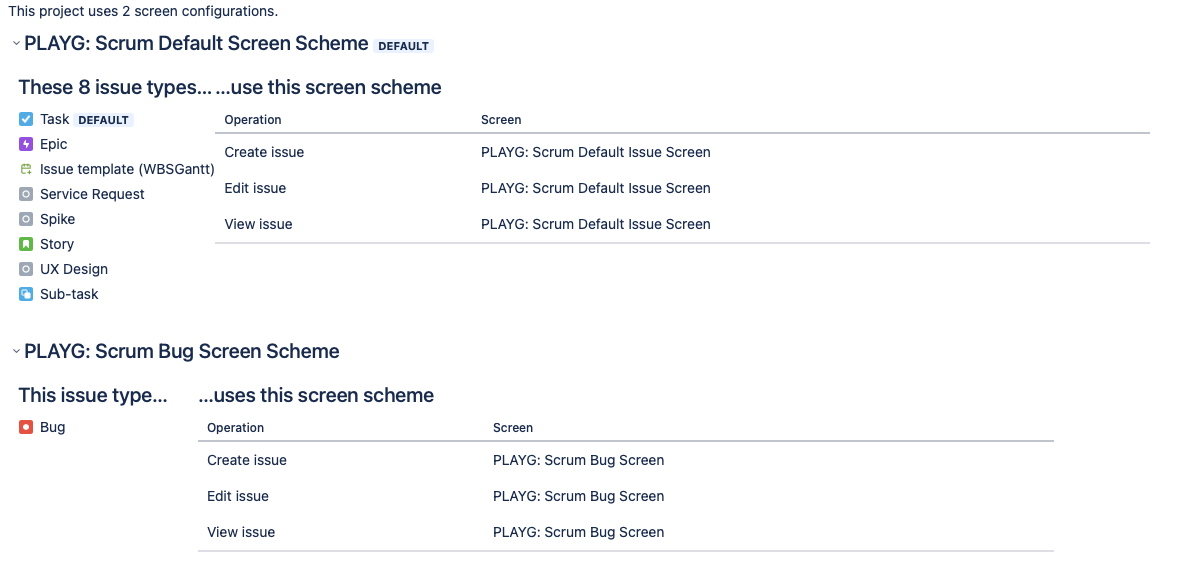
I have no idea of what other difference might be causing this issue. Does anyone know what might be causing this?


