I have had a few users today log the below issue -
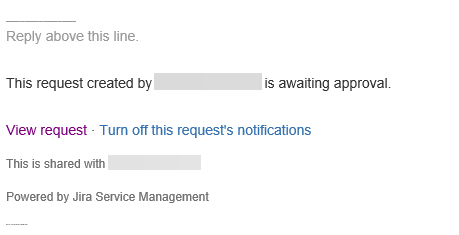
They have received a Jira email with a URL to 'View request' that requires approval -
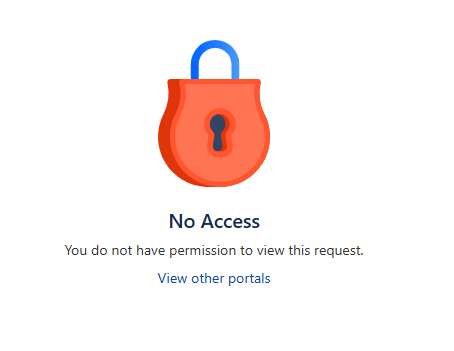
When the use clicks on View Request, they get the below page -
The user has Service Desk Customer & Team assigned to them within the Project in JSM.
The user also has a Jira Premium license assigned to them under Admin > Users.
These users are not agents, does this matter? If so, would this not add an unnecessary license cost to us?
I am unsure why they cannot open this request... Any support will be greatly appreciated.
Thank you.
Hi @Joshua Stokes ,
A couple of things come to mind if the user is not able to view.
Take a look at those areas if there's any issues there. Hope this helps
I will take a look now and report back, thank you @Benjamin
Hello @Benjamin
Would the Browse Issue Permission be 'Browse Projects' as there is not one for 'Browse Issue'
The above is under our JSM Permission Scheme for this particular project.
Also, where would be the best place to navigate too, too find any issue securities set?
Thank you!
Further information below @Benjamin (Thanks for the help!!)
The user got the email from -
They then clicked on 'View Request' link.
This link should have taken them to the ticket that a user has logged in our staff portal to approve/check (example below) -
Instead, the user gets the 'No access' screen with the padlock icon -
Below is what the user is assigned too -
Hopefully this will provide some more information for you to assist with.
All looks okay from the permission scheme.
Let's take a step back. This user is intended to be in a customer role? If so, let's remove the Team role. The team role is intended more for agents.
Here's a set of things I would check:
1. What can the user see when the log into the site? Are they able to see all the portals, they are suppose to see? Are they able to raise a ticket without issue?
2. Is the user a request participant on the ticket?
It looks like you're new here. Sign in or register to get started.