[UPD: The issue was solved by itself after a few days - no clue what influenced that]
Hi
Is anybody knows what it can be related to?
I'm being redirected to Minified React error #310 every time I try to access specific column Field settings. The column which triggers it has a tag type if it matters. But other columns Field settings even with a tag type open correctly.
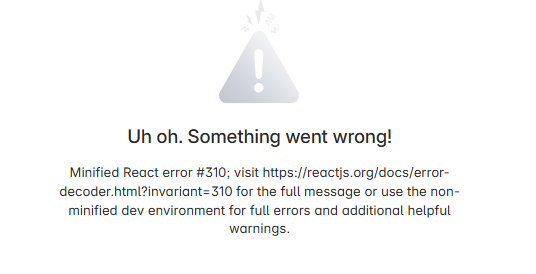
It's just a simple table manually filled without any outer connectors.
I've also noticed that instead of showing a list of currently selected values (when I want to add another one value in the cell) the glitched column does not have any values selected shown even if they are actually selected.
Example of what I mean in case of normal column - there is currently selected a 'Finished' value and it shows it above the list and the 'Finished' value can be also removed and other values can be added there.
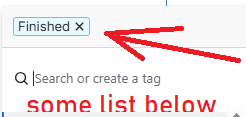
So this one part (highlighted by a red arrow) is missing even if the column shows to have values.
The glitched column only accept adding values to the cell since there isn't any list of current values with crosses right next to each one.
UPD It's also seems that the issue is unstable - I've just got another column glitched the same way, but after the page refresh I was able to get to the Field settings of it. Though the initial column still have the same issue and don't want to be fixed by itself after a page reload.
Any help is appreciated!
[UPD: The issue was solved by itself after a few days - no clue what influenced that]


