I am working with Jira/JSM DC 9.12.x
We need to set a new Assets Object custom field that has been added to issues. My first thought was to use an Automation Rule. We have ScriptRunner, so we have the Lookup Assets action.
I am successful using Automation to get the Asset I want, and the issue I want to update. I have not yet been able to figure how to actually update the Assets Object field in the issue.
The field is a single-select Assets Object field.
I found a post about doing this for Cloud. I've not found anything explicit for this for Data Center.
https://community.atlassian.com/forums/Jira-questions/Add-assets-to-assets-object-field-through-automation/qaq-p/2557195
I am open to doing scripting instead. I thought it would be simple to do in an Automation rule.
Below are my rule and the log for running the rule. For testing purposes I have limited the scope to one issue that needs updating.
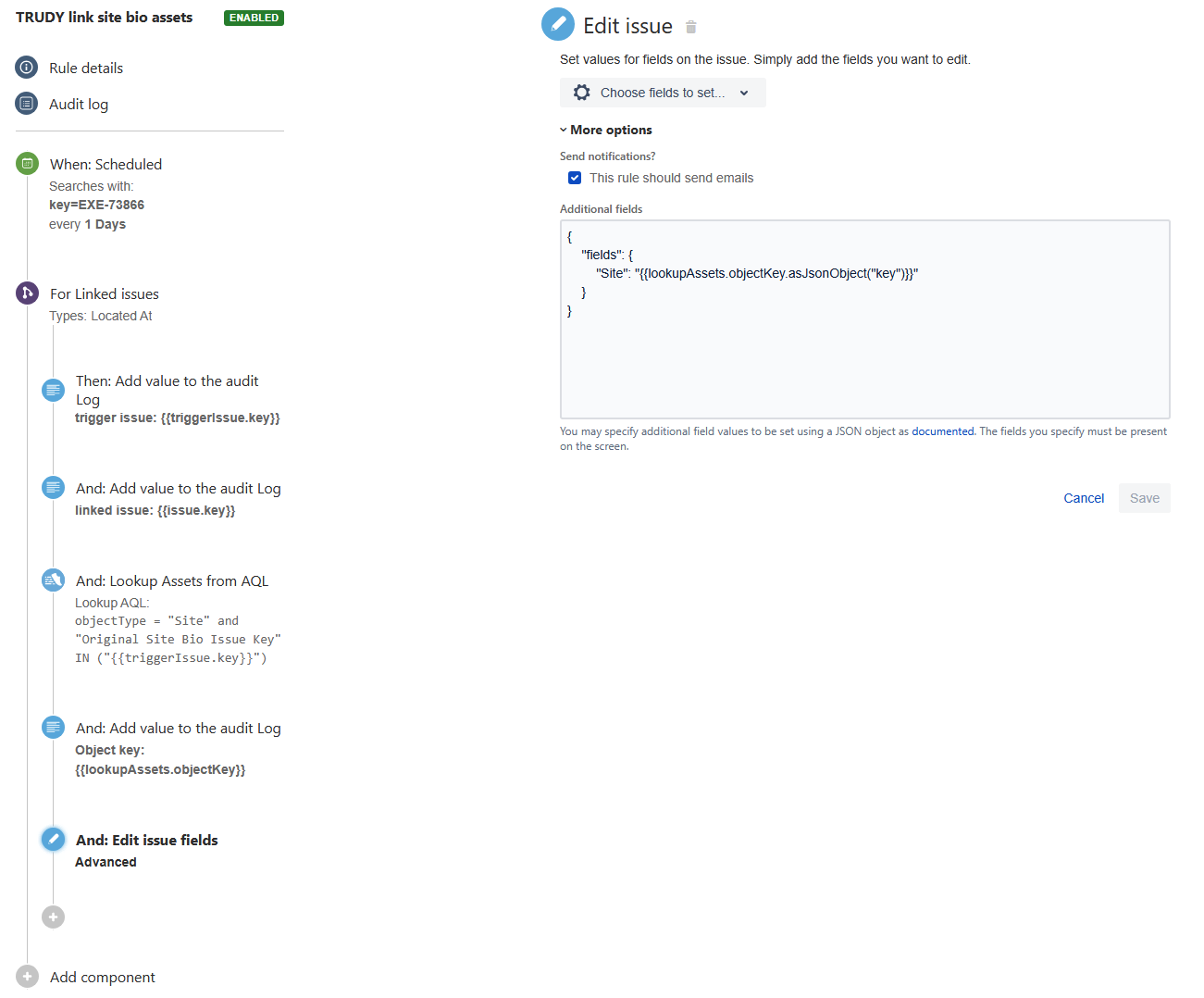
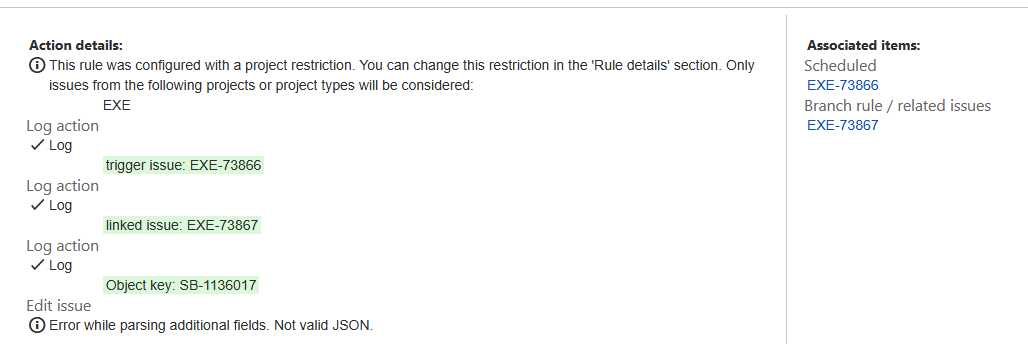
If I manually set the Assets Object field in the issue and then use /rest/api/2/search to output the issue data, it looks like this:
{
  "issues": [
    {
      "key": my-issue-key,
      "fields": {
        "customfield_12345": [
          "Name of object (object-key)"
        ]
      }
    }
  ]
}
Why we need to do this:
1. We had a bunch of issues that identified things that we are now converting to Asset Objects.
2. There are a bunch of issues Linked to the issues-that-are-becoming-Asset-Objects.
3. We have added an Assets Object custom field to those other issue types.
4. We want to now update the Assets Object custom field in those other issue types to relate them to the new Asset Objects so that we can, ultimately, archive or delete the original issues-that-are-becoming-Asset-Objects.
5. To facilitate this, when converting the issues to Asset Objects we have a field in the Object for the original issue key.


