Hi everyone. Thank you in advance for your help! I hope the details in this lengthy post will be more helpful than cumbersome.
My goal is to allow users to convert an issue like a Bug into a subtask using automation. I am aware that there are workarounds, like copying the metadata of the bug and inputting it on the fields of a new subtask. This does not solve the challenge though as we have data connected to an issue from a plugin that does not copy over when cloning the issue, nor is that data accessible to automation.
For clarity, here's the use case:
We're using the Zephyr Scale plugin for QA. This allows you to write test scripts directly in the Jira UI, and log bugs/defects against tickets that fail testing. This ability to log issues is exactly what the automation is for.
From the plugin UI, you can see failed steps in a script:
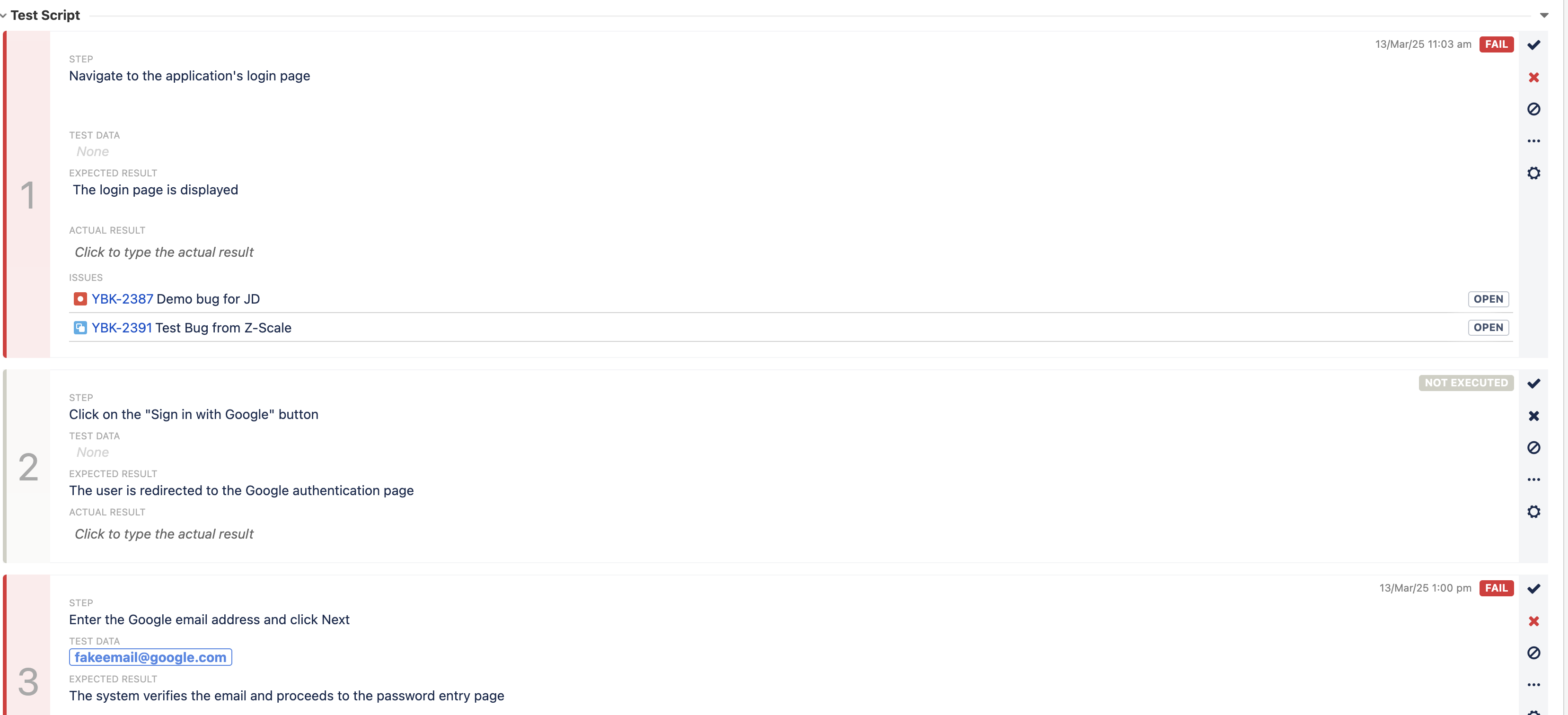
From these failed steps, you can create an issue that is connected to the steps.
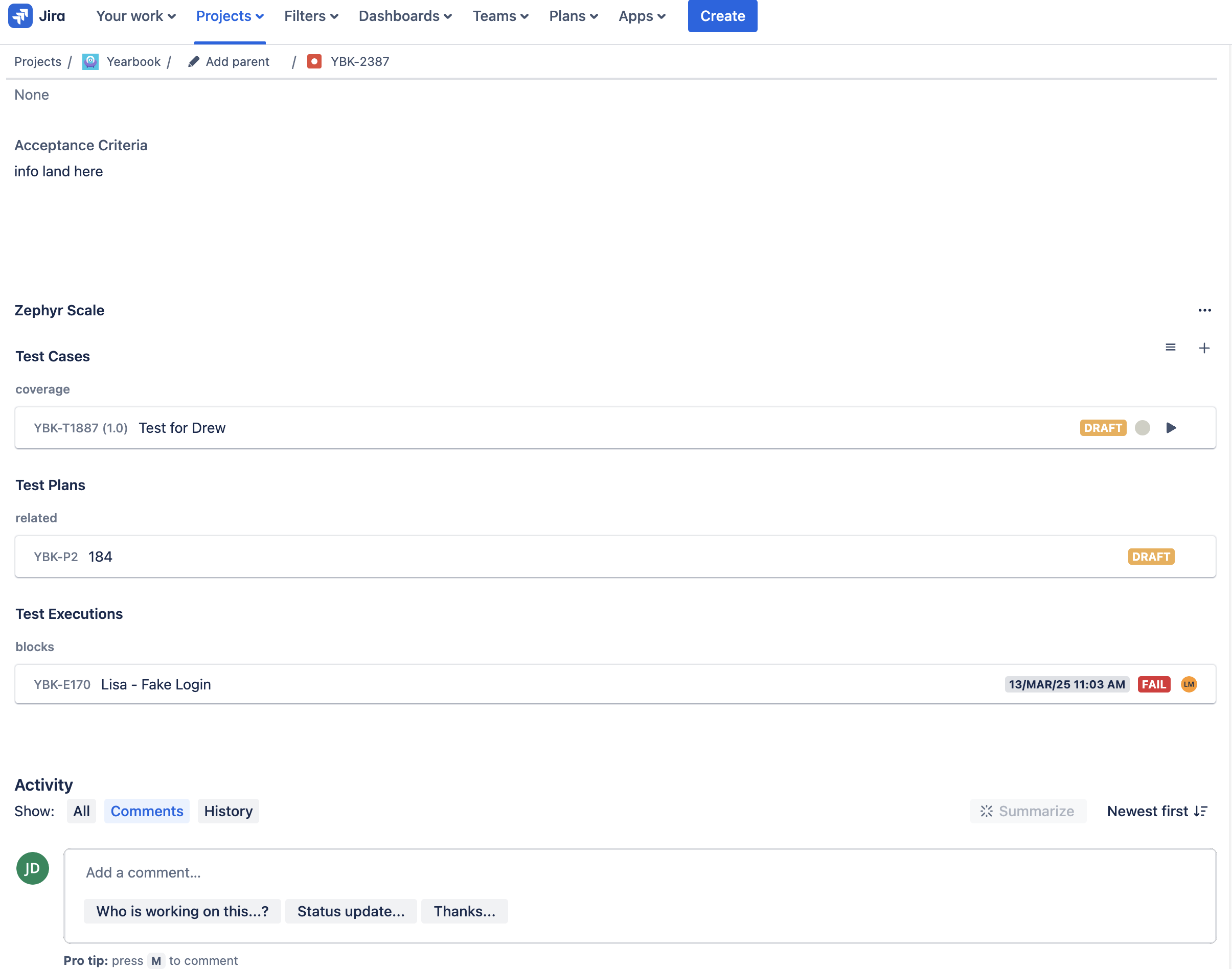
The metadata from the plugin will appear on the ticket as seen above. This is not available when you clone and cannot be copied from any fields as Jira doesn't seem to store any of the data from the plugin itself. In our workflow, these issue derived from failed testing should be subtasks on the failing issue/Story which disallow the parent issue from closing without first resolving the Defect/subtask. So, we need to be able to create subtasks from this workflow, but when you create an issue from the plugin UI, it pulls up the standard Create screen which doesn't and can't include subtasks.
This is the use case for the automation, so any workaround would also have to solve for the above case.
RE the failing automation itself, here's what the automation looks like and the errors I get.
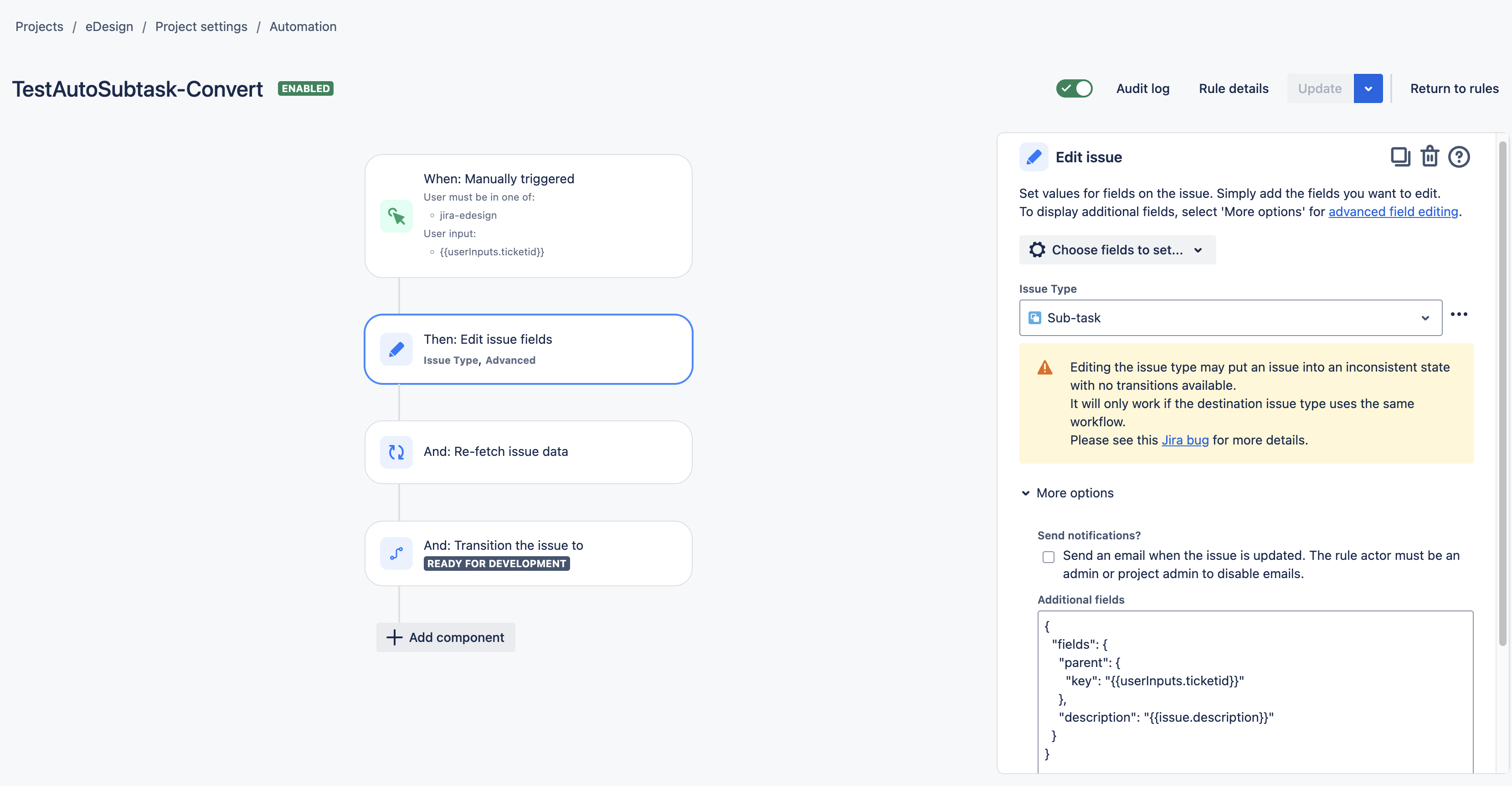
Some notes:
- The {{userInputs.ticketid}} in the JSON is the user-entered value for the what the Parent of the subtask should be. It will be a string like "ABC-123"
- I made sure the workflows for both the initial issue (Bug) and the subtask (Defect) were the same.
- I tested this manually to make sure it works manually, and that works fine.
The error message I get is:
Error editing issues
EDZN-20165 (Given parent issue does not belong to appropriate hierarchy., Issues with this Issue Type must be created in the same project as the parent. (pid))
Some notes:
- I included validation in tests to make sure that pid matches between the two issues.
- I ensured the hierarchy of the issues is in line, but of course it's Subtask and Bug/Story so that shouldn't be an issue anyway.
- I also tried a test automation where I create the subtask in one step, to make sure it is initialized as a subtask first, and then set the parent in a another step, but I get an error saying that I cannot create a subtasks without setting a parent so those two things need to happen in the same step.
- I tried re-fetch
- I also tried to explicitly use the JSON only to input the issue type and parent. See below.
{
  "fields": {
    "issuetype": {
      "id": "10076"
    },
    "parent": {
      "key": "{{userInputs.ticketid}}"
    },
    "description": "{{issue.description}}"
  }
}


This gives the same error as aboveDoes anyone know what could be causing these errors or how to resolve them? My theory is that the automation is trying to change the issue type and set the parent in the same call. This means that the new issue type is not set first, so effectively, the automation is trying to make a Bug issue type the Child of a Story issue type which would cause the hierarchy error, but I'm not sure if this is true or how to fix it.


