Hi everyone,
I'm trying to create an automation rule that assigns story points to tasks based on a custom field value. However, the rule keeps failing at the field condition check, even though I can see that the correct values are set in the issue.
Context:
We have a separate automation that creates an Epic, which then generates tasks and subtasks, copying values from the Epic to its children, including fields like the custom fields set as condition in this rule I'm having issues with
Since this automation can take a few seconds, I suspected a timing issue but adding a delay didn't help.
- A general note that this rule was at some point working and stopped about a month ago and I have since tried to fix it (see below).
- "Check to allow other rule actions to trigger this rule. [..]" is enabled.
Issue:
Things I Have Tried:
✅ Added a delay (to allow time for the other automation to populate fields).
✅ Changed field condition from "equals" to "is one of" (to be more flexible).
✅ Added a "Re-fetch Issue Data" action (to ensure the latest field values are checked).
Any ideas on what could be causing this?
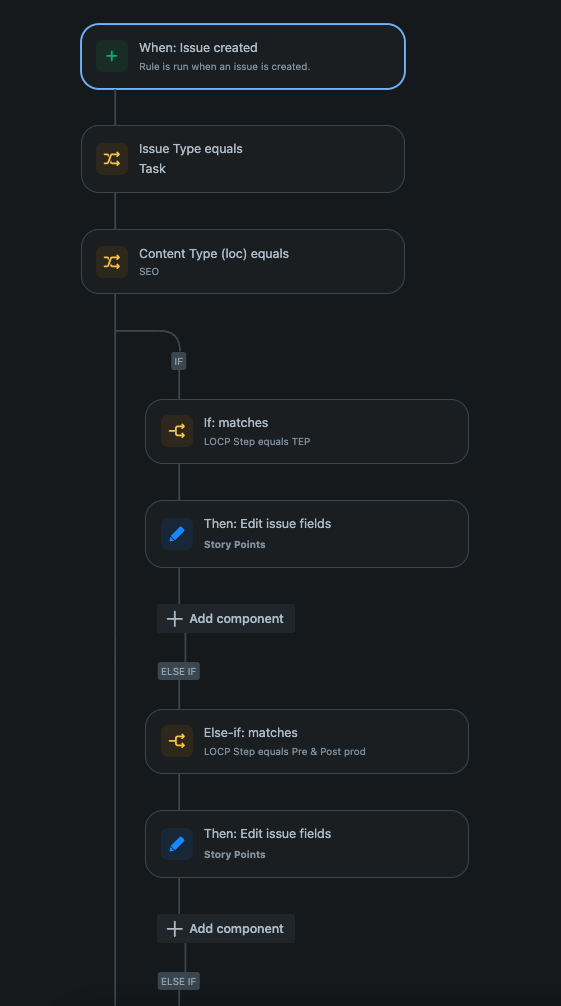
Screenshot below of how the original rule looks like:
Audit logs
If I run the rule as above, the logs say that no actions were performed:
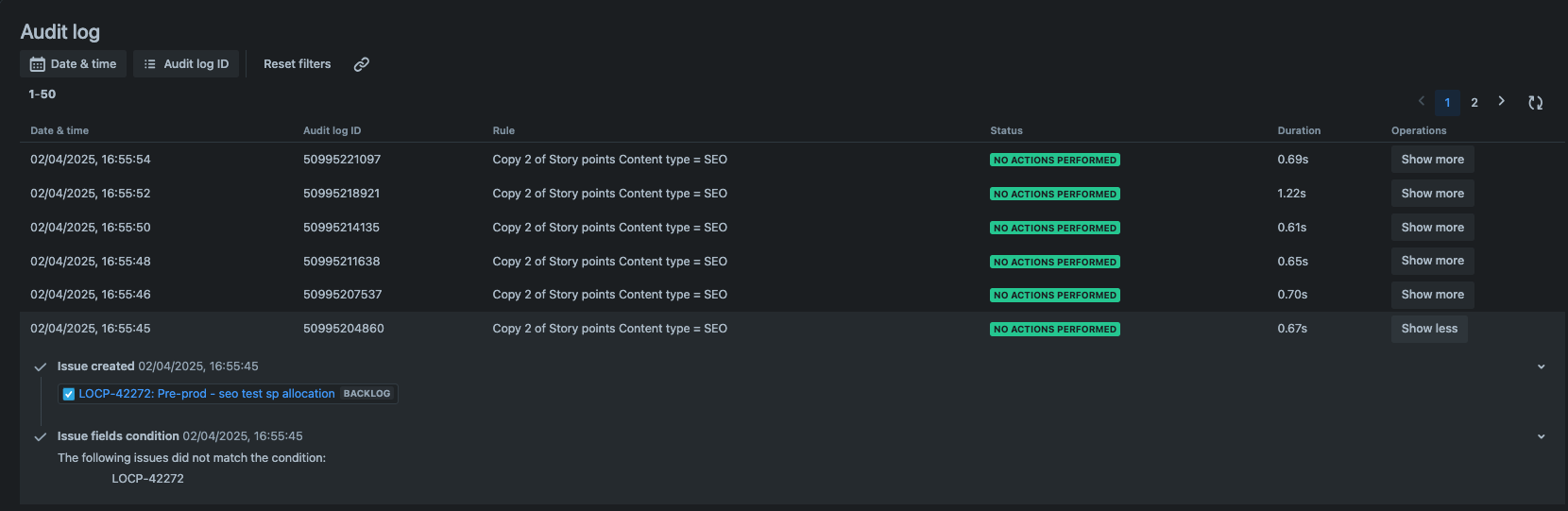
When selecting the field that did not match, it takes me to "Issue Type equals Task"


