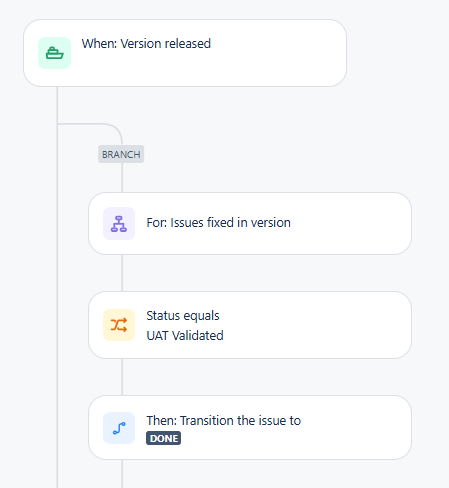
Hello, I'm trying to configure an automation rule that transitions the work item from UAT Validated status which has Resolution already set to Done status with Resolution set. I keep getting this error:
(The selected resolution cannot be chosen during this action. (resolution))
I've tweaked the rule many, many times and have also:
1. Ensured atlassian-addons-project-access has every permission in the project's permission scheme.
2. Ensured there is a transition in the workflow from UAT Validated to Done.
3. Removed the transition "Resolve Issue" screen altogether.
4. Added the Resolution field to the screen.
5. Explicitly included the Resolution id 10000, which is the Done resolution ID, on the transition Properties.
6. Tried a bunch of different rule configurations, including:
6a. not specifying any rule for the Resolution field
6b. on the "Then: Transition Issue Status to Done" step I tried choosing the Resolution field to set to Done, also tried not choosing the Resolution field but instead put the below in the Additional fields text box, and also tried not choosing the Resolution field but instead put the below in the Additional fields text box using "name": "Done".
{
"fields": {
"resolution": {
"id": "10000"
}
}
}
6c. separating the transition step and editing Resolution step, and changed the order to have Resolution first and then tried Resolution last
6d. adding a condition that the Resolution is resolved
I just don't know what else to try. This should be pretty simple, I think.