Hi
is it possible to recalculate the SLA after changing its definition even on closed tasks?
Kind regards, Emilia
Hi @Emilia KASPRZYK
In JSM, you can automate recalculation with Automation, see this article. Other than that SLA calculations are event-driven, meaning that when you update an SLA definition, only new events like issue updates, transitions will trigger the new rules. Existing issues retain their SLA even if closed.
Hi, thank you very much. Rule created but i've made something wrong got 401 error. I'll ask jira support maybe they can help me.
Hi Emilia,
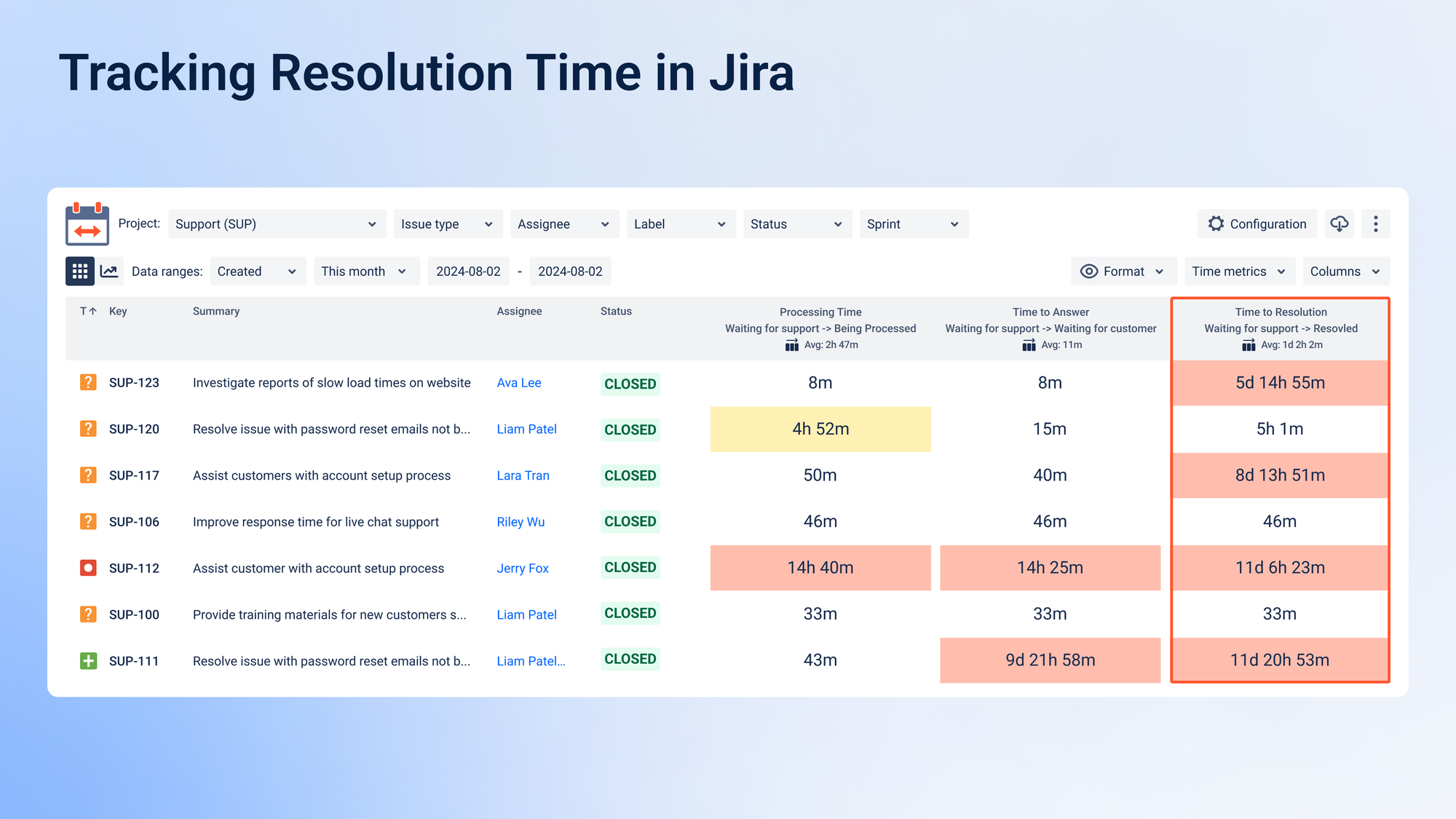
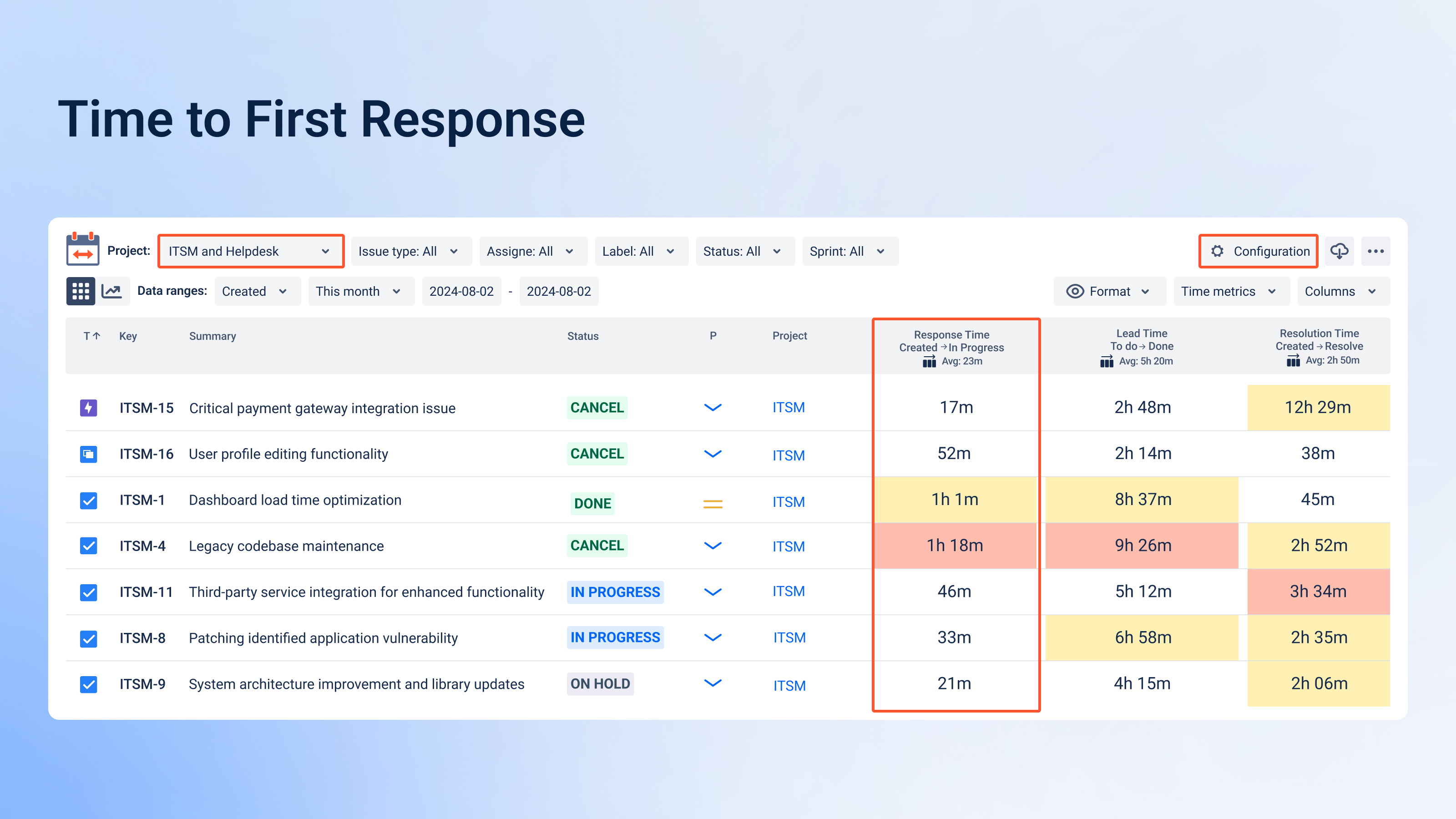
Great question! Jira doesn’t automatically recalculate SLA metrics for past issues when you change the SLA definition, but with Timepiece - Time in Status for Jira developed by my team at OBSS, you can still generate historical reports based on your updated criteria.
Our app allows you to analyze SLA-related metrics, including Time to Resolution and Time to First Response, even for closed tasks. Since Timepiece calculates reports dynamically, you can retrieve past data regardless of SLA rule changes and get insights based on your updated definitions.
Here you can see how to filter your result
If you'd like to explore this solution further, feel free to check out Timepiece on the Atlassian Marketplace.
Hope it helps
Ayça
In Jira, the ability to recalculate SLAs after changing their definition depends on the tool you’re using. If you consider using other add-ons, option to recalculate SLAs even for closed tasks, can be Time Metrics Tracker (developed by my team)
With Time Metrics Tracker, you can:✔️ Recalculate historical data based on updated SLA rules, including closed issues.✔️ Customize your SLA definitions and apply them retroactively.✔️ Get detailed reports on how SLAs have been met or breached, even after updates.
Would you like to see how it works? I’d be happy to provide more details!
Hope this helps!
It looks like you're new here. Sign in or register to get started.