I'm currently trying to develop some dashboards to to surface how much time has been spent on a particular task vs. the Original estimate.
When I view the individual tasks within the Epic, each has its own estimate and time spent and I can clearly see those values on the ticket as well as in the work log, however my dashboard isn't showing these values in the column that's been added;
You can see here the Work Log with entries as well as the details showing there are 8 hours logged.
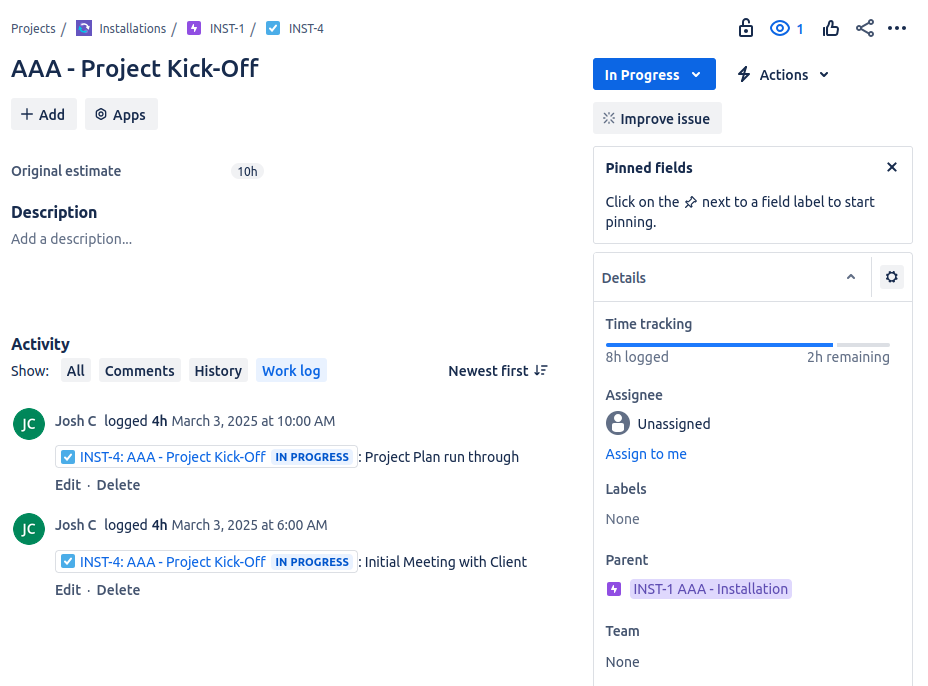
However the dashboard doesn't represent this at all;
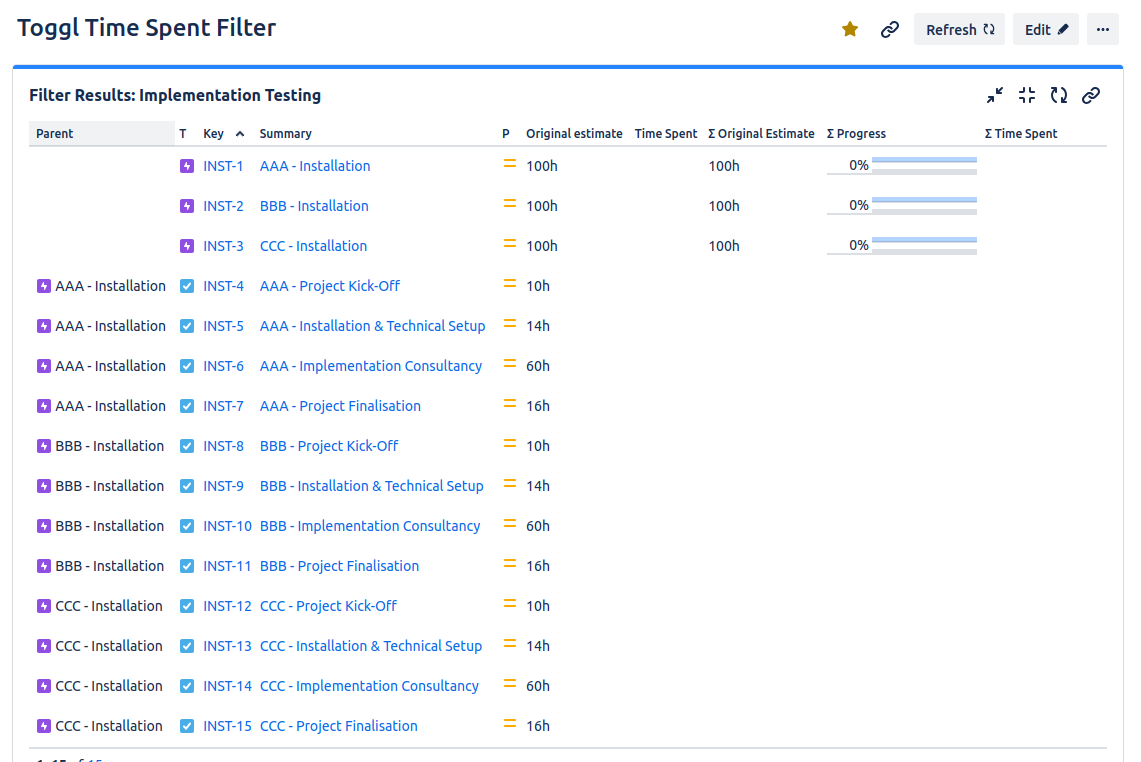
What I've tried so far (Testing with INST-4: AAA - Project Kick-Off) :
- Ensured the issue is assigned to someone
- Ensured the issue is set to 'In Progress'
- Ensured the issue is in the back log
- Ensured the 'Time tracking' and 'Original Estimate' fields are available under the Project settings > Fields
- Ensured Epic, Task, Sub-task all have these two fields added under Project Settings > Issues
I'm not quite sure what else needs to be configured to get this value surfacing correctly, any help would be appreciated!


