A possibly important distinction
Please note that all Issue Types referred to in this question are ones that are available and defined in Jira Settings: atlassian.net/jira/settings/issues/issue-types i.e. not Issue Types in Project Settings.
Action line to current state
1. At first, in system rules (project-scoped global automations) there was only Epic in the Value dropdown of Issue fields condition of the if statement (I'm not entirely sure if this is subscription level related or blank project template related). Meanwhile, the standard if statement in system rules was properly detecting Epics.
2. Then, Issue Types in Jira Settings, changes made:
2.1. Added two new Issue Types (Task) and (Sub-task). Added two new Issue Type Schemes for each newly added Issue Type.
2.2 Associated added Issue Types with their Schemes (exception: sub-task - could not be defaulted to the newly added Sub-task type, but only to default Issue Type Scheme.
2.3 Attempted to associate the newly added Issue Type Schemes to projects, but project list was empty (i.e. could not associate to proceed).
3. Then, under the above settings, the if statement in project-scoped global rules (automations) stopped detecting Issue Types, all issue types were not passing the If statement, and also all issue types were reverting to Else in If-Else.
4. Then, Issue Types manual revert, but for the recently added Issue Type: Task to become un-deleteable! Now, initial Issue Types in Jira Settings are unreachable, I can't fully manually revert.
5. Now, I can't fully manually revert and can't fully manually proceed, and the if and if-else conditions in system rules still do not detect Issue Types.
Automation
Automation Flow
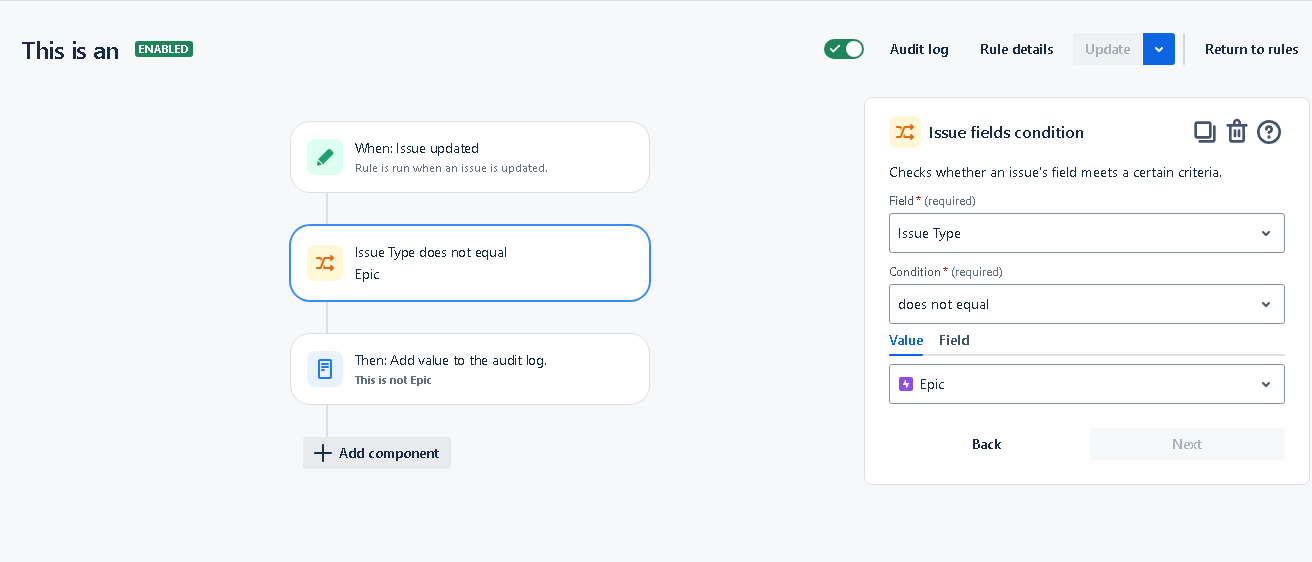
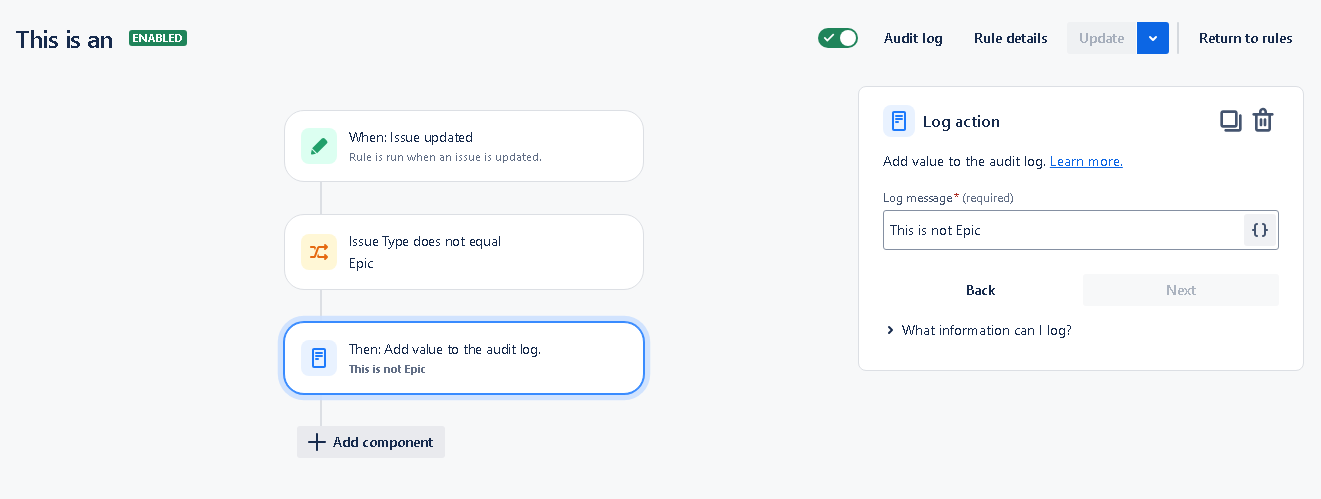
1. Trigger: When issue updated.
2. Condition: If Issue Type does not equal Epic.
3. Action: Log: this is not epic.
Automation Setup
Manual User Actions (in Jira project)
1. Update an Epic.
2. Update a Task.
Outcomes
Audit Log
I think this audit log should not be possible to achieve by an end user (i.e. myself):
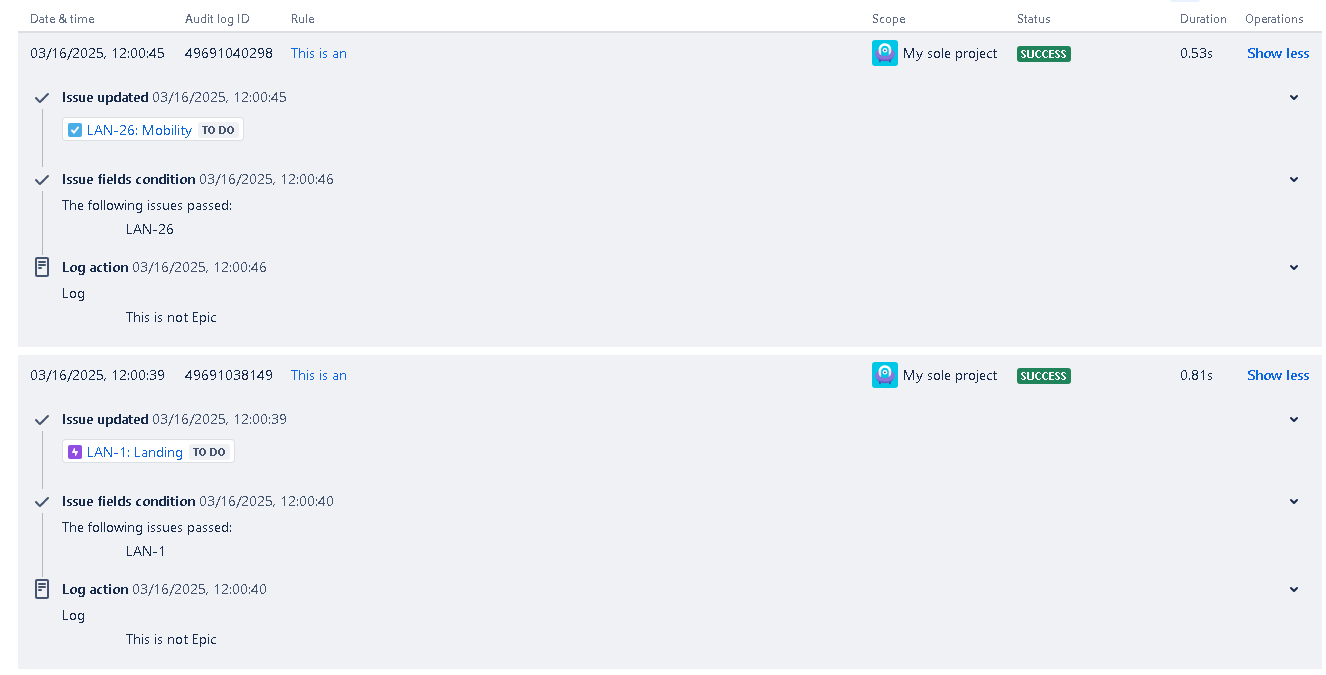
Reason: because, in effect, it is a break in built in features of the automations (i.e. the if statement and the if-else statement).
State possibly related to: Issue Type Schemes Associations with Projects
I presume this state is somehow related to the empty project list that I find here:
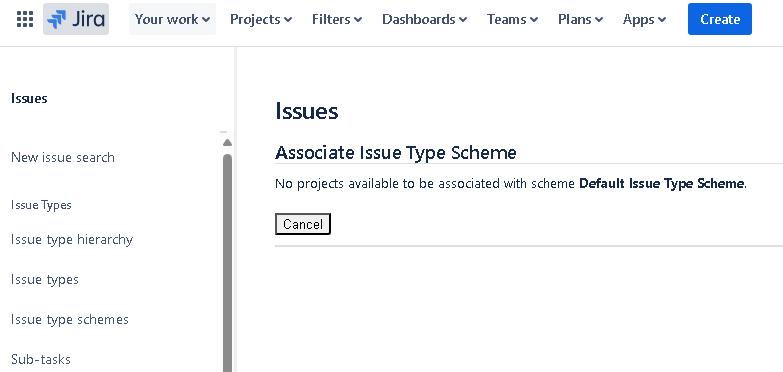
Note: the above project list is also empty for the newly added and then recently removed Issue Type Schemas at all steps (i.e. not only empty for Default Issue Type Scheme).
Reason it is possibly related: the newly added Issue Type Schemas could not be associated with Jira projects.
Possible reason why the project list is empty: current Jira projects are already associated with Issue Type Schemas.
Questions
1. How can I associate new Issue Type Schemas with my current Jira project? -> to proceed with adding Issue Types that are operational in applicable system rules conditions.
2. Why can I not default an Issue Type: Sub-task to an Issue Type Schema: Sub-task?
3. Why can I not delete a manually added Issue Type: Task? (but at the same time can delete a manually added Issue Type: Sub-task). -> to revert to an operational state.
4. Most importantly: How can I get the if and if-else conditions in system rules to detect issue types properly using Issue fields condition? (ideally: not only Epics as initially, but also Tasks and Sub-tasks)?
Note: similar results are applicable to both if and if-else conditions.
Note: JQL conditions are still working, which is great as I can manage my way through for new automations, but current automations may be out of order, I gotta go check on that in a moment! :-|
All in all: my Jira Settings should not have effectively cornered me in JQL conditions as I seem to be now :-D

