No one likes wasting time. A well-structured workspace isn’t just a convenience—it’s the key to better productivity and a smoother workflow.
While Confluence is an incredible collaboration tool, navigating through multiple spaces and buried resources can slow teams down. When essential information isn’t easily accessible, time is lost searching instead of working.
That’s where Mantra’s Quick Links come in—helping you and your team find what you need instantly.
Let’s explore how they work!
🔹 What is Mantra?
Mantra is a fully integrated social intranet for Confluence Cloud that makes your workspace more organized, collaborative, and engaging. Unlike a standard Confluence setup, Mantra takes your team’s productivity to the next level with:
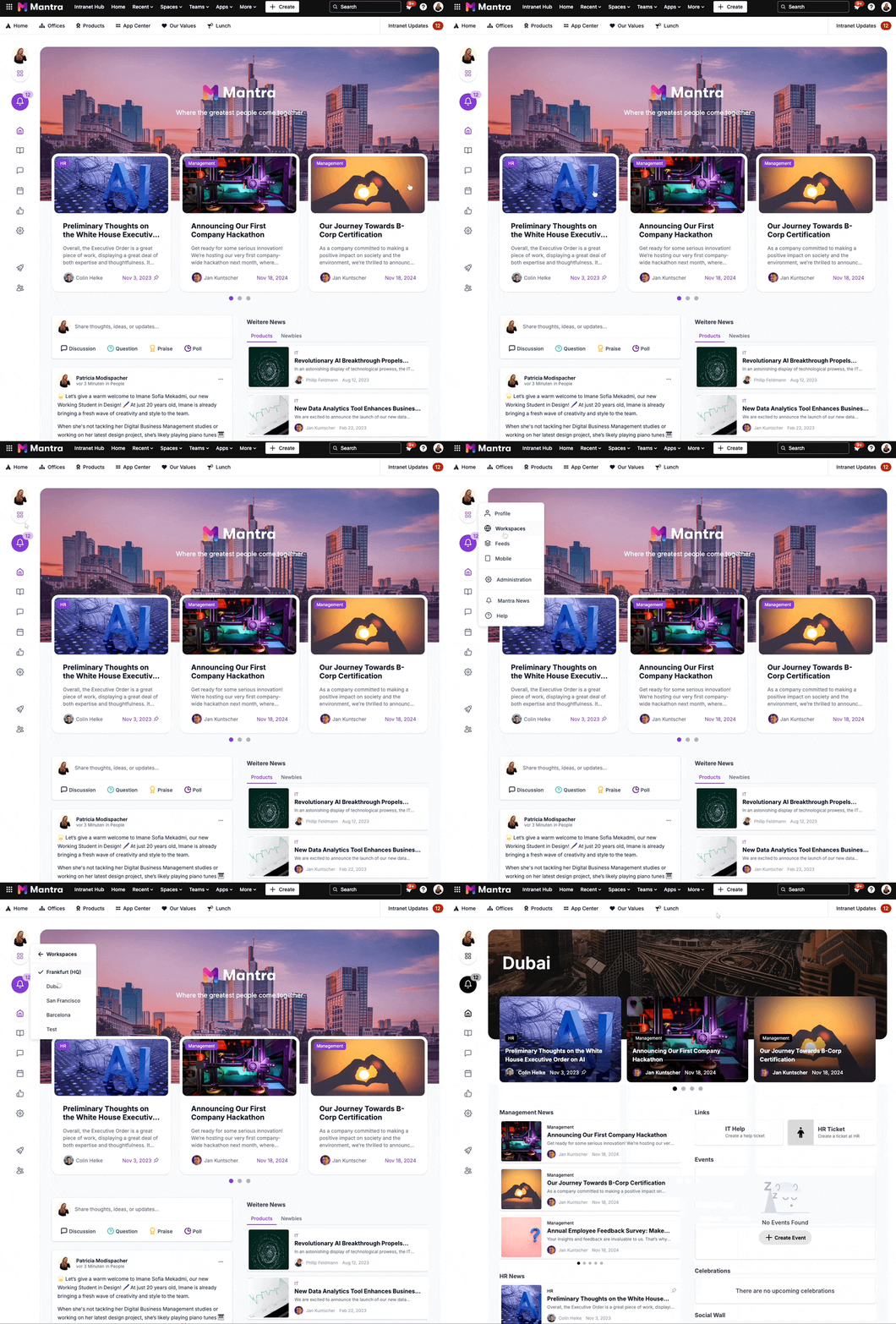
Customizable dashboards for instant access to important content.
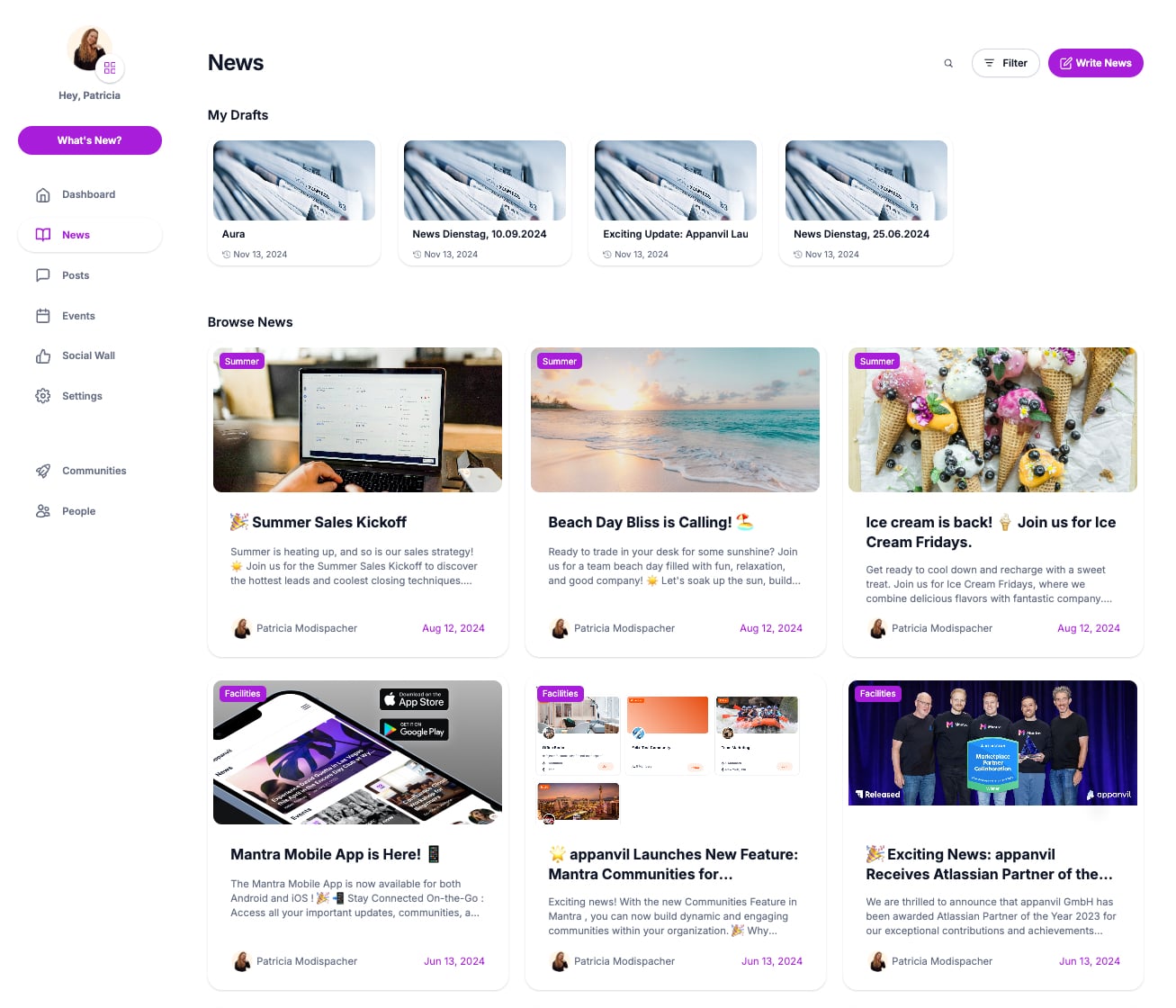
A company-wide newsfeed to improve top-down communication.
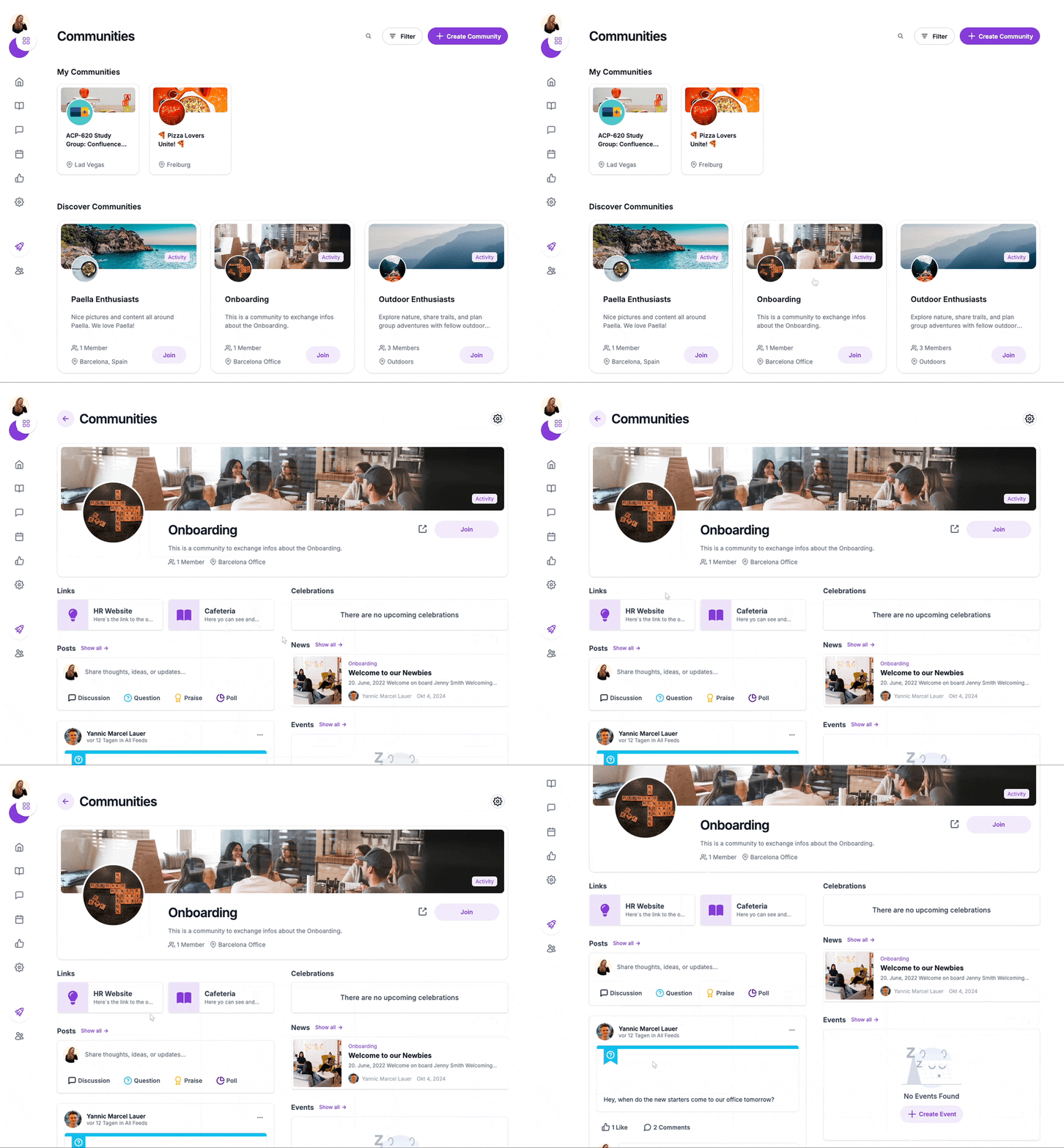
Interactive communities for project collaboration, discussions, and shared interests.
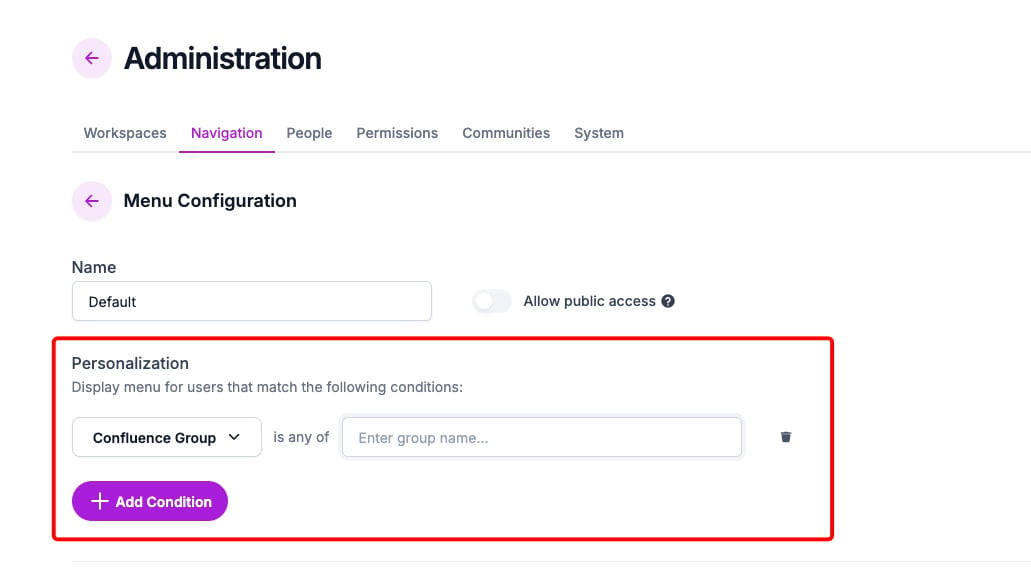
Role-based permissions to ensure the right people access the correct information.
And much more!
Mantra isn’t just a navigation tool—it’s a connected company hub that bridges knowledge, collaboration, and communication in one structured space.
But even the best intranet needs an efficient way to access key resources.
That’s why Quick Links are an essential part of Mantra.
⚡ Quick Links, Instant Access
With Mantra’s Quick Links, your team can stop searching and start working—because everything they need is just one click away.
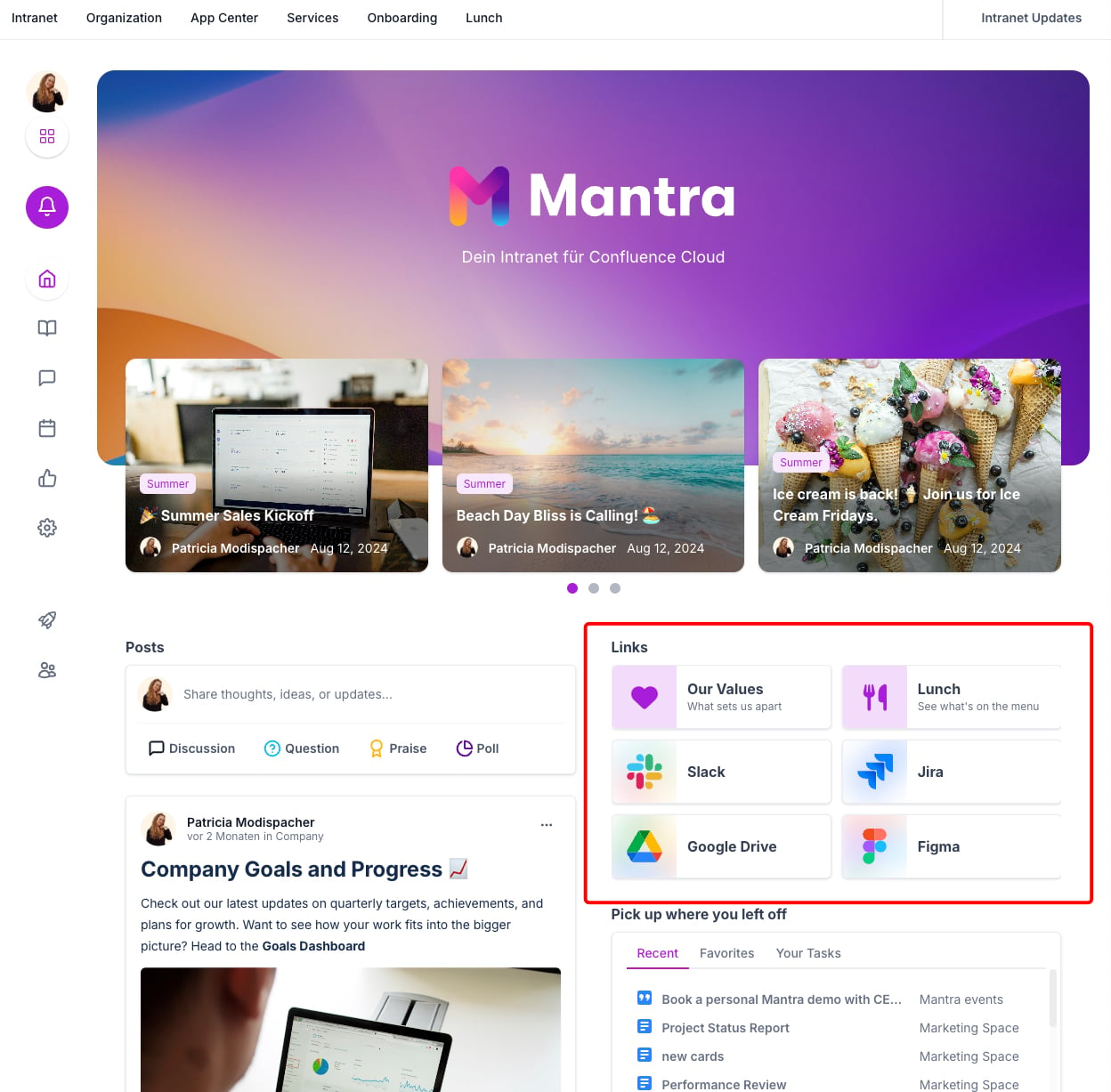
Quick links in Mantra allow you to:
🔹 Create visually intuitive link cards with custom icons and descriptions.
🔹 Drag and drop links to prioritize key resources.
🔹 Set up workspace-specific Quick Links, so each team sees what’s relevant to them.
🔹 Link to Confluence pages, external tools, or shared docs—all in one place.
This means every department, project team, or location gets a tailored, structured dashboard with the most important links at their fingertips.
🔧 How to Set Up Quick Links in Mantra
As a Confluence Admin, setting up Quick Links in Mantra is simple:
1️⃣ Open Mantra and go to Settings.
2️⃣ Click the Dashboard Editor.
3️⃣ Press "Edit Links" to open the Quick Links menu.
4️⃣ Click “Add Quick Link”
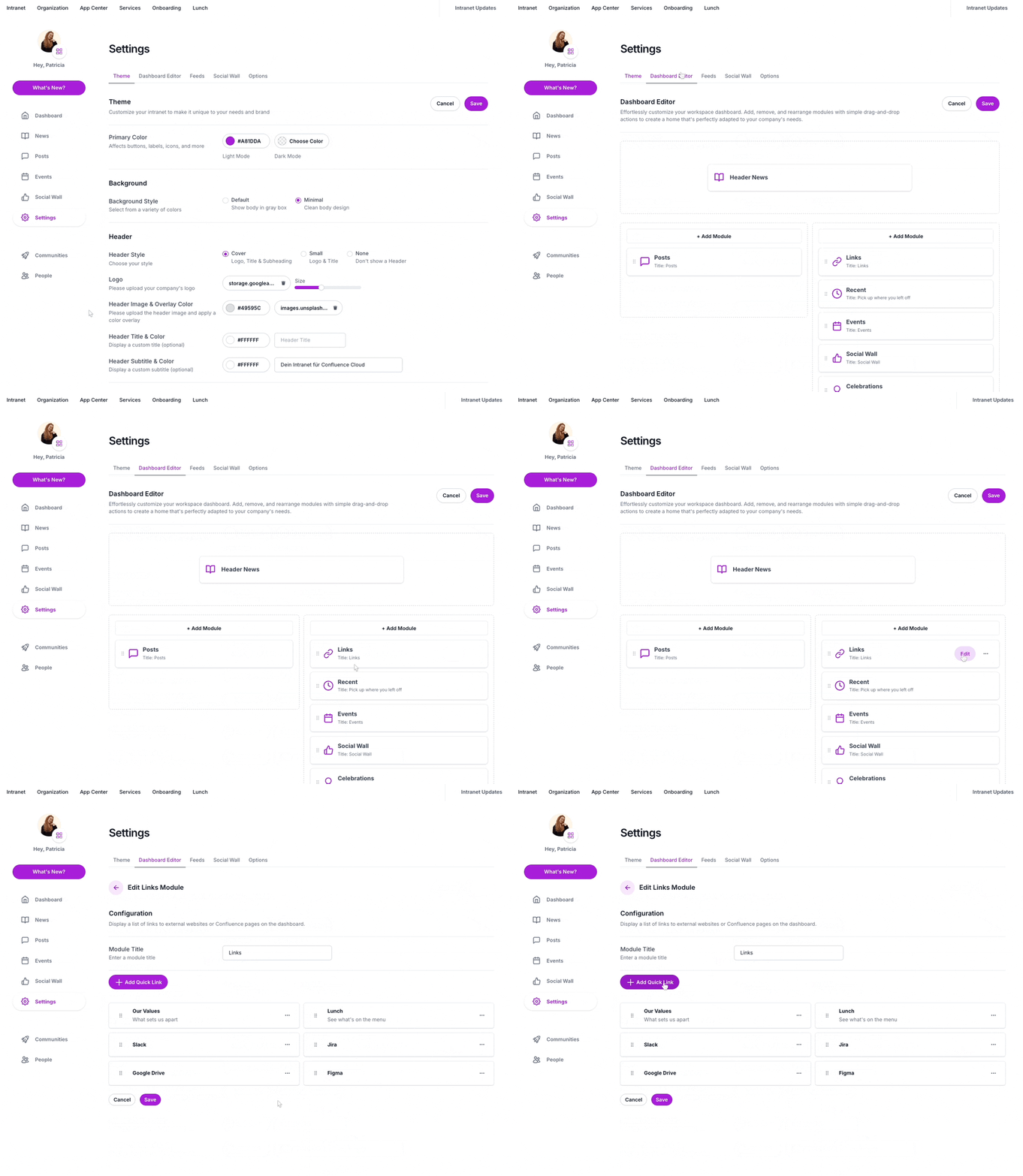
5️⃣ Next, enter the title, URL, and optional icon/description
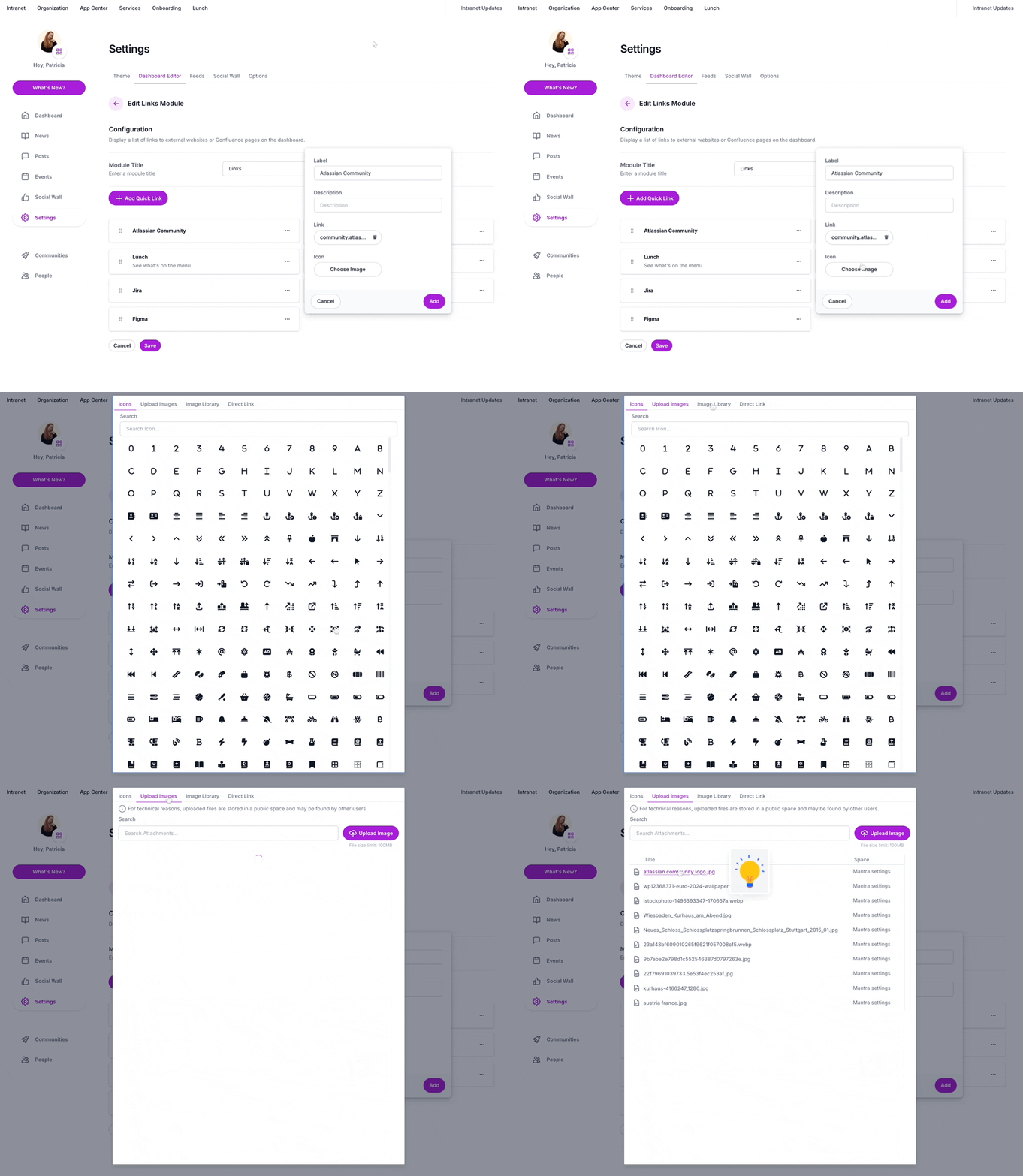
6️⃣ Then, click Save—and you’re done!
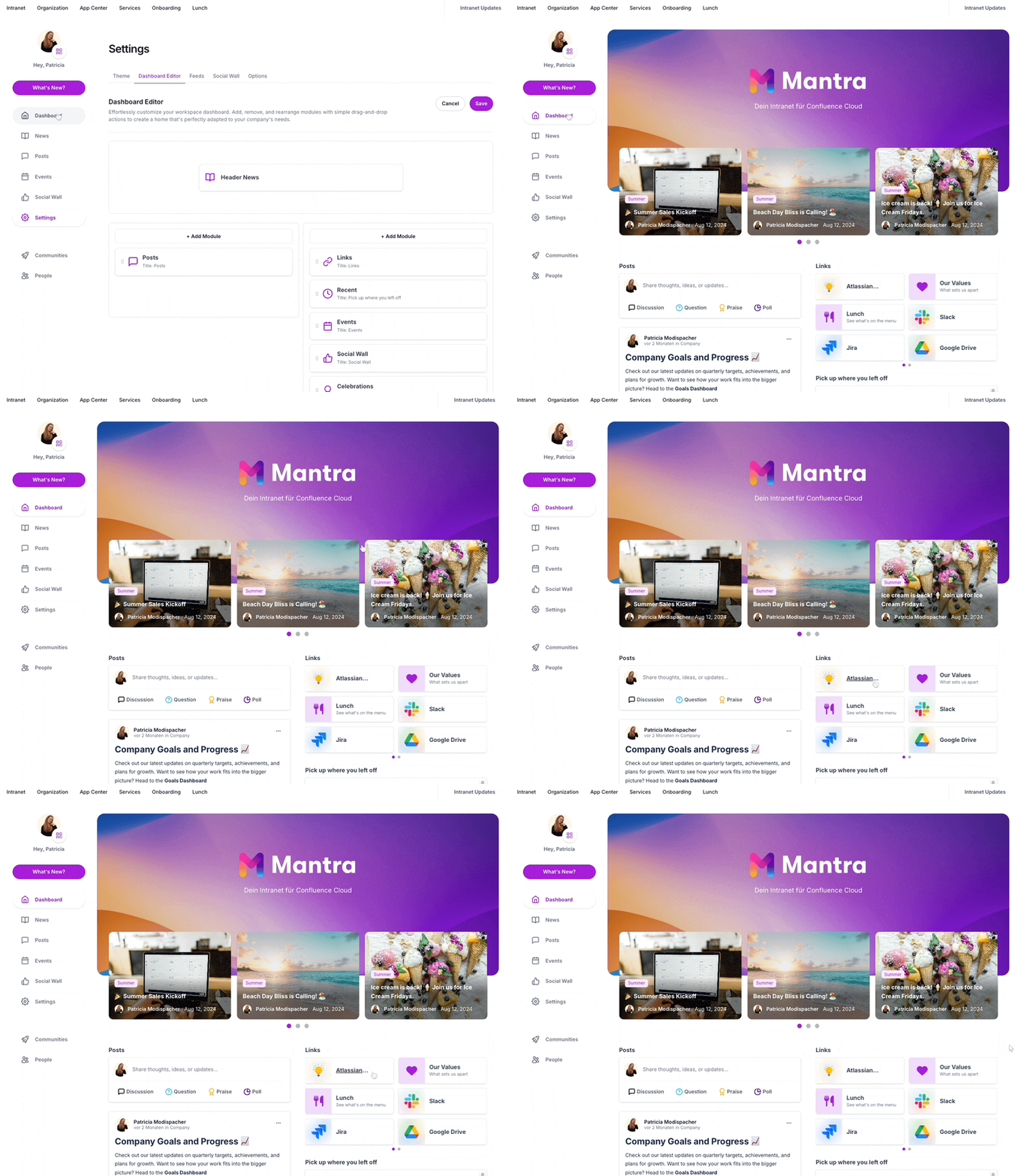
Now, every team member has immediate access to the most relevant resources.
📌 Why Quick Links Change the Confluence Experience
Teams using Mantra’s Quick Links benefit from:
- Faster access to key information, reducing time wasted on searching.
- Better organization, ensuring essential tools and documents are always at hand.
- A cleaner, more structured Confluence dashboard, eliminating navigation frustrations.
- Improved collaboration, as teams access the same resources effortlessly.
- Increased productivity, allowing teams to focus on their work, not on finding content.
🌍 Real-World Use Cases
Every team works differently, and Quick Links in Mantra adapt to their needs. A marketing team might have links to their Campaign Calendar, Brand Guidelines, Content Repository, and Weekly Meeting Notes.
A software development team on the other hand, could set up links to their product roadmap, code repository, bug tracker, and sprint planning board.
By tailoring Quick Links to each team’s workflow, Confluence becomes the ultimate productivity hub.
🎯 Make Confluence Work for You
With Mantra and Quick Links, Confluence evolves from a document repository into a centralized, dynamic workspace where knowledge, collaboration, and efficiency thrive.
💡 Try Mantra today to see it in action!
