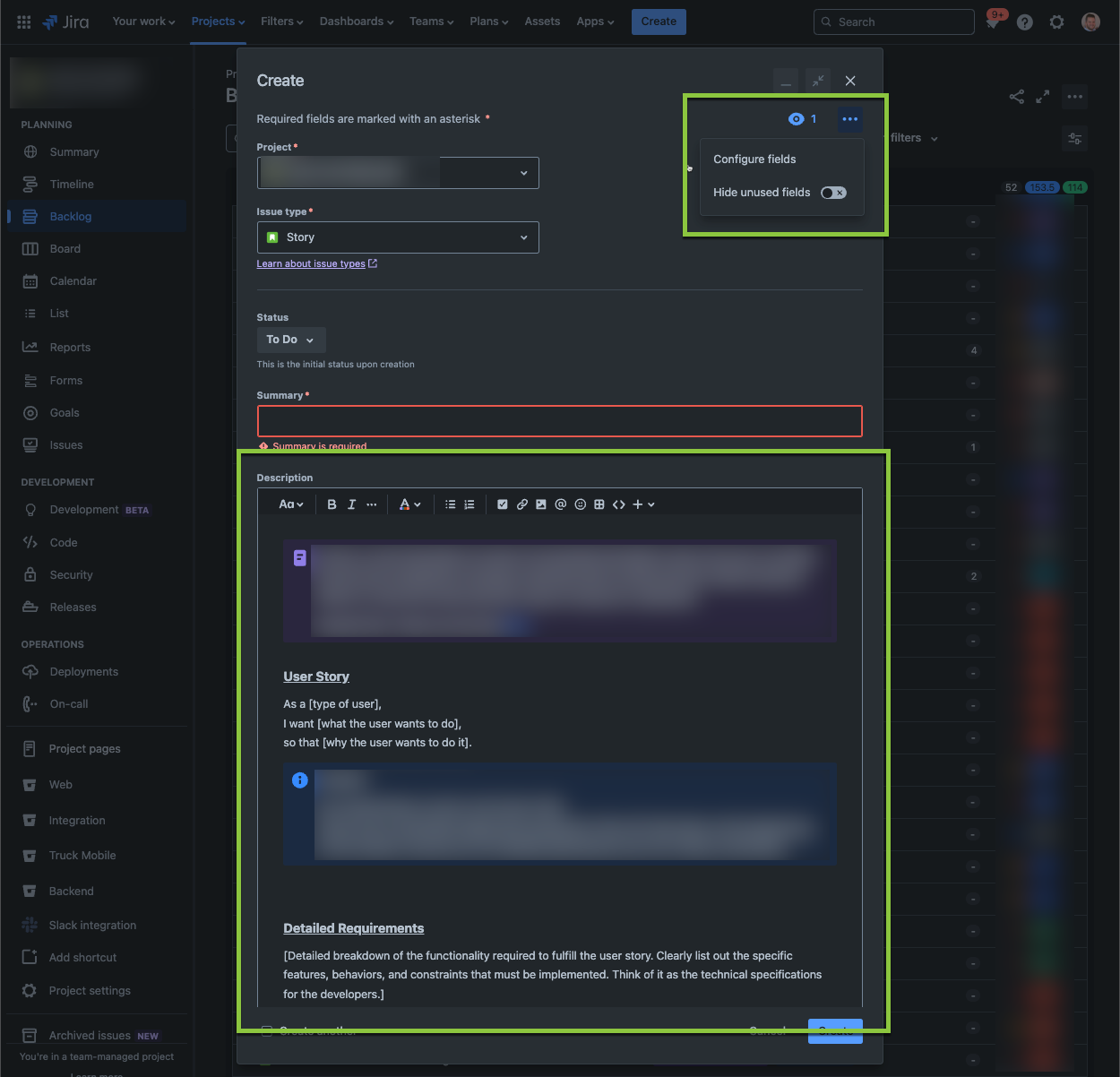
In my Jira Software Project, I have a predefined template in the Description field for users to fill out for each of my issue types. Starting yesterday, whenever my users press "Create" to create a new issue, the template for a Story loads up for a second then it clears out.
This looks to have been caused by the "Hide unused fields" features that were recently released as if I click on the ellipse on the create issue dialog and flick the "Hide unused fields" toggle off, my template appears and my template remains if I were to then flick the "Hide unused fields" toggle back on.
I have tried turning this setting off in the Admin via the below steps outlined by Atlassian:
- Go to Settings > System in Jira.
- Select Edit Settings.
- In the Options section, adjust the settings to turn the feature on or off as needed.
- Click Update to apply your changes.
However, this does not solve the problem and the issue persists even with the "Hide unused fields" set to OFF in the Admin
Screenshots of the issue are below:
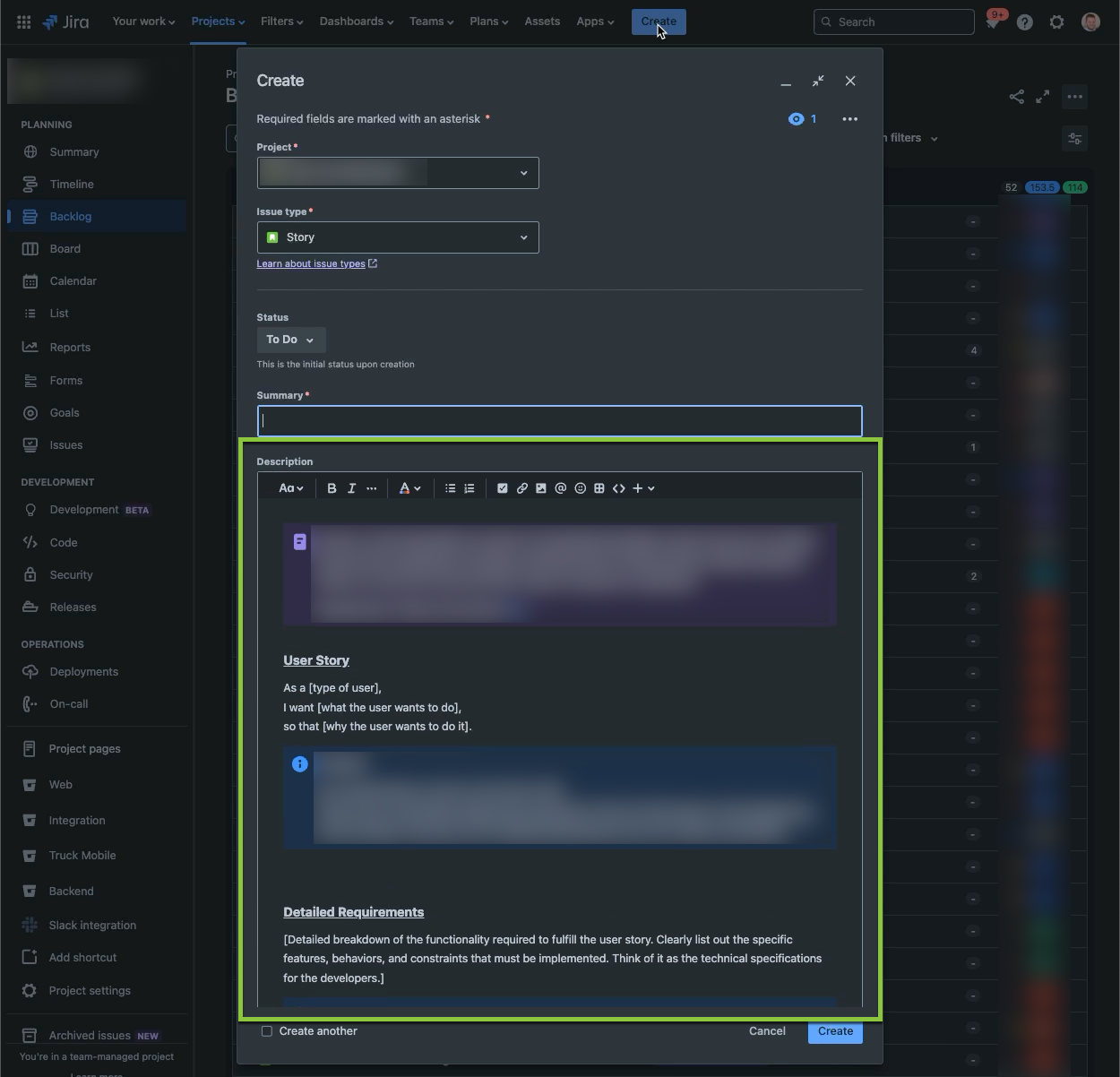
Initial load up where the user can see the template in the description:
1-2 seconds later, everything clears out:
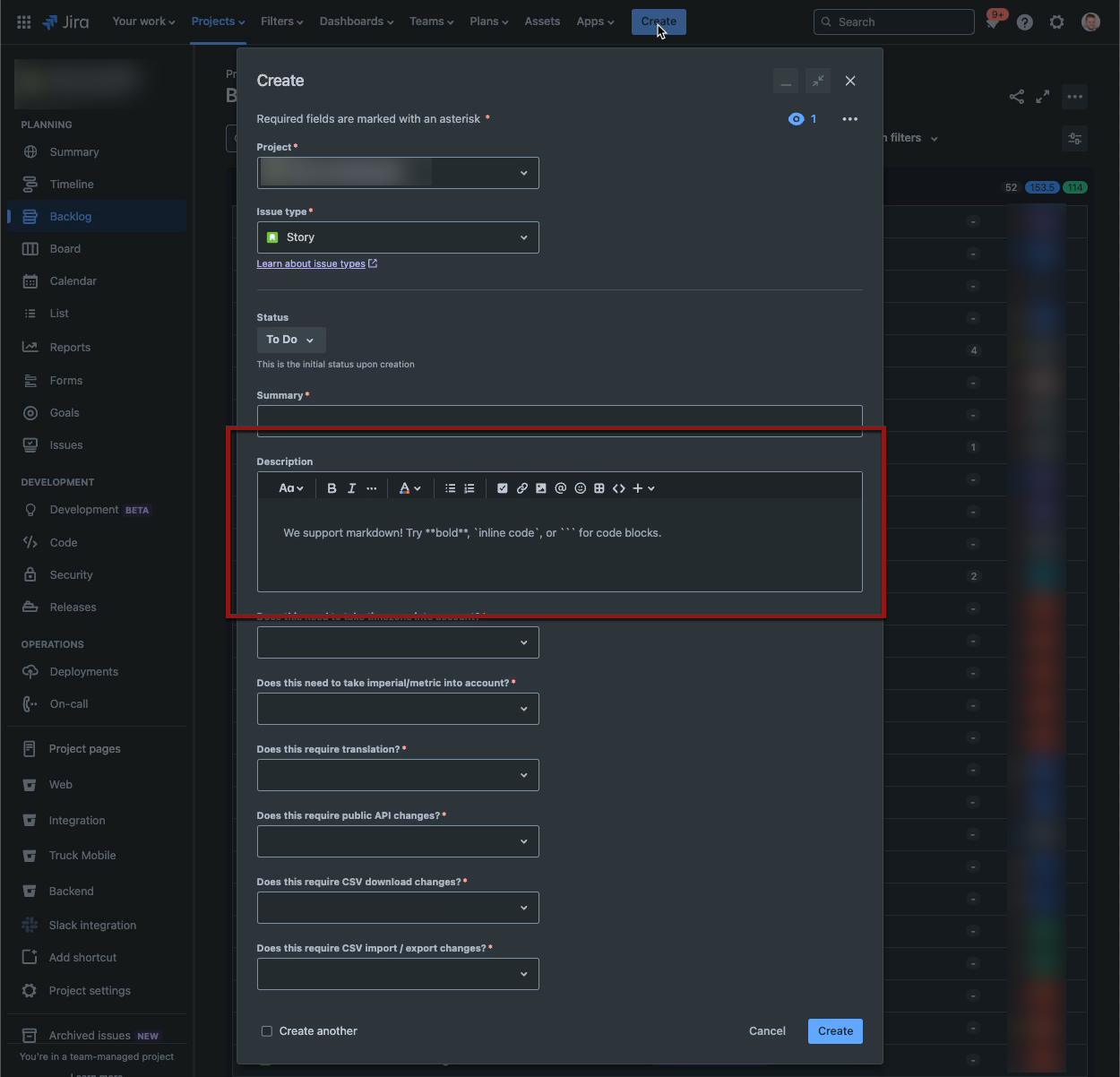
See that the "Hide unused fields" toggle is on:
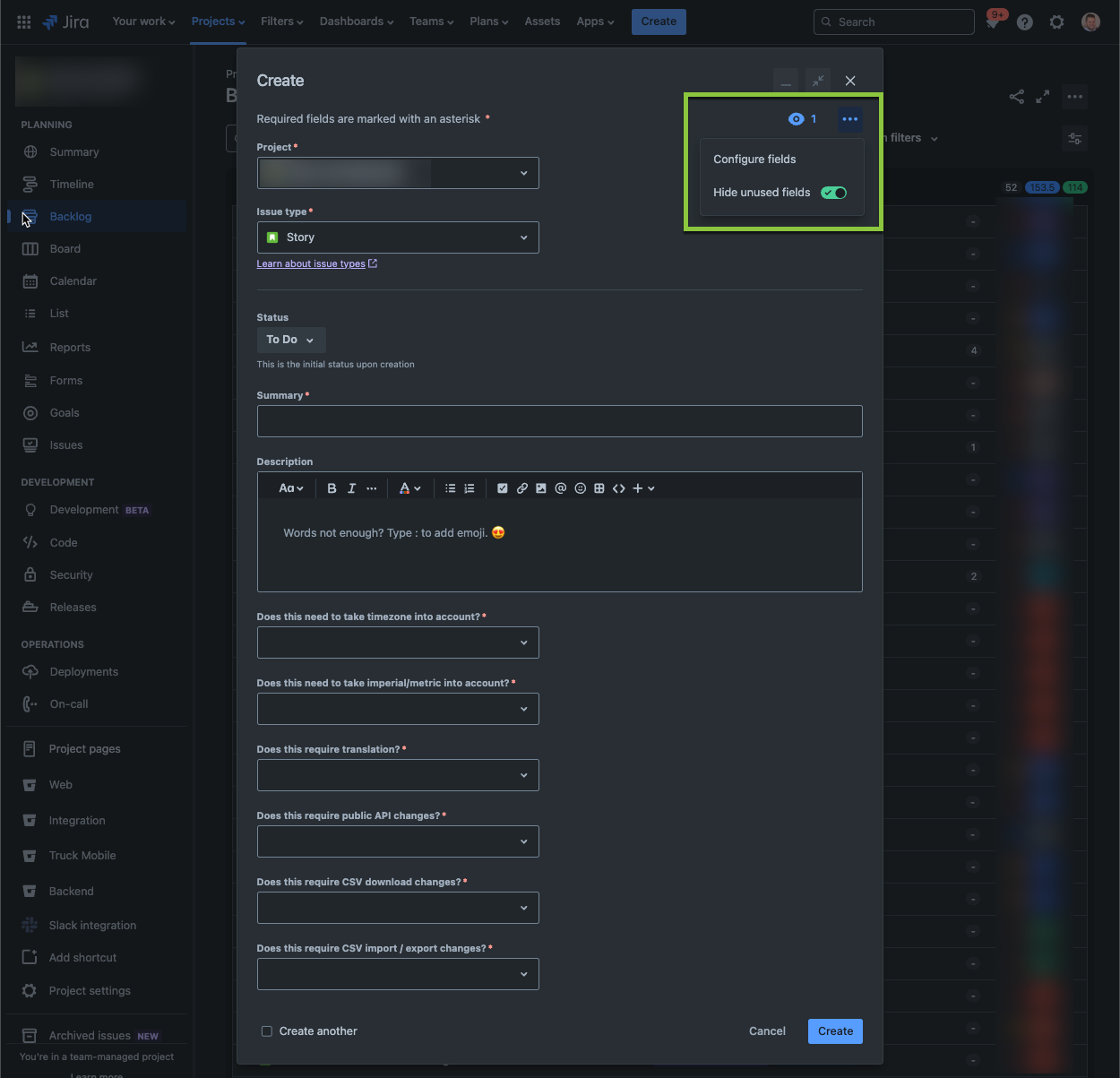
Flick the "Hide unused fields" toggle off and the template appears again: