Hi,
We need to have manual automation rule for creating subtasks. For example, when we receive ticket that employee leaves our company, there is a bunch of different systems where we need to revoke access. (and same situation when we onboard someone)
I'd like to create manual trigger where I can indicate user email, needed systems and type of action (OFF systems / ON systems).
Then, depending on how many systems I will pick, x subtasks will be created with following title: "{{systemName}} {{actionType}} for {{userEmail}}"
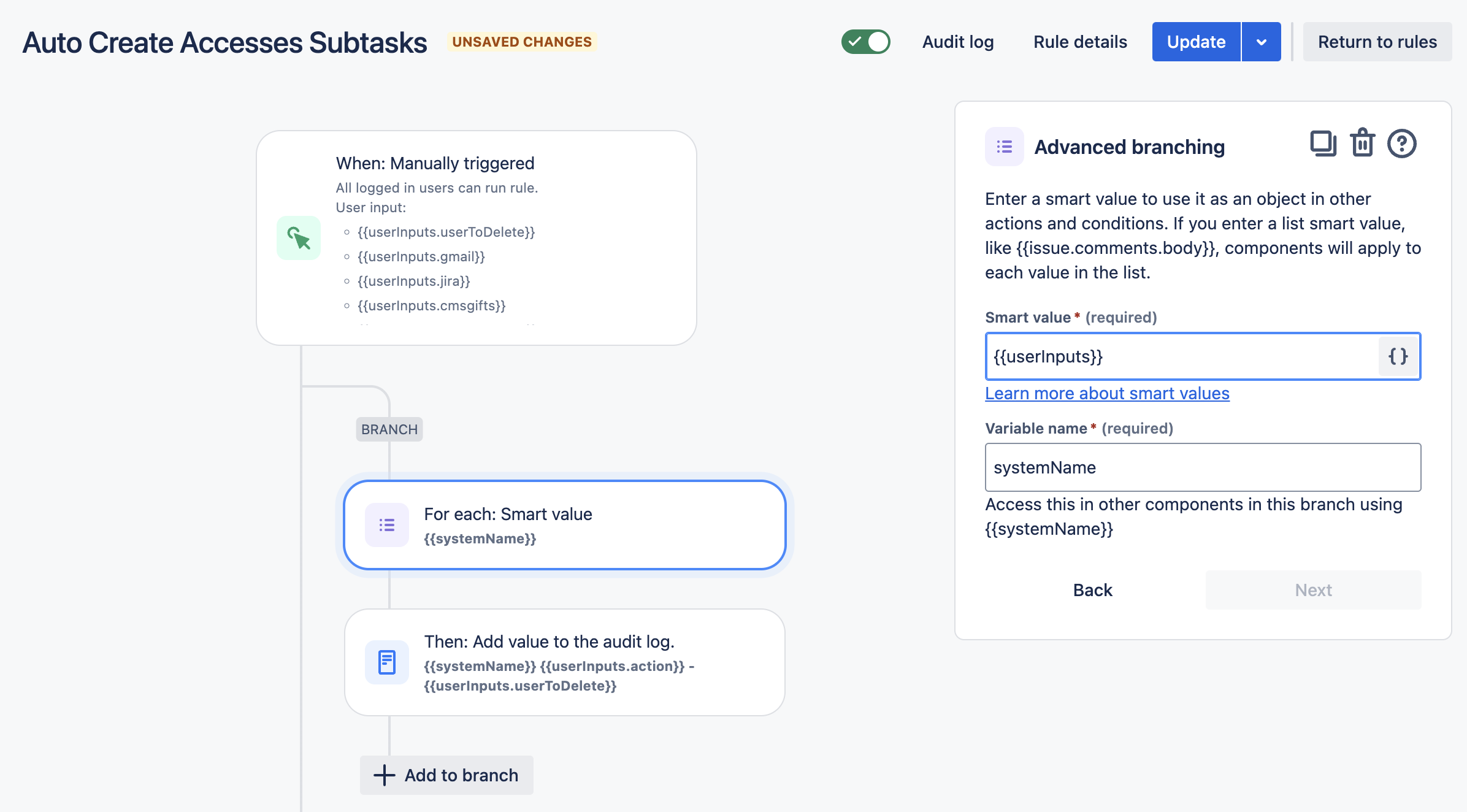
Firstly, I tried to loop through checkboxes and then create needed subtasks if checkbox value is true - but I can't make it work with advanced branching rules.
I also found out that we can only prompt user with form with max 10 fields, and we have much more than 10 systems.
As a workaround i thought user prompt may look like that:
- User Email - text field
- Type of action - dropdown field
- System 1 - checkbox
- System 2 - checkbox
- System 3 - checkbox
- System 4 - checkbox
- System 5 - checkbox
- System 6 - checkbox
- System 7 - checkbox
- Additional systems - text field
And in 10th additional field, i would input systems separated with space, and based on that field I could somehow create a list to iterate through and create subtasks?
Thank You in advance for Your help !
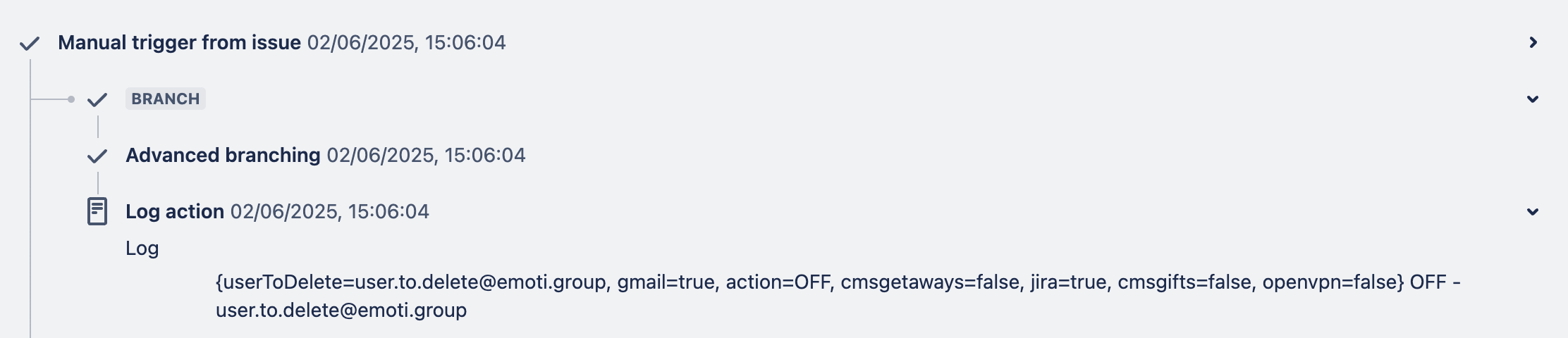
Here's my rule and output: