I am helping a client with the DC to Cloud migration.
In Confluence Cloud we have the Stiltsoft Table Filter, Charts & Spreadsheets for Confluence app installed. I am a novice with this app.
We migrated Confluence DC to Cloud initially to populate this product, creating a connection from it back to Jira DC.
We have just completed a migration of Jira DC to Jira Cloud on the same site.
Now Confluence Cloud shows two application links for Jira; the DC link and the Cloud link.
I have created a new blank page in Confluence Cloud. I added a Jira Issues macro to it and configured the macro to reference the Jira Cloud instance. That macro, by itself, returns data correctly from the Jira Cloud instance.
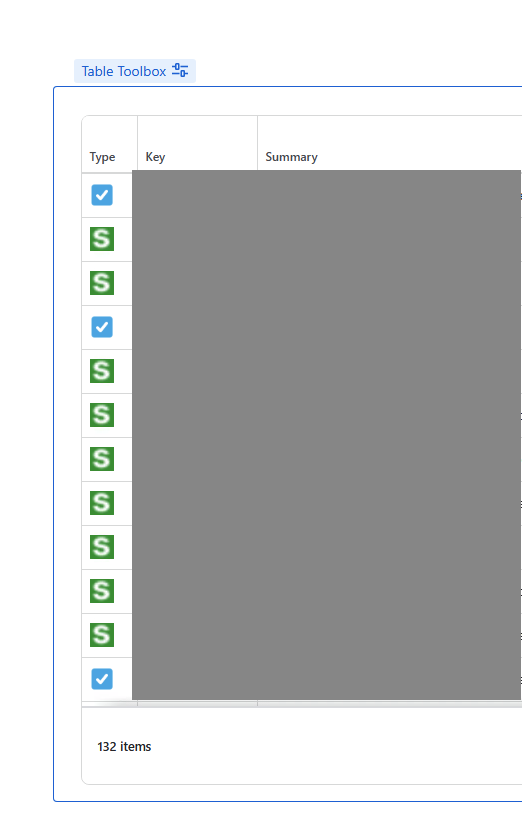
I then add the Table Toolbox macro to the page. I drag the Jira Issue macro into the Table Toolbox macro. Viewing the page in Edit mode the Jira macro still shows issues.
I then edit the Table Toolbox macro. It says "No issues found".
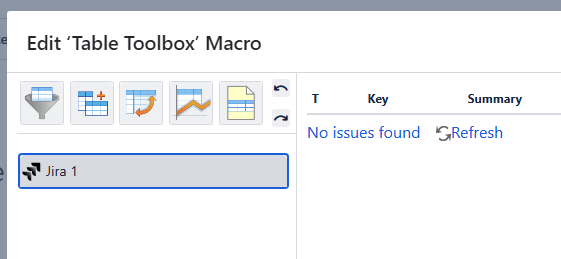
If I hover over the "No issues found" link I see that the Jira URL it shows is the Jira DC URL, not the Jira Cloud URL used by the Jira Issue macro.
Does anybody have any insights as to why this might be the case (before I take the next step of asking the vendor)?
When I look at the Application Links page for Confluence Cloud this is what I see.
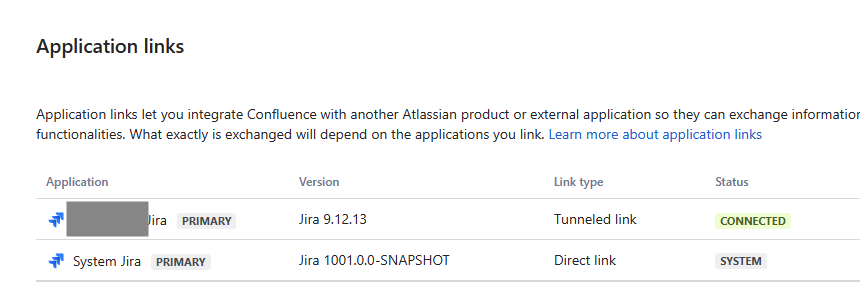
The Jira DC link is shown first. I see no way to change which one is listed first.
We are not ready to delete the application link to Jira DC, though I assume if we did that then the problem might be resolved.

