I am working on an integration between Monday and Jira. When sending the item key from Monday to Jira, it only adds to a Number field in Jira. The issue is that the Number field includes commas, so I set up Jira automation to move the data from the Number field to a Text field to remove the commas.
The automation is working and when the Number field is updated it updates the Text field like it should. However, the problem arises when the number is moved, it gets converted to scientific notation instead of remaining a plain number.
For example, the item number 8214112777 appears as 8,214,112,777 in the Number field. When the automation moves it to the Text field it shows as 8.214112777E9.
Is there a way to prevent this from happening and transfer the full number as is?
I have tried several different ways to try and fix this but they either stop the Text field from updating or don't correct the number format.
Rule:
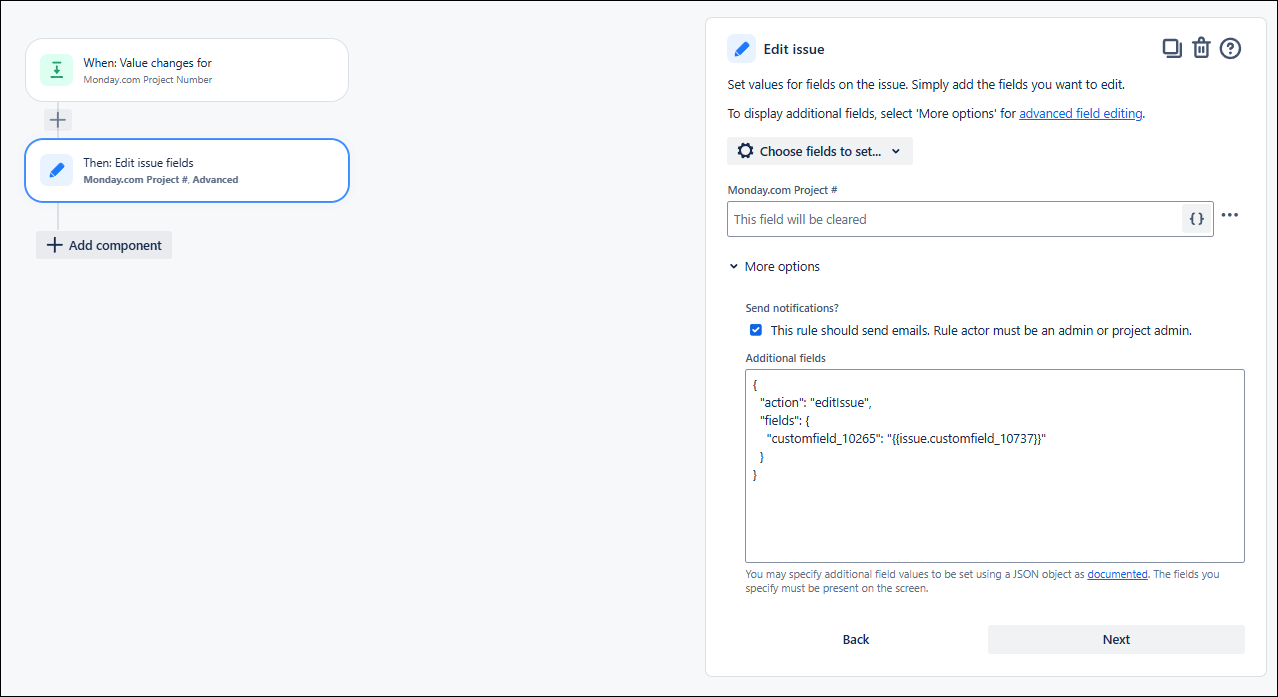
Current JSON:
{
  "action": "editIssue",
  "fields": {
    "customfield_10265": "{{issue.customfield_10737}}"
  }
}
What I have also tried:
None of these worked, they either game me the same result, similar result, or didn't copy the field data at all, I asked AI to help with the issue and most of these are from that or community posts I found with related issues.
{
  "action": "editIssue",
  "fields": {
    "customfield_10265": "{{issue.customfield_10737.asNumber}}"
  }
}
{
  "action": "editIssue",
  "fields": {
    "customfield_10265": "{{issue.customfield_10737.asNumber.toString}}"
  }
}
{
  "action": "editIssue",
  "fields": {
    "customfield_10265": "{{issue.customfield_10737.formatNumber("#")}}"
  }
}
{
  "action": "editIssue",
  "fields": {
    "customfield_10265": "{{#=}}{{issue.customfield_10737}}|0"
  }
}
{
  "action": "editIssue",
  "fields": {
    "customfield_10265": "{{issue.customfield_10737|0}}"
  }
}


