What I want
When a Component is removed from a Story / Bug I want to
- transition any linked Issues (of a certain link type) that also have the removed Component.
- remove the Component(s) in question from any open Sub-tasks that also have it.
My rule
Main branch
Trigger: Value deleted for the Component field
If: JQL: issuetype in (bug, story)
If: Sub-task is present
Then: A variable, "deletedComponents", is created for the deleted Component(s), with smart value:
{{#changelog.component}}{{fromString}}{{/}} 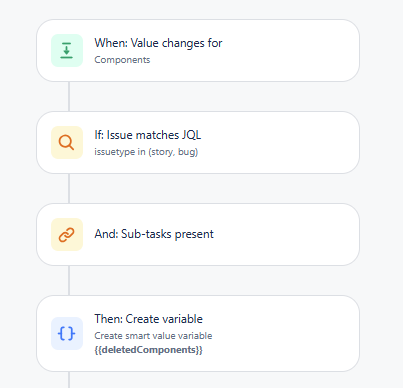
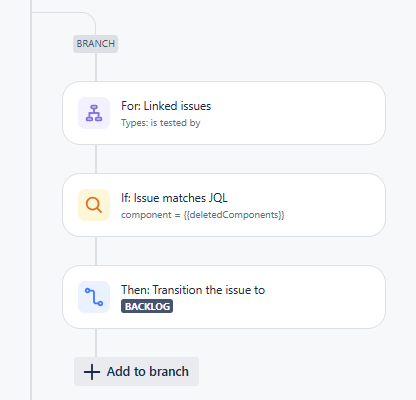
First branch
For: Linked Issues of correct link type
If: JQL: component = {{deletedComponents}}
Then: transition Issue
Second branch
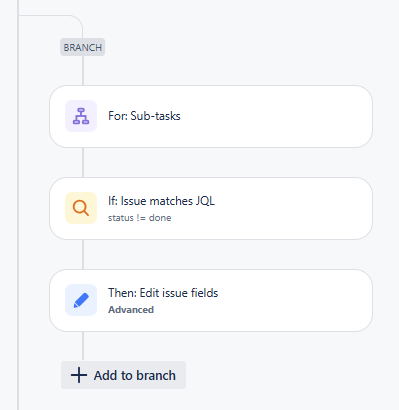
For: Sub-tasks
If: JQL: status != done
Then: Edit Issue, advanced editing:
{
  "update":{
    "components": [{
      "remove": {"name": "{{deletedComponents}}"}
    }]
  }
}
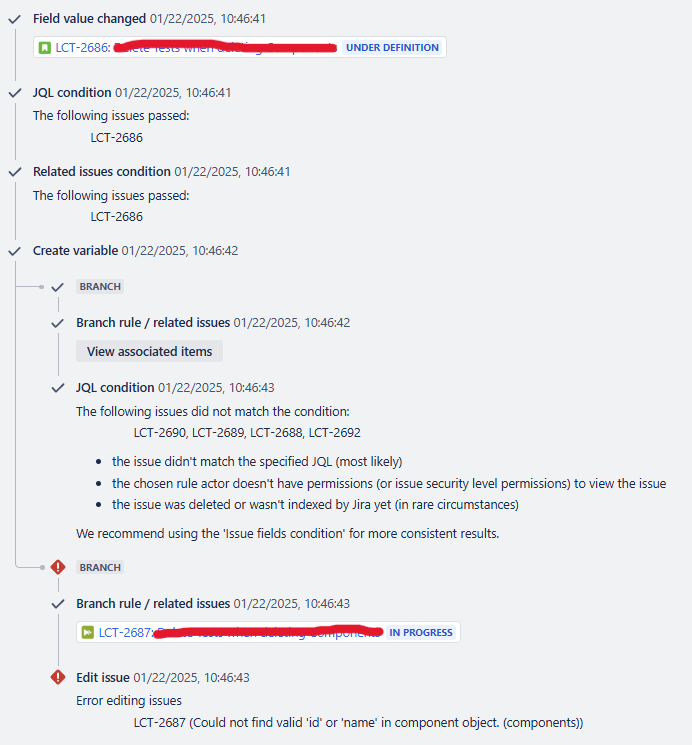
The problem
The setup works as expected if I remove a single Component from the Bug or Story, the problems start when I remove more than one Component:
- the first branch fails on the JQL condition: no Issues match the condition. But there are linked Issues with the removed Components.
- the second branch fails on the editing action: "[issuekey] (Could not find valid 'id' or 'name' in component object. (components))"".
So I printed {{deletedComponents}} and it turns out all removed Components are put together in a single string, e g comp1comp2comp3, which I guess explains why it works with a single Component but not more than that. comp1, comp2 and comp3 are existing Components and thus recognized but no component called comp1comp2comp3 exists.
Being new to Jira automation, smart values etc my guess is that it's got something to do with the smart value for the variable:
{{#changelog.component}}{{fromString}}{{/}}. but I'm not sure how to fix it. Found other questions discussing a split function but I'm not a developer so I couldn't get that working.
(I have another rule which creates linked Issues based on Components added to Bugs / Stories, and adds them to the Sub-tasks, in which I use
{{#changelog.component}}{{toString}} to get at the added Component(s) and that handles multiple Components just fine.)
Audit log