👋 Community! Avinoam from Confluence Automation here - and today I just wanted to give you a short update on a small change in the location of the manual trigger menu on pages, and what we have planned ahead.
What's the change
Previously, you and your users could access the manual triggers lighting bolt menu from the top of pages in the actions menu. As part of a broader initiative in Confluence to simplify the page creation and engagement experience we've decided - amongst other things - to remove the manual trigger menu from the top of the page as a static menu that is there regardless of if admins have created manually triggered rules or not.
What's next
Moving forward, this specific menu entry point will resurface in two parts:
- It'll appear in our upcoming revamped overflow menu (the ... menu on the top right of each page)
- We'll be introducing a new contextual side panel with page actions to pages in which this menu will resurface and will only show if a manually triggered rule has been added by the admin
What about now
Luckily, in the meantime there are plenty of more contextual entry points for manual triggers!
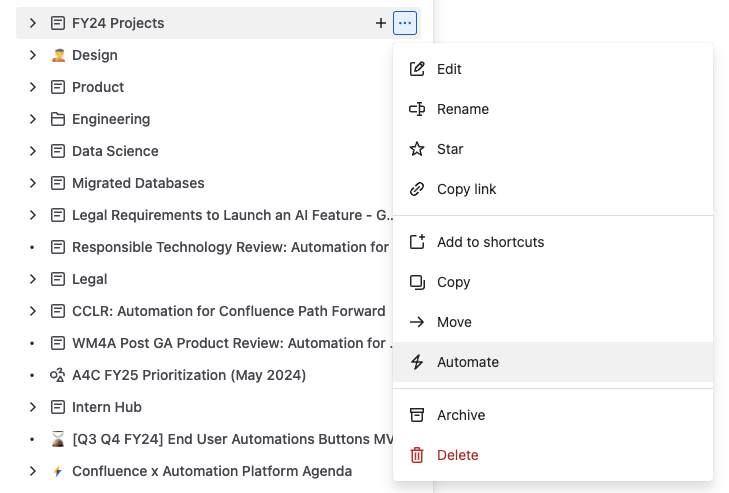
From the page tree menu
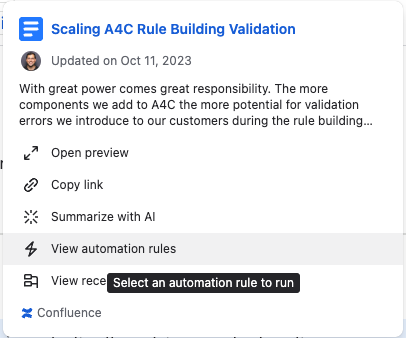
From Smart Links hover cards (this works both in Jira and Confluence for both Jira and Confluence Smart Links and automations)
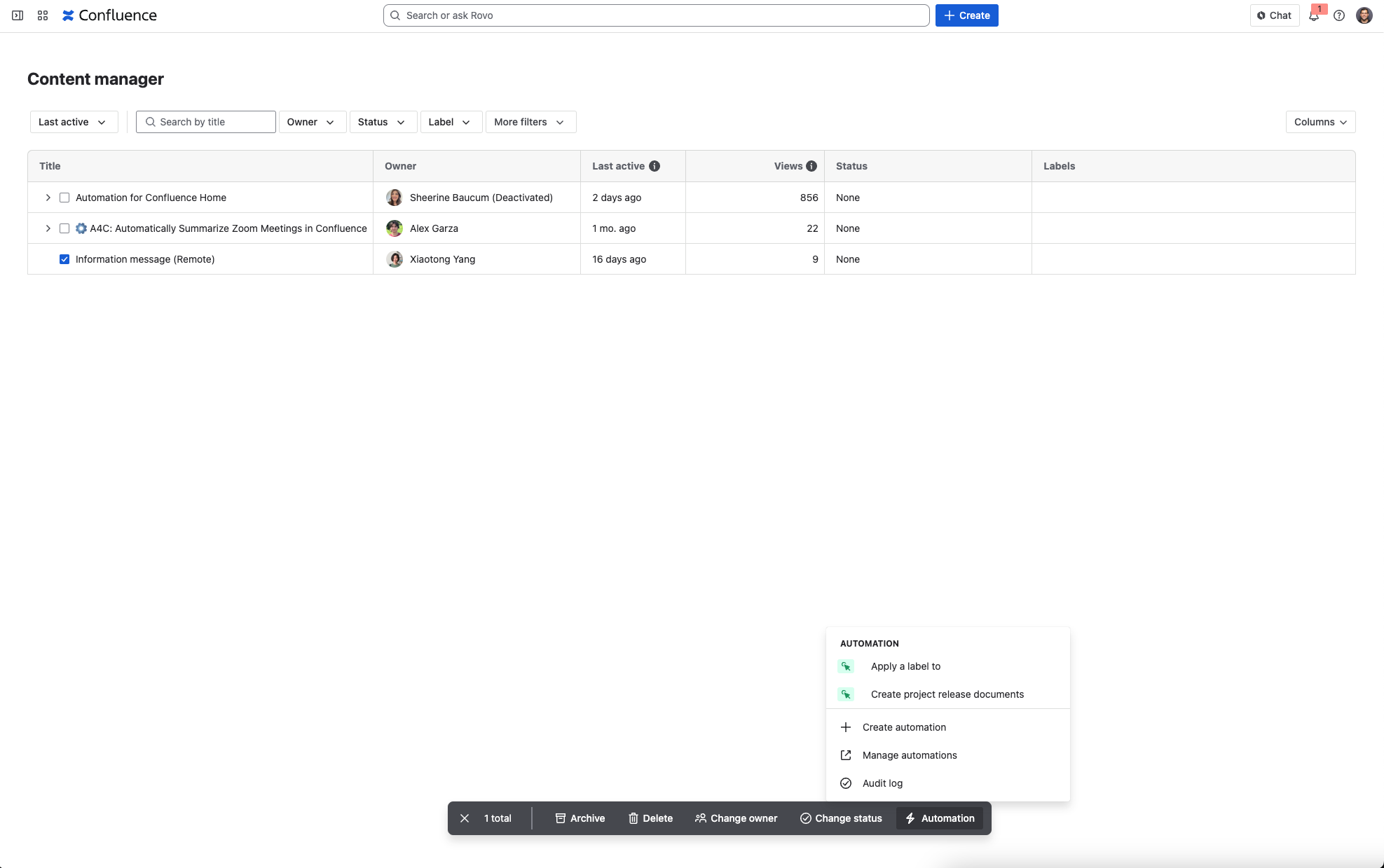
From the Content Manager
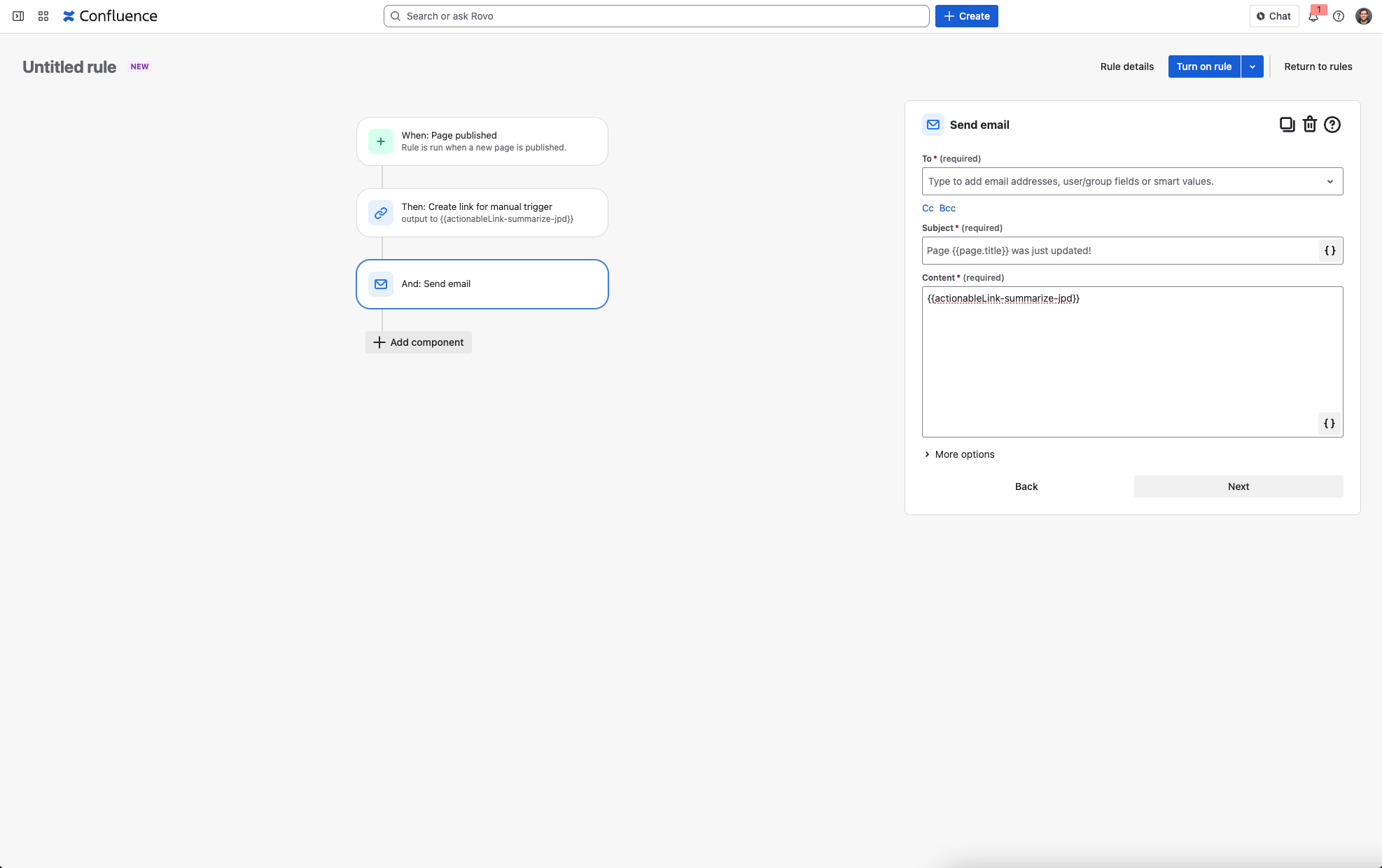
By adding manual triggers as smart values to any surface (email, Jira, Slack, etc)
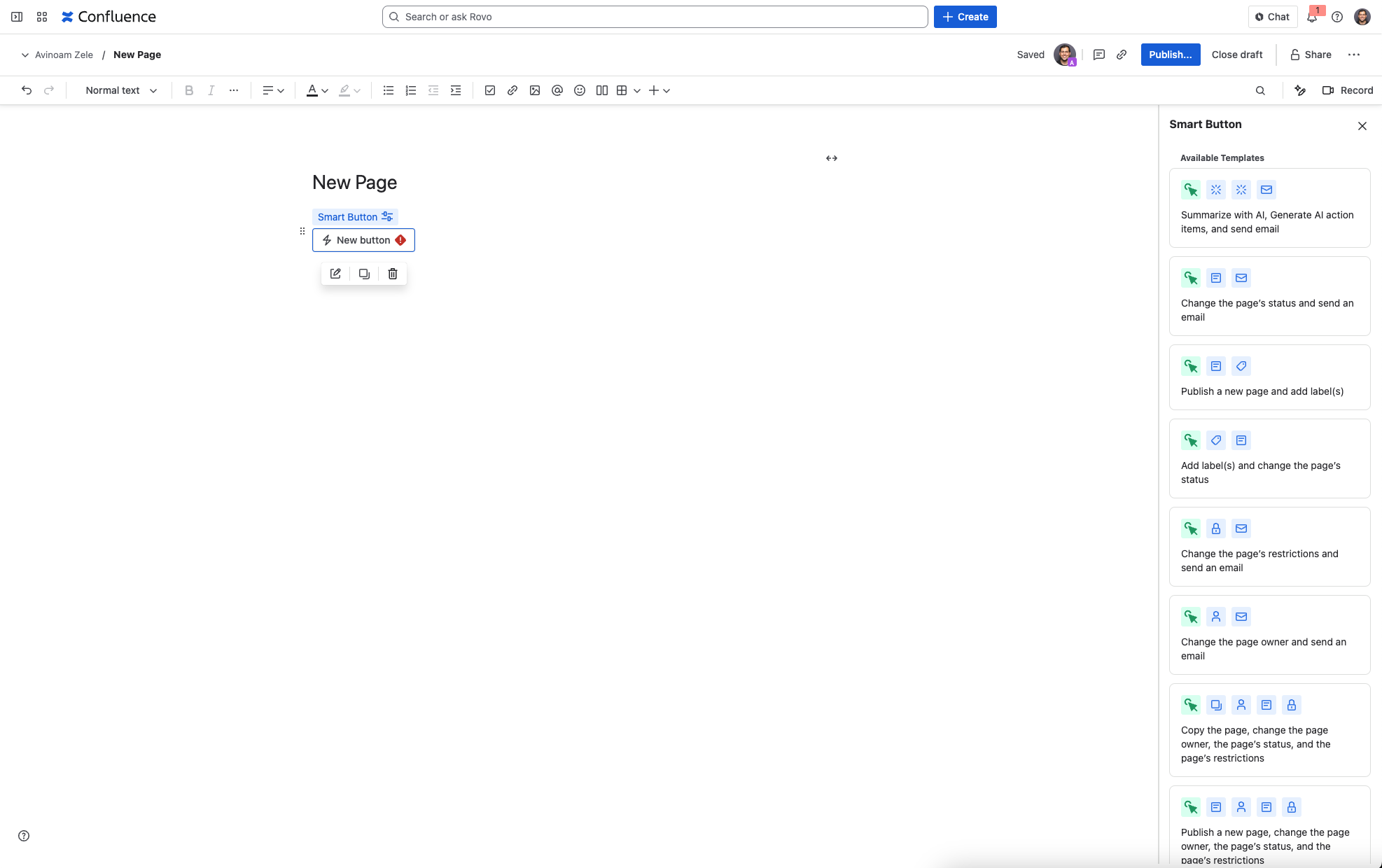
And of course - Smart Buttons, which everyone can use!
We want to hear from you!
We’d love your feedback so please feel free to schedule time with us directly here or drop a comment on this post 🙏


