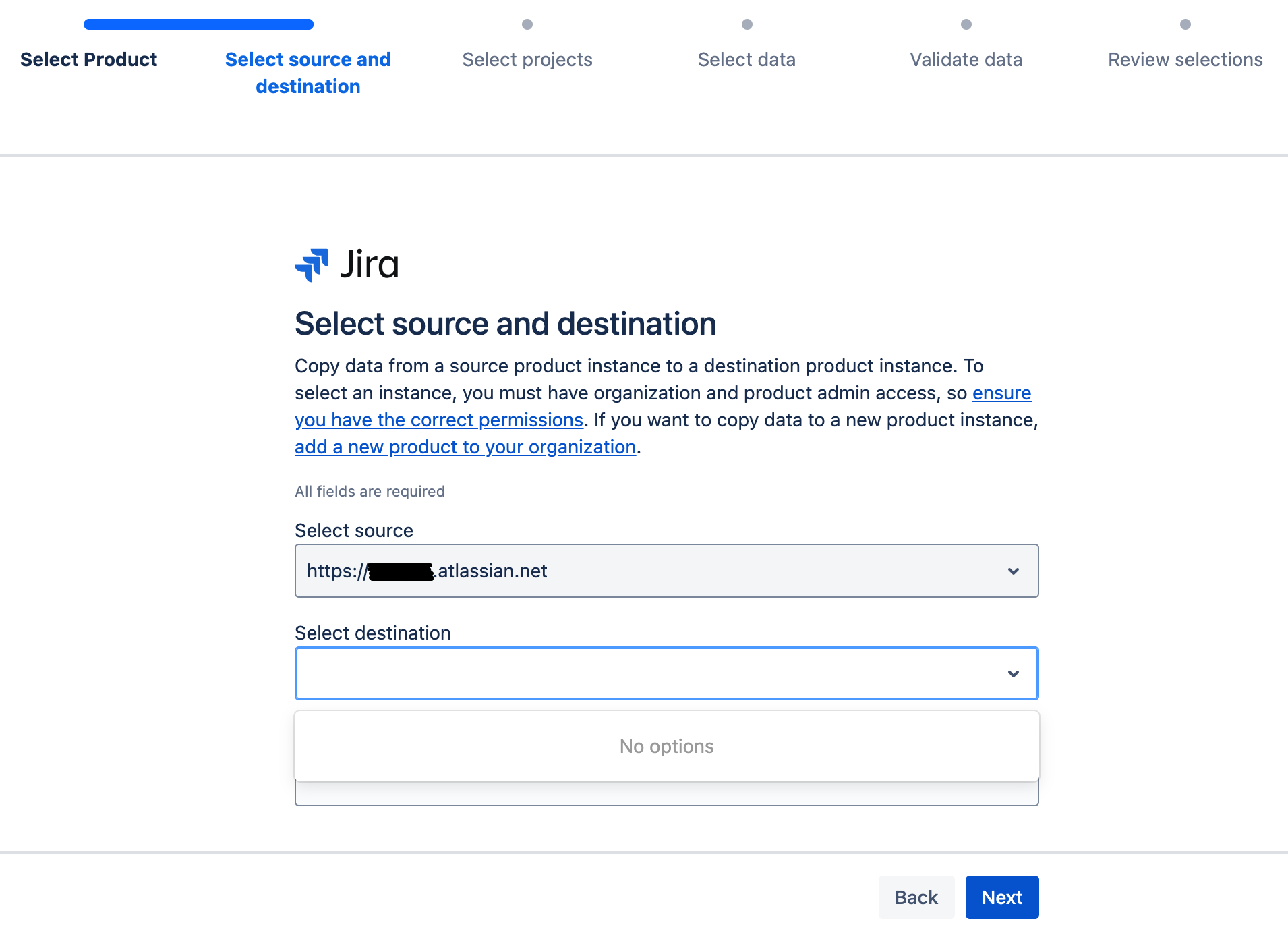
When aiming to use Jira's Copy Jira Data feature
we find ourselves not being able to select our destination from the dropdown (that remains empty). This means we can't proceed using it at all - can't create the copy plan. What can be wrong / what are we doing wrong here?
- Went to Settings > Data management > Copy product data.
- Person who is attempting the copy is an org admin on both instances
- Source can be selected (because logged in to that source)
- Destination is an instance with existing data (as stated is OK by documentation)
- Dropdown to select the destination remains empty and adding/type the exact url (similar to format as source) does not work either.
- Can't proceed with steps because destination can't be found
- Destination instance can't have the same email / account email address to login, so how can it be recognized this user, attempting the copy, is actually an admin on both instances?
- I believe the definition of 'instance' is different here - we do have 2 instances, but each require their own login. Once email 1 is used to login to Instance 1, you can't use the same email (email 1) to login to Instance 2.
- The 2 instances represent 2 companies but they will merge together. They are both paid Jira licenses, Cloud based.
Our goal is to move projects from instance 1 to instance 2. Whether that is a copy at first, or a permanent move (incl comments, employee hour logs, history, workflows etc.) does not matter. Eventually we are cancelling instance 1, as instance 2 will be representing the company and all teams onwards.
Best, Sophie

