👋 Avinoam from Confluence Automation here with an exciting new update - Confluence Automation is now available across all Confluence Cloud plans, from Free to Enterprise!
This allows automation to grow with you, adapting to the complexity and scale of your processes over time. Whether you’re just getting started or handling enterprise-level needs, automation rules can be expanded and refined without worrying about execution limits.
-
Free Plan: Up to 10 rule executions per instance (NEW)
-
Standard Plan: Up to 100 rule executions per instance (NEW)
-
Premium Plan: Up to 1,000 rule executions per user (NO CHANGE)
-
Enterprise Plan: Unlimited rule executions per user (NO CHANGE)
Read on to learn more about Confluence Automation and new resources for you!
What is Confluence Automation?
Confluence Automation is a powerful tool designed to help teams save time, improve productivity, and manage content at scale by automating repetitive, manual tasks. With automation, you set up a criteria or rule that automatically triggers an action when it occurs. The point of automation is to reduce the work around work 🙌 .
Here are some example use cases
-
Maintain a source of truth within Confluence by auto-archiving stale content or assigning labels to a new page
-
Notify teams and keep work on track by auto-sending an email or Slack notification when a task is approaching a due date
-
Power work across your favorite Atlassian tools by auto-creating or updating Jira issues from Confluence, without having to context switch across products
How do I get started?
Quickly build rules with our no-code builder and pre-built templates
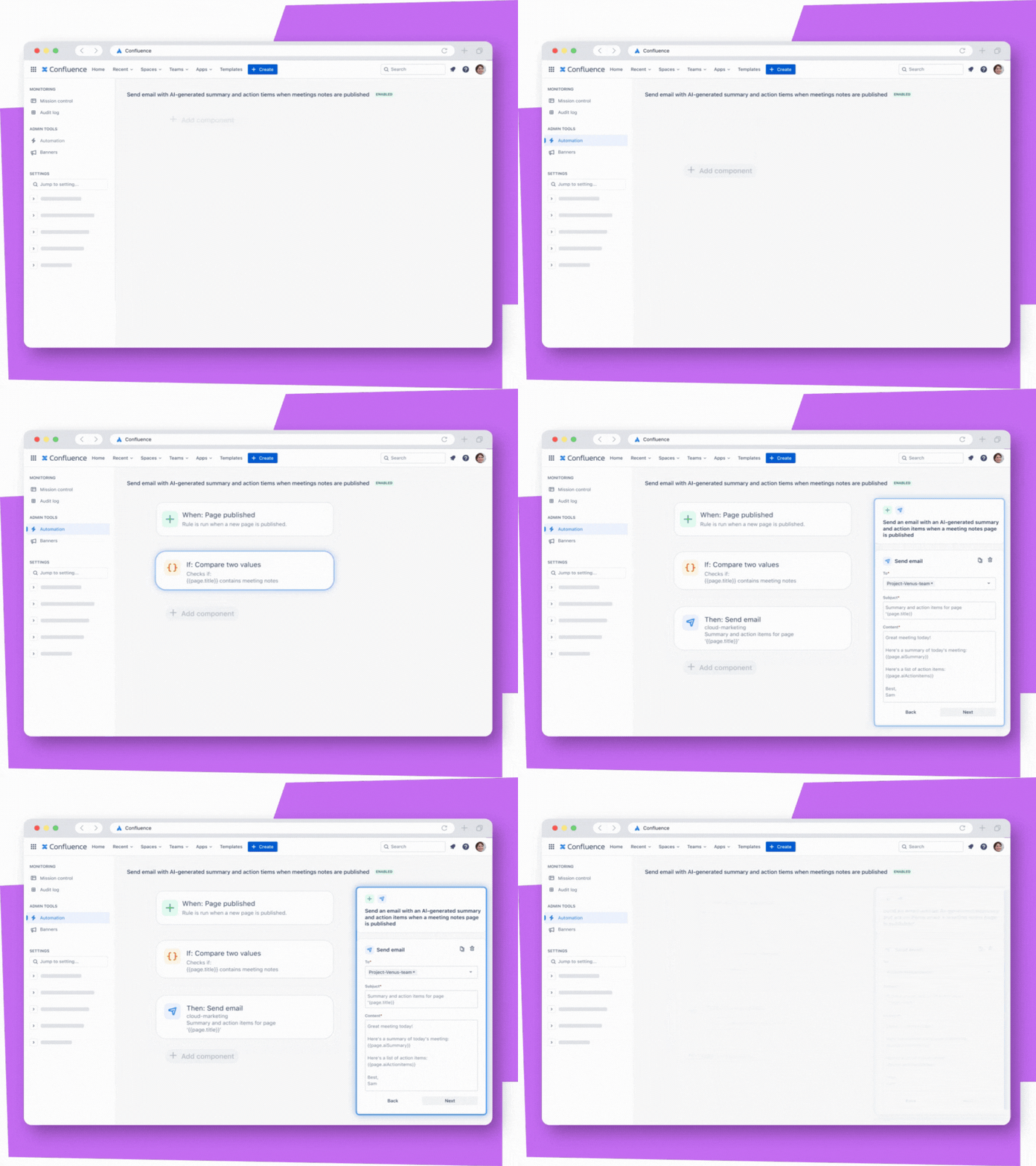
With Confluence Automation, anyone on your team—regardless of technical background—can streamline workflows and eliminate manual tasks.
Admins can get started quickly by using our visual rule builder to drag-and-drop elements in to build powerful rules. You can also get started quickly with pre-built templates for common tasks, such as archiving content, assigning owners, and more – no need to start from scratch!
Manage and scale automation across your organization with ease
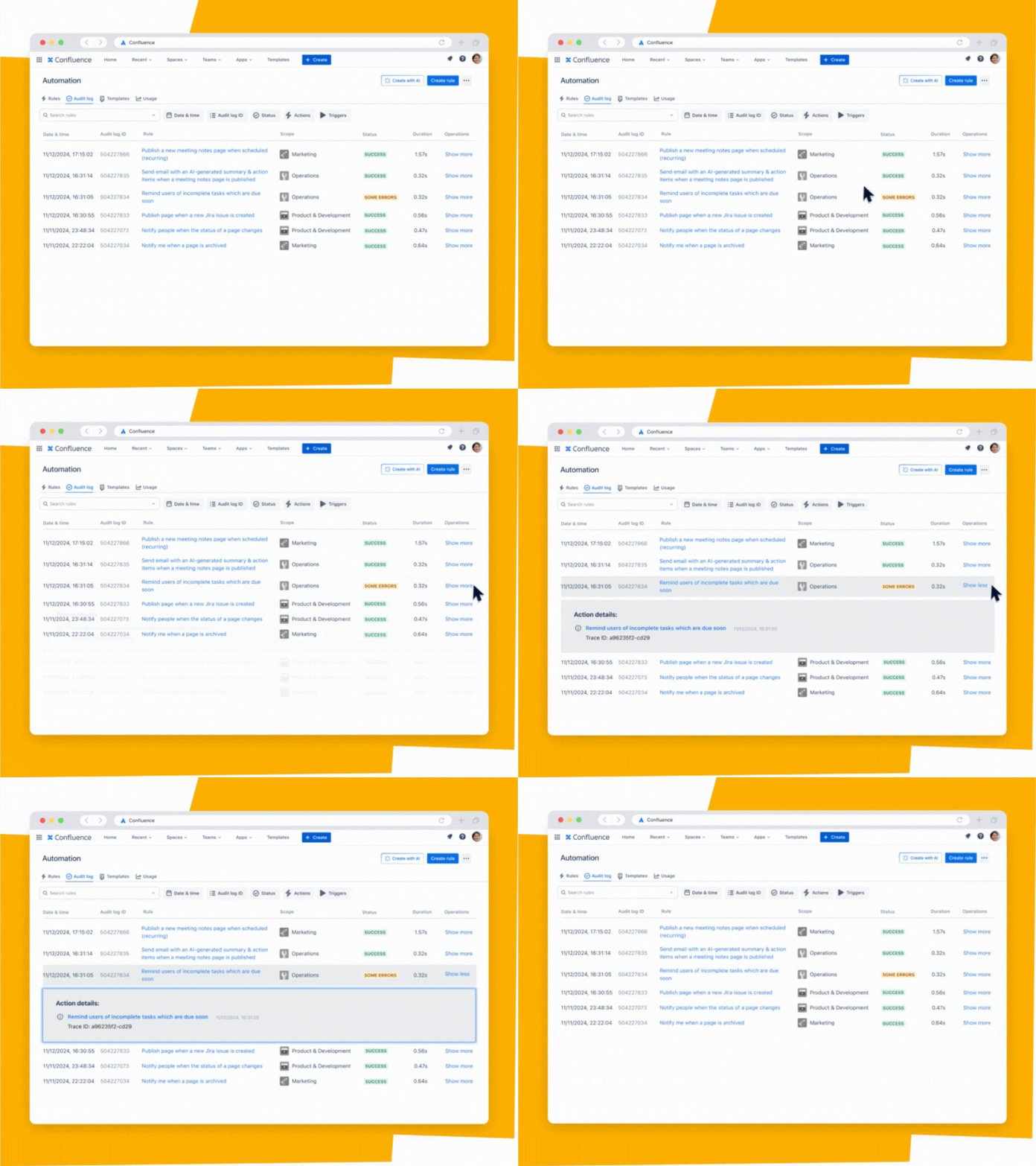
Admins can rest easy with full oversight and control over how automation is configured and managed across your Confluence site and spaces, ensuring you’re within your plan’s automation limit while helping your teams reduce manual work.
Admins get access to a full audit log to track every automation action to show when rules were triggered, the outcomes, and any action performed. You also get visibility into monthly automation activity, with the ability to disable or enable rules as needed.
What about end users?
End users with edit permissions can create and edit smart buttons on a page
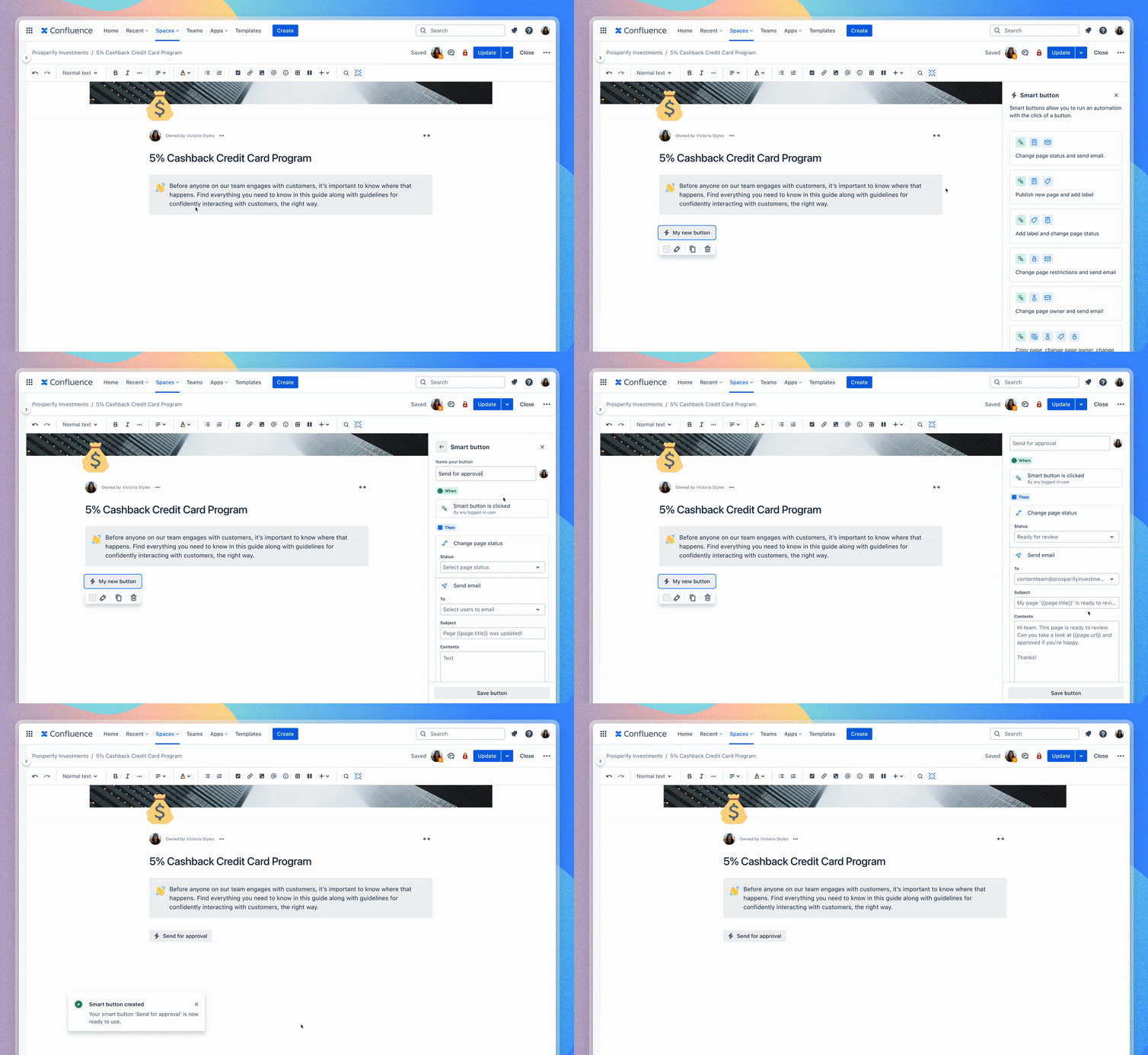
With automation smart buttons, end users are able to create their own rules from a pre-defined list and run the automation with a click of a button on the page.
When ready to add a smart button in edit mode, end users can select the insert menu (+ icon) from the toolbar or type /smart button and select “smart button.” From there, the end user can choose from a pre-defined list of automation templates and edit the components to fit their use case.
FAQs
When will it be available?
Starting December 9th (today!), customers on Free and Standard plans can start using automation. There is no change to Premium and Enterprise plans. See the usage limits that determine how many times rules can be executed per month, depending on if you’re on a Free, Standard, Premium, or Enterprise plan.
Where can I learn more?
Here are some resources:
Have more questions? Join our Dec 17th AMA!
We’ll be hosting a live AMA on December 17th to answer any and all burning questions about automation. Please add your questions as a comment on this post so that we can be sure to answer them during the live session!
Sign up to reserve your spot today!!
AMA – Confluence Automation Tuesday December 17th, at 9:00am PST - Register here!


