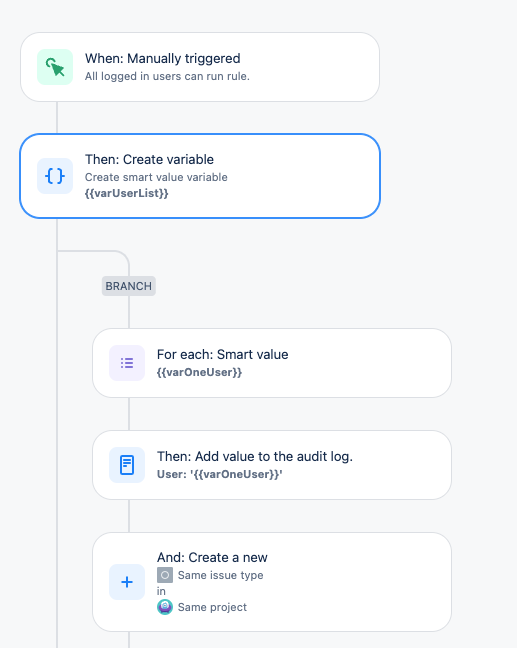
The requirement: I am trying to create an Automation rule that will automatically create issue under an Epic when the Epic is created. I want to create an identical set of issues for 1..n Assignees.
The target project type is Company Managed Software. I am on a Free subscription.
For testing purposes I have set the rule trigger to be Manual rather than triggering by Epic creation, and I'm creating just one issue. I'm using two users for the test.
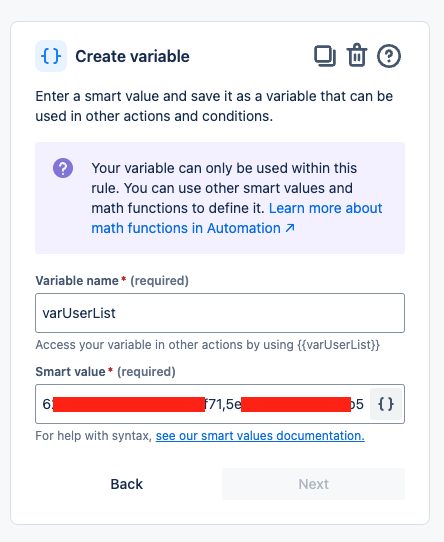
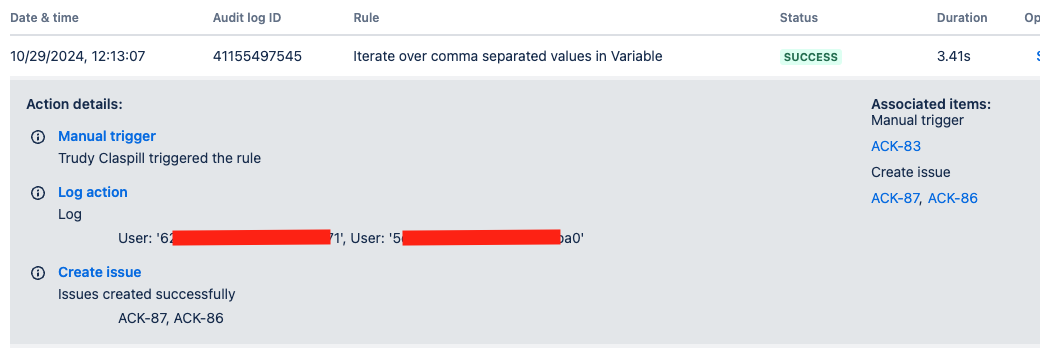
I created a Variable in the Automation rule to create a comma separated list of Account IDs.
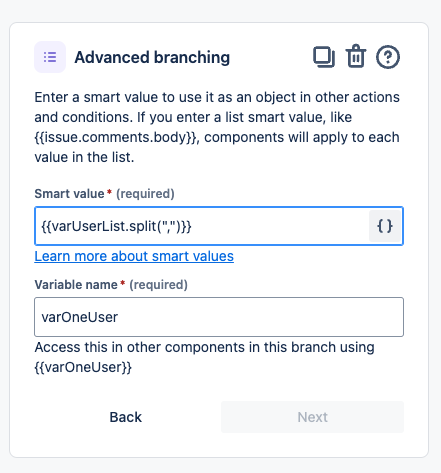
I'm using a Smart Value branch to iterate over that Variable.
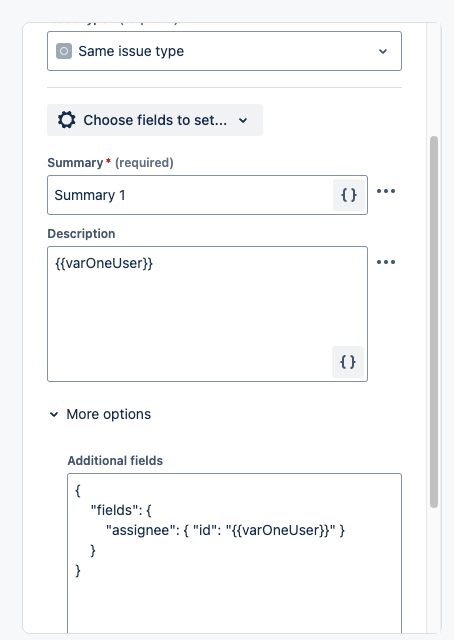
In the branch I create the issue and set the Assignee as part of the Create Issue action.
The problem is that the Assignee is not changing from one iteration of the branch to the next. All created issues end up with the same Assignee.
I have tried setting the Assignee by selecting the Assignee field to set and setting it to the branch smart value, and by using JSON in the Advanced Editing option.
I got the account IDs by looking up the users through the Team feature and pulling the IDs from the URL. I have double checked that the IDs are correct.
I have tried swapping the order of the IDs in the Variable. In both cases the user is set to user 53...a0, regardless of whether it is first or second in the variable.
I have confirmed that both the users I've specified in the variable can be manually assigned to issues in the target project. There is no automatic setting of Assignee for the project via a Default Assignee setting nor are Components being used.
I am writing the branch variable into the Description field also so that I can confirm which value is in focus of the branch when the issue is created.
I have checked the History entries for the issues. The Assignee is not being modified after the Creation is completed.
Below is my rule, details of the steps, and the output of the rule execution.
Any idea why the Assignee is not being set as expected? Thanks in advance!