Hello,
I am an admin for our Jira Cloud instance, and I am experiencing an issue when trying to suggest changes to user details (e.g., full name or email address) via the "Suggest Changes" functionality. The issue occurs when I click the "Submit" button after filling out the required information. The button does not respond, and no action is applied, nor is there any error message.
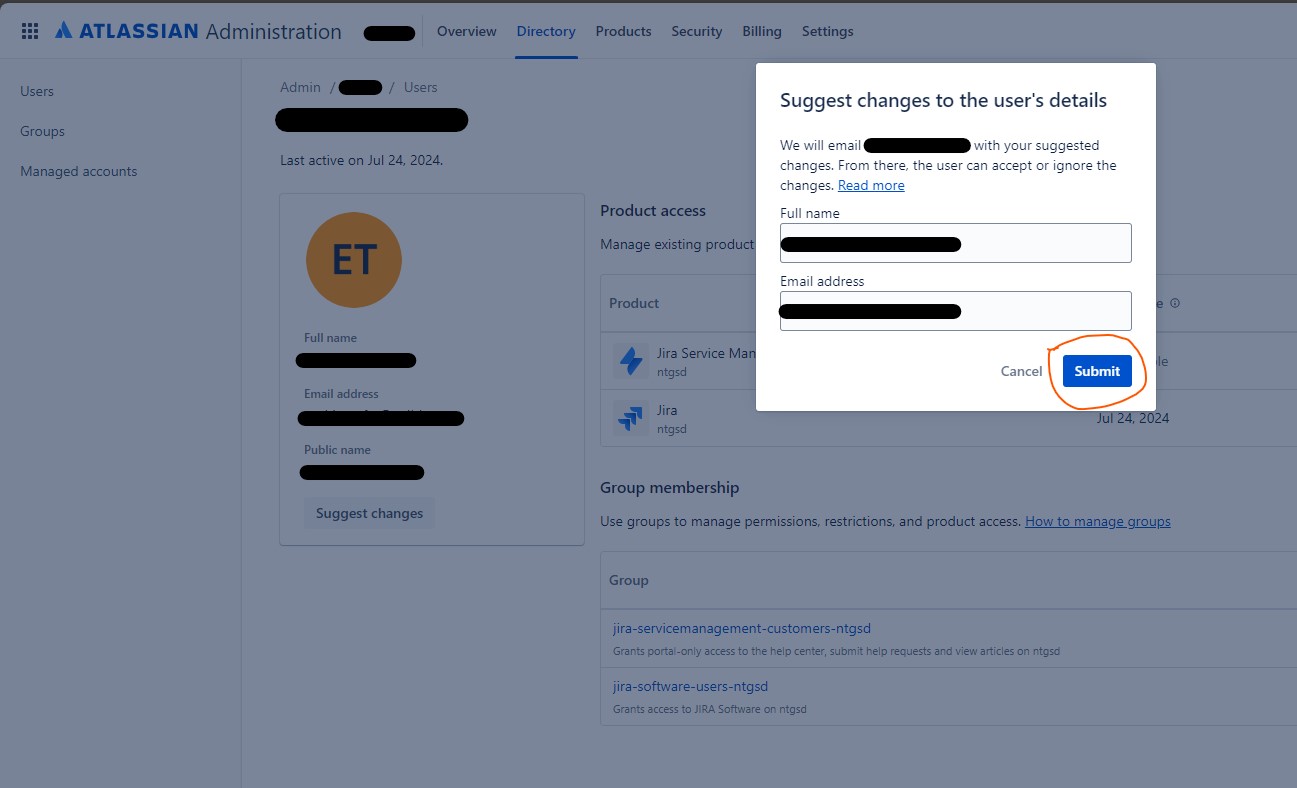
Here are the details of the problem:
- Product: Jira Cloud
- Issue: The "Submit" button in the "Suggest Changes" dialog is non-responsive.
- Steps to reproduce:
- Go to Administration > Directory > Users.
- Select an active user and click "Suggest Changes".
- Attempt to "submit" a change request to the user for a new name or a new email or both.
- The submit button doesn’t work, and no feedback is provided.
- Tested solutions:
- Cleared browser cache and cookies.
- Tried different browsers (Chrome, Edge).
- Checked permissions and role configurations in the admin portal.
"Suggest changes" has previously been working as expected and we have changed a few user's email addresses through this. The last email change for a user was about 4 months ago, and nothing significant seems to have changed in our environment recently.
Could you please advise if there have been any recent updates that could have caused this issue, or if this is a known bug? Any guidance on how to resolve this would be much appreciated.
Thank you in advance for your suggestions.


