👋 Hi Confluence Community,
About a month ago, we announced a beta of folders in Confluence. We had enormous interest in the feature (so much so that we had to close the beta to new customers!), and our wonderful beta community provided us with incredibly helpful feedback.
Since the beta launch, our team has been hard at work preparing the feature for its general release, and we’re thrilled to announce that we are in the process of rolling 🗂️ folders out to all customers in all editions.
📣 The rollout process is fully randomized, and we do it in stages to ensure that there are no performance issues or critical bugs. Folders should be available on your instance within the next few weeks if they are not there already.
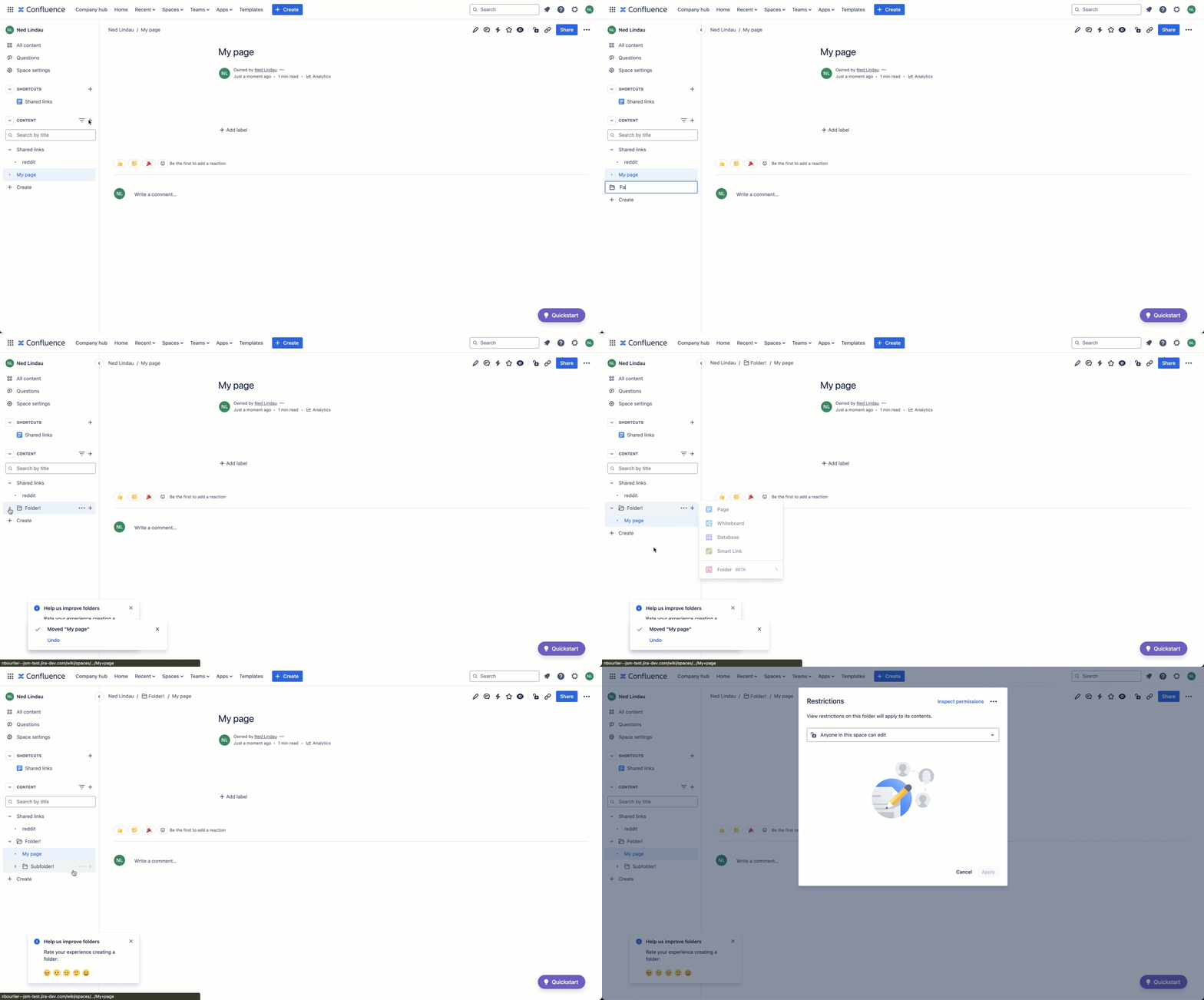
Folders FAQ
For more information on folders, see our documentation.
Can I still use parent pages?
Yes! Folders are purely additive — this release has no impact on parent pages.
How are folders and parent pages different?
A folder is a simpler kind of container — it’s just a place to store your content. In contrast, a parent page is a container with a “Read Me” built into the container itself. Use a parent page when you want to provide additional information or context on what’s inside the container. Use a folder when you simply want to group similar content.
Based on customer feedback over time, parent pages seem most useful in traditional knowledge base / wiki spaces, whereas folders seem more useful in project, team, collaborative, or hybrid use-cases.
Can I disable folders for my space?
Yes " data-emoji-id="1f622" data-emoji-text="😢">😢. Folders are turned on by default, but space admins can turn folders off — or turn them on if they have previously disabled them — in Space settings.
Currently, it is not possible to turn folders on or off at the site level.
To turn folders on or off for a space:
-
Navigate to that space in Confluence.
-
Select Space settings from the sidebar.
-
In Settings, select Features (under Manage space). This option is only available to space admins.
-
Select the toggle to the right of Folders (under Content).
Can I convert existing parent pages into folders?
📣 This feature is currently in beta as we finalize performance and a few other nuances.
Yes! To convert folders to parent pages, follow these steps:
-
Go to the parent page that you would like to convert into a folder
-
Select the ... in the upper-righthand corner of the page
-
Select “Convert to folder”
When you convert a parent page into a folder, we are really just archiving the parent page and replacing it with a folder. Therefore, if you want to recover your parent page at any point, you can do so by going to Space settings > Archived pages.
Finally, if your parent page is empty or only contains the “Page tree” or “Child pages” macro, you will see a banner at the top of the page prompting you to create a folder, since many users have told us that these types of parent pages specifically are the ones that should most likely be replaced by a folder.
We're eager for your feedback — please let us know what you think. You should see a feedback screen pop up in the bottom-left of your screen after creating your first folder.
- Ned, on behalf of the folders team


