Hi Jira Community,
I've found a couple of similar problems, but unfortunatelly none with a useful solution for my problem so far.
I think signature images in general are problematic, either you have x-times the images as issue attachements or in my case, service management could not render it properly so we are having tickets with 3-4 screens long base64 code for the image. Since it is in a table its 4 clicks to delete it manually to see the main issue clearly. Which is a workaround in the best case.
Is there a way I could delete part of the description (yellow in the image below) with automation? Since the "image" is always starting and ending with the same text:
"Unable to render embedded object: File (image/png;base64 ....... ) not found."
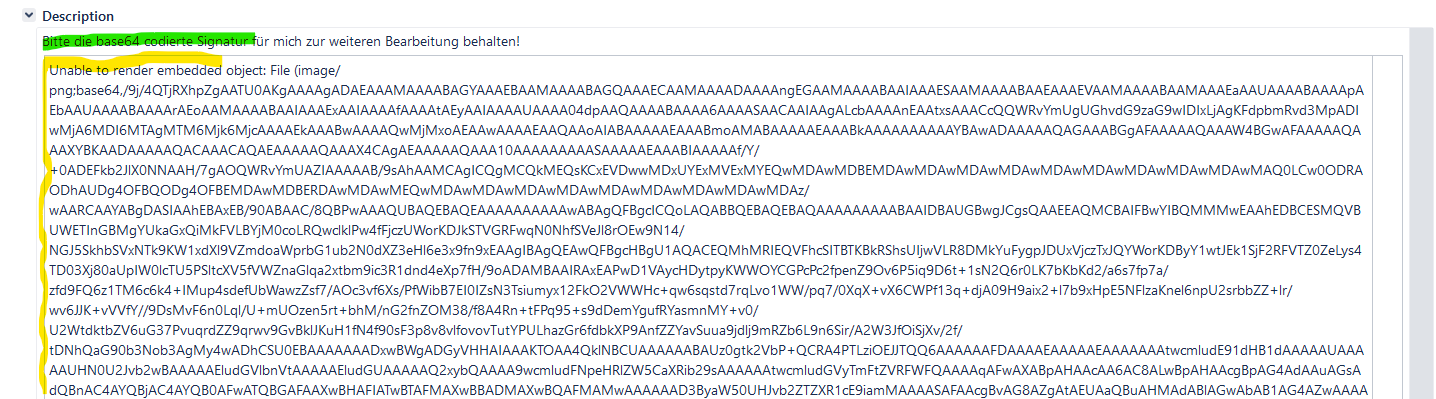
The rest of the description (green) should stay as untouched as possible, so nothing needful is lost.
If anyone knows an app which could help, it would be appreciated too!
Thanks in advance,
Best,
Dietmar

