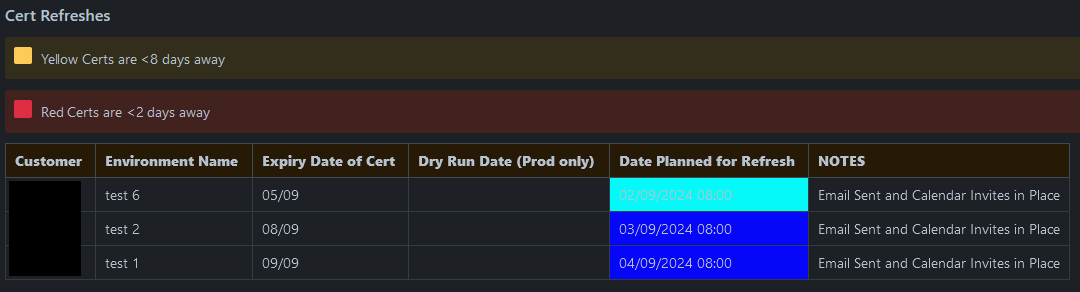
I have a table transform that colours cells yellow or red based on DATEDIFF
WHEN DATEDIFF(day, "today", 'Date Planned for Refresh') <= 2 THEN "red"
WHEN DATEDIFF(day, "today", 'Date Planned for Refresh') > 2 AND DATEDIFF(day, "today", 'Date Planned for Refresh') <= 8 THEN "yellow"
ELSE "#FFFFFF"
However, when using dark mode the colours are inverted making it hard to read and it no longer matches the key I've added above the table. Is there a way to make the cell colours act the same way as the 'note' macros, remaining yellow/red?
LIGHT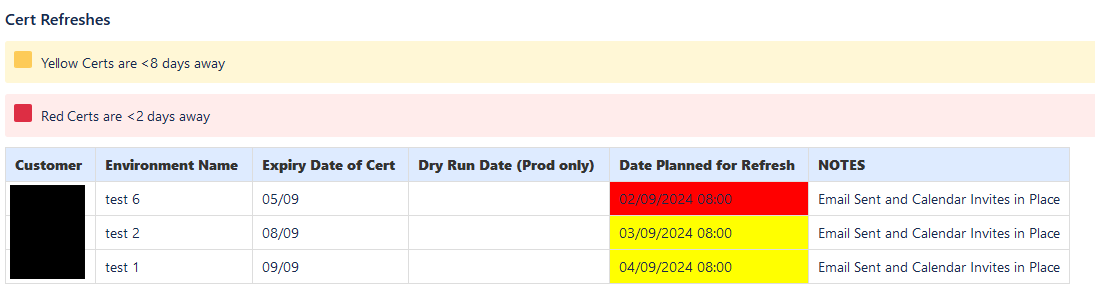
DARK