Hi,
I am new here and trying to prepare a migration from Server to Cloud installation.
In the legacy editor I created a page just as a container for icon images (above the root page of the space) to have all the images centralized and be accessible by other pages.
Therefore I used in a huge number of pages the feature of the legacy editor to add an image from a different page.
When converting the migated pages to the new editor the pages still looks fine but when editing the page and hovering over the image I get this hint when editing the "link":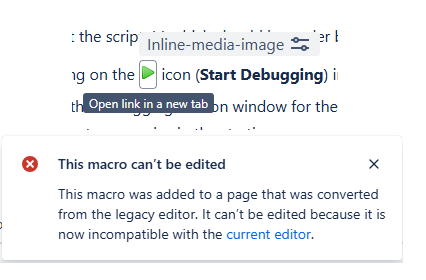
When using e.g. Scroll Viewport as a help center these images cannot be shown inline and are rendered very ugly.
I already get the hint to re-add manually all the icons to the pages which is really a nightmare!
As the broken "link" to these images is not directly visible when looking at a page (!), would there be a possibility to get a kind of “problem-report” where all the pages are listed which might have this problem ?
Otherwise there is a huge risk of overlooking one or more pages with this “defect”.

