Hi Atlassian Community!
I’m Ivan, a Product Manager in Jira Cloud and today, I'm excited to announce that we are bringing a new way to view dependencies and related work directly on your Jira board!
This is available in software and business projects, both of which are part of the new Jira license that unified Jira Software and Jira Work Management.
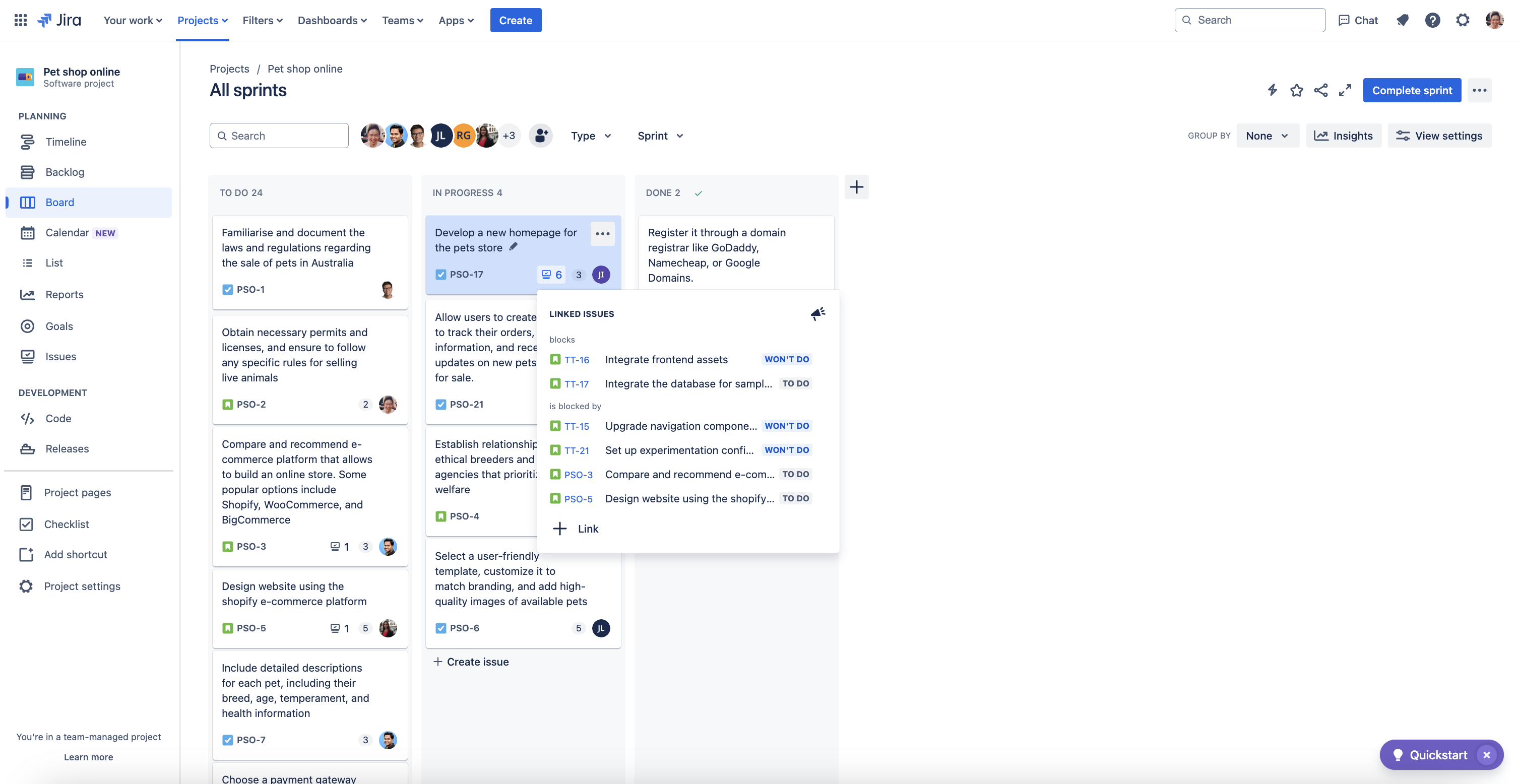
Jira boards in software projects
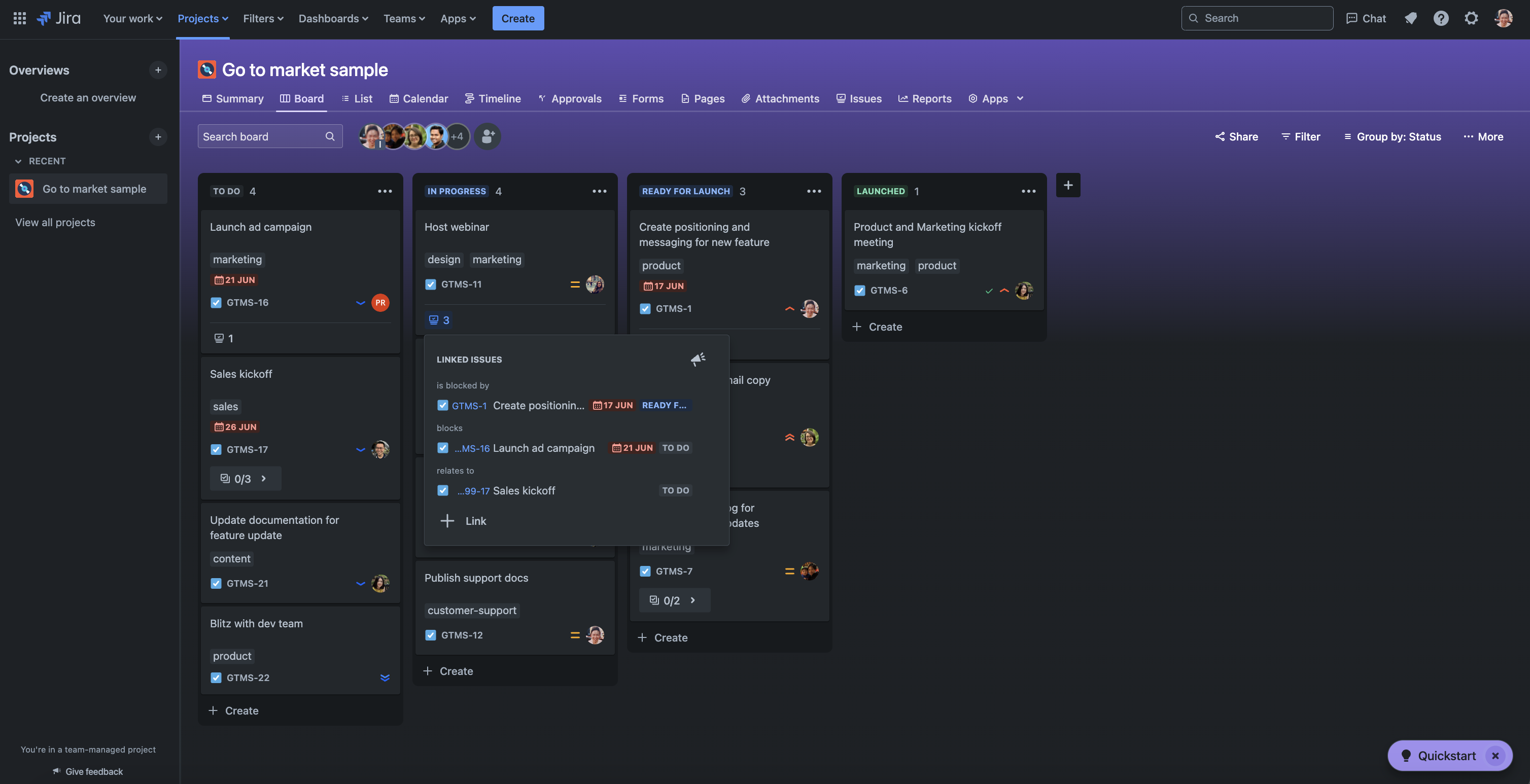
Jira boards in business projects
Whether you’re a product team, marketing team (or anything in-between!), it’s crucial to know how tasks relate to each other and if potential blockers exist.
We have been listening to you, and have made changes that let you:
-
Know what tasks are related to each other, so that you can refer to them when executing on your task, or know when someone is blocking you (or vice-versa).
-
Have a single source of truth of all the work that has gone into shipping a task.
If dependencies are unknown, you can’t plan for them, leading to teamwork being hindered and harming team productivity. As a pioneer of remote work, we saw that synchronous communications decreased, asynchronous communications increased, and the share of time spent on asynchronous communications exploded by 50%. We want to help solve this problem effectively!
Watch our Demo Den!
Key features:
-
See all your issue links within context: We’ve made it easy to quickly skim dependencies and related work to enhance your team rituals like team standups and planning. Not only that, you can see important fields for linked issues — such as the issue type (bugs anyone?) and statuses (is it progressing as expected?).
-
Your reminder to link important issues: Use the 3-dot menu that appears upon hover, or right-clicking on each card to use the context menu in order to:
This feature is:
-
Available to every Jira user. Whether you’re a software or business projects board user, on team-managed or company-managed projects, and regardless of licence type — you can use it. It’s also available for Jira Work Management licensed users.
-
Connected to other Jira products. You’re not limited to just Jira links! You can also link Jira Service Management and Jira Product Discovery issues for even more clarity.
-
Turned off by default. Linked issues is only viewable to each individual user, not globally. To turn it on for your Jira, visit your board’s View Settings.
Want to help us make the board view even better?
We’re always looking to improve and iterate. Since shipping this feature to the board view of software projects and quickly following up with business projects in Jira, we’ve heard a lot of positive feedback from customers that this feature has enhanced their ways of working and cross-team collaboration.
We’re keen to get feedback to help us iterate towards the future. Share your thoughts in the community thread below, and let us know what you love and what more you hope to see!


