Hi Atlassian Community,
My name is Tiffany Chung, and I’m a Product Manager on the Confluence Cloud team.
Last October, we delivered public pages, allowing sharing of view-only Confluence pages to anyone on the internet (announced here). Now, I’m thrilled to announce that we now offer that functionality on Confluence whiteboards!
Confluence is a collaborative hub, on pages and beyond!
Confluence continues to be a collaborative hub to share within and outside of your team. Now you can continue to everyone on the same page AND whiteboard
Public whiteboards allow you to easily and quickly share across a variety of new use cases like brainstorming sessions, product launches and team diagrams!
How do Public Whiteboards work?
End users can share Whiteboards with anyone
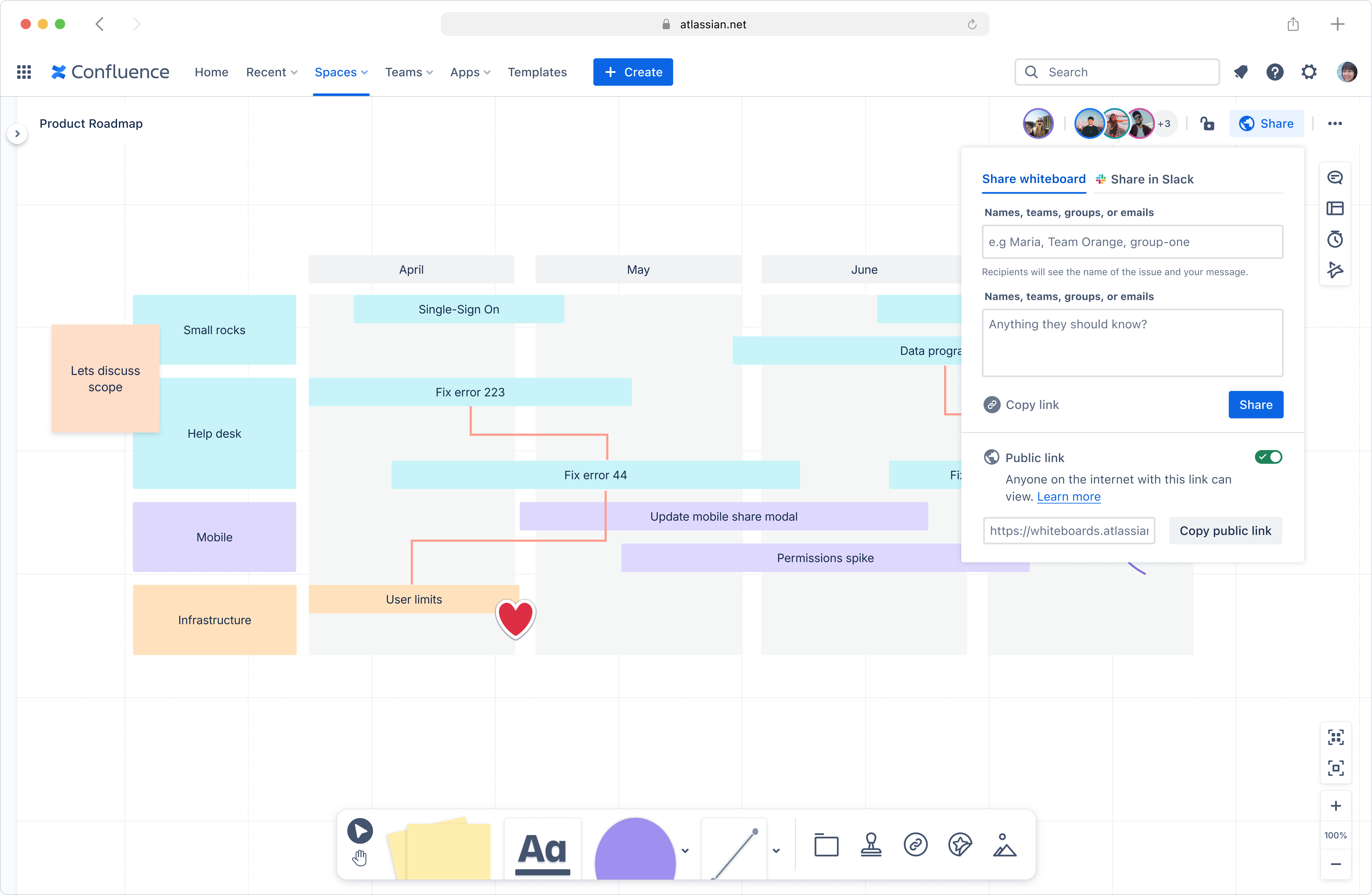
End users can now turn on public links for whiteboards from the share dialog. If there are visitors on the public whiteboard, you'll also be able to see their avatars show up on the internal whiteboard.
Visitors can easily view content and activity in real-time
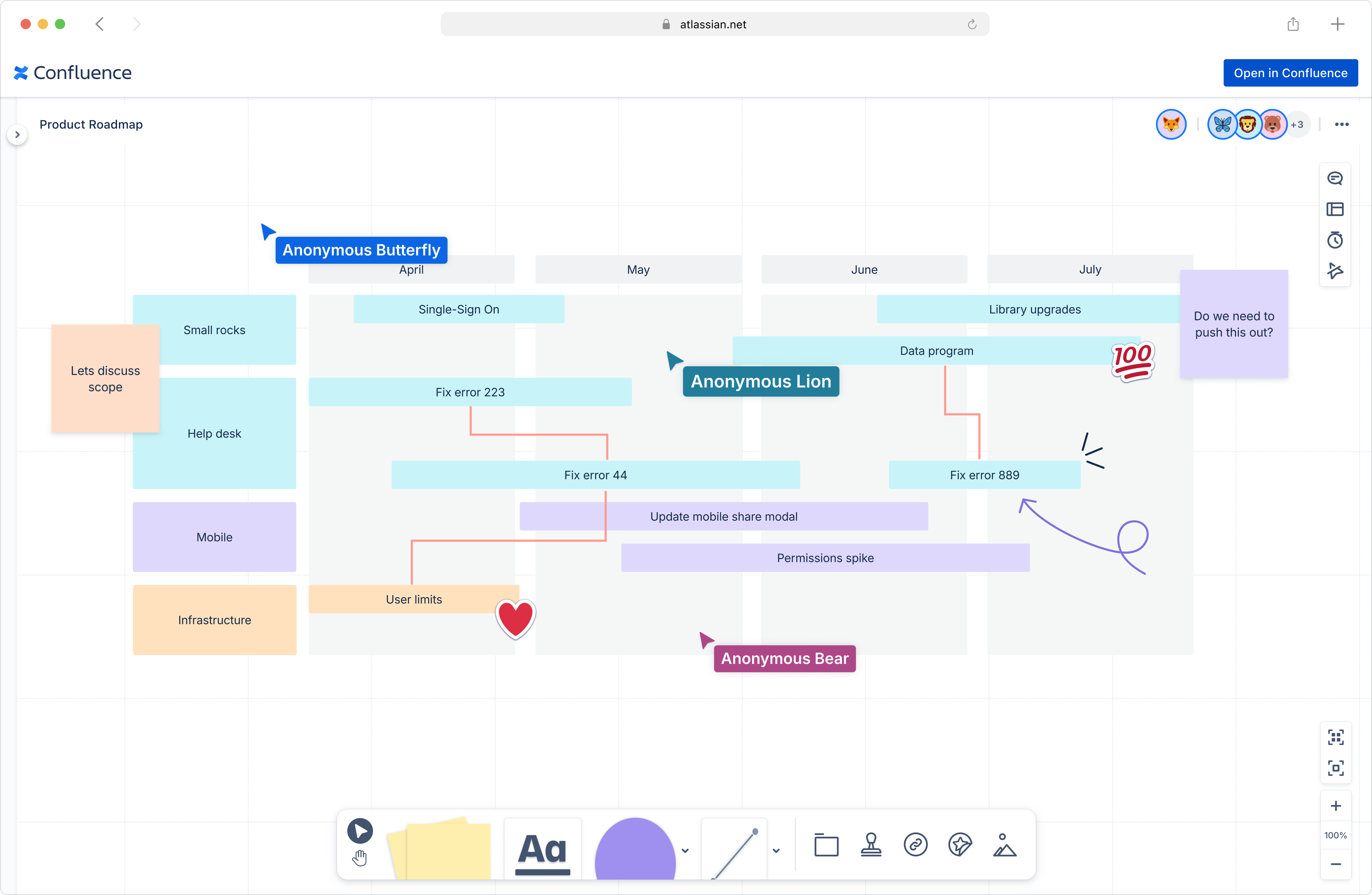
Visitors can view whiteboard content without signing in. All edits and activities on the internal whiteboard are displayed in real-time, keeping you up to date.
When you visit a public whiteboard while logged in, your cursor will be labeled with your display name. If you visit without logging in, you'll receive a fun anonymous identifier, adding a touch of delight to the viewing experience!
Admins are always informed and in control
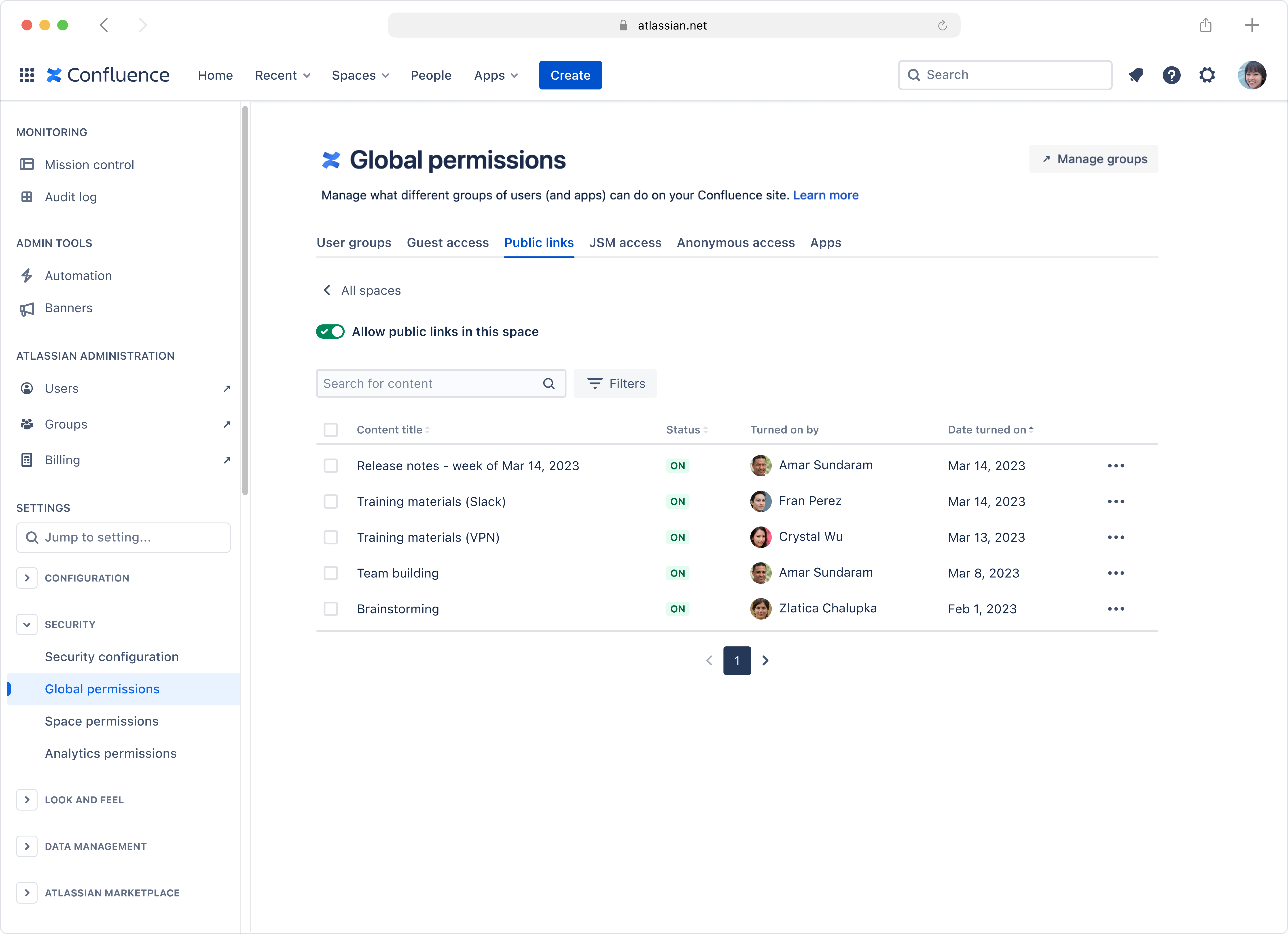
In addition to public pages, admins can now also manage public whiteboards in product and space admin panels.
Moreover, admins will get the same notifications and audit log events around public whiteboards as public pages, keeping them in the know of what’s happening.
We are excited for you to expand the bounds of your team collaboration with easy link sharing on whiteboards. Happy sharing!

